

Turn recordings into transcripts and summaries in minutes
Upload audio or video for multilingual transcription, AI notes, and action items
Last Wednesday afternoon, I was stopped by my boss at the elevator. He asked, "What was the final decision from that project meeting last time?" My mind went blank. It wasn't that we hadn't met—it was that the meeting minutes I wrote after the meeting were so messy that even I couldn't find where the conclusion was.
That incident made me seriously reflect. I have about 15 meetings a week—weekly meetings, project progress meetings, one-on-ones, cross-department coordination. I used to think meeting minutes meant "writing down what everyone said," but later I realized that this understanding itself was the biggest problem: I wrote down a lot, but not the things that really mattered.
This article isn't about high-level theory. It's about the pitfalls I've stepped into, the adjustments I've made, and how I now use tools to automate this process—all explained clearly in one go.
What Should Meeting Minutes Actually Capture? Not a Transcript, but These 4 Elements
Let me start with the conclusion: meeting minutes are not a transcript, nor a summary, but a formal record of "what actually happened in the meeting." A usable set of meeting minutes roughly consists of these four parts:
1. Agenda: State the discussion topic clearly as a "question"
This is the hardest part and the most easily overlooked. Many people write "discussed new product positioning" in meeting minutes, but that's not an agenda—that's a running log. A good approach is to turn it into a question: "Should the target audience for the new product be existing users or new markets?"
When the agenda is a question, all subsequent discussions and decisions automatically have a place to attach to. Readers will also immediately know what the meeting is trying to solve.
2. Discussion Summary: Keep only the core, don't copy sentence by sentence
The most common mistake beginners make is writing down word for word what each manager said. The result is that the writer is exhausted, and the reader can't find the key points. The discussion summary only needs to retain "who raised what key viewpoints," "what different positions there were," and "where things converged in the end."
3. Decisions: Clearly state "what was decided"
Decisions are the heart of meeting minutes. Meeting minutes without decisions are equivalent to a meeting that was held in vain. Decisions should be written so that people who didn't attend the meeting can understand them. Don't use abbreviations or codes that only insiders understand.
4. Action Items: Task, owner, deadline—all three are required
This is the part most easily missed and most affecting follow-up tracking. The format is "task + owner + deadline," for example, "Compile customer feedback survey, Wang Xiaoming, by next Wednesday." Without an owner, no one does it; without a deadline, it never gets done.
In addition to these four parts, add the meeting name, time, location, and attendees at the beginning, and you have the basic skeleton of a complete set of meeting minutes.
What Are the Core Capabilities of Meeting Minutes? Where Can AI Tools Help?
Now that we've covered what to record, let's talk about how to record it. I used to write by hand, and a one-hour meeting took two hours to organize—basically using overtime to catch up on meeting minutes. Later I switched to AI speech-to-text tools, and things improved. Take Tinrec, which I currently use, as an example. Its approach to the four types of content above is roughly like this:
Real-time transcription, settle thoughts while meeting
Tinrec's real-time recording and transcription outputs text as it records, not after the recording ends. During the meeting, you can look at the text to confirm in real time whether any key points are missing. If participants speak too fast or have heavy accents, you can ask on the spot. For someone like me who has no time to re-listen to recordings after meetings, this makes a big difference.
AI summaries and chapters, automatically structuring long meetings
A two-hour meeting transcribed into text is tens of thousands of words—no one will read it from beginning to end. Tinrec automatically generates summaries and chapters, breaking long meetings into sections so you can quickly scan and know what was discussed and where each topic converged.
Action item extraction, automatically pulling out "who needs to do what"
This is the most practical part in my opinion. Tinrec extracts action items from the discussion content, so you don't have to go back and search sentence by sentence for "so who said they'd handle this just now." After extraction, you manually verify the owner and deadline once, which is much faster than starting from scratch.
AI Q&A, follow-up questions after the meeting without re-listening to recordings
Sometimes after meeting minutes are written, two weeks later someone asks about a detail, and you still have to dig through. Tinrec supports asking questions directly about the meeting content, such as "What were the customer's concerns about pricing?" or "Who mentioned the budget in this meeting?" It answers directly based on semantic understanding, so you don't have to pull the timeline and re-listen yourself.
Multi-format export and post-meeting processing
Organized content can be exported to Notion, Google Docs, OneNote, etc. for continued use, or through Agent post-processing to generate reports, tables, or meeting summary documents. For those who need to report upward, the time saved in this step is even more than the transcription itself.
Practical Application Scenarios: Different Meetings, Different Recording Priorities
Scenario 1: Regular weekly department meetings
Stop organizing recordings by hand
Upload audio or video and automatically get a transcript, summary, and action items
The characteristics of weekly meetings are "high repetitiveness, many decisions, miscellaneous action items." This type of meeting is best suited for a fixed format, using the same set of fields each time, so participants know exactly where to find what they need to claim. My current approach is to use Tinrec desktop version to record online weekly meetings, then directly look at the action item extraction list after the meeting, confirm owners item by item, and send it out within five minutes.
Scenario 2: Cross-department coordination meetings
The most troublesome part of cross-department meetings is not the communication itself, but the follow-up after communication. Each department interprets and remembers differently, and two weeks later they compare notes and find different versions. The minutes of such meetings must clearly state "what each department committed to," and controversial points should also be recorded truthfully. Tinrec's transcript preserves the original statements, so you can go back and verify exactly what was said when necessary.
Scenario 3: Client meetings and interviews
The focus of client meetings is different from internal meetings: you need to record the client's needs, concerns, objections, and what we promised. For this type of meeting, I usually look directly at the summary and action items after the meeting, and use the transcript to confirm the client's exact words to avoid distortion in paraphrasing.
Scenario 4: One-on-one meetings
The focus of one-on-one minutes is "follow-up tracking." Whether the issues discussed last time have improved, what adjustments were promised this time—if there's no record, three months later you won't remember at all. For this type of meeting, I use a lighter recording method, focusing on action items.
5 Things to Note When Choosing a Meeting Minutes Tool
1. Can it handle your meeting format?
First confirm whether your meetings are online, offline, or hybrid. Tinrec desktop version captures computer system audio to record online meetings like Zoom, Google Meet, Microsoft Teams, and Webex, without needing to invite an extra bot to join the meeting; offline meetings are handled with real-time recording. The advantage of this approach is that participants won't see an intrusive bot account appear in the list.
2. Can it help you organize after transcription?
Transcription is only the first step. What really takes time is organizing into summaries, chapters, and action items. Tinrec has turned this part into an automated process, which is the main reason I switched from "simple transcription tools."
3. Handling Chinese and multilingual meetings
Meetings in Taiwan often mix Chinese and English, with product names, technical terms, and project codes mixed in. Tinrec supports Chinese, Traditional Chinese, and multilingual meetings, and also has a team hotword feature to maintain company-specific terminology. Actual performance will still be affected by recording quality, accents, and multiple people speaking at the same time—be prepared for that.
4. Can historical data be retrieved?
Half the value of meeting minutes lies in "being able to look it up later." Tinrec's retained transcripts can be searched and queried, which is much more useful than a bunch of Word files stored in a local folder.
5. How are permissions managed for team use?
If you're using it as a team, note that "roles" and "seats" are two different things. Roles determine who can manage the team, members, and settings; seats determine whether members can record, upload, edit, and export. In Tinrec's team version, members without seats can still view, play, and read team data, but cannot perform operations like uploading and editing. In addition, team data belongs to the team, so when members leave, they won't take meeting data with them—this is important for department-level knowledge retention.
Frequently Asked Questions
Q: What's the difference between meeting minutes and a transcript?
Meeting minutes are a formal record of what actually happened in the meeting, including discussion topics, decisions, and action items—not a transcript or a summary. A transcript is raw material; meeting minutes are the organized result. In practice, I use Tinrec to produce transcripts and summaries, then condense them into meeting minutes.
Q: How soon should meeting minutes be completed?
The sooner the better—ideally the same day or before noon the next day. The longer you delay, the fuzzier your memory becomes, and the higher the cost of writing them up. The advantage of using Tinrec is that transcription and summaries are already done when the meeting ends, leaving you only confirmation and minor adjustments.
Q: Do meeting minutes need to record who said what?
In most cases, you don't need to record speakers sentence by sentence. But if there are disputes or differing opinions, they should be recorded truthfully, for example, "This case passed by majority, with so-and-so reserving their opinion." This is especially important in formal meetings or decision-making meetings.
Q: Is the free version enough?
It depends on how often you have meetings. If you only have two or three meetings a week, you can try the basic quota of the free version first. If you have meetings every day like me, the free quota will probably run out in a week, so it's more practical to go straight to the paid version.
Q: What's the difference between the team version and the personal version?
Personal version data is managed under a personal account. The team version is an independent team space where meeting data belongs to the team, with additional governance capabilities such as member invitations, role and seat management, usage analytics, audit logs, and an audio recycle bin. The team version currently has a 7-day trial, including 1 free seat and 300 minutes of team shared import quota; paid seats provide 2,000 minutes of team shared import quota per month, and real-time recording is currently not deducted by minutes under an active plan. Actual prices and benefits are subject to the official purchase page.
Conclusion
Meeting minutes, in the end, come down to three sentences: state the agenda clearly, write the decisions plainly, and give action items a beginning and an end. If the content is right, a simple format is fine; if the content is wrong, no matter how beautiful the format, no one will read it.
If you're still taking handwritten notes, or slowly re-listening to recordings after meetings, I suggest trying AI tools at least once to see the difference. Take Tinrec as an example—its value isn't in "recording for you," but in that when the meeting ends, the transcript, summary, chapters, and action items are already organized for you, leaving you only confirmation and supplementation.
The free version's basic quota is enough for you to experience two or three meetings and see what it feels like to have AI organize your meeting minutes. If you have more than three meetings a week, the time recovery rate of the paid version is very practical.
One final reminder: recording and transcription involve the rights of participants. Before recording, remember to check company policies and obtain consent when necessary.
References
- Meeting Minutes = Transcript? Professional Meeting Minutes Only Record 3 Key Points | Writing Tips and Templates at a Glance | 104 Workplace
- How to Take Meeting Minutes? The Complete Guide to Meeting Minutes That Even Beginners Can Quickly Master in 2026 - Meta Note
- Meeting Minutes Format Template [Ready to Copy] 4 Key Points + Writing Examples, Fill in and Submit
- Latest News - How to Write Meeting Minutes? The Three Secrets to Perfectly Organizing Meeting Minutes! | Pasona
- Free Meeting Minutes Templates (Word, Google Docs, PDF) | HiNoter Blog
Turn every recording into actionable outcomes
Get 60 free transcription minutes when you sign in. No credit card required.
Related Reading
You might also like

LINE Video Call Beauty Filter Guide 2026: 6 AI Adjustments + Auto-Apply Across Devices
LINE video calls have built-in beauty filters—no extra app needed. This guide walks you through where to find the settings, the six adjustment parameters, combining filters with backgrounds, fixing poor lighting, and organizing post-meeting notes. It also covers common questions and real-world limitations.

2026 Guide to Free HOA Meeting Recording Options: 3 Tools Compared
From legal considerations and bylaws restrictions to practical recording tips, this guide covers whether HOA meetings can be recorded, whether recording files can be requested, and compares Tinrec, Granola, and TurboScribe as free options for post-meeting organization.

2026 Comparison of 4 Meeting Transcription Tools: Can You Record Meetings and How to Use the Recordings
Start with three key questions to understand the legal and practical boundaries of meeting recording, then compare Tinrec, Granola, Notta, and Otter.ai on Chinese transcription, post-meeting organization, AI Q&A, and team collaboration. Finally, get selection advice for students and teams.

3 LINE Meeting Recording Tools Tested in 2026: The Most Time-Saving Way to Get a Transcript
LINE meeting rooms don't have built-in recording, and iPhone screen recording mutes the microphone. This article compares three recording and post-meeting workflows from real meeting scenarios, and tests how Tinrec turns LINE meeting recordings into searchable transcripts, summaries, and action items. It also covers iOS and Android limitations and pitfalls to avoid.

2026 Complete Guide to the Legal Validity of Meeting Minutes: From Evidentiary Weight to Team Practices
Do meeting minutes have legal validity? This article breaks down the difference between meeting minutes and meeting summaries from evidentiary weight, signature confirmation, to team practices, and explains how to use Tinrec to make meeting minutes more complete and traceable.

Can You Record LINE Calls in 2026? 5 Steps from Recording to Transcript
Can you record LINE calls? This article first debunks 3 common misconceptions, then explains in 5 steps the process from call recording to transcript, summary, and action items. Using Tinrec as an example, it shows how to turn LINE call audio files into searchable, queryable meeting data, and covers personal vs. team plan benefits, legal reminders, and FAQs.

8 Best Audio Recorders in 2026: Tinrec vs Audacity and Which to Choose for Meeting Notes
Looking for the best audio recording software? This guide compares 8 popular recording apps in 2026, from free open-source Audacity and built-in system recorders to AI meeting note tools like Tinrec and Notta. We break down input sources, transcription, summary and action items, export options, and pricing, and explain the real limits of free versions to help you pick the right tool for your needs.
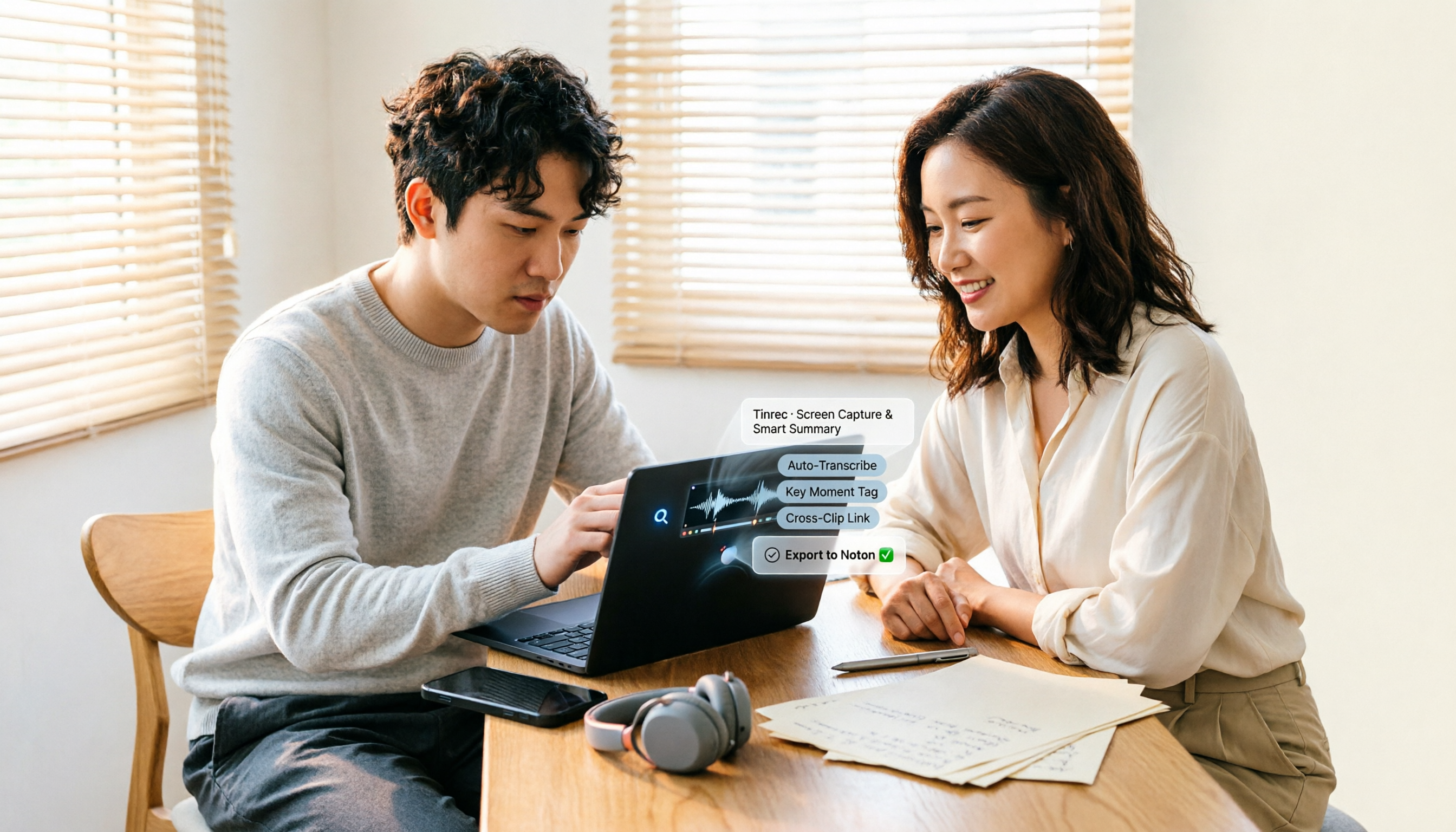
3 Screen Recording Methods Compared in 2026: How to Launch Shortcuts and Organize Your Recordings
How do you launch screen recording? This guide covers three built-in shortcuts: Windows Win+G, Mac Command+Shift+5, and iPhone Control Center. It explains their limitations and common pitfalls, then shows how to import recordings into Tinrec to turn them into searchable transcripts, summaries, and action items.

Recording Mediation Committee Meetings in 2026: Legal Boundaries, Consent Process, and Organizing Recordings
Can you record a mediation committee meeting? The answer isn't a simple yes or no. This article compiles Ministry of Justice interpretations, Ministry of Labor regulations, and court practices to explain whose consent is required for mediation recordings, why unauthorized recordings are often deemed inadmissible, and how to use tools to turn lawful recordings into searchable, reviewable records.