
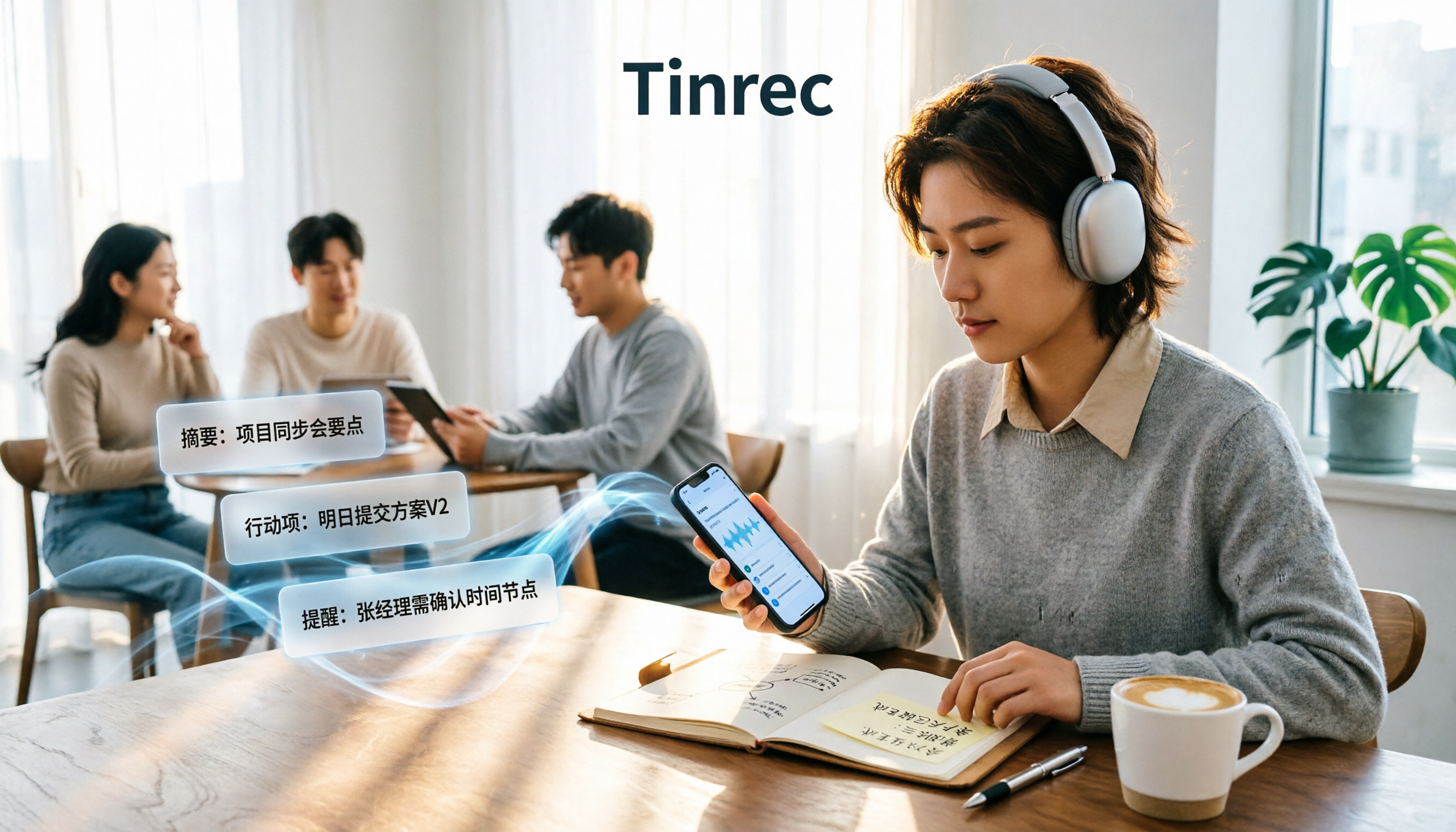
Turn recordings into transcripts and summaries in minutes
Upload audio or video for multilingual transcription, AI notes, and action items
After a client meeting, you receive a 60-second voice confirmation from the other party on WeChat. You want to forward this message to a colleague, but when you long-press the message, you only see options like "Convert to Text" and "Favorite"—there's no "Forward." This isn't because your phone is broken, nor is it because you're unfamiliar with the app.
According to WeChat's official documentation, currently only sending voice messages and converting voice to text are available; there is no option to directly forward voice messages. So the real question isn't "how do I tap Forward," but "how do I turn this voice message into something my colleague can see and find?"
A common explanation is that voice messages carry a real person's voice, and arbitrary forwarding could lead to splicing, out-of-context quotes, or even use as scam material. Therefore, WeChat has not opened direct forwarding due to privacy and security considerations. Rather than looking for workarounds, it's better to adopt a repeatable organization workflow.
First, the Answer: Can WeChat Voice Messages Be Forwarded?
Short answer: You cannot directly forward the "voice message" itself. At least according to WeChat's currently published features, there is no option in the menu to forward a voice message as-is to another chat or group.
What you can do is convert the voice to text and then copy the text to your colleague; or play the voice on another device and use a recording-to-text tool to organize it into a transcript, summary, and to-dos. The former is fastest; the latter suits situations where you need to preserve content structure and follow-up tracking.
Note that people online often say "long-press to reveal a hidden forward option" or "use a certain plugin to forward with one tap." Such claims have no official basis and may involve privacy and account security risks—do not attempt them.
Before Choosing a Voice Organization Solution, Understand These 4 Key Points
This comparison does not focus on official accuracy percentages, but on how many steps it takes to go from "hearing" a WeChat voice message to "turning it into readable material for a colleague."
First, do you want to "share a sentence" or "keep a trackable record"? If you only occasionally send a sentence to a colleague, WeChat's built-in voice-to-text is sufficient. If you have client voice messages and group discussions to organize every week, then you need a dedicated tool.
Second, can the tool handle "live sound," not just audio files? Many transcription tools excel at file uploads, but you may not have the original audio file of a WeChat voice message. Whether you can use speaker playback with live recording will determine how smooth the workflow is.
Third, presentation of Chinese and mixed Chinese-English. In Taiwanese workplaces, Chinese mixed with English terms is common. If a transcript can only recognize a single language, you'll still spend time editing afterward. When choosing a tool, rather than looking at advertised percentages, test it with your own audio file.
Fourth, can the output be used directly for work? A transcript is just the starting point. Whether it can generate summaries, chapters, to-dos, and even export to files or team spaces is key to saving time. This is also the biggest difference between meeting notes tools like Tinrec and pure transcription tools.
Tinrec (Miaoting Recording) — Our Preferred Route for Organizing WeChat Voice Messages
Tinrec (Miaoting Recording) is an AI meeting notes and collaboration tool for individuals and teams. It supports live recording, online meeting transcription, audio and video file import, and organizes content into transcripts, summaries, chapters, to-dos, and queryable meeting materials. It supports web, desktop, and mobile; the desktop version can also capture computer system audio directly.
Applying this capability to the WeChat voice scenario, the workflow would be: play the WeChat voice message on speaker on your phone, and open Tinrec's live recording on another device; if you already have an audio file, you can import it directly into Tinrec for transcription. Then Tinrec organizes the content into a transcript and generates summaries and to-dos. You no longer need to replay a 60-second voice message three times—just read the text to confirm key points.
The first practical scenario is "turning client voice messages into meeting notes." When a client mentions delivery dates, quantities, and modification requests in a WeChat voice message, you record it and use Tinrec to transcribe it, then use AI summaries to extract conclusions. To-dos can be copied directly into emails or task lists. This is faster than manual typing and closer to a deliverable record than text conversion alone.
Stop organizing recordings by hand
Upload audio or video and automatically get a transcript, summary, and action items
The second scenario is "continuing to ask questions after recording." Tinrec supports AI Q&A around meeting content. You can ask, "What delivery date did the client finally confirm?" or "What modification items were mentioned in this voice message?" It answers based on the organized content, not just keyword search results. For a voice message you've already heard but don't want to replay, this feature is very convenient.
The third scenario is "team sharing and handover." If colleagues also need to process the same batch of client voice messages, Tinrec's team version provides independent team spaces where meeting data belongs to the team, and you can manage members, roles, and seats. Active members can view, play, and read team data even without a seat; only after obtaining a seat can they record, upload, edit, and export. The team version currently costs USD 29.80 per paid seat per month, or USD 199 per paid seat per year (about USD 16.58 per month); the first eligible team trial is 7 days with 1 free seat and 300 minutes of shared team import quota. Actual prices and benefits are subject to the official purchase page.
Limitations should also be clearly stated. Tinrec is not a WeChat plugin; it cannot read or forward WeChat voice messages with one tap. You need to record via speaker or import audio files yourself. The free version has basic quotas; heavy use requires payment. Actual transcription results are affected by recording quality, ambient noise, accents, overlapping speakers, and technical terminology; Tinrec does not promise a fixed accuracy rate. For important content, it is recommended to cross-check with transcript timestamps and the original audio.
Overall, if you frequently need to turn WeChat voice messages, client calls, or online meetings into searchable, summarizable, and queryable data, Tinrec is one of the most complete choices in this workflow. What it sells is not "just another transcription box," but turning sound into files you can continue working with.
Besides Tinrec, What Other Options Are There?
Notta: Multilingual transcription and team plans. Free: 120 minutes per month, 3 minutes per session; Pro annual billing about USD 8.17 per month, 1,800 minutes; Business annual billing about USD 16.67 per seat per month. Suitable for those who already have large audio files and need mature multilingual transcription; Tinrec, on the other hand, connects bot-free online meetings, post-meeting AI Q&A, and team data accumulation.
TurboScribe: Cost-effective file transcription, strong in long audio files and batch uploads. Free: 3 files per day, 30 minutes per file; Unlimited annual billing USD 120 (about USD 10 per month); paid single file up to 10 hours or 5 GB, 50 files at a time. If you need to transcribe dozens of interview audio files at once, it's more suitable; if you need to live-record WeChat voice messages, generate summary to-dos, and ask questions in a team space, Tinrec's workflow is more complete.
Pitfall Guide: The 4 Most Common Mistakes in Organizing WeChat Voice Messages
Pitfall 1: Assuming long-pressing a message will always allow forwarding. WeChat voice messages currently have no direct forwarding option. Rather than looking for plugins, first convert the voice to text, or record it and organize it with a transcription tool. Although this adds a step, the data can be reused.
Pitfall 2: Stopping once you have a transcript. Transcripts are long, and colleagues may not want to read them. A better approach is to also produce summaries, chapters, and to-dos so the other party can grasp the conclusion within 30 seconds. Tinrec's AI summaries, to-do extraction, and AI Q&A are designed for this step.
Pitfall 3: Ignoring recording consent and privacy. Before recording and transcribing meetings or client voice messages, you should comply with local laws and obtain consent when necessary. When personal data, trade secrets, or sensitive content are involved, also confirm how the team stores and accesses data.
Pitfall 4: Not paying attention to free quota limits. Free plans usually have limits on minutes, session length, or number of files; if you only occasionally organize a voice message, testing with the free quota is most accurate. When you need long-term use or team sharing, then evaluate paid plans.
Conclusion: Which One Should You Choose?
If you only occasionally need to send a WeChat voice message to a colleague, the easiest way is to use WeChat's built-in voice-to-text, copy the text, and paste it to them. This requires no extra tools.
If you have client voice messages, group discussions, or online meetings to organize every week, we recommend making Tinrec your primary workflow: use live recording or audio file import to transcribe, then review summaries and to-dos, and finally export to email, files, or team data. When multi-person collaboration is needed, then evaluate the team version's space, roles, seats, and usage management.
If what you value is "being able to ask about key points after recording," Tinrec's AI Q&A will feel more impactful than pure transcription; if you need to use it across phone and computer, Tinrec supports web, desktop, and mobile, and the desktop version can also handle online meeting audio.
If you have a batch transcription task with dozens of long audio files, TurboScribe's file quota is more suitable; if you need mature multilingual transcription and team plans, Notta can be included in the comparison. For most other "WeChat voice organization" scenarios, Tinrec will be a smoother starting point.
We recommend first running your own audio file through the free quota to confirm that the transcript, summary, and export formats match your work habits, then decide whether to upgrade. After all, the best way to know if a tool works for you is to listen to a segment of your own voice.
References
- WeChat Help Center
- Science Popularization | Why Can't WeChat Voice Messages Be Forwarded? After Learning the Truth, We Realized We All Blamed WeChat Wrongly! | Zi Media
- How to Send Voice Messages? – WeChat Help Center
- WeChat Help Center
- 2026 WeChat Voice Forwarding Free Solutions Summary: 1 Tool at a Glance - Miaoting Recording Blog
Turn every recording into actionable outcomes
Get 60 free transcription minutes when you sign in. No credit card required.
Related Reading
You might also like

3 WeChat Voice Forwarding Alternatives Tested for 2026: Which Is Easiest for Converting to Text and Sharing?
WeChat voice messages currently have no official forwarding feature. Starting from real-world needs, this article first explains the official limitations and the reasons behind them, then compares three ways to turn voice into shareable content: WeChat's built-in voice-to-text, Notta, TurboScribe, and Tinrec's real-time recording transcription, AI summaries, and team data retention workflow, with prices, quotas, and usage limits included as-is.

2026 AI Tool Comparison: Google AI Studio Has No Chinese Interface—How to Choose a Meeting Notes Tool?
Does Google AI Studio have a Chinese interface? Most hands-on tests show the UI is still in English with no native Traditional Chinese version, but the Gemini model can accept Traditional Chinese prompts and output Chinese. This article clearly separates "interface language" from "output language," then compares Tinrec, Google AI Studio, Notta, and Otter.ai based on real meeting-notes needs, including 4 common misconceptions and selection advice.

5 iPhone Recording Methods Compared (2026): Built-in Features, Call Recording, and AI Transcription — Which to Choose?
We tested five built-in iPhone recording methods (Voice Memos, Control Center, Action Button, Back Tap, and iOS 18.1 Call Recording) and compared Tinrec, Notta, Otter.ai, and PLAUD Note on meeting transcription, AI summaries, and team collaboration. Includes key selection criteria and pitfalls to avoid.

3 Ways to Voice Type on iPhone in 2026: Built-in Dictation vs. AI Meeting Tools vs. Transcription Services
First, figure out what you need: if you're just replying to messages, iPhone's built-in Dictation is enough. If you need to organize meetings, check whether the free tier is sufficient. This article breaks down how to enable built-in Dictation, how to add punctuation by voice, and how to troubleshoot when the microphone icon disappears. It also compares the free limits of Tinrec and file-based transcription services, and provides a comparison table and FAQ to help you choose the right tool.

5 AI Audio-to-Text Tools Compared in 2026: From Free to Paid, From Transcripts to Team Collaboration
A side-by-side comparison of 5 AI audio-to-text tools in 2026, from free to paid, from transcripts to team collaboration, helping you decide how to choose an audio-to-text tool. Using Tinrec as the main example, this article explains real-time transcription, bot-free meeting recording, AI summaries, action item extraction, AI Q&A, and team spaces, and outlines 5 key points to consider when purchasing.

2026 Comparison of 4 Audio-to-Text Tools: Is Yating Taiwanese? Which Handles Chinese Meetings Best?
"Is Yating Taiwanese?" is one of the most common questions among Taiwanese users, but public information about the development team is inconsistent. This article first clarifies the verification results and its real strengths, then compares Yating, Tinrec, Otter.ai, and Notta in Chinese recognition, post-meeting organization, and team collaboration from actual meeting scenarios to help you choose the truly suitable one.

Tinrec vs Notta 2026: 5-Dimension Comparison for Chinese Meeting Transcripts
After a meeting, producing minutes within half an hour is often delayed by the transcript. This article compares Tinrec and Notta across five dimensions for Chinese meeting transcripts, covering bot-free recording, post-meeting organization, team seats, and pricing, with a pitfalls guide and scenario-based recommendations.

3 Ways to Use iPhone Level in 2026: Flat, Side, or Case—Which Is Most Accurate?
Is the iPhone's built-in level accurate? We tested three methods in real-life scenarios like hanging posters in a dorm and assembling shelves: using the Measure app flat on a surface, standing it against a wall for vertical checks, and the iOS 17 camera level for framing. We break down errors caused by the camera bump and four common mistakes, and tell you when to use a physical level instead.

5 Best Audio Recording Software Tested for 2026: Recording Is Just the Start—Which One Turns Your Voice into Usable Data?
Recording software isn't just about audio quality—the real difference shows up after you hit stop. This article tackles common misconceptions, outlines the best use cases for 5 recording tools, and hands-on tests Tinrec's bot-free online meeting recording, AI summaries, action item extraction, and team spaces. Includes free tiers, paid plans, and pitfalls to avoid, so you can pick the right tool for your needs.