

Turn recordings into transcripts and summaries in minutes
Upload audio or video for multilingual transcription, AI notes, and action items
2026 Meeting Transcription Comparison: Bot-Free Recording + Auto-Generated Minutes
The real exhaustion begins when the meeting ends and you're left with just a recording
After a two-hour meeting, the actual work is just starting: re-listening, scrubbing the timeline, pasting the transcript into Word, and then writing a separate set of minutes. If the meeting was full of product names, technical terms, and English abbreviations, the error rate gets so high you end up retyping everything yourself.
Another scenario is when multiple people talk over each other. Who said "I'll follow up on this"? Who promised "I'll deliver the version by next Wednesday"? You can hear it in the recording, but the transcript can't tell them apart. When you need to confirm later, you have to replay the whole section.
If you've been in these situations, this comparison is for you. It focuses on "meeting transcription" and explains what to look for when choosing a tool, where Tinrec (秒聽錄音) excels, and the boundaries of other tools.
Note: This article is a data compilation and feature comparison, not a controlled lab test. All prices and plans are based on product and official page information available as of August 2026; actual prices are subject to each site's purchase page.
5 key points to understand before choosing a meeting transcription tool
1. How the recording gets into the tool: bot or system audio Some tools use a "meeting bot" that joins online meetings as a participant and records automatically. The advantage is full automation, but some corporate security policies don't allow external bots into meetings, and participants may be uncomfortable with "another account in the list." Another approach is user-initiated recording that directly captures computer system audio without adding participants. There's no absolute right or wrong here, but it directly affects whether you can use it at your company.
2. Accuracy depends on test conditions, not advertising numbers "98% accuracy" is usually measured in a quiet environment with a single speaker at standard speed. Real meeting rooms have air conditioning noise, keyboard sounds, overlapping speech, and various accents—performance will be very different. A more practical approach: take a real recording of your own meeting and test the tool you're considering.
3. What you get after transcription A tool that only gives you a transcript is just handing the organizing work right back to you. What's worth comparing: does it automatically generate summaries, chapters, key points, action items? Can you ask questions directly about the meeting content? Can you export to the document tools you already use?
4. Chinese, mixed Chinese-English, and proper nouns Meetings in Taiwan are rarely pure Chinese—product names and technical terms are often spoken in English. When choosing a tool, look at how it handles mixed Chinese-English content and whether it has settings like team hotwords to improve accuracy for frequently used terms over time.
5. Who owns the data and how quotas are calculated Using a personal account to record team meetings is convenient short-term but creates data ownership issues long-term: when a member leaves, do the meeting records go with them? Also, check whether quotas are based on "live recording" or "file import"—the two are often calculated differently.
Tinrec (秒聽錄音): Taking meetings from "transcript" to "actionable data"
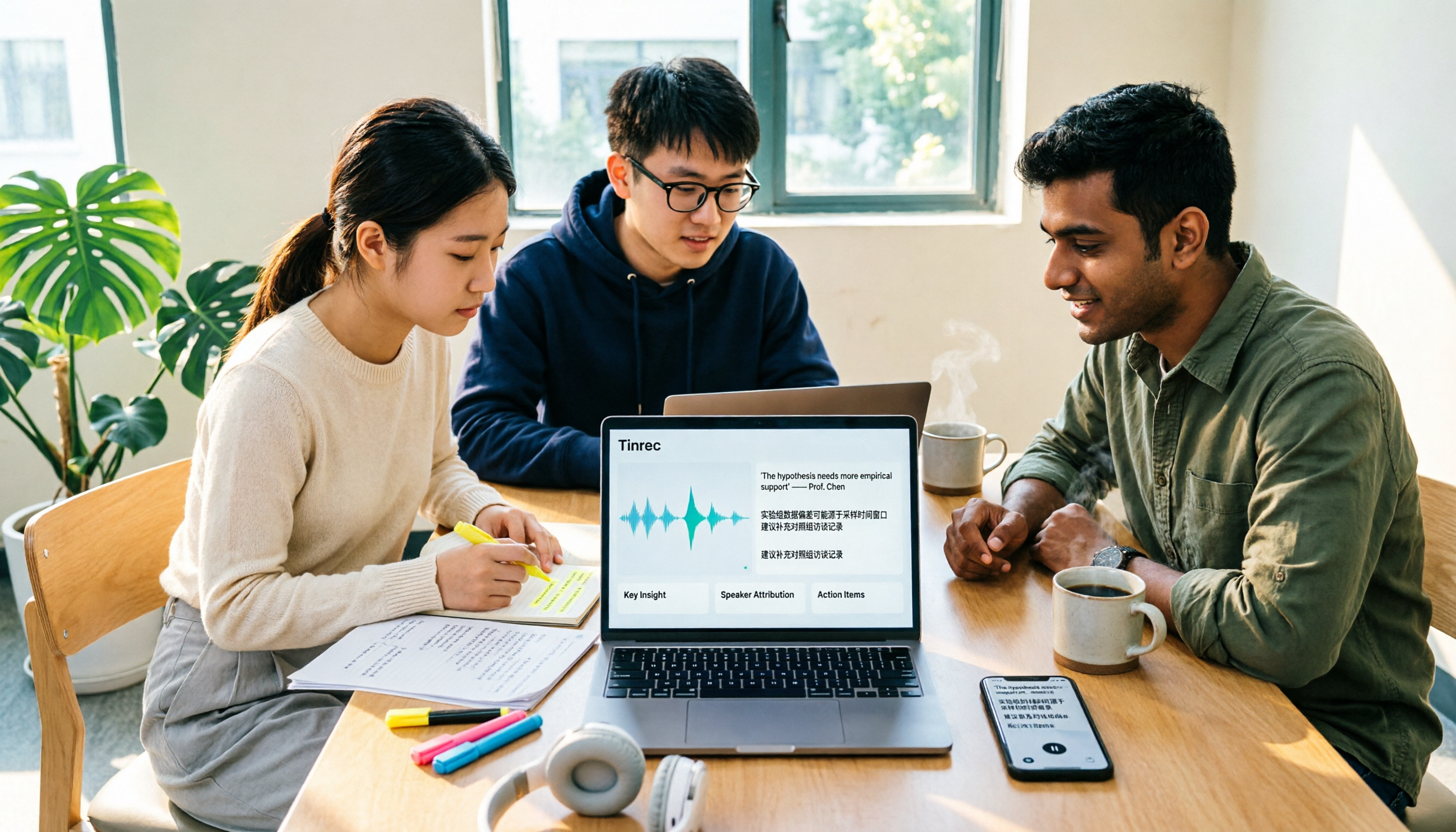
Tinrec is an AI meeting notes and collaboration tool for individuals and teams, available on iOS, Android, desktop, and web. Its positioning isn't "audio-to-text tool" but rather turning a meeting into searchable, queryable, deliverable data that accumulates within the team.
What daily use looks like
For online meetings, use the desktop version to directly capture computer system audio from platforms like Zoom, Google Meet, Microsoft Teams, and Webex—no need to invite an extra bot to the participant list. For in-person meetings or interviews, use live recording to generate transcripts as you record. You can also import existing audio and video files for organization.
After the meeting, the real time-saver is what comes next: the system generates summaries and chapters, breaking long meetings into easy-to-browse sections and extracting action items from the discussion. When you need to deliver, you can further generate reports, tables, and documents, or export to Notion, Google Docs, OneNote, Dropbox, and other tools to fit back into your existing workflow.
The biggest differentiator: AI Q&A
No matter how complete the transcript is, you still have to dig through it to find answers. Tinrec supports asking questions about the meeting content, such as "What were the conclusions of this meeting?" "What concerns did the client mention?" "Where did we leave off on the budget last time?" It answers based on semantic understanding and points to the original text, rather than dumping a list of keyword search results. When organizing past meetings or reviewing client commitments, this is much faster than manual Ctrl+F. For cross-language meetings, you can use real-time translation and view in original, translated, or bilingual mode.
Stop organizing recordings by hand
Upload audio or video and automatically get a transcript, summary, and action items
Versions and pricing
Personal plans are chosen based on usage frequency: occasional transcription of a recording can use the free version; short-term intensive meetings or interviews can consider a weekly card; steady weekly use suits the Pro monthly plan; long-term data accumulation suits the annual plan.
The team version is a separate team space, not multiple people sharing a personal account: you can create multiple teams, invite members via link, set roles (Owner/Admin/Member), and assign or revoke seats; meeting recordings, folders, and action items are centrally stored, and new members can view past meetings. Admins can view usage trends, member rankings, and details, and query export audit logs; accidentally deleted audio files can be restored from the recycle bin (currently retained for 30 days; action items are not included in the recycle bin). When a member leaves or is removed, their team resources must be handed over to other active members—data doesn't follow the individual.
Current team plan details: first eligible team trial for 7 days, 1 free seat, 300 minutes of team shared import quota; monthly payment USD 29.80 per paid seat per month, annual payment USD 199 per paid seat per year (approximately USD 16.58 per month), each paid seat provides 2,000 minutes of team shared import quota per month; under an active team plan and active seats, live recording is currently not deducted by minutes.
Limitations to know upfront
First, transcription quality is affected by recording quality, noise, accents, overlapping speech, and technical terminology—no tool can guarantee 100%, and important decisions and external documents should be verified by replaying the transcript at specific timestamps. Second, the desktop version is user-initiated recording, not automatic joining of all calendar meetings. Third, the team version currently focuses on team-level sharing, not file-level granular permissions.
Who it's for
People who have regular online or in-person meetings every week, need Chinese and mixed Chinese-English transcription, want to get summaries and action items directly after meetings, and care about keeping team data in the team's hands will notice the biggest difference.
Besides Tinrec, what other options are there?
Notta: A multi-platform transcription and translation tool with the highest overlap with Tinrec. Official figures: free version 120 minutes per month, max 3 minutes per item; Pro annual billing approximately USD 8.17 per month, 1,800 minutes per month; Business annual billing approximately USD 16.67 per seat per month. If your needs lean toward "file transcription and subtitles," it's sufficient; but for bot-free online meeting recording, post-meeting AI Q&A, and report generation, Tinrec is further ahead.
Otter.ai: A mature choice for English business meetings. Basic free plan 300 minutes per month; Pro annual billing approximately USD 8.49 per user per month including 1,200 minutes per month and 10 file imports. Consider it if your meetings are mainly in English and your team is comfortable with an English interface; if your meetings are in Chinese and mixed Chinese-English and you need real-time translation and bilingual viewing, Tinrec's Chinese scenario is more aligned with your needs.
Granola: Also takes the bot-free route, using desktop system audio and user handwritten notes to generate meeting content. Basic is free; Business is USD 14 per user per month. It doesn't support uploading pre-recorded audio files and doesn't save meeting audio; transcripts can be viewed and searched. If you only need real-time meeting notes and don't need to keep recordings or import files, it's lightweight; but when you need to verify against original audio afterward, import old recordings, or accumulate team data, Tinrec offers more complete coverage.
Pitfall guide: 4 most common mistakes when choosing a meeting transcription tool
Pitfall 1: Only looking at advertised accuracy. Numbers measured in a quiet environment are not the same as your meeting room. Be sure to test with a real recording of your own, preferably the hardest segment: multiple people talking over each other, accents, technical terms.
Pitfall 2: Treating "having a transcript" as the end goal. A transcript is just raw material. If the tool can't generate summaries, chapters, and action items, you've only saved typing time—organizing time hasn't decreased at all.
Pitfall 3: Using a personal account to record team meetings. Convenient short-term, risky long-term. Before adopting, think clearly: can data be handed over when a member leaves? Can new members see past meetings? Are quotas calculated per person or shared by the team?
Pitfall 4: Ignoring privacy and corporate policy. Meeting bots need to join as participants, which some companies don't allow; recording and transcription involve personal data, so comply with local regulations and obtain participant consent when needed. For meetings involving sensitive information, also understand the tool's data storage and deletion policies first.
Conclusion: Which one should you choose?
In one sentence: If you want "usable data directly after the meeting ends," Tinrec is currently the most complete choice for Chinese scenarios.
- Need Chinese and mixed Chinese-English transcription, plus automatic summaries and action items → Tinrec
- Don't want a bot in the meeting participant list → Tinrec desktop version (Granola also works, but lacks file import and recording retention)
- Want to ask questions directly about meeting content to find answers → Tinrec's AI Q&A
- Team meeting data needs centralized storage, seat management, and handover → Tinrec team version
- Pure English meetings, team already comfortable with English interface → Otter.ai is a reasonable option
- Mainly bulk file transcription and subtitles → Consider file-based tools like Notta or TurboScribe
Practical advice: First test with a real recording of your own meeting to confirm performance in your scenario, then decide whether to upgrade to a paid plan—no need to buy the highest tier from the start.
References
- 2026 Comparison of 4 Meeting Transcription Tools: Auto-Generate Minutes Without a Meeting Bot - 秒聽錄音Blog
- 2026 Comparison of 4 Audio-to-Text Tools: Which Saves the Most Time on Chinese Meeting Transcripts? - 秒聽錄音Blog
- [Audio to Text] Comparison of 5 AI Tools: How to Choose for Meeting Summaries and Transcript Efficiency - 秒聽錄音Blog
- How to Choose the Latest Audio-to-Text Tools in 2025: A Complete Guide from Transcripts to Actionable Meeting Minutes - 秒聽錄音Blog
- 2026 Comparison of 4 Audio-to-Text Tools: Stop at Transcripts, Meeting Minutes Are Key - 秒聽錄音Blog
Turn every recording into actionable outcomes
Get 60 free transcription minutes when you sign in. No credit card required.
Related Reading
You might also like

2026 Comparison of 4 Meeting Transcription Platforms: From Upload to Meeting Minutes, Which Saves the Most Post-Meeting Time?
After a meeting, do you want a verbatim transcript or a meeting record you can send out directly? This article compares the actual capabilities and limitations of four meeting transcription platforms—Tinrec, Otter.ai, Notta, and Granola—across five stages: import, transcription, summarization, action items, and export. It also compiles pricing and quotas verified in August 2026 to help you choose the right platform based on your needs.
Best Meeting Transcription Tools of 2026: 4 Tested, This Free Version Is Enough for Students
Starting from real struggles with class recordings and group discussions, we tested four meeting transcription tools—Tinrec, Otter.ai, Notta, and TurboScribe—comparing free tiers, Chinese and mixed Chinese-English recognition, post-meeting summaries, and export capabilities. We also outline key decision points and three common pitfalls to help budget-conscious students find a tool they'll actually stick with.

5 Meeting Transcription Tools Tested and Compared for 2026: A Complete Guide from Recording to Meeting Minutes
Meeting transcription isn't as simple as pressing record and getting minutes. This guide covers the actual positioning, operation, and pricing of 5 tools, plus common pitfalls before, during, and after recording, to help you choose the right tool for your scenario.

2026 Complete Guide to Meeting Recording Transcription: Chinese Transcripts, AI Summaries, and Tool Comparison
How to choose a meeting recording transcription tool? This article breaks down 5 key purchasing factors, from Chinese recognition, meeting recording methods, post-meeting organization, quota calculation, to team data governance, and compares Tinrec, Otter.ai, Notta, and TurboScribe in terms of use cases and pricing to help you pick the one that saves the most time.

2026 Comparison of 4 Meeting Transcription Tools: Free Tiers, AI Summaries, and Team Collaboration
How to choose a meeting transcription tool? This article starts from the decision point of 'do you want a verbatim transcript or actionable meeting results?' and covers 4 key selection criteria, hands-on testing of Tinrec, Otter.ai, Notta, and Granola, and honestly explains free tiers, team seats, and pricing to help you avoid common pitfalls like focusing only on accuracy or buying a tool just for transcription.

5 Meeting Transcription Methods Tested and Compared in 2026: The Verbatim Transcript Is Just the Beginning
Meeting transcription isn't just about turning audio into text. This article addresses three common misconceptions and breaks down the actual workflows for real-time transcription, bot-free recording, AI summaries, action item extraction, AI Q&A, and team knowledge retention. It also covers 5 key purchasing checkpoints and FAQs to help you find a method that truly saves time.

2026 Comparison of 4 Meeting Transcription Tools: Which Saves the Most Time from Transcript to Meeting Minutes?
How to choose a meeting transcription tool? This article starts from the decision point: do you need a verbatim transcript or meeting minutes you can send out directly? It covers 4 key selection criteria and compares Tinrec, Otter.ai, Notta, and Granola in Chinese transcription, post-meeting organization, audio retention, and team collaboration, with 3 common pitfalls and scenario-based recommendations.

4 Free Meeting Transcription Tools in 2026: Free Tiers and Transcript Workflow Comparison
Turning meeting recordings into text is easy; turning transcripts into sendable meeting minutes is the hard part. This article compares Tinrec, Otter.ai, Notta, and TurboScribe from a practical workflow perspective—covering free tiers, speaker labeling, export formats, and post-meeting organization—plus four common pitfalls and selection advice. Data verified August 2026.

2026 Comparison of 6 Meeting Transcription Tools: Which Saves the Most Time on Chinese Transcripts and Post-Meeting Organization?
We tested 6 meeting transcription tools with the same mixed Chinese-English meeting recording, comparing bot-free recording, Chinese transcription, post-meeting summaries and action items, team data retention, and pricing. Includes a quick comparison chart and buying advice to help you pick the one that truly saves time.