

Turn recordings into transcripts and summaries in minutes
Upload audio or video for multilingual transcription, AI notes, and action items
2026 Comparison of 4 Meeting Transcription Tools: Which Saves the Most Time from Transcript to Meeting Minutes?
After a meeting, do you want a verbatim transcript or meeting minutes you can send out directly?
These two answers lead to completely different tool choices. If you only need a transcript, focus on transcription quality and timestamps; if you need meeting minutes, focus on summaries, action items, and whether you can follow up afterward.
Get this step wrong, and you'll likely end up with a thousands-word running log, then spend Friday afternoon condensing the key points yourself.
This article starts from that decision point and compares four workflows I've actually used.
Meeting Transcription vs. Verbatim Transcript: First Distinguish Whether You Need Raw Material or a Finished Product
A verbatim transcript is raw material; meeting minutes are the finished product.
The purpose of a transcript is clear: legal evidence, academic interviews, situations requiring precise quotes—you demand "not a single word missed." In these cases, speaker labels, timestamps, and the ability to replay the original audio are more important than anything else.
But most workplace meetings are not like that. What a cross-department weekly meeting really needs is: who committed to what, which items are still undecided, and who needs to deliver what next week.
This information doesn't automatically emerge from a transcript. Which sentence counts as a decision, which is just a passing thought during discussion—a human still has to judge.
So the real question is: can this tool help me move from raw material to finished product?
Before Choosing a Meeting Transcription Tool, Understand These 4 Key Points
1. Input Source: Live Recording, Online Meeting, or Uploading Old Files?
This is where most people stumble. Some tools excel at "you already have an audio file, upload it for transcription," while others excel at "record and transcribe simultaneously during the meeting."
If you mainly use online meetings, note one more thing: does the tool join via a meeting bot or directly capture computer system audio? A bot joining will appear on the participant list, which may not be convenient for some client meetings.
2. Will the Audio File Be Retained?
Transcripts always have errors. Names, company names, product codes, and English abbreviations are the most error-prone areas in transcription.
If the tool only gives you text and doesn't retain the original audio, you can only guess from memory when errors occur. The ability to click on text and replay that segment of original audio makes a huge difference.
3. Can You Continue to Ask Questions After the Meeting?
The traditional approach: transcribe, copy and paste into another AI chat box, then ask it to organize. The process works, but you have to move files every time.
A more convenient approach now is to ask questions directly in the same place after transcription: "What were the conclusions of this meeting?" "Who mentioned the budget?" "What are the action items?"
4. Team Handover Capability Is More Important Than Free Minutes
For personal use, free quota is indeed key. But as soon as two or more people are involved, the question becomes: whose account holds the meeting data? Can colleagues still find it after someone leaves?
This requires checking whether the tool offers independent team spaces, member roles, and seat management.
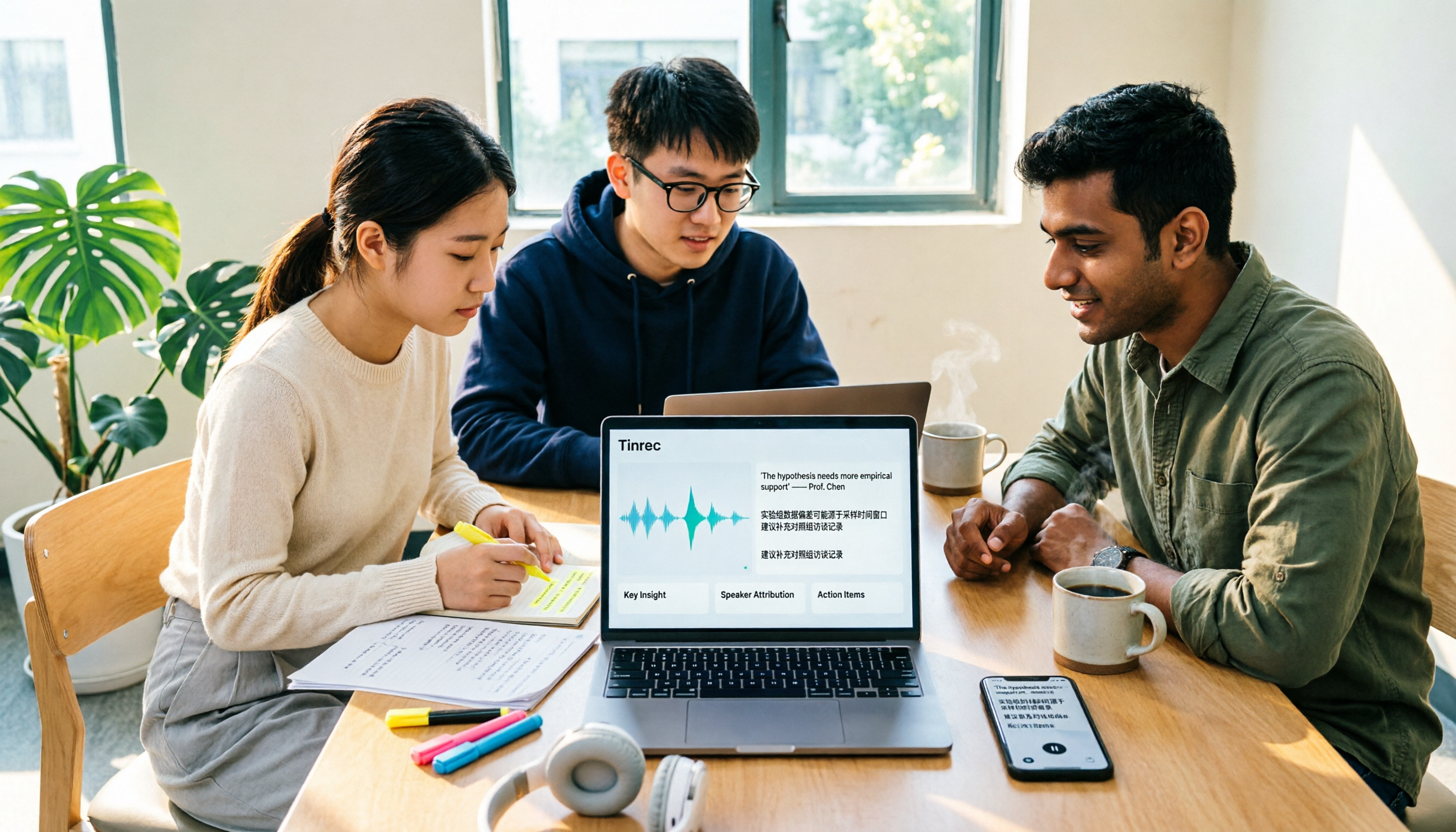
Tinrec — The Workflow Closest to "Ready to Use After the Meeting" in Testing
Tinrec is an AI meeting notes and collaboration tool for individuals and teams, available on web, desktop, and mobile. Its core is turning meeting recordings into searchable, summarizable, queryable, and exportable data.
I ran a complete workflow with a roughly 25-minute department weekly meeting recording, including air conditioning background noise and interruptions, focusing on whether it could save me a "copy-paste" step.
Record and Transcribe Simultaneously, No Bot Needed for Online Meetings
The desktop version directly captures computer system audio. When handling online meetings like Zoom, Google Meet, Microsoft Teams, or Webex, there's no need to invite an extra bot into the meeting room.
For external communication, this point should be clear: you actively open Tinrec to start recording, not that it automatically joins every meeting on your calendar.
For offline meetings or impromptu interviews, use your phone or computer for live recording, and text appears as you speak. For cross-language meetings, you can switch between original text, translation, or bilingual view during recording.
The Transcript Is Just an Intermediate Product, Not the Endpoint
After transcription, it generates summaries, chapters, and key points, and extracts action items from the discussion.
This resonates with people who need to send out meeting minutes the same day. Previously, you'd read through the transcript from start to finish and manually condense; now you pull out the structure first, then go back to verify details.
More importantly, AI Q&A. You can ask questions directly about a specific meeting, such as "What was the conclusion about the budget in this meeting?" or "Who is responsible for next week's training?" It responds with content, not a string of keyword search results.
You can also ask about historical meetings together, which is especially useful for quarterly reviews where you need to dig up old accounts.
Stop organizing recordings by hand
Upload audio or video and automatically get a transcript, summary, and action items
From Meeting to Delivery, the Middle Part Is Also Covered
Meeting conclusions usually need to become documents. Tinrec supports generating reports, tables, and meeting minutes, and can export to Notion, Google Docs, OneNote, Dropbox, and other common tools for further processing.
For content or operations roles, this means meeting notes are no longer the endpoint but the starting point for subsequent deliverables.
Team Edition: Data Belongs to the Team, Not Individuals
This is where it differs most from pure transcription tools. The team edition is an independent collaboration space, not multiple people sharing a personal account.
After creating a team, you can invite members via a join link and set owners, admins, and regular members. It's important to distinguish between "roles" and "seats": roles determine who can manage the team, members, and audits; seats determine whether members can record, upload, edit, and export.
Valid members without seats can still view, play, and read team data, but cannot perform resource-consuming operations like uploading or editing. When a member exits or is removed, their team resources are handed over to other valid members and won't be taken away.
Admins can also view team usage trends, member rankings, and details, query and export audit logs, and maintain company-internal product codes and terminology through team hotwords.
The team edition currently offers a 7-day trial for first-time eligible users, 1 free seat, and 300 minutes of team shared import quota. Paid plans are USD 29.80/month per paid seat, or USD 199/year per paid seat (about USD 16.58/month), with each paid seat providing 2,000 minutes of team shared import quota per month. Under an active team plan and active seats, live recording is currently not deducted by minutes.
Things to Note
The free version provides a basic quota, suitable for trying one or two meetings to experience the workflow; heavy use requires evaluating paid plans.
Also, transcription quality is affected by recording quality, background noise, accents, overlapping speakers, and technical terminology—same for any tool. For important names, numbers, and dates, it's still recommended to replay the original audio to verify.
Besides Tinrec, What Other Options Are There?
Otter.ai: A mature choice for English business meetings. The free version offers 300 minutes per month, quite generous; Pro annual billing is about USD 8.49/user/month. If 90% of your meetings are in English, it's sufficient. But its Chinese and mixed Chinese-English organization experience is not as good as Tinrec, and it struggles to meet Chinese terminology maintenance needs like team hotwords.
Notta: Good multilingual transcription and translation performance. Free: 120 minutes per month, 3 minutes per single content; Pro annual billing about USD 8.17/month. Note the free version's 3-minute limit per session, which is unrealistic for meetings often lasting an hour. Its focus is transcription and translation; for continuous follow-up questions after the meeting, you usually need to move text to another tool.
Granola: A bot-free AI meeting notes tool that combines your handwritten notes with AI enhancement. Business is USD 14/user/month. It suits people who like to take notes while listening. But note: it doesn't support uploading existing recordings and doesn't retain meeting audio. When you want to replay a sentence to confirm a number afterward, a workflow like Tinrec that retains audio and supports importing old files is more reassuring.
Pitfall Guide: The 3 Most Common Mistakes When Choosing a Meeting Transcription Tool
Pitfall 1: Submitting a transcript as meeting minutes. A transcript is raw material; decisions, action items, and open issues need to be separated out. Handing a running log directly to your manager usually gets it returned.
Pitfall 2: Only looking at free minutes, not the post-meeting workflow. A large free quota is great, but if you still have to manually move things elsewhere to organize after transcription, the saved minutes will be paid back from your work hours.
Pitfall 3: Regretting recording quality afterward. The ceiling of transcription quality is audio quality. Rather than spending twice the time proofreading later, spend 30 extra seconds before the meeting to confirm microphone placement and avoid multiple people talking over each other. Preparing a glossary (names, product names, abbreviations) can also significantly reduce error rates.
Another common misconception: teams directly sharing a personal account. It seems cost-saving short-term, but data ownership, departure handover, and usage management quickly become problems—this is why team spaces and seat design are needed.
Conclusion: Which One Should You Choose?
Back to the original question: do you want a transcript or meeting minutes you can send out?
Need Chinese meetings, mixed Chinese-English transcription and organization → Tinrec, with terminology and context handling closer to the usage habits of teams in Taiwan.
Don't want a bot appearing on the participant list in online meetings → Tinrec, desktop version directly captures system audio.
Want to ask questions directly about content after recording, without moving files → Tinrec, ask about summaries, conclusions, and action items in the same place.
Meeting data should stay with the team and be transferable when members change → Tinrec team edition, with independent space, roles, and seat management.
90% of meetings are in English, and you only need lots of free minutes → Otter.ai, one of the few scenarios in this article suitable for diversion.
Need to handle large volumes of long audio files and batch uploads → A file-transcription-focused service like TurboScribe is more suitable, but it doesn't handle live meeting workflows.
Not sure which type you are? Start with the free version: pick a real meeting recording and run through the entire workflow, from transcription to summary to export. If it goes smoothly, then consider upgrading—no need to pay from the start.
One final reminder: recording and transcription involve others' privacy. Before use, handle according to company policies and local regulations, and obtain participant consent when necessary.
References
- [Speech-to-Text] How to Choose Between Audio-to-Transcript and AI Meeting Notes: Comparison of Word, Google Docs, Mobile, and Dedicated Services
- How to Turn Meeting Recordings into Transcripts? Give it to ChatGPT Work, Even Whisper Installs Itself | BusinessNext
- [Tutorial] 2026 Meeting Audio to Text: 5 Steps to Complete Transcript and Meeting Minutes - Tinrec Blog
- How to Use AI for Meeting Minutes? How to Organize Meeting Transcripts? | AI Speech-to-Transcript Tutorial | 104 Career Power
- Get Meeting Minutes Done! How to Do AI Speech-to-Transcript? Gemini Notebook, Gemini, EchoScript Operation Analysis | 104 Career Power
Turn every recording into actionable outcomes
Get 60 free transcription minutes when you sign in. No credit card required.
Related Reading
You might also like

2026 Comparison of 4 Meeting Transcription Platforms: From Upload to Meeting Minutes, Which Saves the Most Post-Meeting Time?
After a meeting, do you want a verbatim transcript or a meeting record you can send out directly? This article compares the actual capabilities and limitations of four meeting transcription platforms—Tinrec, Otter.ai, Notta, and Granola—across five stages: import, transcription, summarization, action items, and export. It also compiles pricing and quotas verified in August 2026 to help you choose the right platform based on your needs.
Best Meeting Transcription Tools of 2026: 4 Tested, This Free Version Is Enough for Students
Starting from real struggles with class recordings and group discussions, we tested four meeting transcription tools—Tinrec, Otter.ai, Notta, and TurboScribe—comparing free tiers, Chinese and mixed Chinese-English recognition, post-meeting summaries, and export capabilities. We also outline key decision points and three common pitfalls to help budget-conscious students find a tool they'll actually stick with.

5 Meeting Transcription Tools Tested and Compared for 2026: A Complete Guide from Recording to Meeting Minutes
Meeting transcription isn't as simple as pressing record and getting minutes. This guide covers the actual positioning, operation, and pricing of 5 tools, plus common pitfalls before, during, and after recording, to help you choose the right tool for your scenario.

2026 Complete Guide to Meeting Recording Transcription: Chinese Transcripts, AI Summaries, and Tool Comparison
How to choose a meeting recording transcription tool? This article breaks down 5 key purchasing factors, from Chinese recognition, meeting recording methods, post-meeting organization, quota calculation, to team data governance, and compares Tinrec, Otter.ai, Notta, and TurboScribe in terms of use cases and pricing to help you pick the one that saves the most time.

2026 Comparison of 4 Meeting Transcription Tools: Free Tiers, AI Summaries, and Team Collaboration
How to choose a meeting transcription tool? This article starts from the decision point of 'do you want a verbatim transcript or actionable meeting results?' and covers 4 key selection criteria, hands-on testing of Tinrec, Otter.ai, Notta, and Granola, and honestly explains free tiers, team seats, and pricing to help you avoid common pitfalls like focusing only on accuracy or buying a tool just for transcription.

5 Meeting Transcription Methods Tested and Compared in 2026: The Verbatim Transcript Is Just the Beginning
Meeting transcription isn't just about turning audio into text. This article addresses three common misconceptions and breaks down the actual workflows for real-time transcription, bot-free recording, AI summaries, action item extraction, AI Q&A, and team knowledge retention. It also covers 5 key purchasing checkpoints and FAQs to help you find a method that truly saves time.

2026 Meeting Transcription Comparison: Bot-Free Recording + Auto-Generated Minutes
Tired of spending two hours after every meeting organizing notes? This guide tackles real workplace pain points and compares Tinrec, Notta, Otter.ai, and Granola for meeting transcription. It covers bot-free recording, Chinese and mixed Chinese-English transcription, post-meeting summaries and action items, team data ownership, and pricing. Includes 5 key buying criteria, 4 common pitfalls to avoid, and scenario-based recommendations (prices and plans verified as of August 2026).

4 Free Meeting Transcription Tools in 2026: Free Tiers and Transcript Workflow Comparison
Turning meeting recordings into text is easy; turning transcripts into sendable meeting minutes is the hard part. This article compares Tinrec, Otter.ai, Notta, and TurboScribe from a practical workflow perspective—covering free tiers, speaker labeling, export formats, and post-meeting organization—plus four common pitfalls and selection advice. Data verified August 2026.

2026 Comparison of 6 Meeting Transcription Tools: Which Saves the Most Time on Chinese Transcripts and Post-Meeting Organization?
We tested 6 meeting transcription tools with the same mixed Chinese-English meeting recording, comparing bot-free recording, Chinese transcription, post-meeting summaries and action items, team data retention, and pricing. Includes a quick comparison chart and buying advice to help you pick the one that truly saves time.