
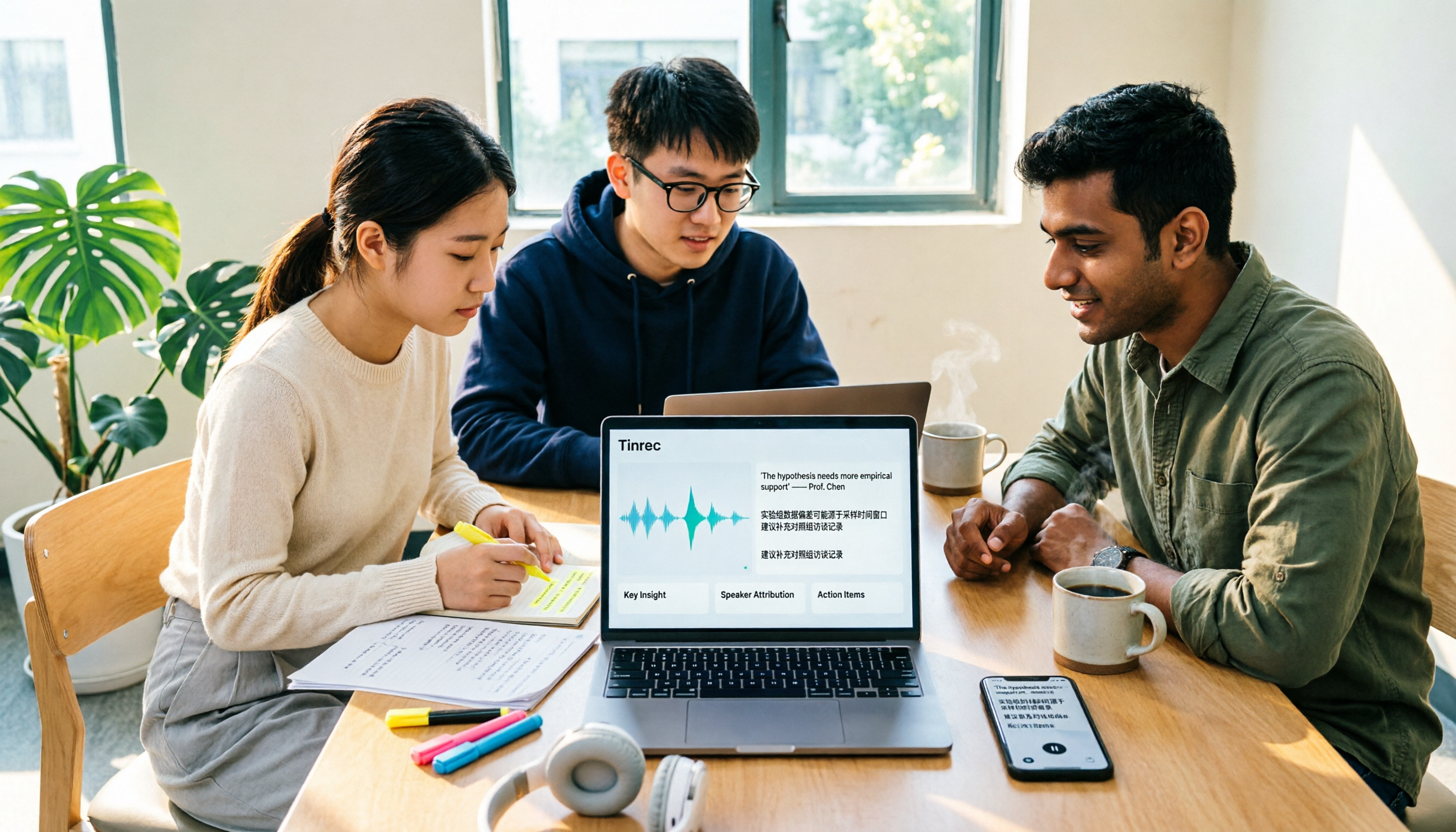
Turn recordings into transcripts and summaries in minutes
Upload audio or video for multilingual transcription, AI notes, and action items
Best Meeting Transcription Tools of 2026: 4 Tested, This Free Version Is Enough for Students
Professor speaks too fast, group members too noisy—what you're missing isn't effort, it's the right tool
Last semester I took a three-credit required course. The professor spoke fast and flipped slides even faster. I scribbled furiously until my wrist ached. When I opened my notebook before finals—I couldn't even recognize what I had written.
So I switched to recording everything, thinking I'd listen back at home. But a 100-minute class took three hours to review. Halfway through, I'd start scrolling on my phone and still miss the key points.
Group discussions were worse. Four people talking over each other for two hours, and the first message in the group chat afterward was always: "So what did we decide?"
Over the past year, I've tried four meeting transcription tools. This isn't an unboxing—it's my record of trial and error, and the one that stayed. If you're also a student on a tight budget, I hope this helps you avoid the same detours.
Before Choosing a Tool, Understand These 4 Key Points
1. Free tier isn't just about "how many minutes"—check the "per-session limit"
Many tools advertise 120 minutes per month, which looks more generous than others' 100 minutes. But look closer: a single session can only transcribe 3 minutes. You'd have to split a class recording into thirty-something segments—you'd give up just uploading them. So check two things: total monthly allowance and maximum length per session.
2. Chinese and mixed Chinese-English is the real test
Classes in Taiwan rarely use pure Chinese. "How do we calculate the ROI for this case?" "Wait, let me see that slide"—throw sentences like these at an English-only AI, and the output often becomes a jumble with no logic. When choosing a tool, test it directly with your own class recording. Don't just rely on the website saying "supports multiple languages."
3. Transcription is just the start—post-meeting organization is where you save time
An 8,000-word transcript isn't something you'll want to read the week before finals. What really saves time is: can it automatically segment, extract key points, and list action items? What I use most is actually "asking it questions directly"—for example, "What percentage is the final report worth?"—much faster than Ctrl+F searching.
4. How to "record" online classes
For remote classes via Zoom, Google Meet, Microsoft Teams, or Webex, some tools send a "bot" to join the meeting as a participant. When a strange account suddenly appears during group presentations, teammates will ask who you are. Another approach is using the desktop version to capture system audio directly, without adding an extra member. Both work, but you need to know which one suits you better.
Tinrec—My Main Tool This Semester
Tinrec is an AI meeting notes and collaboration tool for individuals and teams, available on iOS, Android, and web, with a desktop version for online meetings.
No need to invite a bot to remote classes. Open the desktop version, and it directly captures system audio—works with Zoom, Google Meet, Teams, and Webex, without adding a Tinrec participant to the attendee list. Last semester, my group project was fully remote, and my teammates never noticed I was recording.
For in-person classes, use real-time recording. It transcribes as it records, so the transcript is ready when class ends. For foreign instructors or textbook terminology, you can enable real-time translation and view the original, translation, or bilingual side-by-side—no need to look up words while listening. You can also upload existing audio or video files for transcription; I once fed it an interview recording from freshman year and it organized it just fine.
Post-meeting is where it differs most from pure transcription tools. For a 100-minute class, it automatically splits into chapters, generates summaries, and extracts action items. For finals review, I jump by chapter titles instead of listening from start to finish. After group discussions, I open the action list and see at a glance who does what and by when—no need to ask the group chat for conclusions again.
AI chat query is my most-used feature. "What percentage did the professor say the report is worth?" "What topic did we decide on last meeting?" "What was the paper the senior mentioned?"—just ask, and it answers based on meaning, not a pile of keyword search results. Few competitors in the same price range offer this kind of usage.
Export is flexible. You can export to Notion, Google Docs, OneNote, Dropbox, and further generate documents, reports, or tables. I used it to organize my graduation project meeting notes and dropped them straight into Notion—after a few edits, I handed them to my advisor.
How does it perform in practice? I ran a 90-minute general education class recording with mixed Chinese-English. Names and proper nouns needed a quick review, but overall it was readable, and the summary captured the three main points of the class. The official accuracy rate isn't fixed—actual performance depends on recording quality, accent, and whether people talk over each other. I find that honest.
Stop organizing recordings by hand
Upload audio or video and automatically get a transcript, summary, and action items
Three reasons I think it's worth it:
- Free version gives 100 minutes per month. I only record two key classes a week, so it's just enough—no need to pay at the start of the semester.
- Chinese and mixed Chinese-English recognition is sufficient for everyday student scenarios.
- No more spending an hour organizing after class—that's where you truly earn back time.
Limitations to be clear about:
- 100 free minutes won't be enough if you want to record every class. Upgrades include weekly cards (good for meeting weeks or exam crunch), Pro monthly and annual plans. Allowances and prices are subject to the official website—don't rely on old blog posts.
- When multiple people talk over each other, sit too far away, or the AC vent is too loud, transcription errors still occur.
- It's "you open it and record," not automatically joining every meeting on your calendar—be mentally prepared for that.
Who it's for: Students mainly taking Chinese or mixed Chinese-English courses, who need post-meeting summaries, want recordings they can reuse, and use both phone and computer.
If you're working on a graduation project or student association, the team version offers a separate team space: meeting data belongs to the team, roles and seats can be set, member usage analytics and activity logs are available, and data can be handed over when members leave. First-time eligible users get a 7-day trial, 1 free seat, and 300 minutes of shared team allowance; paid seats are USD 29.80 per month or USD 199 per seat per year. Honestly, this price isn't cheap for students—unless you need a shared project database, it's more practical to stick with the free personal version for a semester.
Besides Tinrec, I Also Tried These 3 at First
Otter.ai: Used it the first month of school. The free 300 minutes per month is generous, and Pro annual billing comes to about USD 8.49 per month including 1,200 minutes and 10 file imports. If you're studying abroad with all-English instruction for a semester, it's actually more cost-effective than anything I used later. But I was recording Chinese classes, and mixed Chinese-English sentences often came out unreadable. Also, it doesn't have Tinrec's real-time bilingual display during recording—you have to look things up separately for cross-language courses.
Notta: I thought I'd try something else after midterms. Multilingual support is its selling point, and the interface is easy to use. But the free version gives 120 minutes per month with a 3-minute limit per session—I gave up just splitting a class into thirty segments. To use it as a main tool, you have to pay directly, which means no trial period for students. That's what I care about most in hindsight: Tinrec's free version doesn't cap session length so strictly.
TurboScribe: Recommended by a classmate. If you're processing lots of existing audio files (e.g., interview transcripts, outsourced transcription), it's genuinely cost-effective—paid version supports up to 10 hours per file. But it's essentially a file transcription tool; it doesn't record online meetings without a bot, nor does it have Tinrec's "ask it for key points right after recording" Q&A and action-item organization workflow. I ended up using it specifically for other people's audio files, while classes went back to Tinrec.
Pitfall Guide: 3 Most Common Mistakes Students Make When Choosing Transcription Tools
Pitfall 1: Only looking at total monthly minutes, ignoring per-session limits. This is the biggest trap. 120 minutes sounds more than 100, but if a single session is only 3 minutes, you'll be manually splitting files every class. Before choosing, ask: can it handle the length of one class in one go?
Pitfall 2: Ruining recording quality yourself. Even the best AI can't save a recording from the back row with the mic pointed at the AC vent. Sit in the first three rows, place your phone on the desk not in your bag, and get as close as possible. Do this, and you'll cut errors by at least half.
Pitfall 3: Treating the tool as just a transcript machine. If you transcribe and forget, you're only using a third of its value. What really saves time is summaries, chapters, and Q&A—asking "What were the three main points the professor made?" is much faster than scrolling through a 30-minute transcript.
One more tip: file names. At first, my file names were so messy I couldn't find anything before finals. Later I switched to a format like "20260310_MarketingProject_TeamLead"—much faster to search later.
Conclusion: Which One Should You Choose?
- Chinese classes, mixed Chinese-English classes, group discussions → Tinrec. That's why I kept it.
- Remote classes where you don't want a bot joining the meeting room → Tinrec desktop version captures system audio directly.
- Want to ask "what did we decide last time?" right after a meeting → Tinrec's AI chat query—the feature I can't live without.
- Need to drop reports into Notion to continue writing → Tinrec exports directly to Notion, Google Docs, OneNote, Dropbox.
- All-English instruction for the whole semester, zero budget → Otter.ai's free 300 minutes is genuinely great—the only time I'd recommend it to others.
- Need to process many long recordings at once (interviews, transcripts) → TurboScribe's long-file and batch capabilities are a better fit.
One last piece of advice for those as budget-strapped as me: don't rush to pay. Tinrec's free version gives 100 minutes per month—record the two classes you understand least for a month, and see if the summaries capture key points and if the Q&A answers your questions. If it really works for you, then consider upgrading. Every bubble tea you can save as a student is worth saving.
References
- 2026 Meeting Notes Template and AI Tool Review: Comparison of 5 Efficient Transcription Software, Tinrec Chinese Recognition Tested - Tinrec Blog
- 2026 Project Meeting Notes Format Template and AI Tool Recommendations: Review of 5 Efficient Transcription Software, Tinrec Auto-Generates Action Items - Tinrec Blog
- [Speech-to-Text] How to Choose Between Audio-to-Transcript and AI Meeting Notes: Comparison of Word, Google Docs, Mobile, and Dedicated Services
- 2026 AI Smart Speech-to-Text Tool Recommendations: Review of 5 Efficient Meeting Notes Software and Tinrec Practical Guide - Tinrec Blog
- TOP 6 Office Software Transcription Tools (2026): Efficient Meeting Minutes and AI Summary Tested - Tinrec Blog
Turn every recording into actionable outcomes
Get 60 free transcription minutes when you sign in. No credit card required.
Related Reading
You might also like

2026 Comparison of 4 Meeting Transcription Platforms: From Upload to Meeting Minutes, Which Saves the Most Post-Meeting Time?
After a meeting, do you want a verbatim transcript or a meeting record you can send out directly? This article compares the actual capabilities and limitations of four meeting transcription platforms—Tinrec, Otter.ai, Notta, and Granola—across five stages: import, transcription, summarization, action items, and export. It also compiles pricing and quotas verified in August 2026 to help you choose the right platform based on your needs.

5 Meeting Transcription Tools Tested and Compared for 2026: A Complete Guide from Recording to Meeting Minutes
Meeting transcription isn't as simple as pressing record and getting minutes. This guide covers the actual positioning, operation, and pricing of 5 tools, plus common pitfalls before, during, and after recording, to help you choose the right tool for your scenario.

2026 Complete Guide to Meeting Recording Transcription: Chinese Transcripts, AI Summaries, and Tool Comparison
How to choose a meeting recording transcription tool? This article breaks down 5 key purchasing factors, from Chinese recognition, meeting recording methods, post-meeting organization, quota calculation, to team data governance, and compares Tinrec, Otter.ai, Notta, and TurboScribe in terms of use cases and pricing to help you pick the one that saves the most time.

2026 Comparison of 4 Meeting Transcription Tools: Free Tiers, AI Summaries, and Team Collaboration
How to choose a meeting transcription tool? This article starts from the decision point of 'do you want a verbatim transcript or actionable meeting results?' and covers 4 key selection criteria, hands-on testing of Tinrec, Otter.ai, Notta, and Granola, and honestly explains free tiers, team seats, and pricing to help you avoid common pitfalls like focusing only on accuracy or buying a tool just for transcription.

5 Meeting Transcription Methods Tested and Compared in 2026: The Verbatim Transcript Is Just the Beginning
Meeting transcription isn't just about turning audio into text. This article addresses three common misconceptions and breaks down the actual workflows for real-time transcription, bot-free recording, AI summaries, action item extraction, AI Q&A, and team knowledge retention. It also covers 5 key purchasing checkpoints and FAQs to help you find a method that truly saves time.

2026 Meeting Transcription Comparison: Bot-Free Recording + Auto-Generated Minutes
Tired of spending two hours after every meeting organizing notes? This guide tackles real workplace pain points and compares Tinrec, Notta, Otter.ai, and Granola for meeting transcription. It covers bot-free recording, Chinese and mixed Chinese-English transcription, post-meeting summaries and action items, team data ownership, and pricing. Includes 5 key buying criteria, 4 common pitfalls to avoid, and scenario-based recommendations (prices and plans verified as of August 2026).

2026 Comparison of 4 Meeting Transcription Tools: Which Saves the Most Time from Transcript to Meeting Minutes?
How to choose a meeting transcription tool? This article starts from the decision point: do you need a verbatim transcript or meeting minutes you can send out directly? It covers 4 key selection criteria and compares Tinrec, Otter.ai, Notta, and Granola in Chinese transcription, post-meeting organization, audio retention, and team collaboration, with 3 common pitfalls and scenario-based recommendations.

4 Free Meeting Transcription Tools in 2026: Free Tiers and Transcript Workflow Comparison
Turning meeting recordings into text is easy; turning transcripts into sendable meeting minutes is the hard part. This article compares Tinrec, Otter.ai, Notta, and TurboScribe from a practical workflow perspective—covering free tiers, speaker labeling, export formats, and post-meeting organization—plus four common pitfalls and selection advice. Data verified August 2026.

2026 Comparison of 6 Meeting Transcription Tools: Which Saves the Most Time on Chinese Transcripts and Post-Meeting Organization?
We tested 6 meeting transcription tools with the same mixed Chinese-English meeting recording, comparing bot-free recording, Chinese transcription, post-meeting summaries and action items, team data retention, and pricing. Includes a quick comparison chart and buying advice to help you pick the one that truly saves time.