

Turn recordings into transcripts and summaries in minutes
Upload audio or video for multilingual transcription, AI notes, and action items
2026 Comparison of 5 Meeting Transcription Tools: How to Choose for Chinese Meetings and Team Collaboration
Many people think that throwing a meeting recording into a transcription tool will automatically produce meeting minutes ready to send out. Honestly, these are two different things. A transcript is "turning spoken words into text," while meeting minutes are "turning discussions into decisions, action items, and open issues." If you only get an 18,000-word running account, you'll still have to condense it yourself on Friday afternoon.
This article is not about picking the "strongest" tool, but rather putting five common options on the same comparison shelf: Tinrec, Otter.ai, Fireflies.ai, Notta, and TurboScribe. There was no lab timing this time; instead, we compiled official data, plan limitations, and thresholds encountered in actual use. Data verification date: August 18, 2026. If you want to see seconds, the end of the article explains how to verify with your own audio files.
Factors Affecting Processing Speed
The speed of meeting transcription is usually not a single factor. It can be broken down into several stages:
- Upload and import: file size, format, network, free quota. Some tools limit single file length or daily file count.
- Transcription: language, accent, background noise, overlapping speakers, technical terminology. Real-time recording and file import may also be calculated differently.
- Summary and post-meeting organization: not every tool has summaries, chapters, action items, or Q&A. This stage actually has the biggest impact on "whether you can deliver on time."
- Team collaboration: whether data is stored in personal accounts or team spaces affects subsequent search, handover, and permissions.
Therefore, comparing only "transcription minutes" can easily lead to the wrong choice.
Tools Included in the Comparison
The following is based on each tool's public plans and product descriptions; Tinrec's product data is provided by the official source. This article is a data comparison, not a vendor-provided test report.
- Tinrec: AI meeting notes and team collaboration tool. Supports real-time recording, desktop bot-free recording of online meetings, audio/video file import, summaries, chapters, action items, AI Q&A, real-time translation, and multi-format export. Personal plans include Free, Weekly, Pro Monthly, and Annual; team plans include independent team spaces, roles, and seat management.
- Otter.ai: A mature AI meeting assistant, strong for English business meetings. Free Basic: 300 minutes per month; Pro annual billing equivalent to USD 8.49/user/month, including 1,200 minutes of in-app recording per month and 10 file imports; Business offers higher quotas and management capabilities.
- Fireflies.ai: A representative of meeting automation and meeting bots, strong in summaries, AskFred, team analytics, and extensive integrations. Annual plans: Free, Pro USD 10/seat/month, Business USD 19, Enterprise USD 39.
- Notta: Multilingual transcription and meeting notes tool. Official free version: 120 minutes per month, max 3 minutes per session; Pro annual billing equivalent to USD 8.17/month, 1,800 minutes per month; Business annual billing equivalent to USD 16.67/seat/month, offering unlimited transcription, role permissions, and usage reports.
- TurboScribe: A cost-effective file transcription tool, focusing on long files, batch uploads, subtitles, and translation. Free: 3 files per day, max 30 minutes per file; Unlimited annual billing USD 120, equivalent to USD 10/month, max 10 hours or 5GB per file, up to 50 files at once.
Additionally, Granola is a bot-free meeting notes tool, but it does not support uploading pre-recorded audio files and does not save meeting audio; PLAUD is AI recording hardware. These two categories are not included in the main comparison of five tools, but can be considered together when purchasing.
Test Method and Conditions
To be clear: this time there was no standardized timed testing, so no stage-by-stage seconds are provided, and official claims are not treated as test results. The following is a data comparison and feature observation.
- Data verification date: August 18, 2026.
- Comparison scope: Chinese meeting transcription, post-meeting summaries and action items, team collaboration, pricing, and free quotas.
- Non-uniform conditions: audio quality, number of participants, accents, network, plan, and browser version all affect results.
- If you want to test it yourself, it is recommended to use a fixed 30-minute Chinese meeting audio with 2 to 3 people and mixed Chinese-English, using the same network and the same plan, record the time from "upload to transcript appearing" and "summary generation," and check whether names, numbers, and dates are correct.
- Where there is no data, this article does not fill in zeros or infer that all scenarios are the same.
Feature and Plan Comparison Table (Non-Timed Test)
| Tool | Chinese Meetings | Bot-free Online Meetings | File Import | Post-transcription Organization | Team Collaboration | Free Plan Highlights |
|---|---|---|---|---|---|---|
| Tinrec | Chinese and multilingual | Supported, desktop captures system audio | Supports audio/video | Summary, chapters, action items, Q&A, translation, export, Agent | Team space, roles, seats, usage, audit, recycle bin | Basic quota experience |
| Otter.ai | Primarily English, Chinese recommended to trial | Desktop and multiple methods | Supported, Pro includes 10 file imports | Summary, action items, AI Chat | Mature team and enterprise capabilities | Basic 300 minutes/month |
| Fireflies.ai | Multilingual, Chinese recommended to trial | Primarily meeting bots | Supported | Summary, AskFred, team analytics | Mature automation and integrations | Free plan |
| Notta | Multilingual, 50+ languages | Meeting and file scenarios | Supported | Summary, translation, subtitles | Business has role permissions and usage reports | 120 minutes/month, 3 minutes per session |
| TurboScribe | Primarily file transcription | Not a focus | Supports long files and batch | Subtitles, translation | Not a focus | 3 files/day, 30 minutes per file |
User Experience and Use Cases for Each Tool
Tinrec
If what you need is Chinese meetings, post-meeting organization, and team knowledge retention, Tinrec is the most aligned option in this comparison. It does not require pulling a meeting bot into the meeting; the desktop version directly captures computer system audio, which removes the "please have the bot join" step for online meetings like Zoom, Google Meet, Microsoft Teams, and Webex.
After transcription, it generates summaries, chapters, and action items, and also supports AI Q&A around meeting content, real-time translation, and export to common formats. The team version centralizes meeting recordings, transcripts, summaries, and action items in a team space, and provides members, roles, seats, usage analytics, audit logs, audio recycle bin, and team hotwords.
Limitations should also be clearly stated: currently it does not automatically join all calendar meetings; instead, users actively open the desktop version to record. The team version is primarily team-level sharing, not file-level ACL; members without seats can view, play, and read but cannot upload, edit, import, or export. The team audio recycle bin retains data for 30 days; TODO is not within the recycle bin scope.
Stop organizing recordings by hand
Upload audio or video and automatically get a transcript, summary, and action items
Pricing: team monthly billing is USD 29.80/paid seat/month, annual billing USD 199/paid seat/year, equivalent to about USD 16.58/month; first eligible team trial is 7 days, 1 free seat, 300 minutes of team shared import quota; paid seats provide 2,000 minutes of team shared import quota per month, and real-time recording is currently not deducted by minute. Personal plans include Free, Weekly, Pro Monthly, and Annual, suitable for different usage frequencies.
Otter.ai
Otter.ai's strength is English business meetings and a mature meeting assistant experience. Free Basic: 300 minutes per month; Pro annual billing equivalent to USD 8.49/user/month, including 1,200 minutes of in-app recording per month and 10 file imports; Business offers higher quotas and management capabilities.
If your team meetings are primarily in English, Otter's features and ecosystem are relatively complete. Note that for Chinese and Traditional Chinese scenarios, it is recommended to trial first to confirm performance, especially the proofreading cost for names, company names, and technical terminology.
Fireflies.ai
Fireflies.ai does meeting automation, meeting bots, summaries, AskFred, team analytics, and integrations quite comprehensively. Annual plans: Free, Pro USD 10/seat/month, Business USD 19, Enterprise USD 39.
It is suitable for teams that need to connect meetings to sales processes, CRM, or automated workflows. However, the officially claimed unlimited transcription is still subject to rules such as storage, file upload speed, and AI Credits; not all capabilities are completely unlimited. For Chinese meeting transcription quality, it is recommended to test with actual audio files.
Notta
Notta covers 50+ languages and accents. Free version: 120 minutes per month, max 3 minutes per session; Pro annual billing equivalent to USD 8.17/month, 1,800 minutes per month; Business annual billing equivalent to USD 16.67/seat/month, offering unlimited transcription, role permissions, and usage reports.
It is suitable for multilingual transcription, subtitles, and file organization needs. The free version quota is relatively small, suitable for trial first; if you need a large number of Chinese meetings and team knowledge retention, you should compare the depth of team collaboration.
TurboScribe
TurboScribe is closer to a cost-effective file transcription tool, focusing on long files, batch uploads, subtitles, and translation. Free: 3 files per day, max 30 minutes per file; Unlimited annual billing USD 120, equivalent to USD 10/month, max 10 hours or 5GB per file, up to 50 files at once.
If you have a batch of pre-recorded long audio files, or need subtitles and translation, TurboScribe's unit price is very competitive. However, it does not focus on real-time meetings, AI Q&A, and team collaboration; when purchasing, consider post-meeting organization needs as well.
Pricing and Available Quota Comparison
| Tool | Free Plan | Paid Plan | Quota Highlights | Notes |
|---|---|---|---|---|
| Tinrec | Free version basic quota | Personal Weekly, Pro Monthly/Annual; Team monthly USD 29.80/paid seat/month, annual USD 199/paid seat/year | Team first trial 7 days, 1 free seat, 300 minutes shared import; paid seats 2,000 minutes shared import per month; real-time recording currently not deducted by minute | Prices subject to official website |
| Otter.ai | Basic free 300 minutes/month | Pro annual USD 8.49/user/month; Business higher | Pro includes 1,200 minutes/month in-app recording + 10 file imports | Subject to official website |
| Fireflies.ai | Free | Pro USD 10/seat/month; Business USD 19; Enterprise USD 39 (annual) | Unlimited transcription subject to storage, speed, and AI Credit rules | Subject to official website |
| Notta | Free 120 minutes/month, 3 minutes per session | Pro annual USD 8.17/month; Business annual USD 16.67/seat/month | Pro 1,800 minutes/month; Business unlimited transcription | Subject to official website |
| TurboScribe | 3 files/day, 30 minutes per file | Unlimited USD 120/year (about USD 10/month) | 10 hours or 5GB per file; 50 files at once | Subject to official website |
Verification date: 2026-08-18; currency is USD. Prices and promotions may change; please refer to official pages before purchase.
Conclusion: Choose by Need
Under the conditions of this data comparison, you can choose as follows:
- Need Chinese meetings, bot-free recording, post-meeting summaries, and team knowledge retention: prioritize Tinrec. The team version's focus is not "multiple people sharing one account," but independent team spaces, roles, and seat management; but remember it is team-level sharing, not file-level permissions.
- Primarily English business meetings, want a mature meeting assistant: Otter.ai can be a top choice. Trial Chinese scenarios first.
- Need meeting automation, CRM, or extensive integrations: Fireflies.ai is more aligned. Note the attached limitations of unlimited transcription.
- Multilingual file transcription, subtitles, and translation: Notta or TurboScribe. Notta's free quota is small; TurboScribe is better for long files and batch processing.
- Only a small amount of recording, limited budget: start with the free plan, confirm whether Chinese recognition and summaries meet your needs, then upgrade.
Final reminder: this article has no standardized timing data, and the sample does not represent all meetings. The tool you choose should ideally be tested with your own 30-minute audio file, and you should listen back to names, numbers, dates, and decisions. Tools can save time, but cannot replace final verification.
FAQ
Q1: What is the difference between a transcript and meeting minutes?
A transcript preserves the original spoken words, suitable for quoting, evidence, and playback; meeting minutes need to distinguish decisions, action items, owners, and open issues. If you only have a transcript, you usually need to organize it again.
Q2: Is the free version enough?
For occasionally organizing a recording, the free version can be tried first. But if you have meetings every week, or need file import, team sharing, and usage management, you should look at the paid plan's quota and seats. Tinrec team version first eligible trial has 7 days, 1 free seat, and 300 minutes shared import; Otter Basic 300 minutes per month; Notta free 120 minutes per month, 3 minutes per session; TurboScribe free 3 files per day, 30 minutes per file.
Q3: Can it handle mixed Chinese-English meetings?
Tinrec covers Chinese, Traditional Chinese, and multilingual scenarios, and also supports real-time translation and bilingual viewing; Notta covers 50+ languages. Actual performance is still affected by accents, noise, overlapping speech, and technical terminology. It is recommended to test with real audio files and maintain team hotwords.
Q4: What is the difference between the team version and the personal version?
Personal version data belongs to the personal account; the team version has an independent team space, meeting data belongs to the team, and adds members, roles, seats, sharing benefits, usage analytics, audit logs, and recycle bin. Members without seats can still view, play, and read team data, but cannot upload, edit, import, or export.
Q5: Can accuracy be guaranteed?
It is not recommended to promise a fixed accuracy rate. Audio quality, noise, accents, multiple people speaking simultaneously, and technical terminology all affect results. For important names, numbers, dates, and decisions, it is recommended to verify against the transcript timestamps and recording playback.
Q6: Do meeting recordings require consent?
Pay attention to local laws and company policies. Before recording and transcription, it is best to inform participants and obtain necessary consent, especially for customer interviews, cross-border meetings, and content involving personal data.
Data Sources and Verification
- Tinrec internal product data, version date 2026-08-18.
- Otter.ai official pricing page: https://otter.ai/pricing
- Fireflies.ai official pricing page: https://fireflies.ai/pricing
- Notta official pricing page: https://www.notta.ai/en/pricing/
- TurboScribe official pricing page: https://turboscribe.ai/pricing
- Granola official pricing page: https://www.granola.ai/pricing
- PLAUD official pricing page: https://www.plaud.ai/pages/plaud-ai-plan-pricing
The above prices and plans are subject to official pages; this article's verification date is 2026-08-18.
References
- [Speech to Text] How to Choose Between Recording to Transcript and AI Meeting Notes: Comparison of Word, Google Docs, Mobile, and Dedicated Services
- How to Turn Meeting Recordings into Transcripts? Give it to ChatGPT Work, Even Whisper Installs Itself | BusinessNext
- How to Use AI for Meeting Minutes? How to Organize Meeting Transcripts? | AI Speech-to-Transcript Tutorial | 104 Career Power
- [Tutorial] 2026 Meeting Transcription: 5 Steps to Complete Transcript and Meeting Minutes - Tinrec Blog
- What to Use to Convert Meeting Recordings to Text? 2026 Top 5 Choices and Tinrec Test - Tinrec Blog
Turn every recording into actionable outcomes
Get 60 free transcription minutes when you sign in. No credit card required.
Related Reading
You might also like

2026 Comparison of 4 Meeting Transcription Tools: Which Offers the Most Time-Saving Transcript Fonts and Formatting?
Many people think pressing record will give them meeting minutes ready to send, but what they get is an unpunctuated, misnamed, poorly formatted mess. This article addresses real pain points, outlines 4 key factors for choosing a meeting transcription tool, tests Tinrec, Otter.ai, Notta, and Granola, and provides practical tips for proofreading and formatting transcripts (fonts, line spacing, paragraphs) to help you choose the right tool and save two hours of organizing.
5 Best Meeting Transcription Tools in 2026: Transcript Organization, Chinese Recognition, and Pricing Comparison
The common pitfall with meeting transcription isn't that it fails to produce text—it's that the output is unusable. This article breaks the process into three stages—import, transcription, and summarization/organization—and compares Tinrec, Otter.ai, Notta, TurboScribe, and Granola on input methods, post-meeting outputs, Chinese language support, and free tiers. It also covers transcript formatting and font handling, pricing comparisons, and ideal use cases. Data verified as of August 2026.
4 Free Meeting Transcription Tools for 2026: Free Tiers and Use Cases Compared
Meeting over but still working late? This article rounds up 4 meeting transcription tools with free plans in 2026, comparing free-tier limits, Chinese recognition, post-meeting summaries, and team data ownership. It also explains how Tinrec stands out with no-bot recording, AI Q&A, and team spaces, helping you choose the right tool for your meeting style.
How to Transcribe Meeting Recordings in 2026: 5 Steps to Transcripts and Meeting Minutes
Transcribing meeting recordings isn't hard—the hard part is organizing them afterward. This guide walks you through the complete workflow from recording to transcript to meeting minutes in 5 steps, compares Tinrec, Notta, Otter.ai, and Granola for Chinese meetings, bot-free recording, and team knowledge retention, and honestly explains free tier limits and accuracy constraints.
2026 Comparison of 4 Meeting Transcription Platforms: From Upload to Meeting Minutes, Which Saves the Most Post-Meeting Time?
After a meeting, do you want a verbatim transcript or a meeting record you can send out directly? This article compares the actual capabilities and limitations of four meeting transcription platforms—Tinrec, Otter.ai, Notta, and Granola—across five stages: import, transcription, summarization, action items, and export. It also compiles pricing and quotas verified in August 2026 to help you choose the right platform based on your needs.
Best Meeting Transcription Tools of 2026: 4 Tested, This Free Version Is Enough for Students
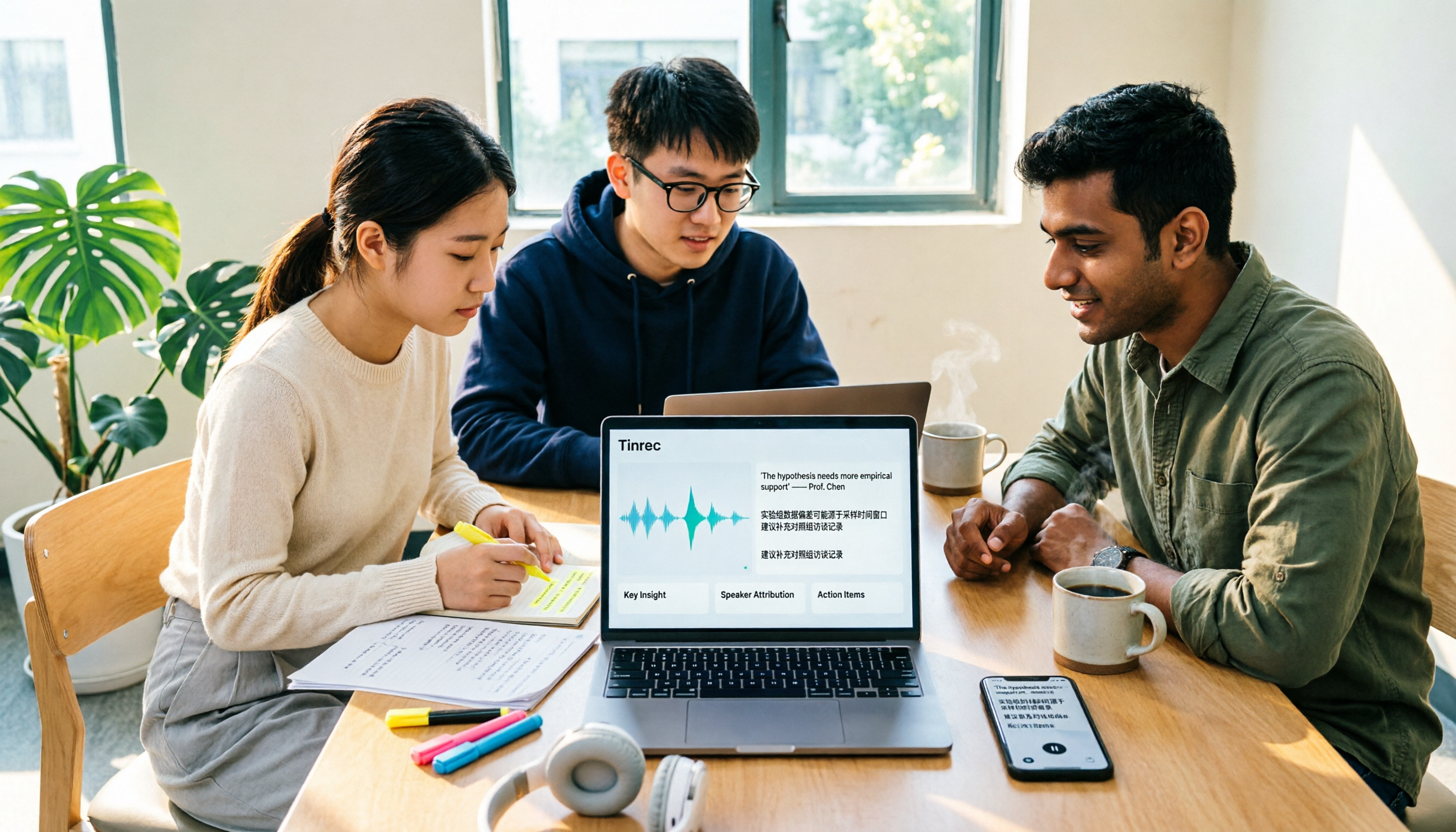
Starting from real struggles with class recordings and group discussions, we tested four meeting transcription tools—Tinrec, Otter.ai, Notta, and TurboScribe—comparing free tiers, Chinese and mixed Chinese-English recognition, post-meeting summaries, and export capabilities. We also outline key decision points and three common pitfalls to help budget-conscious students find a tool they'll actually stick with.

5 Meeting Transcription Tools Tested and Compared for 2026: A Complete Guide from Recording to Meeting Minutes
Meeting transcription isn't as simple as pressing record and getting minutes. This guide covers the actual positioning, operation, and pricing of 5 tools, plus common pitfalls before, during, and after recording, to help you choose the right tool for your scenario.

2026 Complete Guide to Meeting Recording Transcription: Chinese Transcripts, AI Summaries, and Tool Comparison
How to choose a meeting recording transcription tool? This article breaks down 5 key purchasing factors, from Chinese recognition, meeting recording methods, post-meeting organization, quota calculation, to team data governance, and compares Tinrec, Otter.ai, Notta, and TurboScribe in terms of use cases and pricing to help you pick the one that saves the most time.

2026 Comparison of 4 Meeting Transcription Tools: Free Tiers, AI Summaries, and Team Collaboration
How to choose a meeting transcription tool? This article starts from the decision point of 'do you want a verbatim transcript or actionable meeting results?' and covers 4 key selection criteria, hands-on testing of Tinrec, Otter.ai, Notta, and Granola, and honestly explains free tiers, team seats, and pricing to help you avoid common pitfalls like focusing only on accuracy or buying a tool just for transcription.