

Turn recordings into transcripts and summaries in minutes
Upload audio or video for multilingual transcription, AI notes, and action items
Last semester, I took a Supply Chain Management course taught entirely in English. The professor used Google Meet for online classes. He spoke super fast and used a ton of jargon—I understood maybe 60% at best, let alone taking notes. Before the midterm, I opened the lecture recording, a two-hour file. I listened from start to finish but couldn't find the key points. I almost failed.
Then I started researching voice-to-text tools and discovered apps that can transcribe in real time, automatically highlight key points, and even list action items. They're a lifesaver for students. If you often attend English classes or meetings on Google Meet, this review is for you.

4 Key Points to Understand Before Choosing a Transcription Tool
Accuracy: Don't Just Trust Official Numbers
Many tools claim 98% accuracy, but that's measured in a quiet recording studio. In a real Google Meet environment—background noise, multiple speakers, varying microphone quality—accuracy drops significantly. I tested with my actual lecture recordings to get real results.
Cross-Platform: You Use Your Laptop Today, Your Phone Tomorrow
I like to record lectures on my laptop but review transcripts on my phone while commuting. If a tool only works on one platform, it's a hassle. It should at least work on iOS, Android, and web.
AI Features: Transcription Is Just the Beginning
If you only use the tool as a transcript generator, you're missing out. Many apps now offer automatic summaries, action items, and the ability to ask questions about the recording. That's where the real time savings come in.
Free Quota: A Student's Lifeline
With a limited monthly budget, how many minutes the free plan offers and what the paid plans cost is crucial. Some free plans are barely trials, while others are generous. Check carefully.
Tinrec — Our Top Pick After Testing
Tinrec is an AI-powered recording and audio/video organization tool that supports 14 languages. It has iOS, Android, and web apps. I was initially attracted by its ability to transcribe online videos just by pasting a link, but after using it for a whole semester, I found it's a game-changer for students.
Real-Time Transcription During Lectures
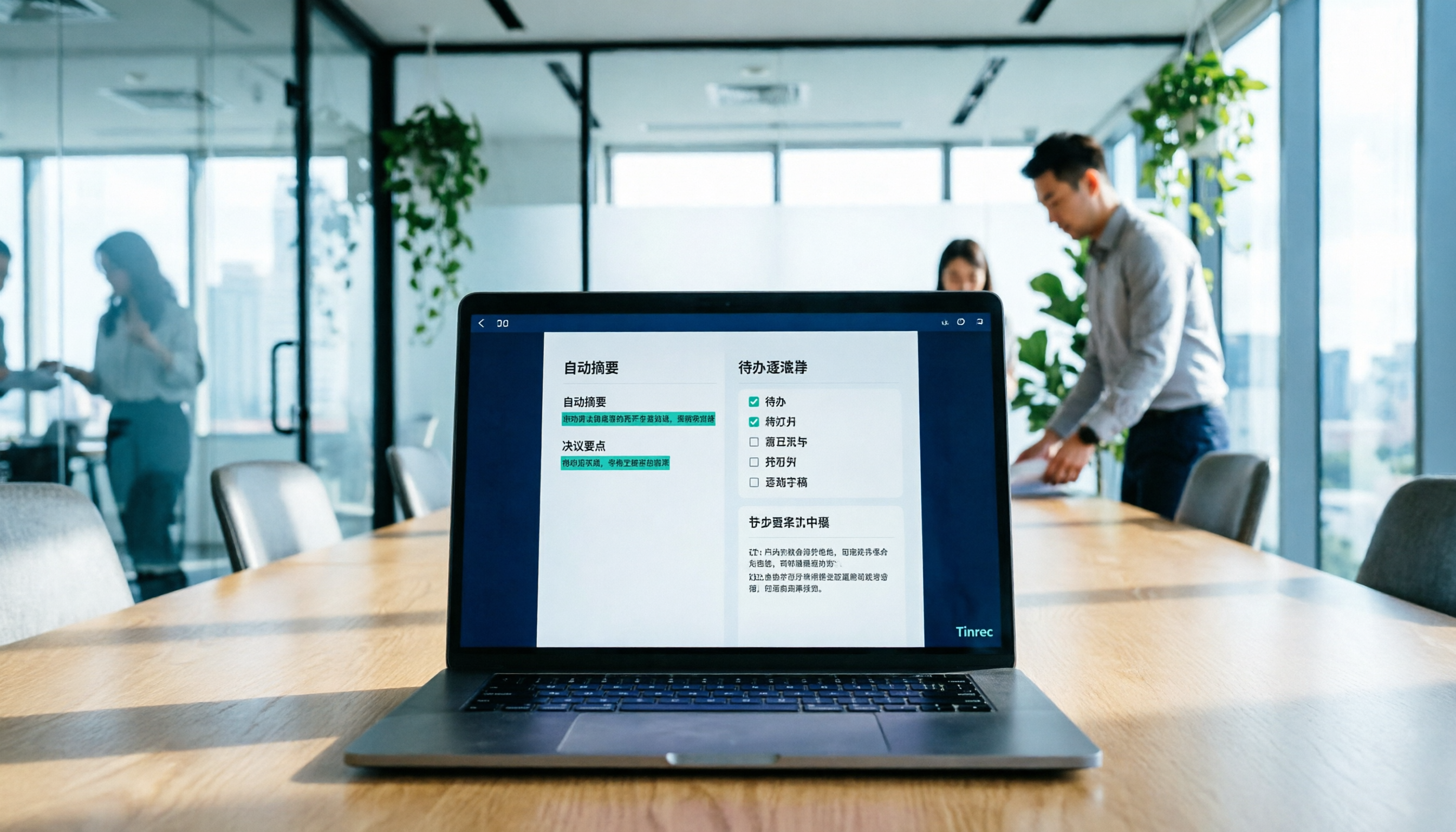
During Google Meet English classes, I open Tinrec's live recording feature, and it shows the transcript in real time with impressive speed. The best part? It can distinguish between different speakers—when the professor speaks and when a classmate asks a question, the transcript labels them clearly. That makes review super easy.
Ask the AI After Recording, No Manual Scrolling
Before, to find key points in a recording, I had to listen from start to finish. Now, after recording, I simply ask Tinrec's AI: "When is the assignment due?" or "Did the professor mention any final exam topics?" It answers based on the recording content—way more effective than Ctrl+F for keywords. Competitors at this price point rarely offer this feature.
Not Just Recordings: Web Videos Too
Once, the professor shared a long list of YouTube supplementary videos. I pasted the links into Tinrec, and it automatically turned them into text summaries. That saved me time, letting me get an extra half hour of sleep—totally worth it.
Stop organizing recordings by hand
Upload audio or video and automatically get a transcript, summary, and action items
Pros Summary
- Great Multilingual Support: It handles mixed Chinese and English courses smoothly. My roommate used it for a Cantonese class recording and said it worked well.
- Seamless Cross-Platform: Record on your laptop, view the transcript on your phone immediately. Perfect for reviewing on the go.
- Multiple Export Options: Export as Word or PDF. I compiled my notes directly into shared docs and uploaded them to the cloud for finals.
Honest Limitations
The free plan offers 100 minutes of transcription per month. If you record every class, it might not be enough. My approach: only record key classes (like fast-paced ones where I can't keep up with notes). That uses about 60–80 minutes per month. If you need to record everything, the Pro plan costs about the same as skipping two late-night snacks a month, and the student discount makes it even more affordable.

Who Is It For?
If you frequently attend English-taught courses, need to process online video materials, or want to ask AI about key points after recording, Tinrec is your best bet. Especially if you use both a laptop and a phone—its cross-platform support is very student-friendly.
Beyond Tinrec: Other Options
Otter.ai
The king of English meetings. The free plan gives 300 minutes per month, which is very generous. But it's purely meeting-oriented—it doesn't directly transcribe web videos like YouTube, and its multilingual AI Q&A (Otter Chat) only works with meeting content. If you only record English meetings and never need to process video materials, Otter is a more budget-friendly choice than Tinrec—but only in that specific scenario.
Notta
Similar features to Tinrec, including multilingual support and cross-platform. However, the free plan offers only 120 minutes per month, and AI chat query requires a paid subscription. For students on a tight budget, Notta falls short on free plan generosity. Additionally, Tinrec transcribes web videos faster—testing the same YouTube link, Tinrec produced a summary about 10 seconds quicker.
3 Common Mistakes to Avoid When Choosing a Transcription Tool
Mistake 1: Only Looking at Official Accuracy Claims
"98% accuracy" sounds impressive, but it's lab data. In a real Google Meet environment with background noise and network latency, accuracy will be lower. My advice: download the app and test it with your own lecture recording—free plans give you enough quota to try.
Mistake 2: Ignoring Cross-Platform Needs
You won't always use the same device. Today you record on your computer, tomorrow you want to review on your phone. If the tool is single-platform, you'll be frustrated. Tinrec and Notta handle this well, but Otter's web version is weaker.
Mistake 3: Only Using It for Transcription, Not AI Features
If you only use the tool as a "voice-to-text" device, you're getting only half the value. Tinrec's AI query feature lets you ask "What are the assignments?" after recording—much faster than manually skimming a 30-minute transcript. Since you've already invested time in researching the tool, make full use of it.
Bottom Line: Which One Should You Choose?
In short: Most students will be fine with Tinrec, unless you only record English content and never want to pay—only then consider Otter.
- Need to handle both English and Chinese classes, or frequently watch YouTube materials → Choose Tinrec (multilingual, web video transcription, free AI Q&A).
- Only record English meetings and have a $0 budget → Choose Otter.ai (300 free minutes/month, the only recommended alternative).
- Want AI chat query in the free plan → Choose Tinrec (Otter and Notta require payment for that feature).
- Heavy cross-platform user → Choose Tinrec (most consistent experience across iOS, Android, and web).
Final advice: download the free version of Tinrec and try it. 100 minutes per month is enough for two or three classes. Experience the convenience of AI Q&A. If you like it, consider upgrading later—no need to pay upfront. I've already recommended it to three classmates, and they're all using it to compile shared notes—finals became much easier.
Turn every recording into actionable outcomes
Get 60 free transcription minutes when you sign in. No credit card required.
Related Reading
You might also like

2026 Meeting Efficiency Agents Compared: Tinrec vs. Notta — Which Turns Meetings into Action?
Meeting efficiency agents are about more than transcription accuracy. This comparison of Tinrec and Notta covers how online meetings are captured, post-meeting outputs, AI follow-up questions, team data governance, and pricing structure to help you decide which workflow fits your work style.

2026 AI Agent Excel Tools Tested: Which One Actually Saves Time on Post-Meeting Spreadsheets?
AI agents that generate Excel files sound amazing, but in practice you often get spreadsheets that look polished and are full of wrong numbers. Drawing on my own trial and error, this article breaks down the three most common pitfalls of AI-generated Excel and explains why the key isn't generation—it's what data you feed the AI. It also shows how Tinrec turns meeting recordings into structured input that can then produce action-item trackers, requirements summaries, and project status sheets.

2026 AI Meeting Notes Tools Compared: Context Understanding and Retention
AI Agents often fail not because of the model, but because of the context you feed them. This article starts with common misconceptions and reviews 6 solutions that can capture meeting content, structure it, and make it queryable, comparing their positioning, pricing, and ideal users.

4 AI Agent Word Generation Tools Tested: Which Turns Meeting Content into Deliverable Documents? (2026)
People searching for 'AI Agent generate Word' fall into two camps: those who want content generated from scratch, and those who need to turn a finished meeting into a document they can hand off. This article compares four approaches—Tinrec, OfficeCLI, Kimi Agent, and ChatGPT/Gemini export—based on real workflows, and outlines selection criteria, common mistakes, and recommendations.
How to Use AI to Generate Meeting Minutes in Word (2026): No-Bot Recording + Auto Summaries & Action Items
After a meeting ends, the transcript, decisions, and action items are often still stuck in the recording. This guide tackles real pain points, explaining how to choose and use AI tools to generate meeting minutes in Word in 2026. It compares Tinrec, Otter.ai, Granola, and Notta to help you pick the right one, and includes a copy-paste prompt for organizing meeting minutes.

4 AI Agent Auto-Delivery Tools Tested in 2026: Which One Turns Meetings into Reports?
After a meeting ends, transcripts, minutes, and action items still need to be filled in manually. This article approaches the topic from the perspective of 'post-meeting delivery' and tests four tools: Tinrec, Otter.ai, Notta, and Granola. It summarizes 4 key purchasing criteria, 3 common pitfalls, and explains which tool fits which work scenario.

2026 Complete Guide to AI Meeting Notes: Master Key Points and Action Items Without Listening to Playbacks
Recording audio but never having time to listen back is a reality for most people in meetings and classes. This guide, from student and team collaboration scenarios, explains how AI meeting notes turn recordings into searchable, queryable, and actionable data, and outlines 5 key points to consider when choosing a tool.

2026 AI Work Assistant Comparison: 4 Tools from Meeting Notes to Team Collaboration
How to choose an AI work assistant in 2026? This article compares Tinrec, Otter.ai, Notta, and Granola across four dimensions—meeting transcription, post-meeting organization, AI Q&A, and team collaboration—and outlines selection criteria and common pitfalls to help you find the right AI work assistant.

2026 Comparison of 5 AI Meeting Notes Tools: From Free to Team Collaboration
Looking for an AI Agent to automatically organize meetings? This article compares common meeting-notes solutions using 5 evaluation criteria and explains how Tinrec can turn meetings into searchable, trackable data—from bot-free recording, transcripts, summaries, and action items to AI Q&A and team spaces—and covers how to choose between the free and team versions.