

Turn recordings into transcripts and summaries in minutes
Upload audio or video for multilingual transcription, AI notes, and action items
After the meeting, there are still three documents to deliver—the problem isn't the meeting, it's the 'delivery'
Wednesday at 4 PM, the project meeting just ended.
You now have a 50-minute recording, a blank meeting minutes document, and your manager's message in the group chat: 'So what's the conclusion, who's responsible, and when is it due?'
For the next hour or so, what you'll likely do is: re-listen to the recording, pick out key points, type them into a document, organize action items, and then figure out how to format it the way the company wants.
The meeting only took an hour, but delivery takes two. This is the daily reality for many office workers.
This is also why 'AI Agent auto-delivery' has been talked about so much this past year. In the past, voice assistants could only understand fixed-format commands. Today's AI Agents break down a vague goal into steps and call tools on their own. Take business travel as an example: it can simultaneously organize flights and accommodation, check calendar availability, draft a leave request, create to-dos, and even complete bookings after you authorize it.
Applied to the meeting scenario, the same thing becomes: not 'help me transcribe this,' but 'help me turn this meeting into something I can deliver.'
If you've also experienced the situation where 'the meeting is over, but the deliverables aren't ready,' this article is for you.
Before Choosing an AI Agent Delivery Tool, Understand These 4 Key Points
1. Can the output be used directly?
Many tools stop at transcription. The problem is that a transcript is not a deliverable—reports, minutes, tables, and action item lists are.
When choosing a tool, I first look at what it can do 'after the meeting': does it automatically summarize, does it have sections, can it extract action items, can it directly generate a document. If it only gives you a big block of text, you still have to process it yourself.
2. How the meeting is 'captured'
There are two common approaches for online meetings: one is to send a meeting bot to join as a participant, and the other is to capture system audio directly from your computer.
The advantage of the bot approach is automation; the downside is that there's an extra stranger on the participant list, which some clients may object to. System audio capture doesn't require inviting anyone, but the trade-off is that you have to press start yourself. There's no absolute right or wrong here, but it affects whether you dare to use it in client meetings.
3. Can it handle Chinese and technical terminology?
Meetings in Taiwan are rarely pure Chinese; they usually mix Chinese and English, and may include product codes, project names, and internal abbreviations.
This is hard to judge from the official website; you can only test it with your own recordings. The accuracy rates stated officially are usually measured in quiet environments. Real meeting rooms have air conditioning noise, keyboard sounds, and multiple people talking over each other, so performance will differ.
4. Who ultimately owns the data?
Storing meeting recordings in a personal account versus a team space are two different things.
The former breaks when an employee leaves; the latter has the potential to become company data that can be searched repeatedly. If you're a team that shares meeting minutes, confirm this upfront: can members view, who can edit, and is there a handover mechanism when personnel changes occur.
Tinrec—Our Top Pick After Testing
Tinrec is an AI meeting notes and collaboration tool for individuals and teams, available on web, desktop, and mobile. Its main focus is 'the work after the meeting ends.'
Record online meetings without inviting a bot
The desktop version captures system audio directly, so when handling online meetings like Zoom, Google Meet, Microsoft Teams, and Webex, there's no need for an extra bot to join.
For those who frequently meet with external clients, this is quite practical—the participant list stays clean, and you don't have to explain to the other party that 'that account is an AI.'
From transcript to a deliverable document
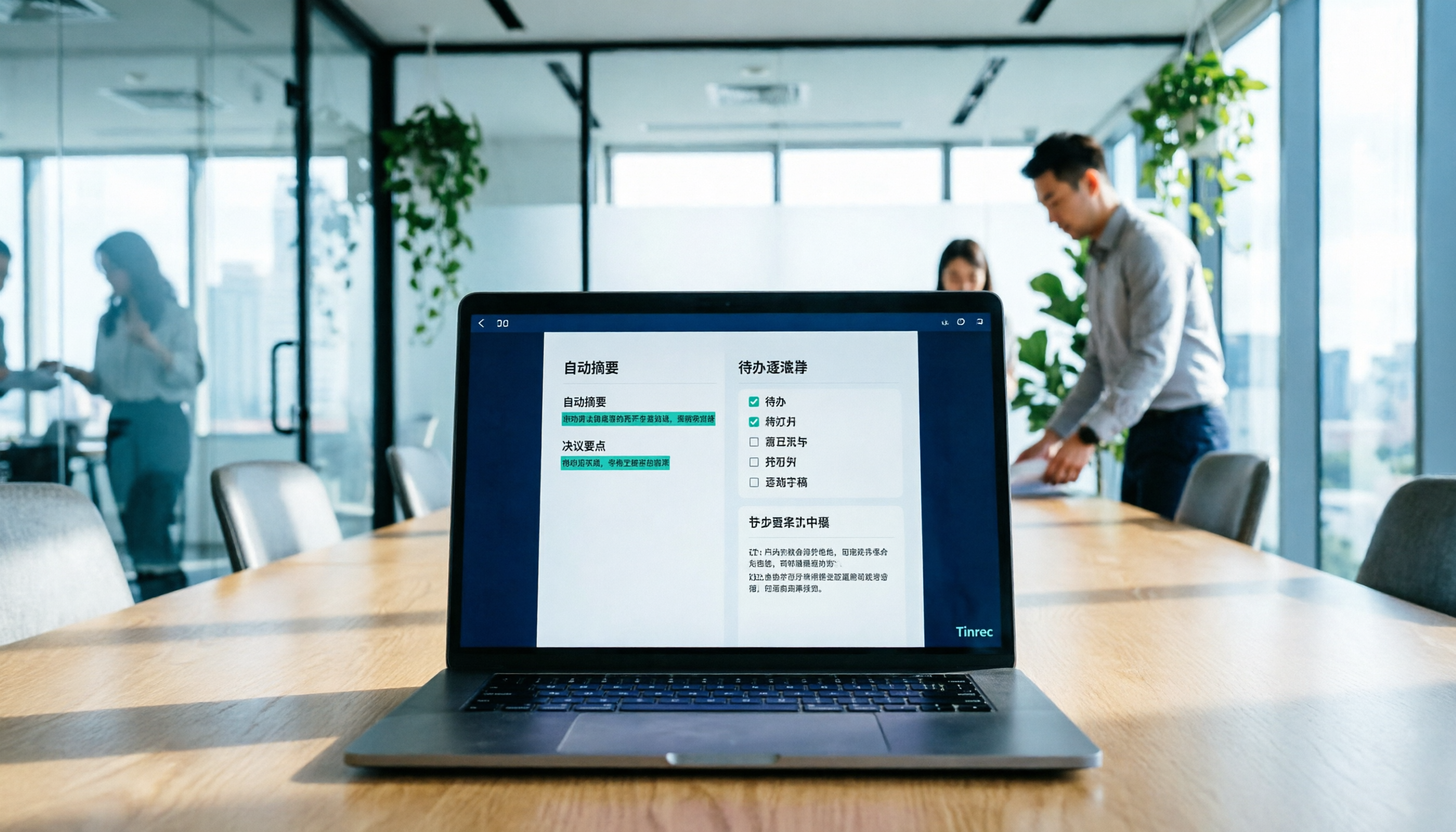
It transcribes while recording during the meeting, and after the meeting automatically generates summaries, sections, and key points, and extracts action items discussed into to-dos.
Even better is its Agent post-processing: it can directly generate reports, tables, and documents based on the meeting. In the past, you'd open Word and start from scratch; now you pull out the output first, then revise it to match the company's tone and format. The difference is that you're editing a draft, not starting from a blank page.
After recording, you can also ask questions directly about the content. For example, 'What did the client say the budget cap was?' or 'What three things were decided last week?' It will give you answers based on the content, rather than dumping a bunch of keywords and telling you to search through them.
How we tested this time
We used a roughly 40-minute online weekly meeting, a 25-minute client interview recording, and a pre-existing face-to-face meeting video on a computer to run through the entire process.
The focus of the test was not benchmarking, but three things: whether the post-meeting output can be used directly, whether mixed Chinese-English project names were written correctly, and whether another person could find the data when taking over.
Stop organizing recordings by hand
Upload audio or video and automatically get a transcript, summary, and action items
Honestly, mixed Chinese-English internal abbreviations still need to be supplemented with team hotwords; they're not all correct from the start. But the entire 'from recording to a readable document' process does save a lot of time compared to manual organization.
Three reasons to keep it
First, the input sources are diverse. Real-time recording, online meetings, uploaded audio/video files, and impromptu phone recordings can all be put into the same place for organization, so you don't need different tools for different scenarios.
Second, the post-meeting output is complete. Summaries, sections, to-dos, mind maps, AI Q&A, and multi-format export connect to tools you already use, like Notion, Google Docs, and OneNote.
Third, the team version is a real team space, not multiple people sharing one account. You can create multiple teams, invite members via link, set owner and admin roles, assign seats, and there are usage analytics, audit logs, and an audio recycle bin. When a member leaves, the data doesn't leave with them.
Things to note
The free version is a trial quota; regular users will need to move to paid. If what you need is 'automatically join all meetings on the calendar,' Tinrec currently doesn't work that way—the desktop version requires you to press start recording yourself.
Also, the official team does not recommend promising a fixed accuracy rate; actual performance is affected by recording quality, accents, noise, and overlapping speech. For important content, it's recommended to replay and verify with timestamps.
Who it's for
People who frequently hold Chinese meetings, need to directly produce reports or to-dos after meetings, and whose teams need to share meeting data. For those with cross-language meetings, its real-time translation and bilingual view are also useful.
The current team plan details are: first-time eligible users can try for 7 days, 1 free seat, 300 minutes of team shared import quota; monthly payment USD 29.80 per paid seat per month, annual payment USD 199 per paid seat per year (about USD 16.58 per month), each paid seat provides 2,000 minutes of team shared import quota per month, and real-time recording is currently not deducted by minutes under an active plan and seat. Actual prices and benefits are subject to the official purchase page.
Besides Tinrec, what other options are there?
Otter.ai: A mature choice for English business meetings. Free version offers 300 minutes per month; Pro annual billing is about USD 8.49 per user per month, including 1,200 minutes per month and 10 file imports. Its meeting assistant mindset is strong, but the Chinese meeting experience is not its main focus. If 80% of your meetings are in English, it's a good deal; if you need Chinese transcripts with mixed Chinese-English project names, Tinrec will be smoother.
Notta: Comprehensive multi-platform transcription and translation. Free version offers 120 minutes per month with a 3-minute limit per session; Pro annual billing is about USD 8.17 per month, with 1,800 minutes per month. It overlaps significantly with Tinrec; the difference is in post-meeting: Tinrec adds bot-free desktop recording, Agent post-processing to generate reports, and team space governance, while Notta focuses more on transcription and translation itself. Subject to official pricing page.
Granola: Also takes the bot-free route, using desktop system audio plus your handwritten notes to generate content. Business is USD 14 per user per month. Note that it does not save meeting audio and does not support uploading existing recording files. If you only need real-time meeting notes, it's lightweight; but if you want to keep recordings, import historical files, or ask follow-up questions later, Tinrec can do what it cannot.
Pitfall Guide: The 3 Most Common Mistakes When Choosing an AI Agent Delivery Tool
Pitfall 1: Treating 'has AI' as 'has delivery.' Some tools do generate summaries, but the output is a block of text that no one dares to send out directly. Before buying, ask: can it generate a document with a complete format that can be directly placed into meeting minutes?
Pitfall 2: Comparing only transcription minutes. Minutes are the entry fee, not the value. What really determines whether you save time is the post-meeting output, the ability to ask follow-up questions, and smooth export. Two tools both offer 1,200 minutes; one gives you only a transcript, the other gives you minutes plus to-dos. Which is more cost-effective is clear.
Pitfall 3: Ignoring team-level permission design. This is the most common pitfall. Roles and seats are two different things: roles determine who can manage the team and members, seats determine who can record, upload, and edit. Members without a seat can usually still view and play, but cannot edit. Ask about this clearly before purchasing; it's cheaper than fixing it later.
One more reminder: recording and transcription involve personal data; please comply with local regulations and obtain participant consent when necessary.
Conclusion: Which one should you choose?
In one sentence: if what you want is 'something ready to deliver right after the meeting ends,' Tinrec has the most complete workflow among these four.
Here are the recommendations:
- Mainly Chinese meetings, need to deliver minutes, reports, or to-dos after the meeting → Tinrec (Agent post-processing can directly generate documents and tables)
- Don't want an extra bot in the meeting participant list → Tinrec (desktop version captures system audio)
- Team needs to share meeting data, needs seats and auditing → Tinrec team version (team space, roles, seats, usage and audit logs)
- Need to import historical audio files or existing videos → Tinrec (supports audio/video file import and some web links)
- Meetings are almost entirely in English, budget is zero → Otter.ai free version (300 minutes per month, a reasonable exception)
- Only need real-time meeting notes, no need to keep recordings → Granola
We suggest starting with Tinrec's free version and running through the process with one of your own real meetings. If you feel the output really saves you that hour and a half, then consider upgrading or discussing a team plan. There's no need to pay from the start.
References
Turn every recording into actionable outcomes
Get 60 free transcription minutes when you sign in. No credit card required.
Related Reading
You might also like

2026 Meeting Efficiency Agents Compared: Tinrec vs. Notta — Which Turns Meetings into Action?
Meeting efficiency agents are about more than transcription accuracy. This comparison of Tinrec and Notta covers how online meetings are captured, post-meeting outputs, AI follow-up questions, team data governance, and pricing structure to help you decide which workflow fits your work style.

2026 AI Agent Excel Tools Tested: Which One Actually Saves Time on Post-Meeting Spreadsheets?
AI agents that generate Excel files sound amazing, but in practice you often get spreadsheets that look polished and are full of wrong numbers. Drawing on my own trial and error, this article breaks down the three most common pitfalls of AI-generated Excel and explains why the key isn't generation—it's what data you feed the AI. It also shows how Tinrec turns meeting recordings into structured input that can then produce action-item trackers, requirements summaries, and project status sheets.

2026 AI Meeting Notes Tools Compared: Context Understanding and Retention
AI Agents often fail not because of the model, but because of the context you feed them. This article starts with common misconceptions and reviews 6 solutions that can capture meeting content, structure it, and make it queryable, comparing their positioning, pricing, and ideal users.

4 AI Agent Word Generation Tools Tested: Which Turns Meeting Content into Deliverable Documents? (2026)
People searching for 'AI Agent generate Word' fall into two camps: those who want content generated from scratch, and those who need to turn a finished meeting into a document they can hand off. This article compares four approaches—Tinrec, OfficeCLI, Kimi Agent, and ChatGPT/Gemini export—based on real workflows, and outlines selection criteria, common mistakes, and recommendations.
How to Use AI to Generate Meeting Minutes in Word (2026): No-Bot Recording + Auto Summaries & Action Items
After a meeting ends, the transcript, decisions, and action items are often still stuck in the recording. This guide tackles real pain points, explaining how to choose and use AI tools to generate meeting minutes in Word in 2026. It compares Tinrec, Otter.ai, Granola, and Notta to help you pick the right one, and includes a copy-paste prompt for organizing meeting minutes.

2026 Complete Guide to AI Meeting Notes: Master Key Points and Action Items Without Listening to Playbacks
Recording audio but never having time to listen back is a reality for most people in meetings and classes. This guide, from student and team collaboration scenarios, explains how AI meeting notes turn recordings into searchable, queryable, and actionable data, and outlines 5 key points to consider when choosing a tool.

2026 AI Work Assistant Comparison: 4 Tools from Meeting Notes to Team Collaboration
How to choose an AI work assistant in 2026? This article compares Tinrec, Otter.ai, Notta, and Granola across four dimensions—meeting transcription, post-meeting organization, AI Q&A, and team collaboration—and outlines selection criteria and common pitfalls to help you find the right AI work assistant.

2026 Comparison of 5 AI Meeting Notes Tools: From Free to Team Collaboration
Looking for an AI Agent to automatically organize meetings? This article compares common meeting-notes solutions using 5 evaluation criteria and explains how Tinrec can turn meetings into searchable, trackable data—from bot-free recording, transcripts, summaries, and action items to AI Q&A and team spaces—and covers how to choose between the free and team versions.

2026 Comparison of 4 Meeting Minutes PDF Tools: Which One Can Export Deliverable-Ready Documents in One Click?
From meeting recordings to PDF meeting minutes, compare Tinrec, Otter.ai, Fireflies.ai, and Notta on export workflow, Chinese language support, team collaboration, and pricing to help you choose the right tool.