

Turn recordings into transcripts and summaries in minutes
Upload audio or video for multilingual transcription, AI notes, and action items
2026 AI Work Assistant Comparison: 4 Tools from Meeting Notes to Team Collaboration
Are you looking for an AI work assistant that's a chat tool where you ask questions and it answers, or a work partner that turns meetings, interviews, and to-dos into trackable data? Most professionals' real pain point isn't a lack of a chat window—it's that after a meeting, transcripts, conclusions, action items, and follow-ups end up scattered in different places. This article puts four common AI work assistants side by side and uses the dimensions we care about in actual use to help you judge which one fits your workflow.
How to Choose an AI Work Assistant? Ask Yourself These Three Questions First
First, are your meetings mostly online or offline? For online meetings, do you need stable capture of computer system audio, or do you want a meeting bot to join? Second, do you just want a transcript, or do you need summaries, action items, and queryable meeting data right after the meeting? Third, is it for personal use, or do you need team sharing of meeting records, seat management, and usage tracking?
There are no standard answers to these three questions, but they directly determine which type of tool you should look at. If you spend most of your time organizing meetings and interviews, rather than buying a general chat assistant plus a transcription tool, it's better to choose a meeting-focused AI work assistant that connects recording, transcription, organization, querying, and export. This is also the focus of our testing and comparison in this article.
Before Buying an AI Work Assistant, Understand These 4 Key Points
1. Meeting capture method: bot or no bot? Some tools require a meeting bot to join the meeting room. The advantage is automation; the disadvantage is that an extra participant can be inconvenient in external meetings. Another approach is a desktop app that directly captures computer system audio without an extra bot. We look at this first in our testing because it determines whether you can use it naturally in internal company meetings and client meetings.
2. Post-meeting organization: just a transcript, or can it keep working? Transcripts are the baseline. What really sets tools apart is summaries, chapters, action item extraction, AI Q&A, and export. You can ask yourself: after a meeting, do I want to manually scroll through a 30-minute transcript, or can I directly ask "What were the conclusions of this meeting?" A tool that can answer the latter deserves to be called a work assistant.
3. Chinese and multilingual experience: how do your meetings usually speak? In Taiwanese workplaces, Chinese, mixed Chinese-English, and multilingual meetings are common. When buying, don't just look at "how many languages are supported"—look at whether it can handle mixed Chinese-English, real-time translation, and bilingual viewing. Actual results are still affected by recording quality, accents, noise, and overlapping speakers; no tool can guarantee a fixed accuracy rate.
4. Team collaboration and governance: sharing is not the same as co-editing If you want your team to use it, you must understand the difference between "roles" and "seats." Roles determine who can manage the team; seats determine who can record, upload, edit, and export. Some team plans let all members view data, but members without seats can only read, not edit. This point is easily overlooked during procurement.
Tinrec — Our Top Pick After Testing
Tinrec is an AI meeting notes and collaboration tool for individuals and teams. It supports real-time recording, desktop bot-free online meeting recording, audio and video file import, and post-meeting summaries, action items, AI Q&A, and export. It is not a general chatbot; its strength is clear: turning meetings and audio content into searchable, queryable, deliverable data.
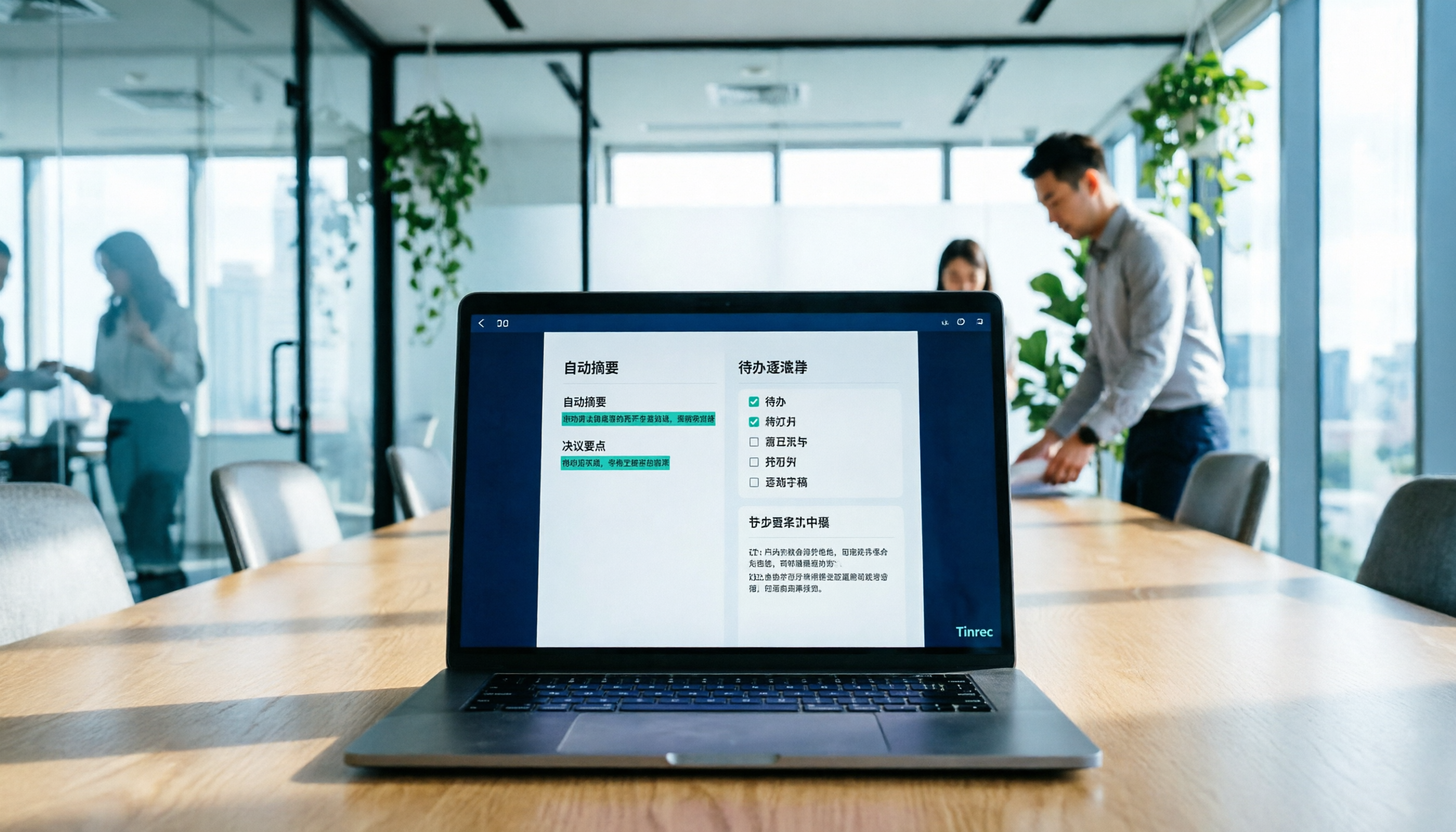
In actual use, the desktop bot-free recording is very intuitive. Open the Tinrec desktop app, start recording, and it captures computer system audio, handling meeting content played on platforms like Zoom, Google Meet, Microsoft Teams, and Webex without inviting an extra bot. The recording process generates a transcript in real time, and after the meeting, AI summaries, chapters, and action items are already organized. We tested with Chinese meeting recordings in a typical indoor meeting environment, and transcript readability was good; actual results are still affected by recording quality, accents, noise, and overlapping speakers.
The second differentiator is post-meeting AI Q&A. Most transcription tools stop at the transcript; Tinrec lets you ask follow-up questions about a single meeting or multiple meetings, such as "What was the budget range the client mentioned this time?" It answers based on meeting content, not just keyword search results. It can also generate reports, tables, and documents from meeting content and export to tools like Notion, Google Docs, OneNote, and Dropbox.
Stop organizing recordings by hand
Upload audio or video and automatically get a transcript, summary, and action items
For Chinese and multilingual support, Tinrec covers Chinese, Traditional Chinese, and multilingual meetings, supports real-time translation and bilingual viewing, and the team version includes team hotwords. Note that no tool can guarantee a fixed accuracy rate; for important content, we recommend cross-checking with transcript timestamps and recording playback.
The team version provides an independent team space, and meeting data belongs to the team. Admins can manage roles, assign or revoke seats, view team usage trends, member rankings, and details, query and export audit logs, and use the audio recycle bin; when a member leaves or loses a seat, team resources can be handed over to other active members. Pricing is USD 29.80 per paid seat per month for monthly team billing, or USD 199 per paid seat per year for annual billing (about USD 16.58 per month); the first eligible team trial is 7 days, 1 free seat, and 300 minutes of shared import quota; paid seats include 2,000 minutes of shared import quota per month, and real-time recording under an active plan and seat is currently not deducted by minutes. Actual prices and benefits are subject to the official purchase page.
Limitations should also be clear: the free version is a basic quota, and heavy use requires reviewing plans; the team version is mainly team-level sharing, not file-level granular permissions; members without seats can view, play, and read team data but cannot upload, edit, or export. If you often hold Chinese meetings, don't want a bot to join meetings, and want to ask AI directly for key points after meetings, Tinrec is currently our preferred choice.
Besides Tinrec, What Other AI Work Assistants Can You Consider?
Otter.ai: A mature English business meeting assistant. Basic is free with 300 minutes per month; Pro is about USD 8.49 per user per month with annual billing. Its strength is English meetings and workflows; if you mainly hold Chinese meetings, Tinrec is closer to your needs in Chinese transcripts, bilingual viewing, and post-meeting organization. Otter uses both meeting bots and desktop, while Tinrec relies on desktop system audio capture without an extra bot joining.
Notta: A multilingual transcription tool. Free is 120 minutes per month with a maximum of 3 minutes per session; Pro is about USD 8.17 per month with annual billing; Business is about USD 16.67 per seat per month with annual billing. Notta focuses on transcription, translation, and team permissions; Tinrec emphasizes bot-free recording, meeting-centered AI Q&A, and Agent post-processing, making the post-meeting workflow more centralized.
Granola: A bot-free AI meeting notes tool. Basic is free; Business is USD 14 per user per month; Enterprise is USD 35 per user per month. It focuses on real-time notes and cross-meeting context, but does not support uploading pre-recorded audio and does not save meeting audio. If you need to keep recordings, import historical audio files, and manage team data, Tinrec covers more.
Pitfall Guide: The 4 Most Common Mistakes When Choosing an AI Work Assistant
Pitfall 1: Only looking at transcription minutes and ignoring post-meeting organization. Minutes matter, but half the value of a meeting assistant is after the meeting. Rather than comparing who has more quota, first check whether it can produce summaries, chapters, action items, and queryable Q&A. Otherwise, you're just replacing "recording" with "a longer transcript," and organization time isn't really saved.
Pitfall 2: Thinking a transcript is enough. A transcript is raw material, not a finished product. If after every meeting you still have to manually copy and paste into documents, organize action items, and email colleagues, that means the tool only did the first step for you. A workflow like Tinrec that connects summaries, action items, Q&A, and export is closer to a "work assistant" than pure transcription.
Pitfall 3: Treating team sharing as co-editing. A team version is not "multiple people sharing one account." Roles, seats, and member relationships should be viewed separately. Members without seats can view data but cannot record, upload, edit, or export. Before purchasing, confirm who on the team needs "usage quota" and who only needs "read access," so you don't buy something you can't use.
Pitfall 4: Ignoring recording compliance and human review. AI can reduce manual recording costs but cannot fully replace human judgment. For external meetings, sensitive content, and high-impact decisions, we recommend keeping human review and obtaining recording consent in accordance with local regulations and company policy. Important information should also be cross-checked against the transcript and recording; don't treat AI summaries as the final version directly.
Conclusion: Which One Should You Choose?
Overall, if you want an AI work assistant that can handle meetings, interviews, and audio content, Tinrec is our top pick in this article. It puts bot-free recording, real-time transcripts, summaries, action items, AI Q&A, export, and team space into one workflow, suitable for people who don't want to move data between multiple tools.
Scenario breakdown:
- Chinese meetings, mixed Chinese-English, and don't want a bot to join → Tinrec.
- Want to ask AI directly after meetings to find decisions, commitments, or generate reports or tables → Tinrec.
- Team needs to share meeting data, manage roles and seats, and view usage and audits → Tinrec team version.
- Mainly English business meetings and already used to the Otter ecosystem → Otter.ai is worth considering.
- Need multilingual transcription and file processing with simple team permission needs → Notta is worth comparing.
- Only want real-time meeting notes and don't need to keep audio or import historical files → Granola fits this scenario.
If you're still unsure, we recommend running a real meeting with the Tinrec free version first to see whether transcripts, summaries, and action items fit your work habits. The team version offers a 7-day trial, 1 free seat, and 300 minutes of shared import quota; you can start with a project team pilot before deciding whether to expand seats. Choosing an AI work assistant doesn't need to be perfect on the first try—starting with one meeting is easier than looking at a bunch of spec sheets.
References
Turn every recording into actionable outcomes
Get 60 free transcription minutes when you sign in. No credit card required.
Related Reading
You might also like

2026 Meeting Efficiency Agents Compared: Tinrec vs. Notta — Which Turns Meetings into Action?
Meeting efficiency agents are about more than transcription accuracy. This comparison of Tinrec and Notta covers how online meetings are captured, post-meeting outputs, AI follow-up questions, team data governance, and pricing structure to help you decide which workflow fits your work style.

2026 AI Agent Excel Tools Tested: Which One Actually Saves Time on Post-Meeting Spreadsheets?
AI agents that generate Excel files sound amazing, but in practice you often get spreadsheets that look polished and are full of wrong numbers. Drawing on my own trial and error, this article breaks down the three most common pitfalls of AI-generated Excel and explains why the key isn't generation—it's what data you feed the AI. It also shows how Tinrec turns meeting recordings into structured input that can then produce action-item trackers, requirements summaries, and project status sheets.

2026 AI Meeting Notes Tools Compared: Context Understanding and Retention
AI Agents often fail not because of the model, but because of the context you feed them. This article starts with common misconceptions and reviews 6 solutions that can capture meeting content, structure it, and make it queryable, comparing their positioning, pricing, and ideal users.

4 AI Agent Word Generation Tools Tested: Which Turns Meeting Content into Deliverable Documents? (2026)
People searching for 'AI Agent generate Word' fall into two camps: those who want content generated from scratch, and those who need to turn a finished meeting into a document they can hand off. This article compares four approaches—Tinrec, OfficeCLI, Kimi Agent, and ChatGPT/Gemini export—based on real workflows, and outlines selection criteria, common mistakes, and recommendations.
How to Use AI to Generate Meeting Minutes in Word (2026): No-Bot Recording + Auto Summaries & Action Items
After a meeting ends, the transcript, decisions, and action items are often still stuck in the recording. This guide tackles real pain points, explaining how to choose and use AI tools to generate meeting minutes in Word in 2026. It compares Tinrec, Otter.ai, Granola, and Notta to help you pick the right one, and includes a copy-paste prompt for organizing meeting minutes.

4 AI Agent Auto-Delivery Tools Tested in 2026: Which One Turns Meetings into Reports?
After a meeting ends, transcripts, minutes, and action items still need to be filled in manually. This article approaches the topic from the perspective of 'post-meeting delivery' and tests four tools: Tinrec, Otter.ai, Notta, and Granola. It summarizes 4 key purchasing criteria, 3 common pitfalls, and explains which tool fits which work scenario.

2026 Complete Guide to AI Meeting Notes: Master Key Points and Action Items Without Listening to Playbacks
Recording audio but never having time to listen back is a reality for most people in meetings and classes. This guide, from student and team collaboration scenarios, explains how AI meeting notes turn recordings into searchable, queryable, and actionable data, and outlines 5 key points to consider when choosing a tool.

2026 Comparison of 5 AI Meeting Notes Tools: From Free to Team Collaboration
Looking for an AI Agent to automatically organize meetings? This article compares common meeting-notes solutions using 5 evaluation criteria and explains how Tinrec can turn meetings into searchable, trackable data—from bot-free recording, transcripts, summaries, and action items to AI Q&A and team spaces—and covers how to choose between the free and team versions.

2026 Comparison of 4 Meeting Minutes PDF Tools: Which One Can Export Deliverable-Ready Documents in One Click?
From meeting recordings to PDF meeting minutes, compare Tinrec, Otter.ai, Fireflies.ai, and Notta on export workflow, Chinese language support, team collaboration, and pricing to help you choose the right tool.