

Turn recordings into transcripts and summaries in minutes
Upload audio or video for multilingual transcription, AI notes, and action items
I used to think that as long as I pressed record during a meeting or class, I had "taken notes." It wasn't until I opened those audio files before finals that I realized: the real problem is never that I didn't record, but that after recording, I never listen again. A two-hour meeting requires two hours of re-listening, and to find a specific sentence, I have to rewind back and forth. This kind of review is just comforting myself that "I have the data."
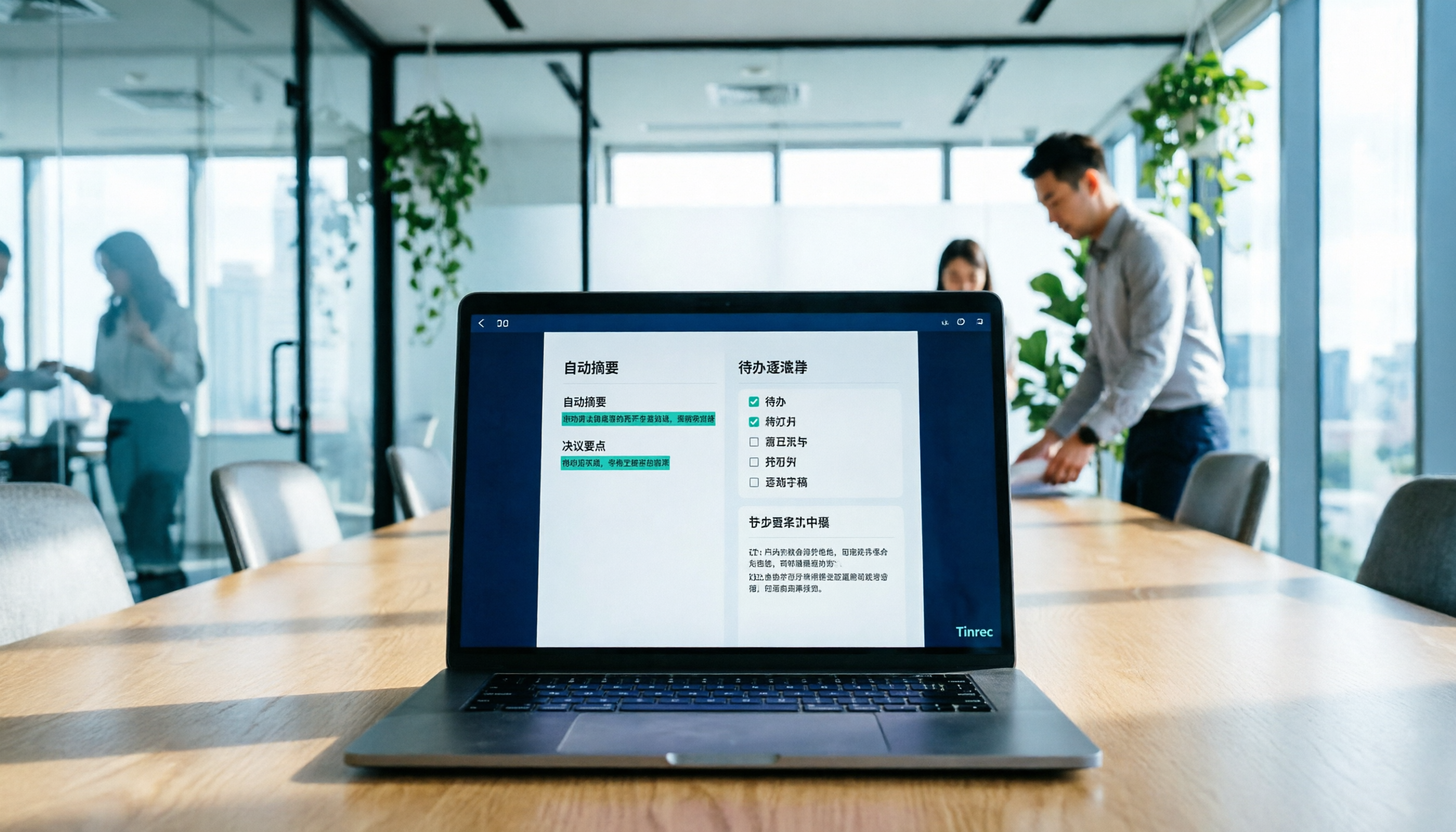
Later I figured out that what I should do is not "listen to the playback," but let the sound become text that can be scanned, searched, and queried from the start. Tools like Tinrec, an AI meeting notes tool, convert recordings directly into transcripts, summaries, chapters, and action items. What you look back at is organized key points, not a two-hour progress bar.
What can AI meeting notes do for you?
Scenario 1: Online classes and lectures, notes ready when class ends Professors speak fast, slides flip even faster, and handwriting can't keep up. Use Tinrec desktop version to record the course audio playing on your computer without needing to pull an extra bot into the meeting room. While you attend class, the transcript is generated, and by the end, the summary and chapters are waiting for you.
Scenario 2: Group discussions, finally someone remembers the conclusions The scariest part of group discussions is that everyone talks enthusiastically, but after the meeting, no one can say "so what are we supposed to do." Tinrec extracts action items from the conversation, listing who is responsible for which part and when to submit, directly as a checklist, so you no longer rely on vague memories in the group chat.
Scenario 3: Look up that sentence without listening to the whole segment When a team member questions "Did the professor really say to do it this way?" you used to have to re-listen to the entire segment. Now with Tinrec's AI Q&A, you can directly ask "What did the professor say about the report format?" and it will answer based on the content, with the original context attached.
Scenario 4: Club, internship, and team handovers The biggest fear in handovers is that when the predecessor leaves, all data is scattered in personal accounts. Tinrec team version centralizes meeting recordings, transcripts, summaries, and action items in a single team space, so new members can see historical discussions instead of asking again.
What are the core capabilities of AI meeting notes?
Bot-free recording of online meetings Many tools send a meeting bot to join the meeting as a participant. Tinrec desktop version takes a different approach: it directly captures the computer's system audio, handling Zoom, Google Meet, Microsoft Teams, Webex, and other meetings, without adding an unfamiliar account to the meeting list. Note that this is not "automatically joining all schedules," but you open Tinrec yourself to start recording.
Real-time transcription and translation Text appears as you speak, not after recording. For cross-language classes or meetings, you can switch between original text, translation, or bilingual view, which is especially useful for English lectures where reading the original is challenging.
AI summaries and chapters It doesn't just compress the transcript into a single paragraph; it breaks long meetings into structured sections. By looking at chapter titles, you know which parts are worth detailed reading, and a two-hour file can be scanned in just five minutes.
Action item extraction The real pain of meetings is after the meeting. Tinrec organizes action items from discussions. After you verify, paste them into your task management tool and prioritize. Doing this step yourself once makes the results truly reliable.
AI Q&A and post-meeting processing After transcription, you can continue to ask questions, such as "What is the budget limit mentioned by the client?" or "How many options were discussed in this segment?" When you need to submit a report, you can further generate documents, tables, or meeting minutes, and export to Notion, Google Docs, OneNote, Dropbox, and other common tools for further editing.
Practical application scenarios
Class and lecture notes Taking three heavy courses per semester, each two hours, re-listening to all is impossible. My approach is to record only key classes, use Tinrec for real-time transcription, spend ten minutes after class reviewing summaries and chapters, go back to the transcript for unclear parts, and review directly from the organized version before exams.
Project group meetings Graduation project meetings are held weekly, and discussions often jump around. Use Tinrec to record discussions, paste the action item list into a shared page after the meeting, and at the next meeting, first confirm the progress of previous items, reducing arguments like "Didn't we say last time..."
Stop organizing recordings by hand
Upload audio or video and automatically get a transcript, summary, and action items
Interviews and pre-questionnaire testing When conducting user interviews, listening and writing simultaneously can miss the interviewee's tone and hesitation. Use Tinrec to record and transcribe, then use AI Q&A to find recurring keywords and quotes, making qualitative data organization much faster.
Team and club handovers Club officers change annually, and experience often doesn't stay. The team version stores recordings, Folders, and TODOs uniformly. When a member exits or loses their seat, resources can be handed over to other members, so data doesn't disappear with the person.
5 points to consider when choosing an AI meeting notes tool
1. Does the recording method fit your meeting type? First ask yourself: are you willing to have a bot account appear in the meeting list? Tinrec desktop version doesn't require a bot to join, which is more natural for external or client meetings; but remember it's you actively starting the recording, not automatic scheduling.
2. Usability after transcription is more important than speed Tools that only provide transcripts still require you to read 20,000 words yourself. Tinrec integrates summaries, chapters, action items, and Q&A into the same workflow, which is the real condition for "not listening to playback."
3. Handling Chinese and mixed Chinese-English Meetings and classes in Taiwan almost always mix Chinese and English, with many proper nouns. Tinrec supports Chinese and multilingual content, and the team version allows maintaining team hotwords, pre-building common terms from your department or company. Actual recognition is still affected by recording quality, accents, and multiple people speaking simultaneously; for important content, it's recommended to verify against the transcript timestamps.
4. Can old audio files be included? Many people's pain point is recordings lying on their hard drive for three years. Tinrec supports importing audio and video files, allowing historical interviews and old meetings to be organized into searchable data, not just new meetings.
5. For team use, roles and seats must be clearly distinguished This is where many tools are unclear. Tinrec team version separates "roles" and "seats": roles determine who can manage members, audits, and team settings; seats determine whether one can record, upload, edit, import/export. Members without seats can still view, play, and read team data, but cannot perform resource usage operations. Additionally, the team version currently shares at the team level, not fine-grained file-level permission control.
How to view pricing and quotas Individuals can start with the free version to experience basic quotas, consider weekly cards for short-term intensive needs, and Pro monthly or annual cards for long-term stable use. The team version currently offers a 7-day trial for eligible users, 1 free seat, and 300 minutes of team shared import quota; paid plans are USD 29.80 per seat per month, or USD 199 per seat per year (about USD 16.58 per month), with each paid seat providing 2,000 minutes of team shared import quota per month. Real-time recording is currently not deducted by minutes under valid team plans and valid seats. Actual prices and benefits are subject to the official purchase page.
FAQ
Q1: Can AI meeting notes really eliminate the need to listen to playback? It can achieve "no need to listen from beginning to end," but not "no responsibility at all." Reviewing summaries and chapters to grasp the structure, and returning to the transcript for key decisions, is a more realistic usage.
Q2: Do I need to install software? Which platforms are supported? Tinrec has web, desktop, and mobile versions. To record online meeting audio playing on a computer, use the desktop version to capture system audio; mobile is suitable for in-person meetings and casual recording.
Q3: What to do with mixed Chinese-English and many proper nouns? First build common terms in team hotwords to improve recognition of professional terms. After transcription, it's still recommended to quickly scan the transcript once, fix obvious errors, and then export.
Q4: Is the free version enough for students? The free version provides basic quotas, suitable for trying one or two classes or a group meeting. If you have stable recording needs every week, then evaluate weekly cards or Pro; the criterion is simple—is the organization time it saves worth the money?
Q5: For group or lab use, what's the difference between personal and team versions? Personal version data belongs to the personal account; team version is an independent team space, data belongs to the team, with additional member management, role and seat allocation, usage analysis, audit logs, and audio recycle bin. Audio in the recycle bin can be restored before permanent cleanup; currently the retention period is 30 days.
Q6: Do I need to inform before recording? Yes. Recording and transcription involve local regulations and participant consent. Before recording external meetings, interviews, or classes, obtain consent and explain the purpose.
Conclusion
"AI meetings without listening to playback" is not a magical promise, but a change in workflow order: let the tool turn sound into readable, searchable, queryable text first, and you only return to the original when you need to confirm. Rather than pursuing a perfect tool, first clarify what your biggest pain is—slow typing, time-consuming post-meeting organization, or team data not being retained.
If you're also tired of that never-ending progress bar, start with Tinrec's free version, pick a class or group meeting where you really need notes, and experience what "the meeting is over, and the key points are already there" feels like.
References
- No time limit! 3 free AI transcription tools, highly recommended! AI voice notes generate meeting records, presentations, mind maps | 104 Job Bank
- Business Weekly - 6-step AI meeting notes organization technique: use a fixed template to turn discussions into clear action items - Business Weekly
- Meeting notes are troublesome? ChatGPT+Whisper do it all! Automatic transcription, summary, and sending | BusinessNext
- AI meeting notes organization tips! 6 steps to leverage Gemini Notebook and instruction templates, speech-to-text, mixed Chinese-English no problem | 104 Job Bank
- No more taking turns writing meeting notes! 3 AI tools for real-time recording and summary generation, let you focus on the meeting | Manager Today
Turn every recording into actionable outcomes
Get 60 free transcription minutes when you sign in. No credit card required.
Related Reading
You might also like

2026 Meeting Efficiency Agents Compared: Tinrec vs. Notta — Which Turns Meetings into Action?
Meeting efficiency agents are about more than transcription accuracy. This comparison of Tinrec and Notta covers how online meetings are captured, post-meeting outputs, AI follow-up questions, team data governance, and pricing structure to help you decide which workflow fits your work style.

2026 AI Agent Excel Tools Tested: Which One Actually Saves Time on Post-Meeting Spreadsheets?
AI agents that generate Excel files sound amazing, but in practice you often get spreadsheets that look polished and are full of wrong numbers. Drawing on my own trial and error, this article breaks down the three most common pitfalls of AI-generated Excel and explains why the key isn't generation—it's what data you feed the AI. It also shows how Tinrec turns meeting recordings into structured input that can then produce action-item trackers, requirements summaries, and project status sheets.

2026 AI Meeting Notes Tools Compared: Context Understanding and Retention
AI Agents often fail not because of the model, but because of the context you feed them. This article starts with common misconceptions and reviews 6 solutions that can capture meeting content, structure it, and make it queryable, comparing their positioning, pricing, and ideal users.

4 AI Agent Word Generation Tools Tested: Which Turns Meeting Content into Deliverable Documents? (2026)
People searching for 'AI Agent generate Word' fall into two camps: those who want content generated from scratch, and those who need to turn a finished meeting into a document they can hand off. This article compares four approaches—Tinrec, OfficeCLI, Kimi Agent, and ChatGPT/Gemini export—based on real workflows, and outlines selection criteria, common mistakes, and recommendations.
How to Use AI to Generate Meeting Minutes in Word (2026): No-Bot Recording + Auto Summaries & Action Items
After a meeting ends, the transcript, decisions, and action items are often still stuck in the recording. This guide tackles real pain points, explaining how to choose and use AI tools to generate meeting minutes in Word in 2026. It compares Tinrec, Otter.ai, Granola, and Notta to help you pick the right one, and includes a copy-paste prompt for organizing meeting minutes.

4 AI Agent Auto-Delivery Tools Tested in 2026: Which One Turns Meetings into Reports?
After a meeting ends, transcripts, minutes, and action items still need to be filled in manually. This article approaches the topic from the perspective of 'post-meeting delivery' and tests four tools: Tinrec, Otter.ai, Notta, and Granola. It summarizes 4 key purchasing criteria, 3 common pitfalls, and explains which tool fits which work scenario.

2026 AI Work Assistant Comparison: 4 Tools from Meeting Notes to Team Collaboration
How to choose an AI work assistant in 2026? This article compares Tinrec, Otter.ai, Notta, and Granola across four dimensions—meeting transcription, post-meeting organization, AI Q&A, and team collaboration—and outlines selection criteria and common pitfalls to help you find the right AI work assistant.

2026 Comparison of 5 AI Meeting Notes Tools: From Free to Team Collaboration
Looking for an AI Agent to automatically organize meetings? This article compares common meeting-notes solutions using 5 evaluation criteria and explains how Tinrec can turn meetings into searchable, trackable data—from bot-free recording, transcripts, summaries, and action items to AI Q&A and team spaces—and covers how to choose between the free and team versions.

2026 Comparison of 4 Meeting Minutes PDF Tools: Which One Can Export Deliverable-Ready Documents in One Click?
From meeting recordings to PDF meeting minutes, compare Tinrec, Otter.ai, Fireflies.ai, and Notta on export workflow, Chinese language support, team collaboration, and pricing to help you choose the right tool.