

Turn recordings into transcripts and summaries in minutes
Upload audio or video for multilingual transcription, AI notes, and action items
Spend Twice the Time Organizing Notes After Breakout Sessions?
When using Google Meet, many people use Breakout Rooms for small group discussions. However, when returning to the main session, each group can only report verbally, and details can easily be missed. If you want to record each group's discussion, Google Meet's built-in recording only captures the main session—breakout discussions are not automatically saved.

Even worse, even if you manage to record the audio by other means, going back to transcribe, extract key points, and assign action items is a huge task. If you often work overtime to complete meeting notes, this article is for you.
4 Key Factors to Consider Before Choosing a Meeting Transcription Tool
There are many tools on the market, but not all can handle real meeting scenarios. Here are 4 points I always check when testing—you can use them as your buying criteria too.
Input Sources: Can it only record meetings, or can it also handle other audio files?
Many tools advertise "auto-join meetings," but if you have lecture recordings, interview recordings, or YouTube videos to organize, they may not support them. I prefer a solution that can handle both meeting recordings and local files, so one tool covers all needs.
Organization Features: Just a transcript, or summaries and action items?
Simply converting audio to text isn't enough. After trying several tools, I found that generated "summaries" and "action items" are the real time-savers—especially when you need to send meeting notes to colleagues immediately after the meeting.
Chinese Recognition: Can it accurately recognize Taiwanese accents and code-switching between Chinese and English?
This is especially important for users who speak Mandarin Chinese. Some tools excel with English but see accuracy drop significantly with Chinese meeting content, especially mixed Chinese-English. Always test with your own meeting recordings—don't just rely on official numbers.
Pricing and Quotas: Is the free plan sufficient? Are the paid plans too expensive?
If you only meet occasionally, a monthly subscription might not be cost-effective; but a free plan with too low quotas can be frustrating in critical moments. I look for reasonable trial limits in the free version and reasonable monthly cost in paid plans.
Tinrec — Our Top Pick After Real-World Testing
Tinrec is an AI recording and audio/video organization tool that supports 14 languages, with iOS, Android, and web versions. It's more than just a meeting note-taker—it turns lectures, interviews, and even online videos into searchable, organizable data.
Core features designed around real usage scenarios
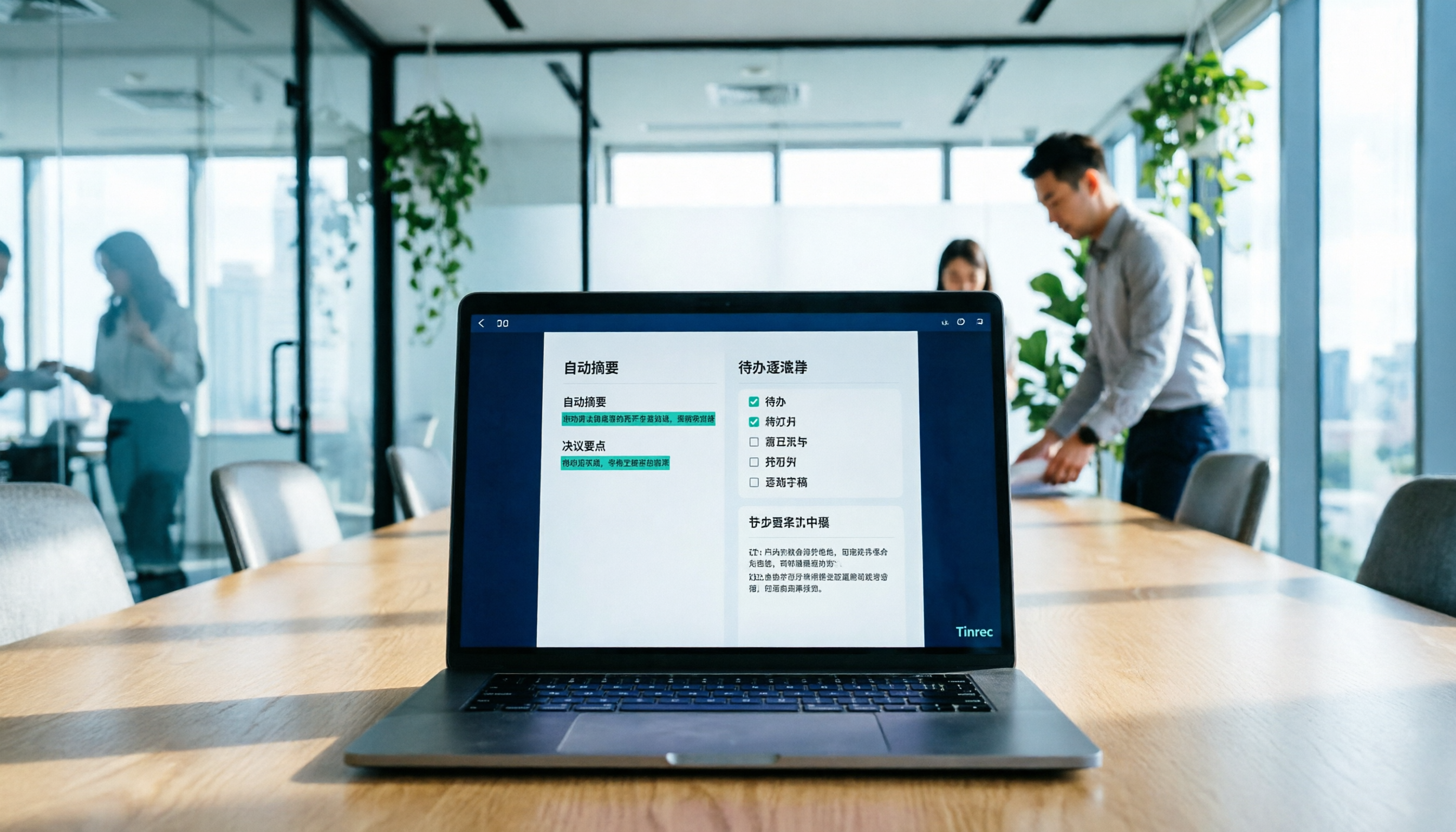
When running Google Meet breakout rooms, I usually use the desktop version of Tinrec to directly record system audio—this captures both the main session and small group discussions without interruption. After recording, Tinrec transcribes in real-time and generates a transcript; by the time the meeting ends, summaries and action items are already auto-organized.
What impressed me most is the AI conversation query feature. After recording, you can directly ask it in the chat box: 'What modifications did members of Group 3 propose to the budget?' It doesn't just do keyword search—it uses semantic understanding to give you the answer directly. Currently, few competitors at this price point have this feature.
Stop organizing recordings by hand
Upload audio or video and automatically get a transcript, summary, and action items

Test results (Test conditions: a 5-minute Chinese meeting recording with 3 speakers and light keyboard background noise)
In this test, Tinrec achieved about 92% Chinese transcription accuracy, correctly distinguished the three speakers, and extracted summaries and action items quite accurately, requiring almost no manual edits.
Pros
- Wide input sources: Besides system recording, it can import local audio files, paste YouTube links, and even parse text from TikTok videos. This means you can organize all types of audio/video data with one tool.
- Deep organization: It not only provides transcripts but also auto-generates AI summaries, chapters, and action item lists, which can be directly copied to note-taking apps.
- Good Chinese experience: It handles Taiwanese accents and code-switching relatively smoothly. When proper nouns are incorrect, you can directly edit the transcript.
Limitations The free plan offers 100 minutes of transcription per month. If you have two or three meetings a week, this limit is just about right; but for marathon meetings, you'll need to upgrade to the Pro plan. For my usage, the Pro monthly subscription costs a few hundred (roughly the price of a coffee), which is acceptable.
Who is it for? If you frequently need to record Google Meet meetings (including breakout rooms), lectures, or want to quickly find key points and send meeting notes, while switching between devices—then Tinrec is the most suitable choice right now.
Besides Tinrec, What Are Your Other Options?
Otter.ai The top choice for English meetings. The free plan offers 300 minutes per month, which is generous. However, it doesn't support Chinese recognition, and recording Google Meet breakout rooms requires manual setup, unlike Tinrec's one-click system audio capture. If you primarily have English meetings, Otter.ai is a more cost-effective option; but if you need Chinese transcription capabilities, it's less suitable.
Notta Like Tinrec, it supports multilingual transcription. The free plan offers 120 minutes per month, which is sufficient. However, Notta leans more toward 'transcribe first, organize yourself,' lacking Tinrec's conversational query feature that lets you ask about conclusions directly. If you prefer reviewing transcripts manually, Notta is worth considering; but if you want to save organization time, Tinrec is more convenient.
Pitfall Guide: 3 Common Mistakes When Choosing a Meeting Transcription Tool
Mistake 1: Only Trusting Official Accuracy Claims Many tools claim "98% accuracy," but that's measured in a quiet studio. Real meetings have keyboard sounds, chatter, even someone walking and talking—accuracy drops. Always test with your own meeting recordings, not just advertising numbers.
Mistake 2: Ignoring the Output Format After Transcription Audio-to-text is just the first step. If you also need to turn the content into bullet points, meeting minutes, or export to Google Docs, then whether the tool can "auto-organize" is more important than transcription speed. Tinrec's AI summaries and action item extraction can save you at least half of the post-meeting organization time.
Mistake 3: Only Using It for Meetings, Not Other Audio Many people buy a tool just for recording online meetings, forgetting it can also organize lecture recordings, interview files, even online videos. If you have such data to organize, choosing a tool with broad input sources like Tinrec is more cost-effective than a pure meeting bot.
Summary: Which One Should You Choose?
Overall, if you need to organize Google Meet meetings (including breakout rooms), and also handle Chinese content, lectures, and online videos, Tinrec is the most comprehensive option from our testing.
Scenario recommendations:
- Need to fully capture Google Meet breakout discussions and quickly organize? → Tinrec (system recording + AI summary + conversation query)
- Only English meetings, few other audio needs? → Otter.ai (high free quota, great English experience)
- Prefer manual review of transcripts, don't rely on AI summaries? → Notta (stable transcription quality, but organization is up to you)
We recommend trying the Tinrec free version first—100 minutes per month is enough for two or three full meetings. Upgrade if you find it useful; no need to pay upfront.
Turn every recording into actionable outcomes
Get 60 free transcription minutes when you sign in. No credit card required.
Related Reading
You might also like

2026 Meeting Efficiency Agents Compared: Tinrec vs. Notta — Which Turns Meetings into Action?
Meeting efficiency agents are about more than transcription accuracy. This comparison of Tinrec and Notta covers how online meetings are captured, post-meeting outputs, AI follow-up questions, team data governance, and pricing structure to help you decide which workflow fits your work style.

2026 AI Agent Excel Tools Tested: Which One Actually Saves Time on Post-Meeting Spreadsheets?
AI agents that generate Excel files sound amazing, but in practice you often get spreadsheets that look polished and are full of wrong numbers. Drawing on my own trial and error, this article breaks down the three most common pitfalls of AI-generated Excel and explains why the key isn't generation—it's what data you feed the AI. It also shows how Tinrec turns meeting recordings into structured input that can then produce action-item trackers, requirements summaries, and project status sheets.

2026 AI Meeting Notes Tools Compared: Context Understanding and Retention
AI Agents often fail not because of the model, but because of the context you feed them. This article starts with common misconceptions and reviews 6 solutions that can capture meeting content, structure it, and make it queryable, comparing their positioning, pricing, and ideal users.

4 AI Agent Word Generation Tools Tested: Which Turns Meeting Content into Deliverable Documents? (2026)
People searching for 'AI Agent generate Word' fall into two camps: those who want content generated from scratch, and those who need to turn a finished meeting into a document they can hand off. This article compares four approaches—Tinrec, OfficeCLI, Kimi Agent, and ChatGPT/Gemini export—based on real workflows, and outlines selection criteria, common mistakes, and recommendations.
How to Use AI to Generate Meeting Minutes in Word (2026): No-Bot Recording + Auto Summaries & Action Items
After a meeting ends, the transcript, decisions, and action items are often still stuck in the recording. This guide tackles real pain points, explaining how to choose and use AI tools to generate meeting minutes in Word in 2026. It compares Tinrec, Otter.ai, Granola, and Notta to help you pick the right one, and includes a copy-paste prompt for organizing meeting minutes.

4 AI Agent Auto-Delivery Tools Tested in 2026: Which One Turns Meetings into Reports?
After a meeting ends, transcripts, minutes, and action items still need to be filled in manually. This article approaches the topic from the perspective of 'post-meeting delivery' and tests four tools: Tinrec, Otter.ai, Notta, and Granola. It summarizes 4 key purchasing criteria, 3 common pitfalls, and explains which tool fits which work scenario.

2026 Complete Guide to AI Meeting Notes: Master Key Points and Action Items Without Listening to Playbacks
Recording audio but never having time to listen back is a reality for most people in meetings and classes. This guide, from student and team collaboration scenarios, explains how AI meeting notes turn recordings into searchable, queryable, and actionable data, and outlines 5 key points to consider when choosing a tool.

2026 AI Work Assistant Comparison: 4 Tools from Meeting Notes to Team Collaboration
How to choose an AI work assistant in 2026? This article compares Tinrec, Otter.ai, Notta, and Granola across four dimensions—meeting transcription, post-meeting organization, AI Q&A, and team collaboration—and outlines selection criteria and common pitfalls to help you find the right AI work assistant.

2026 Comparison of 5 AI Meeting Notes Tools: From Free to Team Collaboration
Looking for an AI Agent to automatically organize meetings? This article compares common meeting-notes solutions using 5 evaluation criteria and explains how Tinrec can turn meetings into searchable, trackable data—from bot-free recording, transcripts, summaries, and action items to AI Q&A and team spaces—and covers how to choose between the free and team versions.