
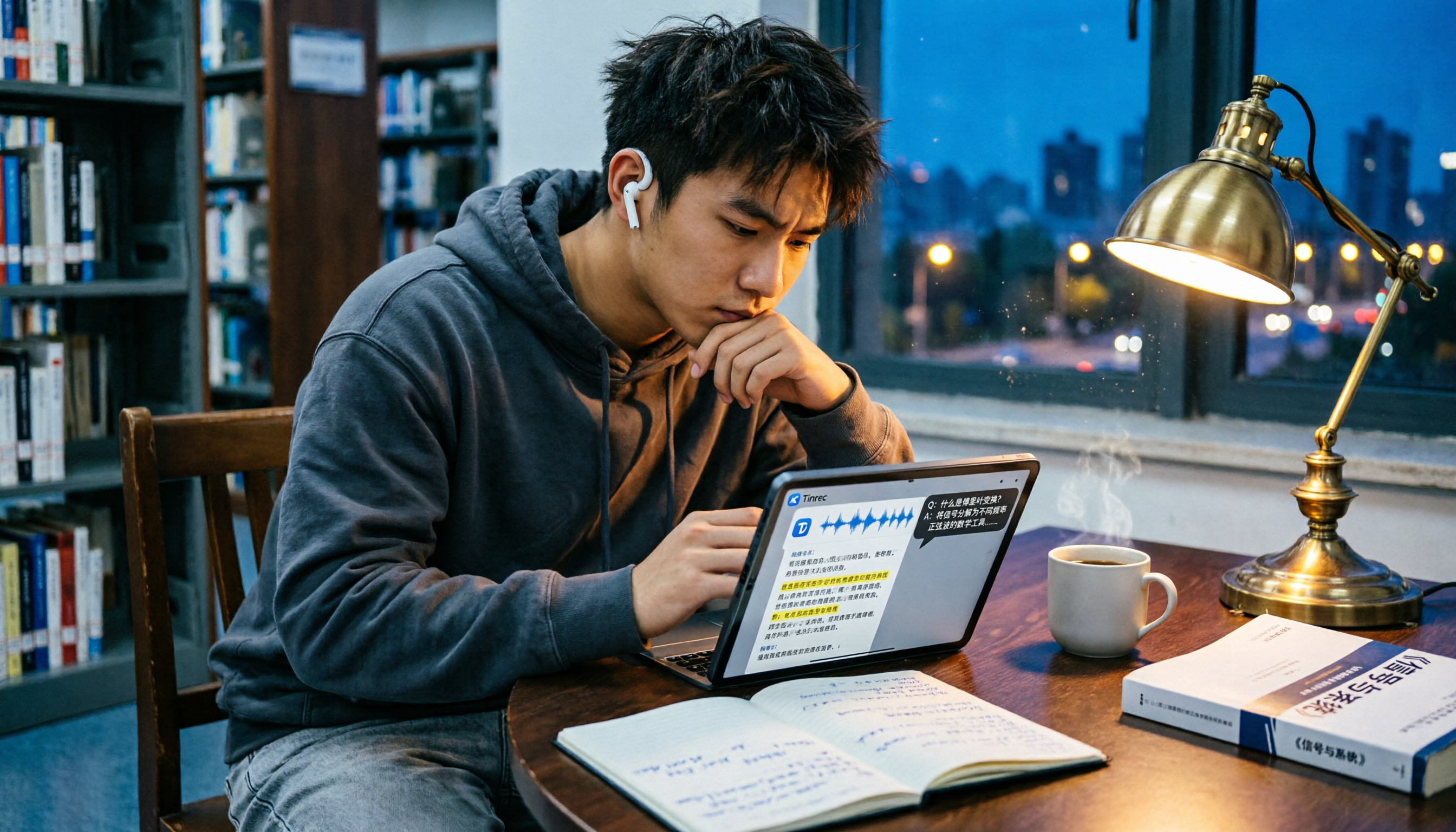
Turn recordings into transcripts and summaries in minutes
Upload audio or video for multilingual transcription, AI notes, and action items
Can't Keep Up with Lecture Notes? You Need More Than Transcription—You Need a Tool That Helps You Understand the Content
Last semester, I took an elective. The professor spoke at lightning speed and flipped through slides even faster. I tried taking notes as I listened, but when I opened that notebook before the midterm, I thought, "What is this?" A bunch of incomplete sentences, missing all the key points. So I switched to recording the full lecture, expecting to sort it out at home. But after listening to the two-hour audio from start to finish, I still couldn't figure out what the professor was going to test.
It wasn't just lectures—group discussions were even worse. Everyone was talking over each other. What was the conclusion? Who said they'd do what? No one remembered after the meeting. So I started looking for audio-to-text tools, thinking I could at least convert the audio into transcripts. Only then did I realize that many tools either have various limitations or produce messy Chinese transcriptions.
If you're like me—you've recorded tons of audio from lectures, meetings, and interviews, but never have time to re-listen and organize—this article is for you. Over an entire semester, I compared two of the most-discussed student audio-to-text tools. I'll tell you exactly which one can actually turn your audio into useful study material.
5 Key Factors to Understand Before Choosing an Audio-to-Text Tool
At first, I thought transcription was nothing but turning audio into text—what was there to choose? After running into one problem after another, I realized the devil is in the details. Here are the five criteria that matter most for students, based on a semester of real use.
1. Don't Just Rely on Official Accuracy Figures
Every tool claims a high accuracy rate, but those are lab numbers. Real classrooms have microphone echoes, classmates whispering, the professor's verbal tics, and all sorts of jargon. My own testing method: I used the same recording of an information management department seminar and played it in a library seat with background noise, then compared which tool produced a transcript requiring the fewest corrections. The difference was huge.
2. Can It Do More Than Transcribe—Can It Highlight the Key Points?
Getting a transcript is one thing, but I want a tool that can directly extract the highlights for me. Tools like Tinrec that provide summaries, chapter divisions, and to-do items right after transcribing saved me a huge amount of time during final-exam review. If I only get a transcript tens of thousands of characters long, I still have to read through it slowly myself.
3. Generous Free Tier Is a Must
Students have tight budgets. If the trial only gives a few minutes, you can't truly evaluate the quality. In a typical week, I'd record 2 lectures (4 hours total) plus one group discussion (1 hour), totaling about 300 minutes. If the free version only gives 100 minutes, I'd seriously consider jumping straight to a paid plan.
4. Cross-Platform Support Matters
I record lectures on my iPhone but organize them on my Windows laptop back in the dorm. Some tools are mobile-only, and others are web-only, making it inconvenient to switch back and forth. The ideal is a tool with both an app and a web version, so you can use it wherever you are.
5. Can You Ask AI Questions Directly After Recording?
This was the most impressive feature for me. Before, to find out "Did the professor mention the final exam date?" I had to manually press Ctrl+F and search keywords in the transcript, and I still might not find it. If I could just ask the AI like asking a friend, "Who mentioned the budget in the last meeting?" and get the answer directly, that's a completely different level of efficiency.
Tinrec (秒听录音) — My Wholehearted Recommendation After a Semester
Tinrec (秒听录音) is more than just an audio-to-text tool; it's an AI workspace that turns all your audio and video files into searchable notes. It supports iOS, Android, and web versions. I record lectures on my phone, then view the text on my computer at home, fully synchronized.
In the Classroom: Real-Time Transcription Means You Leave with a Draft of Your Notes
I now use Tinrec's live recording feature. I open the app during class, and it generates a transcript as it records. When the professor highlights something important, I tap the marker button. By the time class ends, the AI has already split the content into sections, identified key points, and produced a summary. Notes that used to take an entire afternoon to organize can now be done with a quick swipe, then I paste the AI summary into Notion for formatting.
Group Discussions: Automatic To-Do Extraction
During project group discussions, we record while we talk. Tinrec automatically picks out to-dos from the conversation, such as "A-Zhe is responsible for finding literature, due by Friday," and lists them right under the meeting notes. In the past, after a meeting, everyone would still be asking in the Line group, "Who just said they'd change the PPT?" Now, with the shared transcript, all tasks are crystal clear.
Stop organizing recordings by hand
Upload audio or video and automatically get a transcript, summary, and action items
File Transcription: Even YouTube and Podcasts Can Be Organized
It's not just recordings. I once received an audio file of a senior's graduation project. I uploaded it to Tinrec and got a complete interview transcript in minutes. Even better, I dropped a link to an open course on YouTube, and it turned the entire lesson into chapter notes with timestamps, so I could jump straight to the key moments during review.
The Killer Feature: AI Conversation Query
This is Tinrec's most powerful feature in my opinion. After recording, you can directly ask it, "What was the submission deadline the teacher mentioned in the last project meeting?" Instead of just giving search results, it directly answers with the date, along with context. For anyone who has recorded over a dozen meetings and doesn't want to listen to them all, this is a lifesaver. I've tried comparable competitors in the same price range, and almost none have this conversational query capability.
Hands-On Test
I tested Tinrec and another tool with the same 5-minute classroom recording (a statistics class in the MIS department, with a professor who had a slight Taiwanese accent and air-conditioner noise in the background). Tinrec's transcript was about 90% understandable on the first read, with only occasional errors on proper nouns. The other tool's transcript required me to correct as I went, and the proper nouns were almost all wrong. I didn't calculate the exact error rate, but Tinrec was far better at handling a mix of Chinese and English terminology.
Pros
- Intuitive interface with no complicated settings—just open and record.
- AI summaries and chapter features save real time; they make final-exam review quick and focused.
- The free version includes 100 minutes per month—just enough for students who only record their core classes.
- Supports iOS, Android, and web—no gaps when switching devices.
Cons
- 100 minutes is definitely not enough if you record every class; heavy users should consider the Pro plan. But if you only record your most important classes, or if you have other audio sources like YouTube, you can start with the free version and decide whether to upgrade later.
- Live transcription occasionally lags by 2–3 seconds, but it doesn't affect post-class organization.
Who It's For
If, like me, you need a tool that handles lecture recordings, group discussions, and online videos, and lets you use AI Q&A to quickly find key points after transcription, Tinrec is currently the most student-friendly choice.
Beyond Tinrec: Other Options (None Are Perfect)
Yating Transcription
Made in Taiwan, this audio-to-text tool has decent accuracy and reasonable punctuation and segmentation for Traditional Chinese. However, the free version has no allowance at all—you must pay to use it. For students who don't use it daily, the cost isn't very economical. It also lacks AI conversational search; after recording, you can only search keywords manually. Compared to Tinrec, its post-processing capabilities are a step behind.
Otter.ai
If you need it for purely English meetings or classes, Otter's free plan with 300 minutes per month is generous and the interface is simple. But note: it doesn't support Cantonese or Traditional Chinese mixed content, and its Chinese accuracy in transcripts is noticeably worse than Tinrec's. For students whose content is mainly in Chinese, Tinrec is still the better fit.
Avoid These 3 Mistakes When Choosing an Audio-to-Text Tool
Mistake 1: Obsessing Over Accuracy Figures While Ignoring Real-World Performance
Many apps boast "98% accuracy," but those numbers come from quiet recording studios. Real classrooms have projector fan noise, classmates typing, and professors suddenly lowering their voices. The resulting transcripts can vary dramatically. My advice: use a free trial to record an actual lecture before making a decision.
Mistake 2: Ignoring Output Formats and Downstream Workflows
Getting a transcript is only the first step. If you plan to paste it into Notion or Google Docs for notes, or export it as a Word document for a report, make sure the tool supports those exports. Tinrec lets you export in multiple formats with a single click, saving you time on reformatting.
Mistake 3: Using It Only as a "Transcription Tool" and Missing Out on AI Post-Processing
Many people pay for such tools but only use half the features: record, transcribe, save. Features like Tinrec's AI summaries, to-do extraction, and conversational search are accelerators for organizing information. I recommend treating it as a "personal knowledge base" from the start—feed it all your lectures, meetings, and video content, then search and ask questions during finals or project work. It's ten times faster than flipping through notes manually.
Conclusion: Which One Should Students Choose?
Going back to the real needs of students: you need a tool that can turn lectures, discussions, and even online videos into organized notes, not just a transcript. My own conclusion is: Tinrec completely outperforms other transcription-only software when it comes to multi-source input, AI organization, and conversational search.
- Have classes every day and need to heavily organize recorded notes → Tinrec. Start with the free 100 minutes; if you need more, consider the Pro plan. It's just two skipped late-night snacks a month.
- Frequent group project discussions and need automatic to-dos → Tinrec. The AI creates your task list for you.
- Want to turn YouTube or Podcast content into study notes → Tinrec. Just paste the link.
- Only occasionally record English meetings and don't care about Chinese features → Otter.ai. Its free allowance is generous.
I'd suggest downloading the free version of Tinrec first and testing it with your own real audio. Upgrade if you like it. Don't spend money right away—as a student, every dollar should be put to good use.
References
Turn every recording into actionable outcomes
Get 60 free transcription minutes when you sign in. No credit card required.
Related Reading
You might also like

2026 Comparison of 3 Simultaneous Interpretation Apps: Latency, Bilingual Transcripts, Post-Meeting Organization—Which One Is Really Enough?
The value of a simultaneous interpretation app goes beyond the instant translation in your earphones. Starting from real pain points in cross-language meetings, this article breaks down four key aspects: real-time transcription, bilingual comparison, summary and action items, and team knowledge retention. It also shares five details to consider when choosing an app, based on hands-on experience with Tinrec.

4 Real-Time Translation Apps Compared for 2026: From Travel Conversations to Meeting Notes
Real-time translation apps aren't just about how many languages they support. This article compares Tinrec, Google Translate, Microsoft Translator, and VoiceTra across four angles—travel conversations, multilingual meetings, post-meeting organization, and team collaboration—to help you find the right fit.

2026 Voice Translation App Comparison: Tinrec vs Google Translate — Which One Turns Meetings into Usable Data?
Most people download voice translation apps thinking 'speak a sentence, get a translation,' but the real time sink is reviewing meetings and interviews afterward. This comparison of Tinrec and Google Translate evaluates five dimensions—transcripts, online meeting recording, post-meeting organization, bilingual comparison, and team collaboration—to help you decide which fits your actual workflow.

5 Real-World Online Translation Scenarios Compared in 2026: Which Needs Bilingual Subtitles Most—Meetings, Classes, or Videos?
Online real-time translation isn't just pasting text into a translation box. This article breaks down five scenarios—international meetings, online courses, foreign-language videos, client interviews, and team collaboration—and uses Tinrec to compare original text, translated text, and bilingual views. It also covers six buying checkpoints and FAQs to help you choose the right tool, not just the cheapest one.
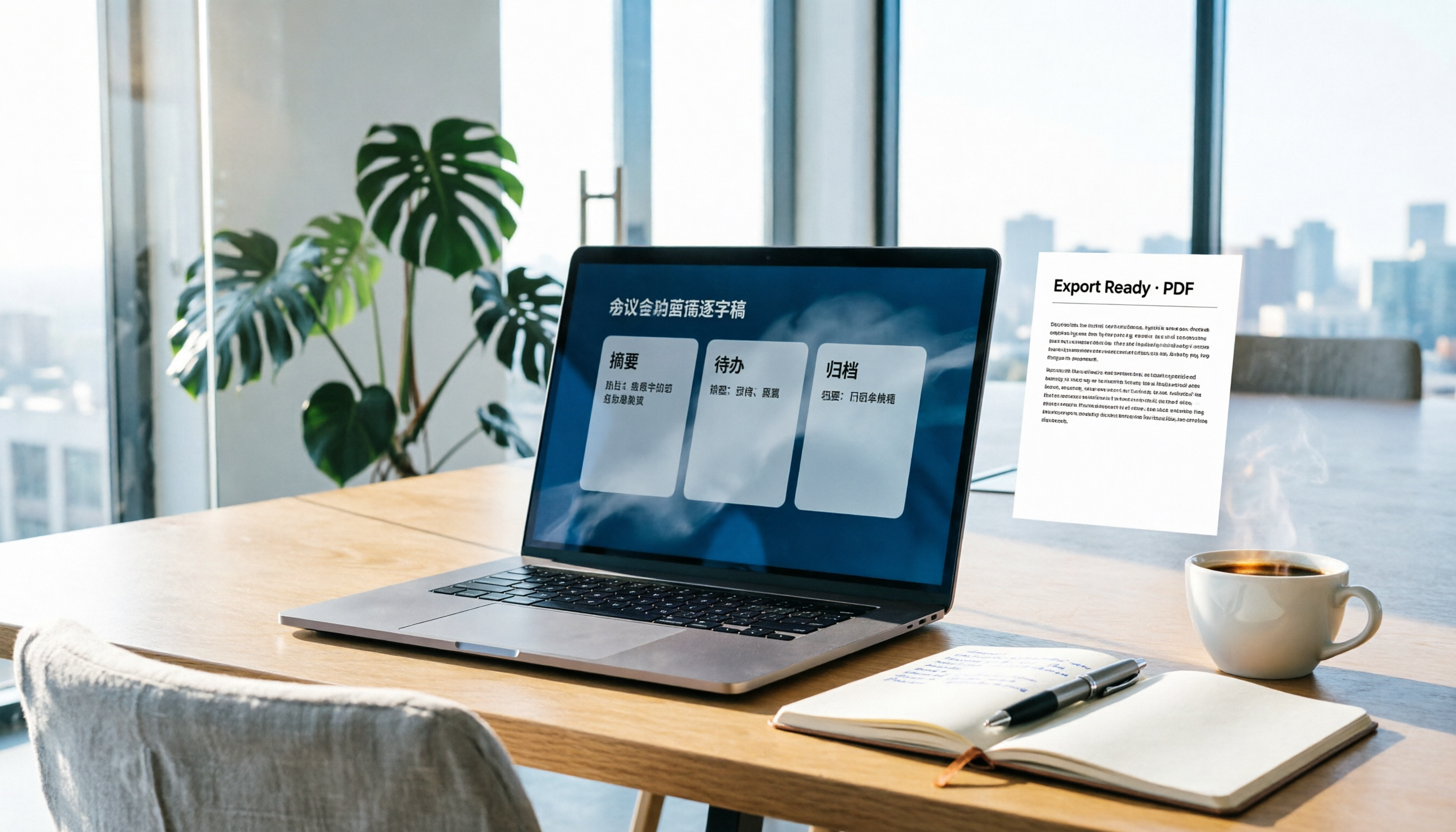
How to Write Meeting Minutes in Word (2026 Workflow): 3-Section Structure + AI-Generated Transcripts
Writing meeting minutes in Word isn't hard—the hard part is where the content comes from. This guide breaks down a three-section Word meeting minutes structure you can hand off directly, and shows how to use Tinrec to generate transcripts, summaries, and action items during the meeting, then export to Word for formatting and archiving—cutting documentation time from two hours to ten minutes.

Tinrec vs Otter.ai: Real-Time Translation Software Comparison for Chinese Meetings (2026)
Based on a student's hands-on experience, this comparison evaluates Tinrec and Otter.ai across five dimensions: real-time translation, Chinese-English mixed speech recognition, free tier limits, post-meeting organization, and recording sources. It verifies pricing and restrictions for each plan and explains which real-time translation software better suits classroom, group project, and international meeting scenarios for Taiwanese university students.

2026 Comparison of 5 Speech-to-Text Tools: Is the Free Version Enough, and Which Handles Chinese Meetings Better?
Speech-to-text isn't just about turning audio into words. This article addresses three common misconceptions, breaks down the real differences between speech-to-text tools, and uses Tinrec to demonstrate a complete workflow from recording, transcription, summarization, to-dos, to team knowledge retention. It also includes 5 purchasing checkpoints and FAQs.

2026 Comparison of 4 Free Transcription Tools: Which One Has the Best Free Quota and Post-Meeting Organization?
Based on real scenarios of meetings, classes, and interviews, this article compares the free transcription capabilities of Tinrec, Google AI Studio, Good Tape, and oTranscribe, and summarizes free quotas, Chinese recognition, post-meeting summaries, and export limitations to help you decide which one to try first.

Free Transcription in 2026: Tinrec's 3-Step Audio-to-Text with AI Summary & Action Items
Turn class, meeting, and interview recordings into searchable transcripts even on a tight budget. This guide covers 4 key factors for choosing a free transcription tool, tests Tinrec's audio-to-text, AI Q&A, and action item extraction workflow, and honestly compares the free limits and use cases of Google AI Studio, Yating Transcription, and MyEdit.