

Turn recordings into transcripts and summaries in minutes
Upload audio or video for multilingual transcription, AI notes, and action items
Two hours in a meeting, another two hours writing up the notes—you don't need a tool, you need a solution
After a two-hour meeting, just listening back to the recording, typing up a transcript, and picking out key points and action items can easily take another two hours. Even worse, when the meeting mixes Chinese and English, involves multiple speakers, or is available only as an online meeting replay—many tools on the market either support only English or simply produce a bare transcript that you still have to wade through yourself. If you're stuck in the "meeting's over, the work has just begun" loop, this article is here to help you find a solution that actually gets you from audio to usable meeting minutes.
Before choosing AI meeting notes software, get these 4 key points right
1. Accuracy depends on test conditions, not marketing numbers Many tools claim 98% recognition accuracy, but that's under quiet lab conditions. In real meetings, with keyboard sounds, multiple people talking at once, and different accents, accuracy drops noticeably. The key is to pick a tool that performs reliably in your typical settings (e.g., conference rooms, online meetings, mixed Chinese-English speech), not one that merely shows a high percentage on the vendor's website.
2. AI summaries and action-item extraction are the real timesavers Simply turning a recording into a transcript isn't enough; what you actually need is "processed highlights." A good tool should automatically separate sections, summarize conclusions, identify who is responsible for what, and even let you ask questions about the recording as if you were searching a database, instead of digging through the transcript every time.
3. Cross-platform and input source flexibility If you record a conversation on your iPhone today and need to process an online meeting video file on your computer tomorrow, a tool that only works on one device or only accepts live recordings becomes a bottleneck. Services that work across phones, computers, and the web, and accept audio files, video files, and online meeting links, can truly fit into your workflow.
4. Balance between free quota and privacy protection Many tools' free versions impose minute limits or disabled features, so before purchasing, check whether the free version is enough for your trial and whether the paid plan actually matches your weekly meeting frequency. Additionally, company meetings often contain sensitive information, so consider the privacy policy—avoid having your recordings used for model training or unauthorized access.
Tinrec (seconds-to-text transcription)—Our Top Pick After Hands-On Testing
Overall rating: 8.8/10
Tinrec is an AI tool that turns "recordings" into "reusable knowledge," supporting iOS, Android, and the web. It isn't just a transcription app; it's an organization platform for your audio and video content, offering summaries, action items, chapters, and AI Q&A.
Hands-on meeting test We used Tinrec to record a live meeting, and it displayed the transcript as it recorded. As soon as the meeting ended, the home screen automatically generated a summary and action items—even highlighting action items like "who needs to reply to the client by Friday." We tested it with a 10-minute Chinese online meeting with background air-conditioner noise and crosstalk; the summary still accurately captured three key decisions and the related action items, directly saving the time we would have spent listening and taking notes.
Ask questions about the recording after it's done This is something most competitors don't offer—you can ask Tinrec questions in natural language, such as "Who mentioned the budget adjustment in the last meeting?" The system doesn't just give keyword search results; it understands your question and pulls out the relevant passages and conclusions. For users who need to review past meetings or confirm details, this feature is like adding a conversational brain to your recording archive.
Not just meetings—it also handles files and web videos In addition to live recording, you can upload audio and video files, or paste YouTube or Xiaohongshu links, and the content is converted to text and organized into key points. This makes Tinrec more than a meeting tool—it's also useful for taking class notes, structuring interviews, and creating content.
Pros
Stop organizing recordings by hand
Upload audio or video and automatically get a transcript, summary, and action items
- Stable Chinese recognition and summary quality, especially for Traditional Chinese and mixed Chinese-English content.
- AI conversational search means old recordings are no longer just archived files.
- Multiple output formats: transcript, summary, chapters, action items, subtitles, and mind maps.
- Supports mobile apps, desktops, and web with painless cross-device sync.
Limitations The free tier includes basic transcription quota, which is enough to try most core features, but heavy users (more than 5 meetings per week) may need to upgrade to a paid plan. In addition, the AI summary occasionally misses very small numbers, so it's worth checking important information against the original.
Who is it for? If you frequently need to organize Chinese meetings or course recordings, want to quickly find key points after recording, switch between phone and computer, and even turn online videos into text-based assets—Tinrec is currently the most complete option we've tested.
Other options besides Tinrec
Otter.ai A classic choice focused on English-language meetings; the free tier offers a generous 300 minutes per month, but its Chinese recognition is insufficient, and it doesn't offer transcription from web video links. If your meetings are mostly in English, Otter's real-time summaries and collaboration features are enough; but if you need Chinese organization or want to run AI Q&A after recording, Tinrec is more flexible.
Notta Balanced Chinese and English transcription performance; the free tier provides 120 minutes per month with an intuitive interface. However, Notta's core is still "transcription + translation"; it lacks a feature like Tinrec's free-form AI Q&A after recording, and it cannot handle web videos. For people who just want a transcript and translated subtitles quickly, Notta is enough; but if you need to pull specific decisions or past segments from a recording, Tinrec is still the better choice.
Fireflies.ai Its strength is automatically joining online meetings and generating records, making it ideal for teams that already use meeting bot workflows. The downside is that Chinese summary quality is less reliable than English, and it also lacks AI conversational search or web video organization. If your work is mostly in English and relies on Slack/CRM integrations, Fireflies works well; but if you need a knowledge base that covers all audio and video sources beyond meetings alone, Tinrec is more comprehensive.
Pitfall guide: 3 easy mistakes to avoid when choosing AI meeting notes software
Mistake 1: Only looking at the accuracy the vendor claims The lab's 98% doesn't mean it'll reach that level in your noisy office. Apply for free trials and use your own actual meeting recordings to compare transcript and summary quality under real conditions. That's the way to avoid picking the wrong one.
Mistake 2: Ignoring cross-platform and input limitations You buy it and then realize it can only record on your phone, can't upload files, or can only process live recordings while older audio files can't be imported. Make sure all the devices you commonly use (phone, laptop, tablet) and file types are supported, or you'll likely regret it.
Mistake 3: Treating the tool as a transcription machine and not using its AI post-processing Many people stop after they get the transcript, but they miss the real time-savers: AI summary, action-item extraction, and conversational search. Features like Tinrec's "What were the meeting conclusions?" can turn a 30-minute transcript into a 30-second review. If you don't use them, you're wasting your money.
Summary: Which one should you choose?
Considering Chinese content organization, AI Q&A, multi-source input, and cross-platform convenience, Tinrec is the option we found best able to save you meeting-notes time in this test. Here are recommendations based on different needs:
- Need Chinese meeting summaries and action items, and want to ask questions immediately after recording → Tinrec (the only one with AI conversational search and multiple input types)
- Only record English meetings and need heavy team collaboration → Otter.ai (strong English ecosystem, but weaker for Chinese scenarios)
- Only need a transcript and translation, not much post-interaction → Notta (fast transcription, but no AI Q&A)
- Your team is already deeply integrated with an online meeting bot and works entirely in English → Fireflies.ai (strong automated recording, but not the first choice for Chinese)
If you're not sure whether Tinrec is right for you, start with the free version and test transcription and Q&A with your actual meeting files. Then consider a paid plan only if you're satisfied—there's no need to spend money upfront.
References
- Taking Meeting Notes Is a Hassle? Done in One Go with ChatGPT+Whisper! Auto-Transcription, Summarization, and Email Dispatch | BusinessNext
- Meeting Ink - 2026 AI Meeting Recording Tools Test: Comparing 8 Voice-to-Text and Summary Speeds | Meeting Ink - AI Meeting Notes Assistant: Automatic Transcription and Meeting Summary
- The Best AI Meeting Recorders of 2026: Time-Saving Tools You Need for Meetings!
- AI Meeting Minute Magic Tool | Real-Time Recording, Summary Organization! 3 Small Tools to Help You Focus on the Meeting
- AI Meeting Notes Generator
Turn every recording into actionable outcomes
Get 60 free transcription minutes when you sign in. No credit card required.
Related Reading
You might also like

2026 Comparison of 3 Simultaneous Interpretation Apps: Latency, Bilingual Transcripts, Post-Meeting Organization—Which One Is Really Enough?
The value of a simultaneous interpretation app goes beyond the instant translation in your earphones. Starting from real pain points in cross-language meetings, this article breaks down four key aspects: real-time transcription, bilingual comparison, summary and action items, and team knowledge retention. It also shares five details to consider when choosing an app, based on hands-on experience with Tinrec.

4 Real-Time Translation Apps Compared for 2026: From Travel Conversations to Meeting Notes
Real-time translation apps aren't just about how many languages they support. This article compares Tinrec, Google Translate, Microsoft Translator, and VoiceTra across four angles—travel conversations, multilingual meetings, post-meeting organization, and team collaboration—to help you find the right fit.

2026 Voice Translation App Comparison: Tinrec vs Google Translate — Which One Turns Meetings into Usable Data?
Most people download voice translation apps thinking 'speak a sentence, get a translation,' but the real time sink is reviewing meetings and interviews afterward. This comparison of Tinrec and Google Translate evaluates five dimensions—transcripts, online meeting recording, post-meeting organization, bilingual comparison, and team collaboration—to help you decide which fits your actual workflow.

5 Real-World Online Translation Scenarios Compared in 2026: Which Needs Bilingual Subtitles Most—Meetings, Classes, or Videos?
Online real-time translation isn't just pasting text into a translation box. This article breaks down five scenarios—international meetings, online courses, foreign-language videos, client interviews, and team collaboration—and uses Tinrec to compare original text, translated text, and bilingual views. It also covers six buying checkpoints and FAQs to help you choose the right tool, not just the cheapest one.
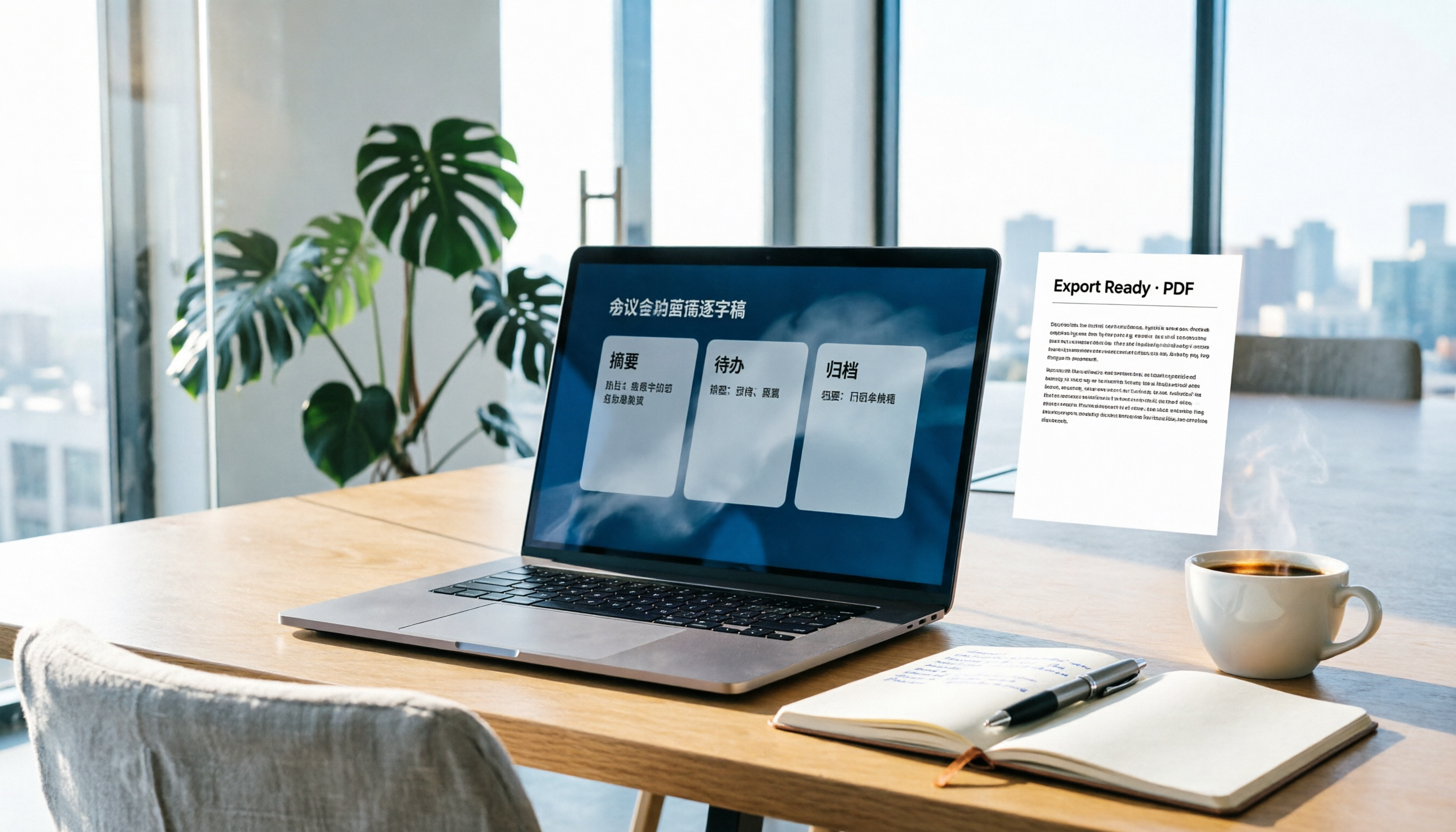
How to Write Meeting Minutes in Word (2026 Workflow): 3-Section Structure + AI-Generated Transcripts
Writing meeting minutes in Word isn't hard—the hard part is where the content comes from. This guide breaks down a three-section Word meeting minutes structure you can hand off directly, and shows how to use Tinrec to generate transcripts, summaries, and action items during the meeting, then export to Word for formatting and archiving—cutting documentation time from two hours to ten minutes.

Tinrec vs Otter.ai: Real-Time Translation Software Comparison for Chinese Meetings (2026)
Based on a student's hands-on experience, this comparison evaluates Tinrec and Otter.ai across five dimensions: real-time translation, Chinese-English mixed speech recognition, free tier limits, post-meeting organization, and recording sources. It verifies pricing and restrictions for each plan and explains which real-time translation software better suits classroom, group project, and international meeting scenarios for Taiwanese university students.

2026 Comparison of 5 Speech-to-Text Tools: Is the Free Version Enough, and Which Handles Chinese Meetings Better?
Speech-to-text isn't just about turning audio into words. This article addresses three common misconceptions, breaks down the real differences between speech-to-text tools, and uses Tinrec to demonstrate a complete workflow from recording, transcription, summarization, to-dos, to team knowledge retention. It also includes 5 purchasing checkpoints and FAQs.

2026 Comparison of 4 Free Transcription Tools: Which One Has the Best Free Quota and Post-Meeting Organization?
Based on real scenarios of meetings, classes, and interviews, this article compares the free transcription capabilities of Tinrec, Google AI Studio, Good Tape, and oTranscribe, and summarizes free quotas, Chinese recognition, post-meeting summaries, and export limitations to help you decide which one to try first.

Free Transcription in 2026: Tinrec's 3-Step Audio-to-Text with AI Summary & Action Items
Turn class, meeting, and interview recordings into searchable transcripts even on a tight budget. This guide covers 4 key factors for choosing a free transcription tool, tests Tinrec's audio-to-text, AI Q&A, and action item extraction workflow, and honestly compares the free limits and use cases of Google AI Studio, Yating Transcription, and MyEdit.