

Turn recordings into transcripts and summaries in minutes
Upload audio or video for multilingual transcription, AI notes, and action items
Two hours in a meeting, two more cleaning up the transcript? You don't need just a tool—you need a solution.
After a meeting that runs one or two hours, the truly daunting part isn't the discussion itself—it's the post-meeting recording review. Pausing, replaying, typing—over and over until your focus is drained. And that's before we even talk about classes, interviews, or podcasts. Every time you want to preserve important content, it takes twice as long to digest.
Many people assume 'just press record in a voice-to-text app and it's done.' In reality, free tools have endless queues, accuracy can be so poor you might as well transcribe it yourself, and when you finally get a transcript, it's a wall of unsegmented text you have to clean up from scratch. If you also need to handle Cantonese or mixed Chinese-English content, or want to turn YouTube videos into notes directly, the options are even slimmer.
This article is here to solve that. From the four most-discussed speech-to-text tools on the market this year, I've singled out the options that genuinely improve efficiency—and I'll tell you exactly where to put your money if you only have one budget line.
Before choosing a speech-to-text tool, understand these 4 key points
Many people pick a tool based only on price and free minutes, only to find it doesn't fit their use case. The four dimensions below are what I've found matter most after evaluating over a dozen tools, so read them before you commit.
1. Don't trust the claimed 98% accuracy
Almost every vendor says they hit 95% or 98% accuracy, but those numbers are usually measured in a studio environment with standard Mandarin and a single speaker. In a real conference room you have air conditioning, keyboard clicks, people talking over each other, plus accents and jargon—accuracy drops immediately.
My advice: test the tool with the scenario you'll use most. Upload an actual meeting recording or a lecture audio file, and you'll quickly see who is genuinely capable and who is just marketing.
2. Your audio and video sources go beyond meetings—the tool should handle them all
If you only record online meetings, plenty of tools will do. But modern recording scenarios extend far beyond that: classroom lectures, face-to-face interviews, YouTube knowledge videos, podcast inspiration snippets. If a tool only supports meeting platforms, you'll still need another solution for the rest of your content.
Better to find a multi-source tool: one that records live audio, uploads historical files, and lets you paste a public video link—consolidating all of your audio and video content in one place.
3. Transcription isn't the endpoint—the 'understanding' after transcription is what matters
A 90-minute transcript is already painful to search with Ctrl+F. A tool that genuinely saves you time should produce a summary, pick out action items, and even let you ask directly in Chinese, 'Who mentioned the budget figure in the last meeting?'—it can then pull the answer from the recording.
If you only use a tool to turn audio into text, you're using just one-third of its capability. The rest—turning it into usable material—is what will free you from overtime.
4. Cross-platform support and export options determine how long the tool will last
You may record on your iPhone and edit on your computer at the office. You may want to export meeting notes to Notion for filing or paste them into Google Docs to share with your team. If a tool is locked into a mobile app or exports in only a few formats, you'll probably want to switch later.
Choose a tool that supports iOS, Android, and web, and can export to common formats, so it actually fits into your workflow.
Tinrec (秒听录音) — Our Top Pick After Hands-On Testing
Tinrec (秒听录音) is an AI recording assistant that handles meetings, classes, interviews, and online videos. It currently supports iOS, Android, and web. Its core logic isn't 'turn sound into words'—it's 'turn audio and video content into immediately usable data.'
Core features built for real scenarios
- Record live, get the transcript as you go: When you open Tinrec during a meeting or class, it turns speech into text in real time. By the time the meeting ends, the transcript is ready. You don't have to listen again from the start; you can jump straight to summaries and action items.
- Turn online videos into notes with one click: Paste a public link from YouTube, Bilibili, or Xiaohongshu, and Tinrec immediately grabs the audio track, converts it to text, and automatically segments it with headings. This is extremely useful for content creators or anyone who needs to quickly digest long videos—something most competitors at this price don't offer.
- AI conversational search—ask your recording like you'd ask a friend: After recording a one-hour interview, instead of listening again, just type 'What market trends did the interviewee mention?' in the chat box. Tinrec understands the semantics of the entire transcript and gives you an answer, not just a keyword search. This turns your historical recordings into a searchable database. Currently, neither Otter nor Notta can match this depth of Chinese semantic Q&A.
- Keep processing after transcription into deliverables: Beyond the usual summary, chapters, and action items, Tinrec can generate structured meeting minutes, reports, or tables, and export to tools like Notion, Google Docs, and OneNote—feeding the finished result directly into your workflow.
Stop organizing recordings by hand
Upload audio or video and automatically get a transcript, summary, and action items
Pros
- Most complete multi-source support: Live recording, local audio/video files, and online video links are all handled, so you don't need to switch tools based on content type.
- Strong Chinese content organization: The product design and language support clearly target Chinese, Traditional Chinese, and mixed Chinese-English scenarios, and the post-transcription summaries and Q&A feel more natural for Chinese users.
- AI Q&A is a true differentiator: It's not keyword search; it's semantic understanding of the content. You can pull answers directly from the recording, which almost no competitor at this price can do.
- Painless cross-platform use: Record on your phone, edit on your computer, and access anytime on the web. iOS/Android/web stay in sync, so you're never locked to one device.
Limitations
The free plan includes a basic monthly transcription allowance—good for light use. If you need to process several meetings or long courses every week, you'll need a paid plan. But for most people who have two or three meetings per week, the free allowance is enough to fully test the core features before you pay.
Who is it for?
If the audio and video sources you need to organize go beyond meetings—to courses, interviews, and online videos—and you want to use AI to query, summarize, and export after transcription, Tinrec is the most suitable choice right now. It's especially well suited for SME executives, researchers, and content creators who handle Chinese content and don't want to be tied to a single platform.
What else is there besides Tinrec?
Otter.ai: Best for English meetings, but Chinese users should think twice
Otter.ai is an AI note-taking tool built specifically for online meetings. Its ability to auto-join Zoom and Google Meet is mature, and the free plan's 300 minutes per month is generous. But its strength is mostly in the English environment; Chinese support is weaker, and you can't paste a video link for direct transcription. If you mainly record English meetings, Otter.ai is more cost-effective than Tinrec. If you need to handle Chinese content or occasionally want to organize YouTube videos, Tinrec is clearly more comprehensive.
Notta: More transcription minutes, but lacks AI conversational search
Notta is Tinrec's most direct competitor. It supports multi-device transcription and its paid plans offer more monthly minutes. However, Notta lacks Tinrec's AI semantic Q&A feature—after recording, you still have to scroll through the transcript to find the key points. Notta also doesn't offer video-link transcription, so if you often organize public video content, that's a dealbreaker.
Plaud Note: Convenient for on-the-go recording, but hardware cost and feature limitations
Plaud Note is a standalone AI recording hardware device. It's lightweight, has good battery life, and feels intuitive for people who habitually record on the go. But it's essentially a 'recorder pen + transcription service': you have to buy the device first (nearly NT$5,000), and the main things you can do afterward are transcription and summarization. It doesn't have Tinrec's deep AI conversational search and database organization, and you can't paste online video links. If you already have a smartphone, you don't need another recording device—an app can do it all.
Pitfall guide: 4 mistakes people make when choosing a speech-to-text tool
Pitfall 1: Only paying attention to the accuracy numbers on the official website
'98% accuracy' sounds reassuring, but it's lab data. Background noise, multiple speakers, and accents in real environments all drive accuracy down. Instead of trusting the numbers on a webpage, try a test with your own meeting recording. You'll know right away whether the transcript needs major edits.
Pitfall 2: Ignoring cross-platform needs and getting locked to your phone
Many tools have a decent mobile app but no web or desktop version, making editing, exporting, and collaboration clunky. Before choosing, think about your normal workflow. Do you edit transcripts on a computer? Do you want to archive to Notion? Pick a tool that works across all three platforms so you don't regret it later.
Pitfall 3: Buying a tool but only using it for 'transcription'—never using the AI features
If you only use a tool as a speech-to-text converter, you're getting only a third of its value. With Tinrec's AI conversational search, you can ask 'What was the meeting conclusion?' and get an answer ten times faster than manually scrolling through 30 minutes of transcript. Don't pay for smart features and then work in the dumbest possible way.
Pitfall 4: Chasing 'completely free' and paying more in time
Free tools usually come with long queue times, ads, feature limitations, or slower transcription. If you only record one or two 5-minute meeting notes a week, the free version is plenty. But if you regularly have long meetings, courses, or interviews to process, spending a hundred or two New Taiwan dollars a month gets you instantly usable transcripts, summaries, and action items—and that's absolutely worth the time cost.
Conclusion: So which one should you choose?
Looking at these four tools, if you need to process Chinese meetings, courses, interviews, and even organize public videos online, Tinrec is currently the most feature-complete choice, and it helps you save the most downstream organization time.
Here's a recommendation guide for different scenarios:
- Need to handle meetings, courses, and online videos all at once, and want to use AI to query the key points afterward → Tinrec (the only option with AI semantic Q&A and video-link transcription)
- Need cross-device use—record on iPhone, edit on computer → Tinrec (iOS, Android, and web sync)
- Want immediate action items, summaries, or even generated reports after recording → Tinrec (the most complete post-processing and export capabilities)
- Budget is zero and you only record English meetings → Otter.ai (free plan gives 300 minutes; it's an English-meeting powerhouse)
My advice: download Tinrec's free version and try it first. The basic monthly allowance is enough for two or three meetings, so you can experience recording-to-text, online video organization, and AI Q&A for yourself. Upgrade only if it proves useful—there's no need to pay upfront. Turning audio and video into genuinely usable knowledge is far more important than saving a few dollars on a membership.
References
Turn every recording into actionable outcomes
Get 60 free transcription minutes when you sign in. No credit card required.
Related Reading
You might also like

2026 Comparison of 3 Simultaneous Interpretation Apps: Latency, Bilingual Transcripts, Post-Meeting Organization—Which One Is Really Enough?
The value of a simultaneous interpretation app goes beyond the instant translation in your earphones. Starting from real pain points in cross-language meetings, this article breaks down four key aspects: real-time transcription, bilingual comparison, summary and action items, and team knowledge retention. It also shares five details to consider when choosing an app, based on hands-on experience with Tinrec.

4 Real-Time Translation Apps Compared for 2026: From Travel Conversations to Meeting Notes
Real-time translation apps aren't just about how many languages they support. This article compares Tinrec, Google Translate, Microsoft Translator, and VoiceTra across four angles—travel conversations, multilingual meetings, post-meeting organization, and team collaboration—to help you find the right fit.

2026 Voice Translation App Comparison: Tinrec vs Google Translate — Which One Turns Meetings into Usable Data?
Most people download voice translation apps thinking 'speak a sentence, get a translation,' but the real time sink is reviewing meetings and interviews afterward. This comparison of Tinrec and Google Translate evaluates five dimensions—transcripts, online meeting recording, post-meeting organization, bilingual comparison, and team collaboration—to help you decide which fits your actual workflow.

5 Real-World Online Translation Scenarios Compared in 2026: Which Needs Bilingual Subtitles Most—Meetings, Classes, or Videos?
Online real-time translation isn't just pasting text into a translation box. This article breaks down five scenarios—international meetings, online courses, foreign-language videos, client interviews, and team collaboration—and uses Tinrec to compare original text, translated text, and bilingual views. It also covers six buying checkpoints and FAQs to help you choose the right tool, not just the cheapest one.
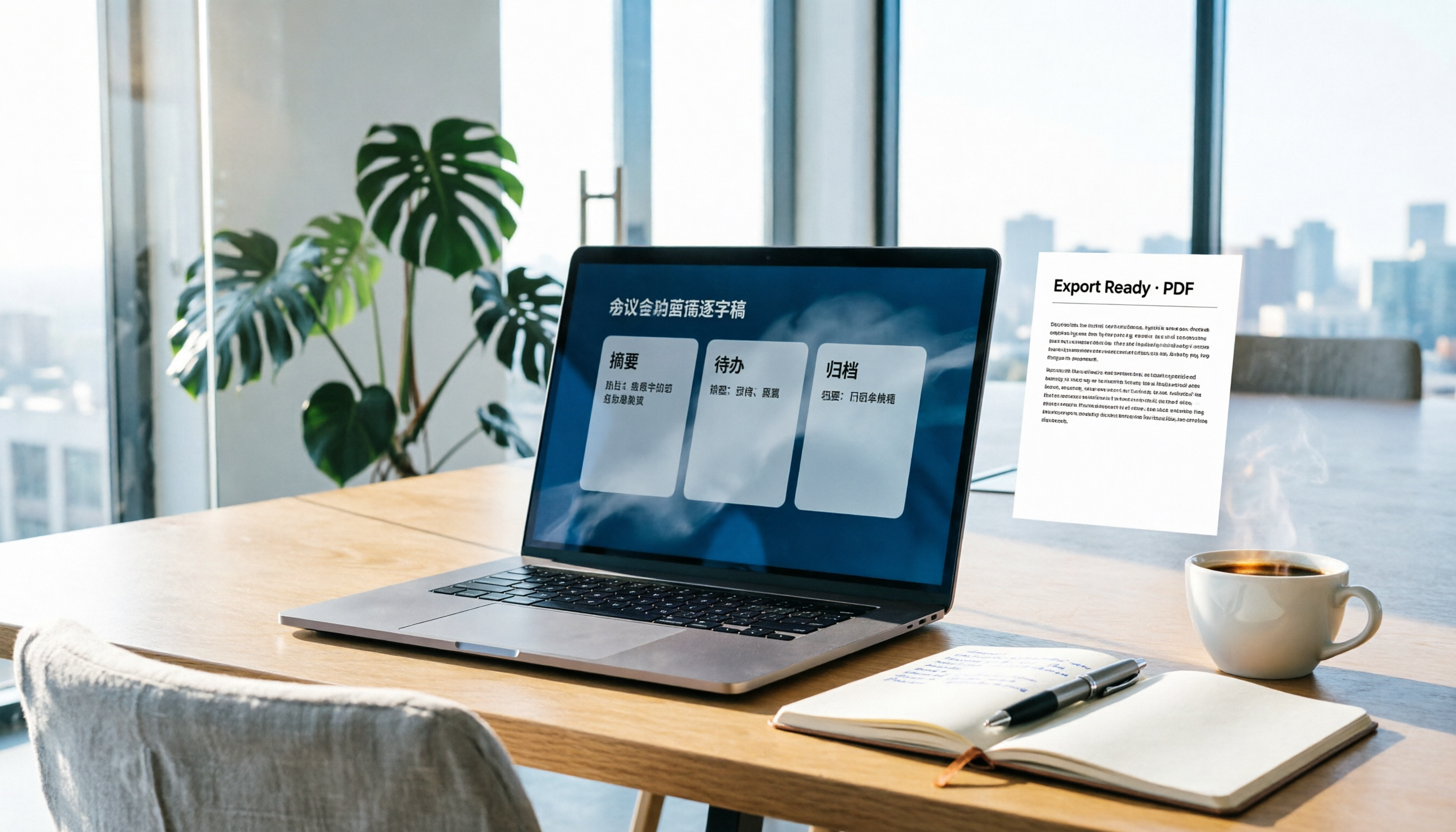
How to Write Meeting Minutes in Word (2026 Workflow): 3-Section Structure + AI-Generated Transcripts
Writing meeting minutes in Word isn't hard—the hard part is where the content comes from. This guide breaks down a three-section Word meeting minutes structure you can hand off directly, and shows how to use Tinrec to generate transcripts, summaries, and action items during the meeting, then export to Word for formatting and archiving—cutting documentation time from two hours to ten minutes.

Tinrec vs Otter.ai: Real-Time Translation Software Comparison for Chinese Meetings (2026)
Based on a student's hands-on experience, this comparison evaluates Tinrec and Otter.ai across five dimensions: real-time translation, Chinese-English mixed speech recognition, free tier limits, post-meeting organization, and recording sources. It verifies pricing and restrictions for each plan and explains which real-time translation software better suits classroom, group project, and international meeting scenarios for Taiwanese university students.

2026 Comparison of 5 Speech-to-Text Tools: Is the Free Version Enough, and Which Handles Chinese Meetings Better?
Speech-to-text isn't just about turning audio into words. This article addresses three common misconceptions, breaks down the real differences between speech-to-text tools, and uses Tinrec to demonstrate a complete workflow from recording, transcription, summarization, to-dos, to team knowledge retention. It also includes 5 purchasing checkpoints and FAQs.

2026 Comparison of 4 Free Transcription Tools: Which One Has the Best Free Quota and Post-Meeting Organization?
Based on real scenarios of meetings, classes, and interviews, this article compares the free transcription capabilities of Tinrec, Google AI Studio, Good Tape, and oTranscribe, and summarizes free quotas, Chinese recognition, post-meeting summaries, and export limitations to help you decide which one to try first.

Free Transcription in 2026: Tinrec's 3-Step Audio-to-Text with AI Summary & Action Items
Turn class, meeting, and interview recordings into searchable transcripts even on a tight budget. This guide covers 4 key factors for choosing a free transcription tool, tests Tinrec's audio-to-text, AI Q&A, and action item extraction workflow, and honestly compares the free limits and use cases of Google AI Studio, Yating Transcription, and MyEdit.