

Turn recordings into transcripts and summaries in minutes
Upload audio or video for multilingual transcription, AI notes, and action items
When choosing a smart meeting collaboration tool, do you often get stuck on these questions: Should you choose a meeting bot or a bot-free solution? Do you just need a transcript, or do you need summaries, action items, and team spaces? Is the free plan enough? This article skips abstract specs and directly tests Tinrec with 5 evaluation criteria to see how it performs on each.
What Can Smart Meeting Collaboration Do for You?
Smart meeting collaboration isn't just about converting speech to text; it's about turning meeting content into actionable data. Take Tinrec, for example—it can help you do at least three things.
Scenario 1: Get meeting minutes 5 minutes after the meeting ends
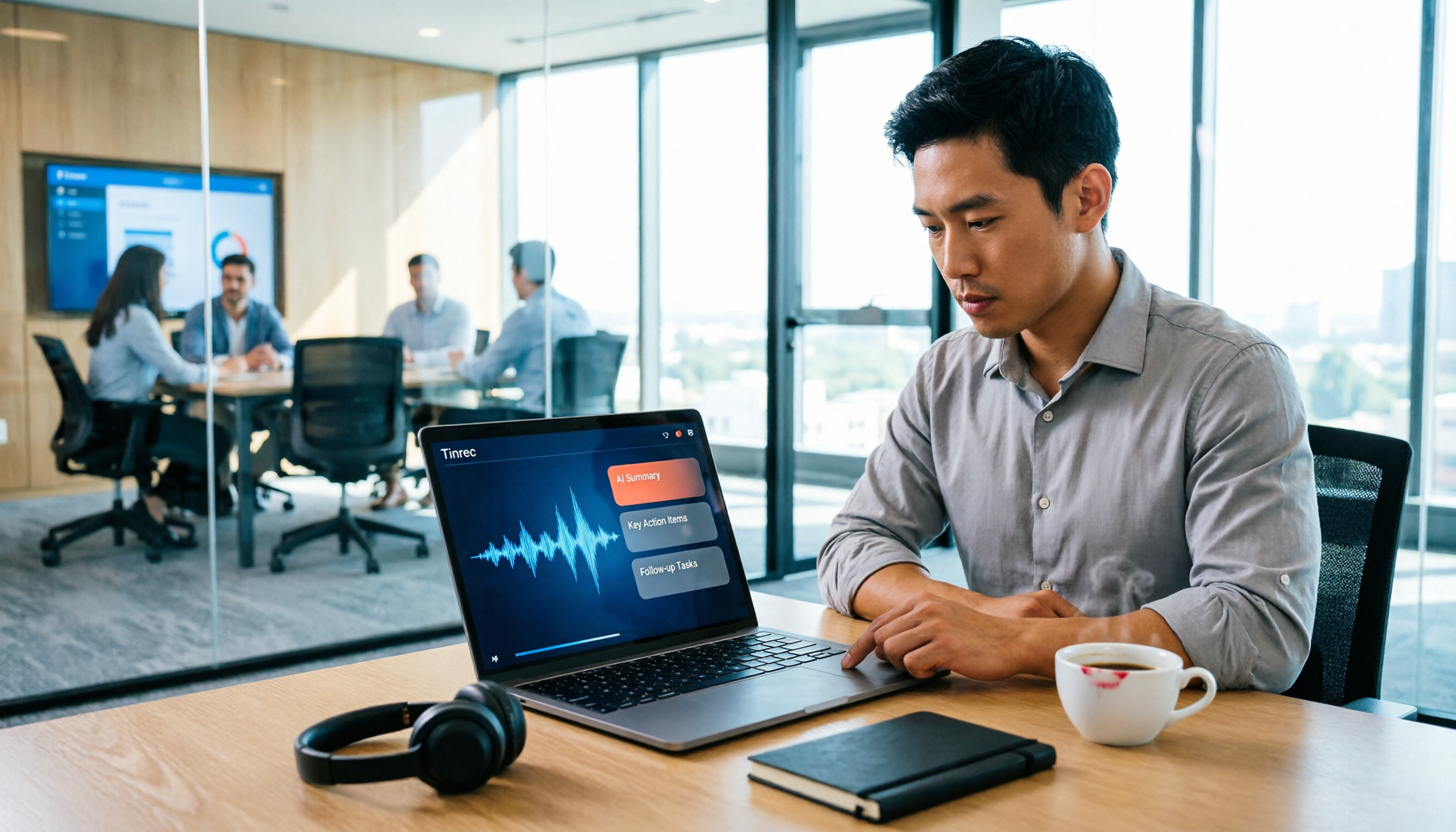
Previously, after a two-hour meeting, you might spend another hour organizing notes. Tinrec can generate a transcript, AI summary, chapters, and action items as soon as the meeting ends, listing who is responsible for what and the deadlines.
Scenario 2: Turn historical meetings into searchable data
In the past, meeting recordings piled up on your phone or computer, making it hard to find a specific statement. Tinrec supports uploading audio files for transcription, and after transcription, you can use AI Q&A to ask questions like "Who mentioned the budget in the meeting?" or "What was the client feedback?"
Scenario 3: Team members view the same meeting notes together
Personal tools often scatter meeting data across different places. Tinrec's team plan provides a dedicated team space where members can view shared transcripts, summaries, and action items, and new members can review past meetings.
5 Key Criteria for Evaluating Smart Meeting Collaboration Tools
I use these 5 criteria to evaluate smart meeting collaboration tools and illustrate them with Tinrec's performance.
Criterion 1: Meeting Capture Method
Some tools require adding a meeting bot to the meeting, which can be intrusive. Tinrec's desktop app captures computer system audio directly, so no extra bot is needed for Zoom, Google Meet, Microsoft Teams, or Webex meetings. Just open Tinrec and start recording—it's relatively low-disruption.
Criterion 2: Post-Transcription Organization
Tools that only provide a transcript offer limited value. Tinrec doesn't just transcribe; it also generates summaries, chapters, highlights, and action items. You can also use AI Q&A to ask follow-up questions about the meeting content, and even generate reports, tables, or documents. These post-processing capabilities are where the real time savings happen.
Criterion 3: Team Collaboration and Data Management
Personal plans keep data with the individual, while team plans offer a dedicated collaboration space. Tinrec's team plan allows you to create multiple team spaces, invite members, assign roles (owner/admin/member), allocate or transfer seats, and view usage trends, member rankings, and audit logs. Team data belongs to the team, and when a member leaves, the data isn't taken away.
Criterion 4: Cross-Platform and Language Support
Tinrec is available on iOS, Android, desktop, and web, catering to different usage scenarios. It excels at transcribing Chinese meetings, organizing mixed Chinese-English content, and providing real-time translation and bilingual viewing. The team hotwords feature also improves recognition of specialized terminology.
Criterion 5: Pricing and Free Plan
The personal plan has a free tier that lets you try recording, importing, summarizing, and transcribing with basic quotas. For short-term intensive use, you can opt for a weekly card; for long-term use, choose a Pro monthly or annual plan. The team plan costs USD 29.80 per paid seat per month, or USD 199 per paid seat per year, with each seat providing 2,000 minutes of team-shared import quota per month. Prices are subject to the official purchase page, but the free plan is enough to get started.
Stop organizing recordings by hand
Upload audio or video and automatically get a transcript, summary, and action items
Practical Use Cases
Weekly and Project Meetings
Start Tinrec desktop to record your online weekly meeting, and immediately get the transcript, summary, and action items when it ends. Post the action items to the team space so members can track follow-ups.
Client Interviews and Requirements Gathering
Record client meetings with Tinrec, then use AI Q&A to quickly identify the client's needs, objections, and commitments. Export the key points to Notion or Google Docs for further organization.
Course and Lecture Recording
Upload course audio to Tinrec to generate chapters and highlights, then search for specific sections by keyword anytime without re-listening to the entire recording.
Interviews and Research
After transcribing interview recordings, use AI Q&A to extract the interviewee's core viewpoints and quotes, speeding up research data organization.
4 Things to Watch When Buying a Smart Meeting Collaboration Tool
1. Don't Just Trust Official Accuracy Numbers
Official accuracy claims may not match your actual environment. Test with your own recordings. Tinrec delivers high-quality transcription in clear audio and common scenarios, but accents, noise, and overlapping speech can affect results, so always cross-check important content against the original.
2. Confirm Whether You Really Need a Meeting Bot
Some tools join meetings as a bot, which can make participants uncomfortable. Tinrec's desktop app captures system audio without a bot, making it suitable for meetings where you don't want interruptions.
3. Can You Use the Output After Transcription?
A transcript is just the starting point. Tinrec provides summaries, action items, AI Q&A, multi-format export, and agent post-processing to generate reports or meeting minutes, which is more valuable than simple transcription.
4. Is Team Governance Sufficient?
If multiple people use it, roles, seats, auditing, and data ownership matter. Tinrec's team plan has clear role and seat distinctions: active members without a seat can view data, but only those with a seat can record, upload, edit, and export.
FAQ
What's the difference between Tinrec and a regular recording app?
A regular recording app just records. Tinrec also converts to text, generates summaries, chapters, highlights, and action items, and supports AI Q&A, translation, export, and team collaboration.
Does Tinrec require a meeting bot to join?
No. Tinrec's desktop app captures computer system audio directly, and users start recording manually—it doesn't join meetings as a bot.
What's the difference between the team and personal plans?
Personal plans keep data under your individual account. Team plans provide a dedicated team space where meeting data belongs to the team, with added features like members, roles, seats, shared quotas, usage analytics, and audit logs.
Can team members without a seat see data?
Yes. Active members can view, play, and read team data even without a seat; they need a seat to perform actions like recording, uploading, editing, and importing/exporting.
Is the free plan enough?
If you're a light user who wants to try recording, importing, and transcription, the free plan is a good start. If you have regular weekly meetings, consider the Pro plan.
Conclusion
The usefulness of a smart meeting collaboration tool hinges on whether it can turn meetings from "one-time conversations" into "searchable, collaborative, trackable data." Tinrec offers concrete, workable solutions across these evaluation criteria: bot-free capture, post-transcription organization, Chinese language experience, and team governance. If you have more than 3 meetings a week, try the free plan first to see how AI can help you organize meeting notes.
References
- Smart meetings - Smart Meeting & Workspace
- Smart Meeting & Workspace | Ricoh Taiwan
- 2026 6 AI Meeting Note Apps Recommended: Accurate Transcription, Auto Summary, and Action Item Comparison - Tinrec Blog
- What is a Smart Meeting Room? A Complete Guide to Benefits, Features, and Use Cases - DC Sales Portal
- Meeting Equipment Integration for Small, Medium, and Large Rooms / Digital Smart Meeting Rooms / Cloud Video Sharing Meeting Lab / Environmental Control Systems - Cloud Accurate Technology
Turn every recording into actionable outcomes
Get 60 free transcription minutes when you sign in. No credit card required.
Related Reading
You might also like

5 Professional AI Tools Tested in 2026: Which Offers the Best Free Tier for Students?
During my freshman year, I juggled three AI tools at nearly $500 a month, but only one was actually opened daily. This article tests five common approaches from a student's perspective—from lecture recordings and group discussions to graduation project interviews—explaining how to calculate free tiers, which pitfalls to avoid, and why I ultimately consolidated my notes and meeting records into Tinrec.
Best Phone Recording Apps in 2026: We Tested 5 — This One Makes Chinese Transcripts and Meeting Notes Easiest
Recording on your phone is easy; the hard part is what comes after. Based on real scenarios like meetings, interviews, and classes, this guide covers common iPhone recording methods, the 5 key factors to consider when choosing a recording tool, and uses Tinrec as an example to show how to turn a recording into a searchable transcript, summary, and to-do list.
3 WeChat Voice Forwarding Alternatives Tested for 2026: How to Turn Voice Messages into Shareable Text
WeChat does not offer a voice forwarding feature, so received voice messages stay in the original chat. This article explains why this limitation exists and three common misconceptions, then uses Tinrec as an example to show how to turn voice into transcripts, summaries, and shareable documents, while comparing personal and team plans and offering buying advice.
Best Real-Time Transcription Tools in 2026: 5 Options Tested, This Free One Is Enough
How much do real-time transcription tools cost? This article breaks down the pricing structure from free versions to individual paid plans and team seats, using Tinrec as an example to show how real-time transcription, AI summaries, action item extraction, and team spaces can save you from re-listening to recordings and typing transcripts manually. Suitable for office workers, managers, and team procurement evaluating transcription tool budgets.
2026 Live Transcription Tools Compared: Free Tiers and Per-Minute Costs
How do you do live transcription, and how much does it cost? This article compiles actual rates for human transcription in Taiwan (general conversation NT$15-25 per minute, multi-speaker or foreign language NT$40-70, rush jobs add 50-100%), and compares free tiers, plan limits, and live transcription tutorial steps for tools like Tinrec, Notta, Granola, and Otter.ai, helping you find the most cost-effective approach within your budget.

2026 Live Transcription Tools Buying Guide: 5 Tested Picks and Recommendations
Live transcription doesn't just work by hitting record. This guide starts with common pitfalls, covers 4 key buying factors, provides a step-by-step tutorial with examples, and compares Tinrec, Notta, Otter.ai, and Granola to help you choose the right meeting notes tool.

2026 Real-Time Transcription AI Free Plans: 4 Options Compared
A mid-level manager leading a 10-person team and attending about 15 meetings a week tested real-time transcription AI. Starting from common misconceptions, this guide explains what real-time transcription can do for you, which core capabilities matter, and what to consider when choosing a plan. It also breaks down Tinrec's 4 plans from free to Pro annual, plus team plan seats and quota details.

2026 Live Transcription Tools Compared: Which One Can Transcribe Meetings in Real Time Without Losing the Recording?
Real-time transcription isn't just about accuracy. This article, from the perspective of a mid-level manager who holds 15 meetings a week, breaks down the 4 key factors to consider when choosing a live transcription tool: latency, recording retention, post-meeting processing, and team data ownership. It also compares Tinrec, Otter.ai, Notta, and Granola, with a guide to avoid pitfalls and selection advice.

2024 Real-Time Transcription Platforms Compared: Which AI Meeting Notes Actually Save Time?
How to choose a real-time transcription platform? Starting from the real pain points of meeting notes, this article outlines 4 key selection criteria, compares Tinrec, Otter.ai, Notta, and Granola, and includes a pitfalls guide and scenario-based recommendations to help you find the most time-saving option.