
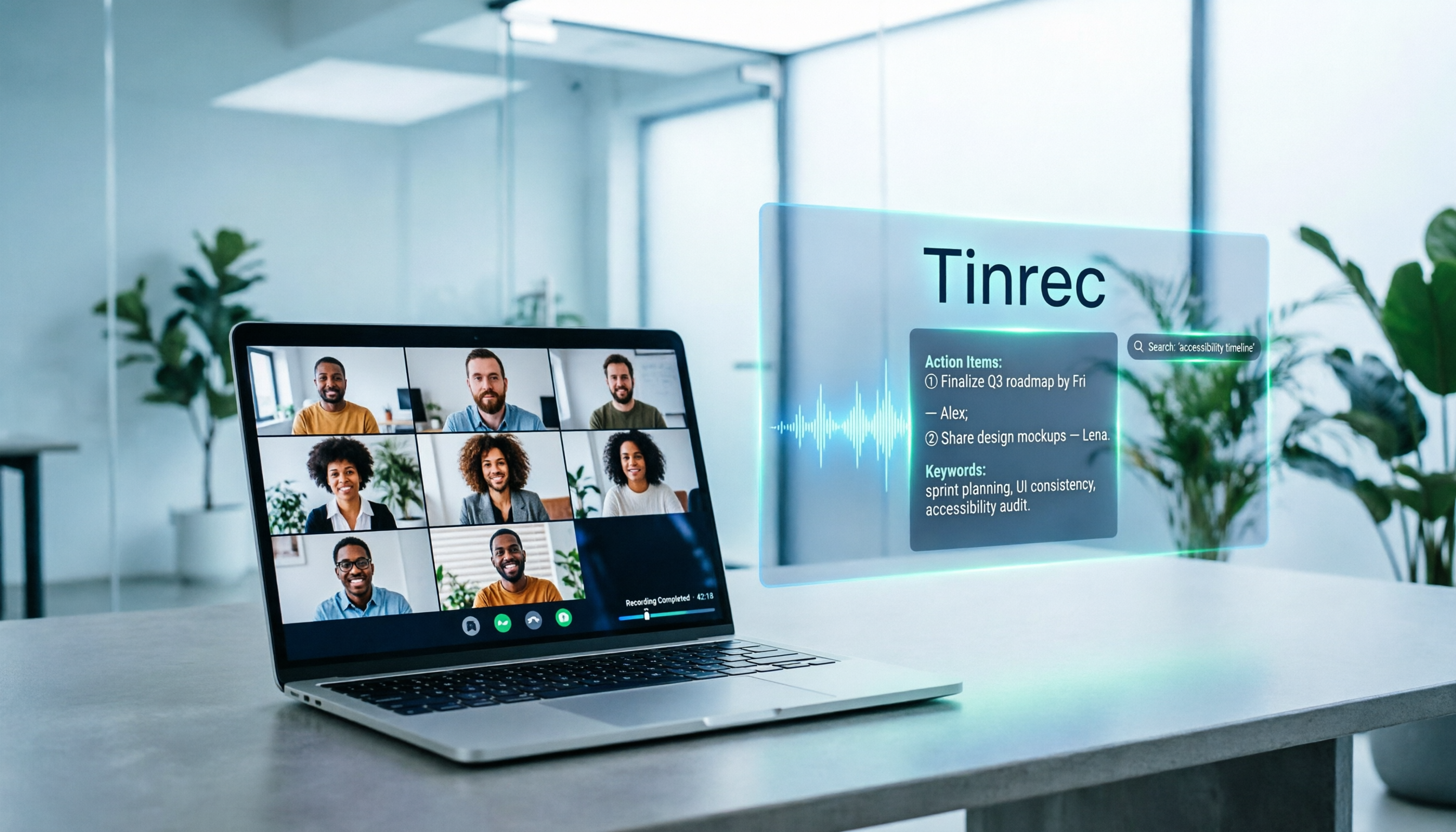
Turn recordings into transcripts and summaries in minutes
Upload audio or video for multilingual transcription, AI notes, and action items
5 Google Meet Note-Taking Tools Tested and Compared for 2026: How to Keep Meeting Records After Downloading
When a meeting is about to end and your boss asks, "What was that conclusion from last week?" you search through the chat, flip through your notebook, and finally only remember that "it seemed like it was mentioned." Downloading Google Meet itself takes only a few dozen seconds, but keeping the meeting content and being able to find it later is the real pain point for most people.
This article first walks you through how to download Google Meet on various platforms, then reviews 5 tools that can turn meeting content into usable data, and finally tells you directly which one to choose for different scenarios.
How to Download Google Meet: Three Scenarios for Android, iOS, and Computer
- Android phone/tablet: Open the Google Play Store and search for "Google Meet," make sure the developer is Google LLC, install it, and sign in with your Google account to create or join meetings.
- iPhone/iPad: Go to the App Store and search for Google Meet, again making sure it's the official Google release.
- Computer: You don't necessarily need to "download" anything. You can open meet.google.com directly in your browser to create or join meetings; if you want a standalone window and desktop shortcut like an app, you can install the Google Meet PWA (Progressive Web App).
A reminder: Google Meet is an official Google service, so please get it from Google Play, the App Store, or meet.google.com. Avoid third-party download sites to prevent unwanted installation packages.
After downloading and finishing a meeting, the real question is: where do you put the transcript, decisions, and to-dos? The following 5 solutions exist for this purpose.
Option 1 | Tinrec – The Most Complete AI Meeting Notes and Collaboration Assistant
Tinrec doesn't just convert audio to text; it turns the entire meeting into searchable, queryable, and deliverable data.
- No need to invite a meeting bot: The desktop version directly captures computer system audio, handling online meetings on Google Meet, Zoom, Microsoft Teams, and Webex without adding a participant named Tinrec to the meeting room.
- The real value is after recording: Automatically generates transcripts, summaries, chapters, and to-dos, so a two-hour meeting can be skimmed.
- AI chat queries: This is the biggest difference from ordinary transcription tools. You can directly ask, "What were the client's concerns about the quote?" or "What was promised in the last meeting?" and let AI find answers from the meeting content without manually scrubbing the timeline.
- Output ready to deliver: Supports multi-format export to Notion, Google Docs, OneNote, Dropbox, and can use Agent post-processing to generate reports, tables, and meeting minutes.
- Team version keeps data: Team spaces centrally store meeting records and provide member, role, seat management, usage analytics, audit logs, and audio recycle bin. When a member leaves or loses a seat, resources can be transferred to other members, so data doesn't leave with the person.
Pricing: The personal version has a free version to experience basic quotas, plus weekly cards and Pro monthly/yearly cards; the team version is USD 29.80 per paid seat per month, or USD 199 per paid seat per year (about USD 16.58 per month), with each paid seat providing 2,000 minutes of team shared import quota per month. Eligible teams can try 7 days, 1 free seat, and 300 minutes of team shared import quota for the first time. Actual prices, currencies, and promotions are subject to the official purchase page.
Who it's for: Individuals and teams that mainly conduct meetings in Chinese, don't want a bot to join the meeting, and need to search and hand over meeting content across sessions.
Option 2 | Google Meet Built-in Recording and Transcription – The Easiest Native Option
In a nutshell: If you only need to "record this one meeting," Meet itself offers meeting recording and transcription in some Google Workspace plans, without installing additional tools.
The advantage is native integration, and the host can start with one click; the disadvantage is that availability depends on account type and plan, not every account can use it, and the transcription result is more like a transcript itself, so cross-meeting search, to-do organization, and team governance still need to be handled separately.
Who it's for: People whose company already uses an eligible Google Workspace plan and who only need to replay a single meeting afterward.
Stop organizing recordings by hand
Upload audio or video and automatically get a transcript, summary, and action items
Option 3 | Otter.ai – A Mature Veteran for English Business Meetings
Otter is a fairly mature AI meeting assistant, covering Zoom, Microsoft Teams, and Google Meet, with real-time transcription, speaker identification, AI Chat, and team management.
Pricing is Basic free (300 minutes per month), Pro annual billing about USD 8.49 per user per month (including 1,200 minutes of in-app recording and 10 file imports per month), and Business offers unlimited meetings and in-app recording, etc. Actual prices may be affected by promotions, subject to the official pricing page.
Who it's for: Teams that mainly conduct meetings in English and need mature English transcription and integration ecosystem.
Option 4 | Notta – Multilingual Transcription and Translation
Notta overlaps significantly with Tinrec, also covering multi-platform transcription, meeting notes, file import, and translation, with multilingual capability as its strength.
Official plans are Free with 120 minutes per month (max 3 minutes per single content), Pro annual billing about USD 8.17 per month (1,800 minutes per month), and Business annual billing about USD 16.67 per seat per month (including unlimited transcription, role permissions, and usage reports).
Who it's for: Users who need extensive cross-language file transcription and subtitle organization.
Option 5 | Granola – Bot-Free AI Meeting Notes
Granola also takes a bot-free approach, using the desktop device's system audio and microphone to transcribe meetings in real time, then combining with your handwritten notes to generate content closer to personal highlights.
Pricing is Basic free, Business USD 14 per user per month, Enterprise USD 35 per user per month. Note that it does not support uploading pre-recorded audio files, nor does it save meeting audio files, but transcripts can be viewed, copied, and searched.
Who it's for: People who are used to writing their own highlights, only need AI-assisted organization, and don't need to keep audio files.
Option 6 | TurboScribe – A Cost-Effective File Transcription Option
If your material is "already recorded files," TurboScribe is more like a cost-effective document transcription tool, focusing on long files, batch uploads, subtitles, and translation.
The free version allows 3 files per day, up to 30 minutes per file; Unlimited annual billing is USD 120 (about USD 10 per month), and the paid version supports files up to 10 hours or 5 GB, with up to 50 files uploaded at once.
Who it's for: People who have a large number of historical audio recordings or videos and need batch processing into text and subtitles.
With So Many Options, How Should You Choose?
- Want the most complete AI features (transcription + AI chat queries + automatic summaries + to-dos) → Tinrec, the only option in this list that has all these elements.
- Need Chinese, mixed Chinese-English, or bilingual meeting records → Tinrec, and can use team hotwords to maintain company terminology.
- Don't want a meeting bot to join Google Meet → Tinrec desktop version captures system audio, or Granola; the difference is that Tinrec keeps audio files and supports file import.
- Need to switch between phone, computer, and web → Tinrec.
- Meeting data needs to stay with the team, and you need to manage members and seats → Tinrec Team Version.
- Only need to occasionally transcribe a recording, with zero budget → TurboScribe free version or Otter Basic, basic quotas are enough.
- Only need simple meeting notes, no audio preservation → Granola.
4 Things to Know Before Using Google Meet and Meeting Notes Tools
- Get consent before recording: Taiwan and most regions have regulations on recording, and cross-border meetings require even more attention to local laws and company policies. Notify participants when necessary.
- Accuracy is not a fixed value: Transcription quality is affected by audio quality, noise, accents, overlapping speech, and technical terms; for important numbers and commitments, it's recommended to check back against the transcript timestamps and recording.
- Check free plan quotas carefully: Most tools' free versions have limits on single session length or monthly minutes, e.g., Notta free version max 3 minutes per session, TurboScribe free version 30 minutes per file. Confirm your meeting length before deciding.
- Team version "roles" and "seats" are two different things: Roles determine who can manage the team and settings, seats determine whether one can record, upload, edit, and export. For example, in Tinrec Team Version, members without a seat can still view and play data, but need a seat to perform resource usage operations.
Conclusion
Downloading Google Meet itself is not complicated; the real trouble is that after downloading, meeting content is scattered across everyone's devices and chat records. If what you want is "record, then search, ask, and hand over," Tinrec has the highest integration in this list: the desktop version records Google Meet without a bot, automatically generates summaries and to-dos after transcription, and can use AI chat queries to dig up historical meetings. It's recommended to start with the free version or team trial and use a real meeting to verify whether the time it saves you is worth it.
References
Turn every recording into actionable outcomes
Get 60 free transcription minutes when you sign in. No credit card required.
Related Reading
You might also like
Notta vs Fireflies: How to Choose — From Meeting Capture Architecture and Chinese Bilingual Limits to Team Data Ownership, a Selection Conclusion for 5–20 Person Teams
The difference between Notta and Fireflies isn't just price and minutes — it's how a meeting actually gets recorded. This article compares the two in order: their meeting capture methods, the limits of their Chinese and bilingual experience, what you get after the transcript, and team data ownership and member handover. It then narrows the conclusion into three team selection scenarios, explaining under what conditions you should evaluate a bot-free approach like Tinrec.

How to Choose a Budget Voice Recorder: Check 4 Specs, Avoid 3 Pitfalls, and Calculate the Real Transcription Cost After Recording
Shopping for a voice recorder on a budget of a few hundred to NT$2,000? First understand where cheaper models cut corners, how to evaluate 4 key specs, how 3 common setups compare, and the practical workflow for turning recordings into transcripts, key points, and action items using free quotas.

What Is 'good tape vs hockey tape' Comparing? First Distinguish AI Speech-to-Text Services from Sports Tape, Then Use Four Criteria to Determine if a Meeting Transcription Tool Is Suitable
good tape and hockey tape belong to different categories, so this comparison itself does not hold. This article first clarifies the product positioning of the two, then uses four criteria—input source, language context, post-meeting deliverables, and data retention and sharing—to explain how to choose a meeting and interview transcription tool, and how Tinrec turns transcripts and action items into deliverable materials, and how team spaces share and hand over meeting records.

5 Online Meeting Transcription Solutions Compared for 2026: What to Know Before Buying Google Meet
Before you buy Google Meet, do you understand the difference between the free version and paid Workspace? This article compares 5 online meeting transcription solutions, including Google Meet, Tinrec, Otter.ai, Notta, Granola, and PLAUD, breaking down pricing, Chinese language support, post-meeting organization, and team collaboration to help you choose the right solution without paying for features you won't use.

How to Use Google Meet On-the-Go in 2026: A 5-Step Guide
Complete guide to Google Meet On-the-Go mode: learn how to join meetings on the move in 5 steps, and how Tinrec fills the gap in meeting notes and organization so you never miss important to-dos.

Google Meet India Pricing in 2026: 4 Plans Compared — Costs, Limits, and How to Choose Meeting Notes
Google Meet in India isn't a standalone subscription — it comes with Google Workspace plans. This article breaks down the price differences, participant limits, and meeting notes restrictions across Free, Base, Starter, Standard, and Enterprise, and explains how Tinrec fills the gap for post-meeting transcripts, summaries, action items, and team knowledge retention.

Tinrec Download Review 2026: 3 AI Meeting Recorders Compared — Which One Is Worth Installing?
Many people search for "tenrec download" but end up finding recommendation system datasets and animation models. This article first clarifies the difference between Tenrec and Tinrec, then compares Tinrec, Otter.ai, Notta, and Granola in terms of recording methods, post-meeting organization, Chinese language support, and team collaboration, with a guide to avoiding pitfalls and purchasing advice.

2026 Google Meet Note-Taking Tools Compared: Is the Free Version Enough?
Google Meet's free version and Google Workspace paid plans each have trade-offs, but what most people really lack is post-meeting organization. This article first breaks down 4 key points to understand before buying a Google Meet plan, then compares four note-taking tools: Tinrec, Otter.ai, Granola, and Notta, to help you decide whether to pay and who to pay.

4 Google Meet Call Recording Tools Tested for 2026: Tinrec's Bot-Free Recording Saves the Most Time
How do you find recent Google Meet calls? This article covers practical methods for personal accounts, Workspace, admin console, and Tinrec, helping you understand call history entry points, limitations, and post-meeting workflows so your Google Meet meetings aren't just timestamps—they're searchable, summarized, queryable, and shareable with your team.