

Turn recordings into transcripts and summaries in minutes
Upload audio or video for multilingual transcription, AI notes, and action items
Why Do You Need a Meeting Action Plan Tool?
After a meeting ends, what's your first move?
For many people, the answer is: drop the recording into a folder. And then... nothing.
Two weeks later, when someone asks "What's the status on that thing from last time?" you scroll back through the chat history, spend ten minutes searching, and still can't find who agreed to what.
There are two common misconceptions here. First, thinking the tool's main job is "clear recording." But if a recording can't be searched or queried later, it's just a file taking up space. Second, thinking "having a transcript means having a record." Transcripts can run 10,000 words, but the key points you actually need to take away might be just five.
A more sensible approach is to treat the tool as an assistant that "starts working after the meeting": it should turn discussions into summaries, summaries into to-dos, and let you recall what was discussed last time in 30 seconds before your next meeting.
This guide covers 6 tools available in 2026 for planning and tracking meeting action plans. We start with the most feature-complete option, Tinrec, followed by others arranged by different needs.
Tinrec — The Most Complete AI Meeting Notes and Action Plan Tool
Tinrec is an AI meeting notes and collaboration tool for individuals and teams. Its positioning goes beyond just converting voice to text—it turns meetings into searchable, collaborative, actionable data.
Bot-free recording for online meetings. The desktop version directly captures your computer's system audio, so it can handle Zoom, Google Meet, Microsoft Teams, Webex, and more without inviting a meeting bot as an extra participant. Note that this doesn't mean it automatically joins every meeting on your calendar—you still need to start recording yourself.
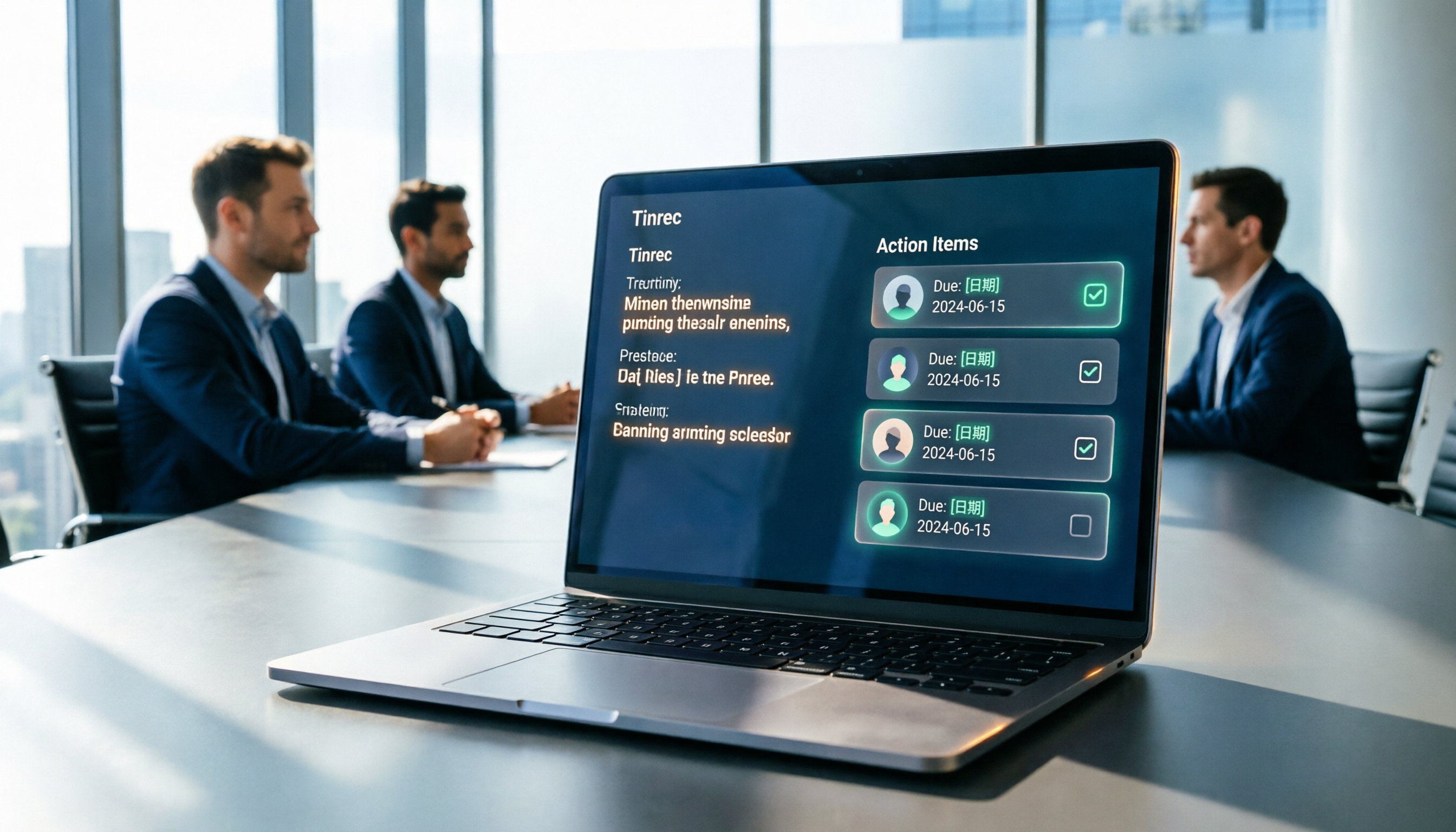
Generates to-do lists right after the meeting. Once transcription is complete, it automatically produces summaries, chapters, key points, and action items, and can also create mind maps. For weekly project meetings, the to-do section is usually the most practical—copy and paste it straight into your work group chat.
AI Q&A is where it stands out. You can continue asking questions across a single meeting or multiple meetings, such as "What feedback did the client give about delivery timelines across these three meetings?" without re-listening to recordings. With Agent post-processing, you can further generate reports, tables, and documents.
Chinese and multilingual support. It supports transcription in Chinese, Traditional Chinese, and multilingual meetings, with real-time translation and original/translated/bilingual views. You can also maintain company terminology using team hotwords. Actual performance depends on recording quality, accents, and overlapping speakers—it's not recommended to expect 100% accuracy.
For output, transcripts are searchable and can be exported to Notion, Google Docs, OneNote, Dropbox, and other tools for further editing. The personal plan has a free version to try, a weekly pass for short bursts of intensive use, and Pro monthly or annual plans for regular use.
For teams, Tinrec's team plan is a separate team space where meeting data belongs to the team. Eligible first-time users get 7 days, 1 free seat, and 300 minutes of shared team import quota; monthly payment is USD 29.80 per paid seat per month, annual payment is USD 199 per paid seat per year (about USD 16.58/month). Each paid seat provides 2,000 minutes of shared team import quota per month, and real-time recording is currently not deducted by minutes under active plans. Management features include member roles, seat allocation, usage analytics, audit logs, and an audio recycle bin.
Note that roles and seats are two different things: members without a seat can still view, play, and read team data, but cannot upload, edit, or import/export.
Who it's for: Those who need Chinese meeting notes, want to deliver action lists after meetings, and want to turn meetings into team assets.
Otter.ai | The Mainstream Choice for English Business Meetings
Otter is a mature AI meeting assistant covering Zoom, Microsoft Teams, and Google Meet, offering real-time transcription, speaker identification, AI Chat, and team management. It has high recognition in English business meetings and, like Tinrec, offers desktop capabilities.
Pricing: Basic is free with 300 minutes per month; Pro annual billing works out to about USD 8.49 per user per month, including 1,200 minutes of in-app recording per month and 10 file imports; Business offers unlimited meetings and in-app recording, though actual pricing may vary with promotions.
Who it's for: Organizations whose meetings are primarily in English and need to sync with overseas teams.
Fireflies.ai | Meeting Automation and Analytics
Fireflies excels at meeting automation, meeting bots, AI summaries, AskFred, and extensive third-party integrations. It leans toward "connecting the entire meeting workflow."
Annual pricing: Free USD 0, Pro USD 10 per seat per month, Business USD 19 per seat per month, Enterprise USD 39 per seat per month. Note that its "unlimited transcription" is still subject to storage, upload speed, and AI Credit rules—it doesn't mean all capabilities are completely unlimited.
Who it's for: Teams that value automation workflows and sales analytics, with meetings primarily in English.
Notta | Multilingual Transcription and Team Plans
Notta overlaps significantly with Tinrec—both offer multi-platform transcription, meeting notes, file import, translation, and team plans. Multilingual capability is its main selling point.
Free version: 120 minutes per month, max 3 minutes per item; Pro annual billing works out to about USD 8.17 per month with 1,800 minutes per month; Business annual billing works out to about USD 16.67 per seat per month, offering unlimited transcription, role permissions, and usage reports.
Stop organizing recordings by hand
Upload audio or video and automatically get a transcript, summary, and action items
Who it's for: Small and medium businesses that need multilingual transcription and want team features on a moderate budget.
Granola | AI Meeting Notes Combined with Handwritten Notes
Granola is also a bot-free meeting notes tool. It uses desktop system audio and microphone for real-time transcription, then combines it with your own typed notes to generate meeting content. It supports transcript viewing, copying, and searching. It emphasizes "your notes + AI enhancement" and cross-meeting context.
Pricing: Basic is free, Business USD 14 per user per month, Enterprise USD 35 per user per month. Note that it doesn't support uploading pre-recorded audio files and doesn't save meeting audio files. If you need recordings for later listening, consider this carefully.
Who it's for: People who habitually take notes during meetings and only need in-the-moment assistance.
TurboScribe | High-Value File Transcription
TurboScribe is closer to a pure file transcription tool, focusing on long files, batch uploads, subtitles, and translation. It doesn't handle real-time meetings.
Free version: 3 files per day, max 30 minutes per file; Unlimited annual billing is USD 120 (about USD 10 per month). Paid version supports files up to 10 hours or 5GB, with up to 50 files per upload.
Who it's for: People who already have a pile of recorded meeting audio and want to process it all at low cost.
With So Many Options, How Should You Choose?
- Want summaries + to-dos + queryable meeting data in one go → Tinrec
- Meetings primarily in Chinese or mixed Chinese-English, need bilingual transcripts → Tinrec
- Don't want a bot joining meetings but need to record Zoom, Meet, Teams → Tinrec
- Need to use phone, web, and desktop without being tied to one device → Tinrec
- Want to take transcripts to Notion or Google Docs to continue writing → Tinrec (supports multiple formats and third-party export)
- Need to deliver reports or tables directly after meetings → Tinrec (Agent post-processing)
- Team needs to share meeting data, manage seats and usage → Tinrec team plan
- Want data to stay with the team when members leave, not be taken away → Tinrec team plan
- Meetings are almost all in English, need to sync with overseas teams → Otter.ai
- Want to automatically connect meeting notes to CRM or project tools → Fireflies.ai
- Zero budget, only need occasional transcription → Notta free version or TurboScribe free version
5 Things to Know Before Using a Meeting Action Plan Tool
1. A transcript is not an action plan. Getting the transcript is just the first step. The key is whether you can pull out "who, does what, by when." When choosing a tool, I first look for to-do extraction and summarization features. Tinrec, for example, organizes to-dos separately, which is far more practical than digging through a 10,000-word transcript yourself.
2. First confirm how the tool "captures" meeting audio. Meeting bots join as participants; desktop capture gets the system audio your computer plays. Tinrec's desktop version is the latter—the benefit is a clean screen and no weird account in the participant list.
3. Recording must be legal and consented to. Different regions have different regulations on recording and personal data. Before recording, confirm compliance with local laws, and when necessary, inform participants and get their consent.
4. Understand the difference between "roles" and "seats" in team tools. Take Tinrec's team plan as an example: roles determine who can manage the team and members; seats determine whether you can record, upload, edit, and export. Currently it's team-level sharing, not file-level granular permissions—this is often misunderstood during evaluation.
5. Free tiers usually can't keep up with daily meetings. Otter free: 300 minutes per month; Notta free: 120 minutes per month with max 3 minutes per item; TurboScribe free: 3 files per day. If you have three or four meetings every week, check the paid thresholds before deciding whether to commit.
Summary
What meeting action plan tools really solve is never "recording"—it's "after the meeting."
Turning transcripts into summaries, summaries into to-dos, and to-dos into records you can look up before the next meeting—when this flow works smoothly, meetings won't just disperse after they end.
In terms of feature completeness, Tinrec is currently one of the few options on this list that covers real-time recording, bot-free online meetings, AI Q&A, to-do extraction, and team spaces. Its Chinese meeting experience is also relatively close to Taiwanese usage habits.
If you're currently managing meeting recordings with folders, try it out with an internal meeting next week and save that half hour after the meeting.
FAQ
Q1: What's the difference between a meeting action plan tool and a regular voice recorder?
A voice recorder just records. These tools go further by converting recordings to text, organizing summaries, chapters, key points, and to-dos, and allowing you to ask questions, translate, and export. The difference is whether you can "use" the record, not just save it.
Q2: Can I record Zoom or Teams without inviting a meeting bot?
Yes. Tinrec's desktop version captures your computer's system audio, so no extra bot needs to join the meeting. But this doesn't mean it automatically joins every meeting on your calendar—you still need to manually start recording. It also doesn't imply an official partnership with Zoom, Microsoft Teams, or other platforms.
Q3: Is the free version enough?
It depends on your meeting frequency. If you have one short meeting per week, the free tier is usually enough. If you have three or four project meetings per week, you'll likely need a paid plan. Tinrec has a free version to try recording, importing, summarizing, and transcribing, then decide whether to upgrade based on actual usage.
Q4: What is Tinrec's transcription accuracy?
It's not recommended to describe it with a single number. Actual performance depends on recording quality, background noise, accents, overlapping speakers, and technical terminology. A realistic expectation: it can greatly reduce manual organization time, but important content should still be verified against transcript timestamps and recordings.
Q5: What's the difference between the team plan and the personal plan?
Personal plan data is managed by the individual account. The team plan is a separate space where meeting data belongs to the team, with added capabilities like member invitations, role and seat allocation, shared benefits, usage analytics, audit logs, and an audio recycle bin. When members leave, team resources are transferred to other active members and won't disappear with the personal account.
Q6: Do I need to inform participants before recording?
It's recommended. Recording and personal data regulations vary by region. Explaining the purpose and getting consent before recording is the safest approach and can avoid disputes when sharing data within the team later.
References
- 2026 Taipei-New Taipei Conference Project Recommendations | Denwell Happiness Institution
- iEvent - Institute for Information Industry
- 2026/2027/2028 Must-Have Calendar for Marketers/Social Media Managers/Influencers – Mingchun Says | Enterprise AI Adoption Consultant & Marketing Trainer Cai Mingchun
- International Conference Planning and Management (2nd Edition) - TAAZE
- Asana Tips | What is a Project Kickoff Meeting Template?
Turn every recording into actionable outcomes
Get 60 free transcription minutes when you sign in. No credit card required.
Related Reading
You might also like

How to Automatically Extract Meeting Action Items in 2026: AI Summaries + To-Dos in One Go
After a meeting, action items are scattered in the conversation and no one follows up? This article compiles 6 solutions that can automatically extract meeting action items, from Tinrec's bot-free recording, AI summaries, and action item extraction, to the positioning and pricing of Otter.ai, Fireflies.ai, Notta, Granola, and TurboScribe. It also uses scenario comparisons to tell you which one to choose for different budgets and needs.
2026 Meeting Notes Tools Buying Guide: 6 Tested Picks and Action Item Tracking Tips
When meetings end and nothing gets done, the problem is usually the lack of an owner-plus-deadline table. This guide shares hands-on reviews, pricing, and use cases for 6 meeting notes and transcription tools, and compares which ones automatically extract action items and owners, so you can choose the right tool in one go.

2026 AI Meeting To-Do Tools Compared: Tinrec, Notta, and Fireflies — Which One Actually Follows Through?
A hands-on comparison of Tinrec and Notta across six dimensions: meeting capture, post-meeting outputs, historical data queries, team governance, Chinese and mixed-language support, and pricing. Also covers where Fireflies.ai fits among meeting automation tools, helping you decide which AI meeting to-do tool truly turns meetings into action.

The Complete Guide to Customer Meeting Follow-Up Emails in 2026: From Meeting Notes to Follow-Up Letter
Struggling to write a follow-up email after a customer meeting? This article breaks down the complete workflow from meeting notes, summaries, and action items to sending the follow-up email, and compares Tinrec and PLAUD Note in post-meeting organization and team tracking to help you choose the right approach.

How to Organize Meeting Action Items in 2026: A Complete 5-Step Guide
After a meeting ends, action items often get scattered across notes, chat threads, and memory, making it hard to track progress the following week. This guide breaks down a 5-step process for organizing meeting action items and compares Tinrec and Otter.ai within the same workflow, covering everything from capturing tasks and tracing context to handling Chinese-language meetings, exporting to your workflow, and team handoffs.

4 AI Meeting Notes Tools Tested for 2026: Which One Captures Action Items Best?
After a meeting, does everyone forget what to do next? This article focuses on action item capture, outlining 4 key criteria for choosing a meeting notes tool. It compares Tinrec, Otter.ai, Notta, and Granola, and highlights 4 common pitfalls to help you find the tool that turns decisions into action.

Best Meeting Action Item Extraction Tools in 2026: Auto-Organize To-Dos, Owners, and Deadlines
The hardest part of a meeting isn't the meeting itself—it's when action items never get written down. This guide covers 6 tools that automatically extract meeting to-dos, owners, and deadlines, including Tinrec, Otter.ai, Fireflies.ai, Granola, Notta, and TurboScribe. We list free and paid plan pricing honestly to help you pick the right one for Chinese-language meetings, team collaboration, or pure file transcription needs.

6 Free Meeting To-Do Tools Compared in 2026: Which Free Version Actually Extracts Action Items Automatically?
Missing meeting action items usually isn't a problem with the meeting itself—it's the lack of a process for turning conversation into action afterward. This guide reviews 6 meeting to-do tools with free plans, from AI meeting assistants that automatically transcribe, summarize, and extract action items to completely free to-do lists, with honest details on each tool's free limits and paid pricing to help you pick the right one for your meeting style and budget.

Meeting Minutes vs. Action Items in 2026: 5 Key Differences You Need to Know
After a meeting, you have two deliverables: meeting minutes and an action item list. But many people still mix them up—minutes stuffed with action items, or action lists with no context. This article breaks down the fundamental differences between meeting minutes and action items across 5 dimensions, with real-world scenarios, pitfalls to avoid, and a hands-on test of how Tinrec's instant recording can generate both minutes and action items from a single recording.