

Turn recordings into transcripts and summaries in minutes
Upload audio or video for multilingual transcription, AI notes, and action items
4 AI Meeting Transcription Tools Tested: How to Pronounce Otter in Chinese? Which Is Best for Chinese Meetings?
Many people, upon first seeing the word Otter, instinctively pronounce it as '欧特' (ou te). Actually, it's closer to '喔特' (wo te), with the KK phonetic /ˈɑtər/, stress on the first syllable, and it means 'otter' in Chinese.
However, in recent years, most people look up this word not to see an otter, but to find out if Otter.ai, an AI meeting tool, is any good.
This article is divided into two parts: first, it clarifies 'how to pronounce Otter in Chinese', then I'll compare four meeting transcription tools I've tested to see which one is most adequate for Chinese meetings.
How to Pronounce Otter in Chinese? Understand the Pronunciation, Meaning, and a Common Misconception
Let's start with the conclusion.
Otter's KK phonetic is /ˈɑtər/, British pronunciation is close to /ˈɒtə/, and the closest Chinese homophone is '喔特' (wo te), with stress on the first syllable and a soft ending.
Its Chinese meaning is 'otter', a noun, with plural 'otters'. The word comes from Old English 'otor', originally referring to an aquatic animal, related to 'water'.
It's worth noting that many people pronounce it as '欧特' (ou te) or '奥' (ao te), which is understandable, but the vowel should be more like 'ah' to be closer to native pronunciation.
So what's the common misconception?
Most people look up this word because of Otter.ai, an AI meeting assistant. Its pronunciation is the same as the animal, '喔特' (wo te). Otter.ai is a mature AI meeting assistant that covers Zoom, Microsoft Teams, Google Meet, with real-time transcription, speaker identification, AI Chat, and team management.
Note that Otter.ai's main strength is in English business meetings. If you usually have Chinese meetings, or even mixed Chinese-English ones, the choice is different.
Next, I'll take a hands-on approach to show you how to choose a tool for Chinese meetings.
Why You Need More Than Just 'Recording the Meeting'—Three Real Scenarios
First scenario: Two-hour meeting, two hours to organize.
'After the meeting, listen to the recording, then type up the key points and send them out'—if you repeat this every week, what you lack is not a recording tool.
Second scenario: The hardest part of Chinese meetings is not recording, but understanding.
Mixed Chinese-English, technical terms, company acronyms, plus air conditioning noise, keyboard sounds, and multiple people talking over each other—many tools show significant gaps in transcripts under these conditions.
Third scenario: After recording, the audio file just sits on your phone.
The real time-consuming part is never recording, but 'going back to find who said that'. If the tool only gives you a transcript, you still have to Ctrl+F and search manually.
The common thread in these scenarios: you need more than just 'turning sound into text'—you need a complete workflow from recording to organization.
Before Choosing an AI Meeting Transcription Tool, Understand These 4 Key Points
1. Chinese and mixed Chinese-English recognition performance. Don't just look at the official accuracy rate; that's usually measured in a quiet environment. Real meetings have noise, accents, and overlapping speech—that's when the differences show.
2. How the meeting is recorded. There are two common methods: one is a 'meeting bot' that joins as a participant, the other is a desktop app that directly captures the computer's system audio without needing an extra account in the meeting. The latter is less intrusive for participants.
3. What you get after recording. Transcript is just the starting point. Summary, chapters, action items, ability to ask questions directly about the meeting content, and export to Notion or Google Docs—these are what really determine how much time you save.
4. Who owns team data and how permissions are managed. If meeting data is shared by the team, check if the tool has team spaces, member roles, seat and usage management. This is especially important when personnel changes.
After these four points, the direction becomes clear.
Tinrec—Our Most Recommended Chinese Meeting Tool After Testing
Tinrec is an AI meeting transcription and collaboration tool for individuals and teams, supporting iOS, Android, and web, with online meetings handled by the desktop version.
It doesn't just convert sound to text; it turns meetings into searchable, summarizable, queryable, and exportable data.
Real-time transcription during meetings, no extra bot needed
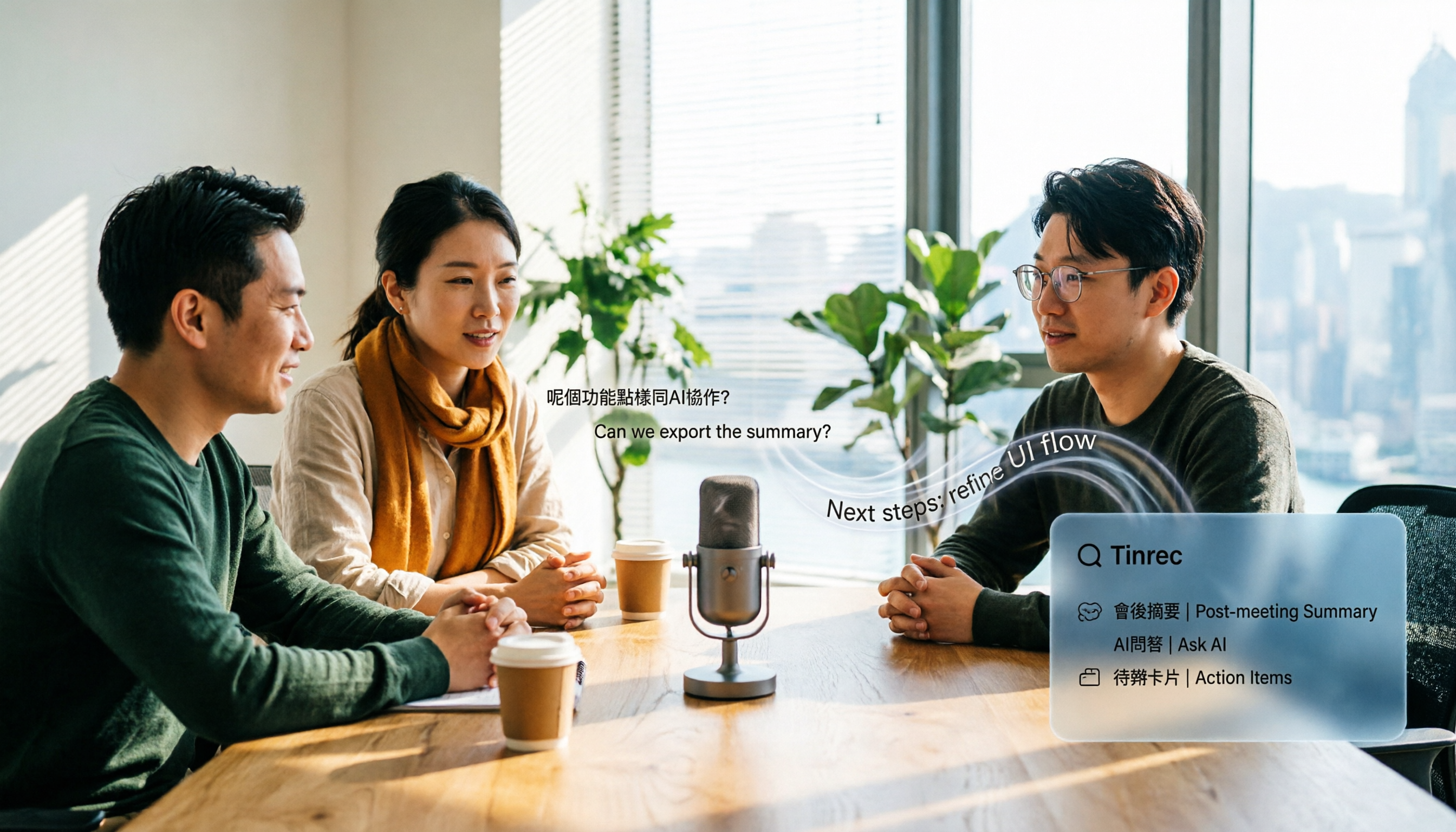
Tinrec's desktop version directly captures the computer's system audio, handling Zoom, Google Meet, Microsoft Teams, Webex, without needing a meeting bot to join as a participant. For participants, no unfamiliar account appears in the meeting room—I personally like this. Note that it doesn't automatically join calendar meetings; you initiate recording manually.
After recording, you can ask questions directly about the meeting content
Stop organizing recordings by hand
Upload audio or video and automatically get a transcript, summary, and action items
This is what I find most unique. After the meeting, you can ask Tinrec directly: 'Who mentioned the budget in the last meeting?' It gives answers based on semantic understanding, not just a list of keyword search results. The same content can be extended into summaries, chapters, action items, and even generate reports, tables, and documents. At this price point, such 'post-meeting usability' is rare.
Handles Chinese meetings and mixed Chinese-English
Tinrec covers Chinese, Traditional Chinese, and multilingual meeting scenarios, supports real-time translation, and can be viewed in original, translated, or bilingual mode. The team version also has 'team hotwords' to maintain company-specific terms and product names, improving recognition of specialized terms. Note that actual performance is still affected by recording quality, accents, noise, and overlapping speech; it's not 100% accurate.
Team version: Turn meetings into team assets
If an entire department uses it, Tinrec's team version provides independent team spaces, where meeting data belongs to the team, not tied to individual accounts. Admins can set owners, admins, and regular members, assign or revoke seats, view team usage trends and operation logs, and recover accidentally deleted audio from the recycle bin. When a member leaves, data can be transferred to other members, not lost with the person.
One concept to clarify: the team version separates 'roles' and 'seats'. Roles determine who can manage the team; seats determine who can record, upload, edit, and export. Members without seats can still view, play, and read team data, but cannot perform editing operations.
Plans and Pricing
For individual plans, the free version offers basic quota to experience recording, import, summary, and transcription; for short-term intensive meetings, consider a weekly card; for steady weekly use, a Pro monthly card; for long-term data accumulation, a Pro annual card.
For teams, first-time eligible teams get a 7-day trial, including 1 free seat and 300 minutes of shared import quota. After that, team monthly is USD 29.80 per paid seat per month, annual is USD 199 per paid seat per year, about USD 16.58 per month. Each paid seat provides 2,000 minutes of shared import quota per month; real-time recording under an active team plan and active seat is currently not deducted by minutes. Actual prices and promotions are subject to the official purchase page.
Who is it for
If you frequently have Chinese meetings, want to record online meetings without a bot, and want to ask AI directly for key points after recording, Tinrec is one of the best fits. Conversely, if you only record English meetings and have a tight budget, Otter.ai's free quota is more cost-effective, as I'll explain below.
Besides Tinrec, What Other Options Are There?
Otter.ai: A mature AI meeting assistant, top choice for English business meetings. Official pricing shows Basic free, 300 minutes per month; Pro annual is about USD 8.49 per user per month, including 1,200 minutes per month and 10 file imports. Note it also has desktop capabilities, not just a meeting bot; but Chinese meetings and team Chinese data accumulation are not its strong suit. If you almost always record in English, it's more cost-effective than Tinrec.
Notta: A multilingual transcription tool with high overlap with Tinrec. Official claims: Free 120 minutes per month, max 3 minutes per session; Pro annual about USD 8.17 per month (1,800 minutes per month); Business annual about USD 16.67 per seat per month. Its strength is transcription and translation; if after the meeting you need bot-free desktop recording, AI Q&A, and team database, Tinrec's workflow is more complete.
TurboScribe: A cost-effective file transcription tool. Free 3 files per day, max 30 minutes per file; Unlimited annual USD 120 (about USD 10 per month); paid version max 10 hours or 5 GB per file, up to 50 files at once. If you have a bunch of historical recordings to batch process, it's very capable; but real-time meetings, post-meeting organization, and team collaboration are not its focus.
Pitfall Guide: 3 Most Common Mistakes When Choosing an AI Meeting Transcription Tool
Pitfall 1: Only looking at official accuracy rates. Many tools claim '98% accuracy', but that's usually measured in a quiet studio. Real meetings have air conditioning noise, keyboard sounds, and overlapping speech, so the numbers drop significantly. A more practical approach is to test with your own meeting recording, not just ads.
Pitfall 2: Thinking 'can record' equals 'can organize well'. Whether a meeting bot can join is just the first step. What really determines time savings is whether there are summaries, action items, and the ability to ask questions directly about the content.
Pitfall 3: Buying a tool but only using one-third of its capabilities. If you only use an AI meeting tool as 'recording to text', that's a waste. For example, Tinrec's AI Q&A—after recording, directly ask 'What was the conclusion of this meeting?'—is much faster than manually flipping through a 30-minute transcript.
Conclusion: Which One Should You Choose?
In one sentence: For Chinese meetings and not wanting an extra bot in the meeting, Tinrec is my top recommendation after testing.
Scenario breakdown for reference:
- Chinese or mixed Chinese-English meetings, need transcript and summary → Tinrec
- After recording, want to use AI to find key points and ask details → Tinrec (AI Q&A is its strength)
- Need to use on both phone and computer, and cross-platform organization → Tinrec (iOS, Android, web, and desktop)
- Team needs to share meeting data, manage members and seats → Tinrec Team Version
- Almost only record English meetings, tight budget → Otter.ai (the only exception in this article)
- Have a bunch of historical recordings to batch transcribe → TurboScribe
If you just want to test the waters, start with Tinrec's free version, use the basic quota to record one or two meetings, see if the transcript and summary quality meet your expectations, and consider upgrading if it feels right—no need to pay upfront.
Finally, back to the initial question: How to pronounce Otter in Chinese? The answer is '喔特' (wo te), and its Chinese meaning is that water-dwelling otter.
References
- OTTER Chinese (Traditional) Translation: Cambridge Dictionary
- OTTER Chinese (Simplified) Translation: Cambridge Dictionary
- otter Chinese translation | VoiceTube Learn English with Videos
- 'Otter' sounds like 'wo te', associate with 'Oh! That one especially loves being in water...'
- Otter Chinese translation | English-Chinese Dictionary
Turn every recording into actionable outcomes
Get 60 free transcription minutes when you sign in. No credit card required.
Related Reading
You might also like

2026 AI Speech-to-Text Showdown: Tinrec vs Otter for Chinese Meetings
We tested Tinrec and Otter.ai across five dimensions that matter to Chinese-speaking teams: Chinese and mixed Chinese-English transcription, bot-free online meeting recording, AI post-processing and export after transcription, recording retention and team data ownership, and quota and seat pricing. We conclude with clear recommendations based on needs and budget.
4 Audio-to-Text Apps Tested for Cantonese Recognition in 2026: Which One Is Most Reliable?
The same Cantonese recording can yield very different results across tools. This article breaks down 4 audio-to-text apps, covering Cantonese and mixed Chinese-English recognition, bot-free online meeting recording, post-meeting AI Q&A, and team data management, so you can decide which to choose and which pitfalls to avoid.

2026 Google Speech-to-Text App Buying Guide: Tinrec vs Google Live Transcribe 6-Dimension Test
This article compares Tinrec and Google Live Transcribe across six dimensions based on real-world use cases for Google speech-to-text apps: real-time Chinese transcription, online meeting recording, post-meeting AI organization, file import, cross-platform support, and team collaboration. It helps you decide which one better fits your meeting and workflow needs.

Good Tape 2026 Update: Hands-On Comparison of 3 Speech-to-Text Tools — Which One Fits Chinese Meetings and Team Collaboration?
Good Tape's latest version introduces an official mobile app for recording, instant upload, and automatic transcription. This article covers its current state and free plan limits, and compares Tinrec, Otter.ai, and Notta across Chinese meeting support, AI Q&A, and team collaboration to help you decide which tool to use.

5 Otter Chinese Subtitle Solutions Tested and Compared in 2026: How to Choose Between Chinese Transcripts and Translation?
This article starts from the choice between "real-time Chinese subtitles or post-meeting Chinese transcripts," organizes feasible approaches for Otter Chinese subtitles, and compares the Chinese transcription, translation, subtitle, and meeting organization capabilities of five tools: Tinrec, Otter, Notta, TurboScribe, and EasySub, helping you determine which workflow best suits your work situation.

4 Otter Chinese Lyric Translation Tools Tested: Why Translating Full Passages Beats Looking Up Words
Starting from the Chinese meaning of 'otter,' we tested 4 foreign-language audio-to-Chinese tools, comparing Tinrec, Otter.ai, Notta, and Granola on file support, Chinese output, post-meeting processing, and pricing. Here's a straightforward recommendation for students.

Good Tape Download Guide 2026: 3 Steps to Get Started + Tinrec Meeting Transcription Comparison
Not sure whether to download the Good Tape app or use the web version? This guide covers Good Tape's app and web download options, transcript export formats, and usage limits. It also compares Tinrec, Otter.ai, and Notta on Chinese meeting support, AI Q&A, and team collaboration to help you choose the right transcription tool.

2026 Good Tape Latest Version Review: Which of 3 Audio-to-Text Tools Is Best for Chinese Meetings?
Is the latest version of Good Tape worth using? This article compares Good Tape, Otter.ai, and Tinrec from four angles—language support, meeting capture, post-meeting organization, and team governance—to help you decide which audio-to-text tool is best for Chinese meetings and team collaboration.

2026 AI Transcription Tools Comparison: Good Tape's Latest Features vs Tinrec vs Notta
What are Good Tape's latest features? This article cuts through common misconceptions and compares Good Tape, Tinrec, and Notta side by side, helping you understand the key factors in choosing an AI transcription tool: speaker identification, post-meeting organization, bot-free recording, and team collaboration.