
Turn recordings into transcripts and summaries in minutes
Upload audio or video for multilingual transcription, AI notes, and action items
4 Audio-to-Text Apps Tested for Cantonese Recognition in 2026: Which One Is Most Reliable?
Let me start with a question: for that Cantonese recording you have, do you want a verbatim transcript, or do you want meeting material you can actually use later?
Your answer will directly determine which tool you should choose. Almost every company now claims to support Cantonese, but being able to transcribe and being able to use the transcript afterward are two completely different things.
Two-Hour Meeting, Two More Hours to Organize—You Don't Need a Tool, You Need a Solution
Scenario one: you have a one-hour Cantonese meeting with a client. The conversation is mixed Chinese and English throughout—switching to English when discussing the budget, switching back to Cantonese when complaining. After the meeting, you need to turn it into a presentable record, and just re-listening takes up an entire afternoon.
Scenario two: you hold an online meeting on Zoom or Teams. You want to record it, but you don't want to add another meeting bot to the room—the moment it joins, the other side asks, "Who is this?"
Scenario three is the most common: recording files pile up. Three months later, when you need to find out "who said they wanted to change the quote," you have to listen from the beginning, segment by segment.
The common thread across these three problems is: what you really want is never just turning sound into text, but turning meetings into something you can search and use later. Choose the right tool, and all three problems can be solved at once.
5 Key Points to Understand Before Choosing a Cantonese Audio-to-Text Tool
1. Don't just look at the language list.
Almost every company writes "supports 90+ languages." But the difficulty with Cantonese isn't in the language list—it's that it's colloquial, full of sentence-final particles and idiomatic expressions. Some tools force a Mandarin model onto it; they can transcribe, but it reads like a different person speaking.
2. Can it handle mixed Chinese and English?
Meetings in Hong Kong are almost never pure Cantonese. Having schedule, deadline, and follow up inserted into a single sentence is the norm. If a tool can't handle this, the transcript is basically useless.
3. How to record online meetings.
Many people overlook this. A meeting bot joins as a participant and appears on the roster; another approach is desktop capture of system audio, which doesn't enter the meeting roster. The impression these two make in external meetings, interviews, and client calls is very different.
4. What do you get after transcription?
Getting only a transcript versus getting a summary, chapters, action items, and an AI you can ask follow-up questions—these are two different tiers of tools. With the latter, you don't have to re-read everything yourself.
5. Quotas and who owns team data.
Personal use and team use are two different things. Is the free quota enough? How are import minutes calculated? Are team meeting records stored in individual accounts or in a team space? Ask these before you buy.
Tinrec—Our Top Pick After Testing
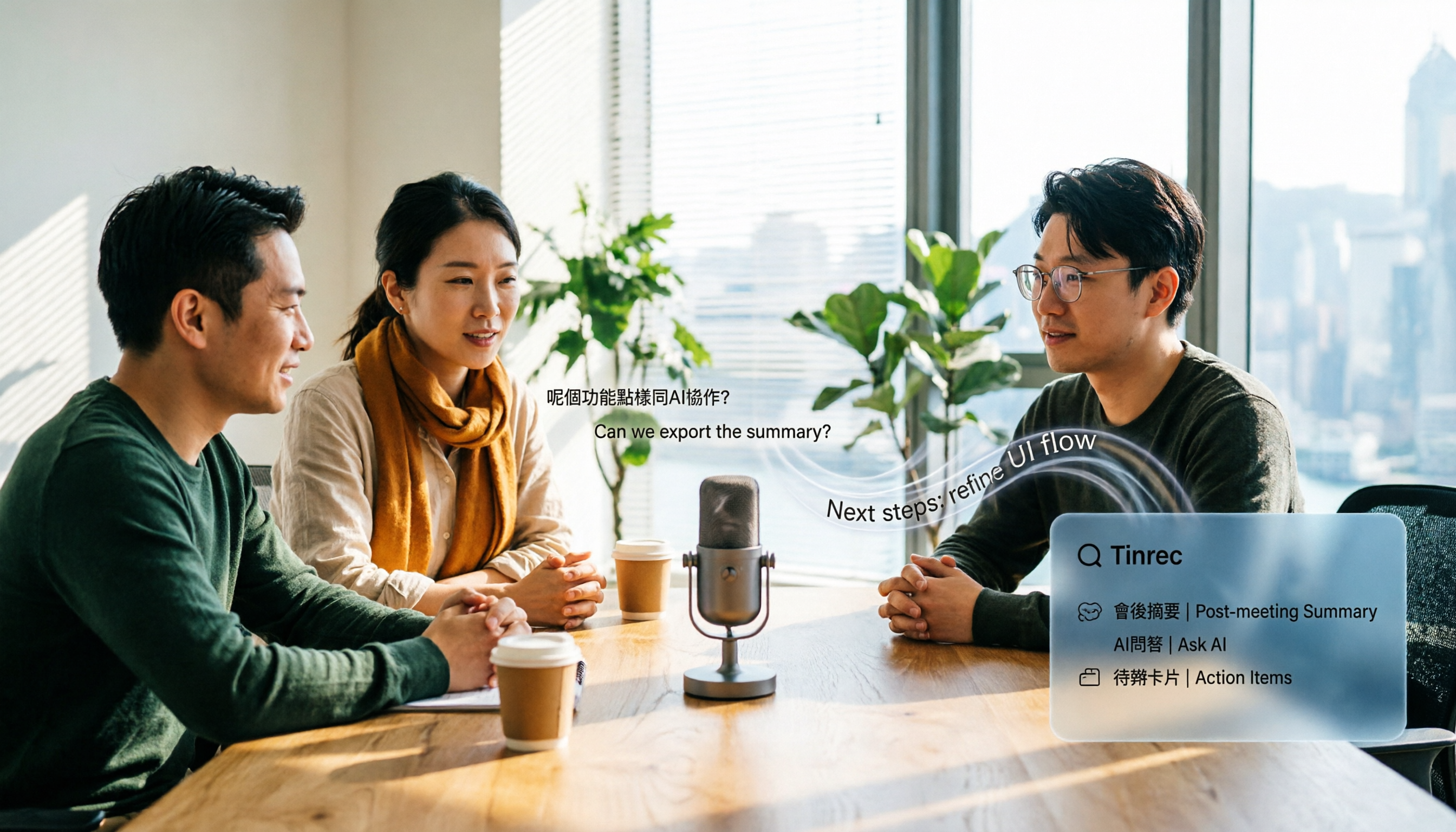
Tinrec is an AI meeting notes and collaboration tool for individuals and teams, available on web, desktop, and mobile. It doesn't just handle transcription—it moves meetings from recording to using.
During meetings, the desktop app captures system audio directly. For online meetings on Zoom, Google Meet, Microsoft Teams, and Webex, you don't need to invite a meeting bot, and no extra account appears on the participant list. This is especially practical for client meetings, interviews, and external communications.
When the meeting ends, half the organizing work is already done. It automatically generates summaries, chapters, key points, and action items—who is responsible for what and what the next step is, all listed out. The most painful part of long meetings is finding where something was discussed; with chapters, you can jump straight to it.
The most distinctive feature is AI Q&A. After recording, you can directly ask it: "Who mentioned the budget in the last meeting?" "What were the client's concerns about the quote?" It gives you organized answers, not keyword search results. Among tools in the same price range, this is currently rare.
In terms of actual performance, I ran a mixed Chinese-English meeting recording through it, and the transcript was quite readable, with mixed content organized together. As for Cantonese colloquial recognition, I won't give you an accuracy number—recording environment, air conditioning noise, multiple people talking over each other, and technical terms all affect results, so the percentages in ads don't mean much. The more honest approach is: run your own recording through it and judge for yourself.
Stop organizing recordings by hand
Upload audio or video and automatically get a transcript, summary, and action items
Its advantages can be summarized in three points:
First, no bot for online meetings—the desktop app records system audio directly, which is what many people really care about. Second, after the meeting you don't have to read the transcript from scratch; summaries, action items, and AI Q&A take over. Third, transcription results can be exported to existing workflows like Notion, Google Docs, OneNote, and Dropbox, and can also generate reports, tables, and documents.
Limitations should also be mentioned. The free version has a basic quota; long-term high-frequency use requires payment. Also, file import and live recording have different quota calculations—under an active team plan and seat, live recording currently does not deduct minutes, while file import uses shared quota. Heavy file uploaders should calculate their usage first.
The team version is another level. It's not "multiple people sharing one personal account" but an independent team space: meeting data belongs to the team, and members leaving won't take data with them. You can set owners, admins, and regular members, and assign, revoke, or transfer seats—the difference is that members without a seat can still view, play, and read team data, but cannot upload, edit, import, or export. There are also team usage analytics, audit logs, audio recycle bin, and team hotwords. Currently, the team monthly plan is USD 29.80 per paid seat per month, and the annual plan is USD 199 per paid seat per year (about USD 16.58 per month). Each paid seat provides 2,000 minutes of team shared import quota per month; first-time eligible teams get a 7-day trial with 1 free seat and 300 minutes. Prices and promotions are subject to the official purchase page.
Who is it for? People who frequently handle Chinese, Traditional Chinese, and multilingual meetings, want online meetings without a bot, want to use AI to find key points directly after the meeting, and need meeting data to accumulate within the team.
Besides Tinrec, What Other Options Are There?
Otter.ai: A mature choice for English meetings. Basic free version offers 300 minutes per month, Pro annual billing is about USD 8.49 per user per month. Its problem is that Chinese and Cantonese are not its strengths; Hong Kong users will find it very difficult for Cantonese meetings. It also lacks Tinrec's post-meeting Agent processing and team hotwords. If 90% of your meetings are in English, it's indeed cost-effective.
PLAUD Note / NotePin: Representatives of the hardware approach. NotePin costs USD 159, Note Pro USD 189, suitable for recording physical conversations and phone calls on the go. But its core is "device + app," and the membership plan costs extra (Pro about USD 99.99 per year), so the cost adds up. Tinrec requires no hardware; online meetings on your desktop are recorded directly, which the hardware approach cannot do.
Notta: Good multilingual transcription. Free version offers 120 minutes per month, with a maximum of 3 minutes per single item; Pro annual billing is about USD 8.17 per month. It leans toward file transcription and subtitles, while Tinrec ties together live meetings, AI Q&A, and a team database. If you only occasionally transcribe a file, Notta is enough; but the 3-minute free limit per item will immediately block anyone holding meetings.
Pitfall Guide: 4 Most Common Mistakes When Choosing a Cantonese Transcription Tool
Pitfall 1: Ordering based only on the official language list. "Supports 90 languages" doesn't mean "transcribes Cantonese well." We suggest taking your most difficult recording—the one with mixed Chinese-English, background noise, and two people talking over each other—and testing it.
Pitfall 2: Thinking transcription is the end. A transcript is just raw material. If you still have to re-read it to write meeting minutes, the tool only saves you half the time.
Pitfall 3: Using a meeting bot for all online meetings. An extra unfamiliar account on the roster for external meetings does make a difference in impression. If possible, choose the desktop system audio capture method.
Pitfall 4: Team sharing one personal account. This is the most common and most expensive mistake. Data ownership is unclear, files are lost when someone leaves, and usage can't be managed. Teams should use a team space, with roles and seats separated.
Conclusion: Which One Should You Choose?
In one sentence: for most people, the answer will be Tinrec.
- Need to handle Chinese and mixed Chinese-English meeting content → Tinrec
- Don't want a bot in online meetings → Tinrec (desktop app records system audio directly)
- Want to use AI to find key points, action items, and summaries right after recording → Tinrec
- Meeting data should stay with the team, need to manage seats and usage → Tinrec Team
- 90% of meetings are in English, tight budget → Otter.ai
- Prefer portable hardware to record physical conversations → PLAUD Note
We suggest starting with the free quota, running your most difficult Cantonese recording through it, and considering an upgrade only if it's usable. Your own recording is the most honest test of whether a tool is good.
References
- Online AI speech, video, audio file auto transcription - Free trial - cSubtitle
- Top 5 Speech-to-Text Tools in Hong Kong: Accurate Cantonese Recognition, Double Meeting and Interview Efficiency!
- Free Cantonese Speech-to-Text App 2026 | Subanana
- Free + Cantonese OK: How to Use Google AI Studio to Turn Your Recording into Text. Finding a good transcript app is painful; not sure if you've tried different audio-to-text apps—either fake free, charging you a big price after a few minutes, or only supporting English, not Cantonese, or requiring a whole API setup. Recently I found Google Gemini is world-class in this area: - Truly free, no subscription after a few uses - Cantonese friendly, Gemini accurate
- SoundType AI Ultra-Accurate Transcript, Speech-to-Text, AI Dictation - Google Play App
Turn every recording into actionable outcomes
Get 60 free transcription minutes when you sign in. No credit card required.
Related Reading
You might also like

2026 AI Speech-to-Text Showdown: Tinrec vs Otter for Chinese Meetings
We tested Tinrec and Otter.ai across five dimensions that matter to Chinese-speaking teams: Chinese and mixed Chinese-English transcription, bot-free online meeting recording, AI post-processing and export after transcription, recording retention and team data ownership, and quota and seat pricing. We conclude with clear recommendations based on needs and budget.

2026 Google Speech-to-Text App Buying Guide: Tinrec vs Google Live Transcribe 6-Dimension Test
This article compares Tinrec and Google Live Transcribe across six dimensions based on real-world use cases for Google speech-to-text apps: real-time Chinese transcription, online meeting recording, post-meeting AI organization, file import, cross-platform support, and team collaboration. It helps you decide which one better fits your meeting and workflow needs.

Good Tape 2026 Update: Hands-On Comparison of 3 Speech-to-Text Tools — Which One Fits Chinese Meetings and Team Collaboration?
Good Tape's latest version introduces an official mobile app for recording, instant upload, and automatic transcription. This article covers its current state and free plan limits, and compares Tinrec, Otter.ai, and Notta across Chinese meeting support, AI Q&A, and team collaboration to help you decide which tool to use.

5 Otter Chinese Subtitle Solutions Tested and Compared in 2026: How to Choose Between Chinese Transcripts and Translation?
This article starts from the choice between "real-time Chinese subtitles or post-meeting Chinese transcripts," organizes feasible approaches for Otter Chinese subtitles, and compares the Chinese transcription, translation, subtitle, and meeting organization capabilities of five tools: Tinrec, Otter, Notta, TurboScribe, and EasySub, helping you determine which workflow best suits your work situation.

4 Otter Chinese Lyric Translation Tools Tested: Why Translating Full Passages Beats Looking Up Words
Starting from the Chinese meaning of 'otter,' we tested 4 foreign-language audio-to-Chinese tools, comparing Tinrec, Otter.ai, Notta, and Granola on file support, Chinese output, post-meeting processing, and pricing. Here's a straightforward recommendation for students.

Good Tape Download Guide 2026: 3 Steps to Get Started + Tinrec Meeting Transcription Comparison
Not sure whether to download the Good Tape app or use the web version? This guide covers Good Tape's app and web download options, transcript export formats, and usage limits. It also compares Tinrec, Otter.ai, and Notta on Chinese meeting support, AI Q&A, and team collaboration to help you choose the right transcription tool.

2026 Good Tape Latest Version Review: Which of 3 Audio-to-Text Tools Is Best for Chinese Meetings?
Is the latest version of Good Tape worth using? This article compares Good Tape, Otter.ai, and Tinrec from four angles—language support, meeting capture, post-meeting organization, and team governance—to help you decide which audio-to-text tool is best for Chinese meetings and team collaboration.

2026 AI Transcription Tools Comparison: Good Tape's Latest Features vs Tinrec vs Notta
What are Good Tape's latest features? This article cuts through common misconceptions and compares Good Tape, Tinrec, and Notta side by side, helping you understand the key factors in choosing an AI transcription tool: speaker identification, post-meeting organization, bot-free recording, and team collaboration.

2026 Tape Market Report Comparison: Market Size, Growth Rate, and Application Analysis
How do different reports describe the 2026 tape market size? This article compiles data from five third-party sources including MarketsandMarkets, Market Reports World, Coherent Market Insights, and The Business Research Company to compare 2026 market size, CAGR, regional structure, and end-use applications. It also explains definition differences and common issues to consider when interpreting market reports.