

Turn recordings into transcripts and summaries in minutes
Upload audio or video for multilingual transcription, AI notes, and action items
Two-hour meeting, two more hours organizing the recording—what you need isn't a converter, it's a solution
M4A is probably the most common audio format office workers in Hong Kong encounter: iPhone Voice Memos records in M4A, and many meeting recorders and client interview files are also M4A. The problem is never "can it be converted?" but what to do after conversion.
The three most common scenarios:
- You throw the M4A into a free online converter, and out comes a big block of text with no punctuation or paragraphs. You still have to reformat it yourself, and the time you saved is given back.
- The meeting is in Cantonese with mixed Chinese and English, and the transcribed Chinese "doesn't sound like what people said." Proper nouns all have to be guessed.
- You have the transcript, but nobody reads it. Two weeks later, your boss asks "who mentioned the budget?" and you can only Ctrl+F through an hour-long transcript.
If you've encountered these situations, the problem isn't the recording—it's that the tool you chose only does the first step of the entire workflow.
Before choosing an M4A-to-text tool, understand these 5 key points
1. Accuracy depends on test conditions, not marketing numbers. Official accuracy rates are usually measured in quiet environments with a single language. Real meeting rooms have air conditioning noise, keyboard sounds, multiple people talking over each other, and accents, so performance will differ noticeably. The truly useful approach is: take a segment of your own M4A and test it, using the hardest part—for example, a few minutes of mixed Chinese and English.
2. If files can go in, they should be able to come out. Transcription is only an intermediate product. You need to ask: can the transcript be exported in common formats? Can it be brought directly into tools like Notion, Google Docs, or OneNote for further processing? If you have to copy and paste every time, the time saved will be lost again.
3. Does the tool keep the original file? Transcripts inevitably have errors, especially numbers, names, and technical terms. If the tool doesn't keep the audio file, you don't even have a chance to listen back and verify, which means treating an unverifiable text as a record.
4. What else can you do after transcription? In 2026, tools are no longer just "speech to text." Summaries, chapters, action items, and AI Q&A that lets you ask questions about the meeting content are the real time-savers. Comparing only transcription speed is like using only one-third of the tool's capabilities.
5. Personal use or team use? If meeting data ultimately needs to be shown to colleagues, handed over, or looked up later, then you need to check whether the tool has team spaces, member and seat management, and usage and activity logs. Whether data belongs to an individual account or the team makes a big difference when a member leaves.
Tinrec—our top choice after actually using it
One-sentence positioning: Tinrec is an AI meeting notes and collaboration tool for individuals and teams, available on web, desktop, and mobile. It doesn't just "turn M4A into text"—it turns an entire recording into data you can continue to use.
Feature 1: Drop in an M4A, and out comes organized meeting data. Upload your M4A, and besides the transcript, it automatically generates a summary, chapters, and key points, while extracting action items from the discussion. Previously you had to listen to the whole recording to know "what was said in the meeting"; now you can grasp 70–80% just by opening the summary. Historical meetings, interview recordings, and class recordings all follow the same process.
Feature 2: Get a transcript while the meeting is happening, without pulling a bot into the meeting. The desktop version directly captures your computer's system audio, handling meetings on Zoom, Google Meet, Microsoft Teams, and Webex without needing an extra bot account to join. For cross-language meetings, you can view the original, translation, or bilingual content while recording, and after recording you have a transcript and translation ready.
Feature 3: After recording, you can ask it questions directly. This is the biggest difference between Tinrec and most transcription tools. You can directly ask "who mentioned the budget in the last meeting?" or "what objections did the client have about the delivery date?" It answers based on semantic understanding, rather than throwing a bunch of keyword search results at you. The same data can later be used to generate reports, tables, and meeting minutes, or exported to Notion, Google Docs, OneNote, or Dropbox for continued use. You can also collect meetings into a team space so new colleagues can directly look up historical records.
Actual performance: Tinrec doesn't package accuracy into a pretty fixed number, which is actually honest—transcription results inherently depend on recording quality, accents, background noise, and technical terms. For clearly recorded Cantonese meetings, the transcript reads quite smoothly; for parts with multiple people talking over each other and dense terminology, it's still advisable to check against the audio. Teams can also maintain commonly used technical terms in a hotword list to improve recognition.
Stop organizing recordings by hand
Upload audio or video and automatically get a transcript, summary, and action items
Pros:
- From transcription to organization, querying, and export, it's a one-stop process—no need to move between multiple tools.
- No meeting bot, no extra hardware; online meetings, offline recordings, and existing M4A files can all be handled.
- The team version collects meeting data into an independent team space. Members, roles, seats, usage, and activity logs can all be managed. When a member leaves, the data still belongs to the team and doesn't go with the person.
Limitations:
- The free version is a trial quota; long-term high-frequency use requires payment. The personal version includes a free plan, weekly pass, Pro monthly, and Pro annual—choose according to your usage pace, no need to buy the most expensive from the start.
- In the team version, document and web imports deduct from the team shared quota. Paid seats provide 2,000 minutes of shared import quota per month; real-time recording currently does not deduct by minutes under an active plan and active seat. Team monthly is USD 29.80 per paid seat per month, annual is USD 199 per paid seat per year (about USD 16.58 per month); the first eligible team trial is 7 days, 1 free seat, 300 minutes shared import quota. Actual prices and benefits are subject to the official purchase page.
- No tool should promise 100% accuracy; important content should be verified by listening back to the recording alongside the transcript timestamps.
Who it's for: People who frequently handle Cantonese or mixed Chinese-English meetings, want to use AI to find key points directly after recording, and need to keep meeting data for the team.
Besides Tinrec, what other options are there?
TurboScribe focuses on cost-effective file transcription, with strengths in long files and batch uploads. The paid version supports up to 10 hours or 5 GB per file, and up to 50 files at once. The free version allows 3 files per day, up to 30 minutes per file. It's basically "file in, text out." Post-transcription summaries, action items, and AI chat queries are not its focus, and it lacks team data retention design. If you have dozens of long M4A files to transcribe at once, it's worth comparing; but if you want post-meeting organization and querying, Tinrec is much more convenient.
Notta overlaps significantly with Tinrec, offering multi-platform transcription, translation, and team plans. The free version gives 120 minutes per month, up to 3 minutes per session; Pro annual is about USD 8.17 per month. The difference lies in how meetings are captured: Notta mainly relies on a meeting bot or file uploads, while Tinrec's desktop version can directly capture system audio without pulling a bot into the meeting. For team spaces, seats, usage, and auditing, Tinrec explains it more specifically.
Granola is a bot-free AI meeting notes tool that transcribes in real time via desktop system audio, then combines it with your handwritten notes to generate content. Basic is free, Business is USD 14 per user per month. The key limitation: it does not support uploading your existing M4A files, and it does not retain meeting audio. If you want to organize a batch of old recordings, it can't help; and not retaining audio is a risk for those who need to verify later.
Pitfall guide: 4 most common mistakes when organizing M4A recordings
Pitfall 1: Deciding based only on advertised accuracy. Many tools claim "98% accuracy," but that's measured in a quiet environment. Real meeting rooms have air conditioning, keyboards, and multiple people talking over each other, so the number will be lower. The most practical approach is to test with your own hardest M4A segment—free quotas are for exactly this.
Pitfall 2: Thinking you're done once you have the transcript. A transcript is raw material, not a finished product. If the tool only gives you a big block of text, you still have to paragraph it, find key points, and copy action items—which means you only saved the typing step. When choosing a tool, see if it can generate summaries, chapters, and action items, and whether it lets you ask questions directly about the content.
Pitfall 3: Ignoring audio retention and data ownership. Some tools don't save meeting audio, so if there's an error you can't verify. Some tools bind data to individual accounts, so when a colleague leaves, it goes with them. Meeting data should be treated as a company asset, especially for cross-department meetings and client interviews.
Pitfall 4: Not understanding how quotas are calculated. Some plans deduct minutes for "recording," others for "file import"—the difference can be huge. Before buying, check the quota unit, whether it's shared or personal, and how overage is calculated. This is far more important than comparing monthly fees.
One more reminder: before recording, remember to get consent from participants and comply with local regulations. This is more important than which tool you choose.
Summary: Which one should you choose?
In one sentence: if your work involves Cantonese or mixed Chinese-English meeting recordings and you want to save those few hours of post-meeting organization, Tinrec is currently the most convenient choice.
By scenario:
- You have a bunch of M4A files to organize and want to ask AI directly for key points → Tinrec (transcription, summary, action items, Q&A all in one).
- You need to record Zoom, Meet, or Teams meetings without adding a bot → Tinrec desktop version (directly captures system audio).
- Cross-language meetings, need bilingual transcripts → Tinrec (real-time translation and bilingual viewing).
- Meeting data needs to be kept for the team, handed over, and looked up → Tinrec team version (team space, seats, usage, and auditing).
- You have dozens of very long recordings and only need text and subtitles → TurboScribe is worth comparing.
- You only record English meetings and only need a meeting note → Granola's free version is worth trying first.
We suggest first using the free quota, running a real meeting M4A through it, and seeing if the transcript and summary are good enough. If it works for you, then consider upgrading—no need to pay from the start.
References
Turn every recording into actionable outcomes
Get 60 free transcription minutes when you sign in. No credit card required.
Related Reading
You might also like

4 Best Audio-to-Text Apps in 2026: Which One Actually Saves You Post-Meeting Time?
A mid-level manager who attends 15 meetings a week shares hands-on experience. From online meeting recording methods and transcription performance for Chinese and mixed Chinese-English to post-meeting summaries and action item organization, this breaks down the differences among four types of audio-to-text apps and explains how Tinrec uses bot-free recording, AI summaries, action item extraction, and team spaces to turn meetings into searchable, collaborative, actionable data.

4 Interview Transcription Tools Compared in 2026: From Recording to Citable Text
After an interview, organizing the transcript often feels more exhausting than the interview itself. This article starts from 'recording to citable text' and compares 4 interview transcription tools, covering speaker labeling, AI Q&A, audio retention, and team sharing, plus common pitfalls and selection advice.

Tinrec vs Notta 2026: 5-Dimension Comparison for Chinese Meeting Transcription Tools
Starting from the decision focus of 'Do you want transcription, or usable meeting data?', this article compares Tinrec and Notta across 5 dimensions, covering selection criteria, a full breakdown of Tinrec, other options, and pitfalls to avoid, helping Chinese meeting users make a quick choice.

5 Transcription Tools Tested and Compared in 2026: Transcription Takes Too Long—Which One Actually Saves Time?
Transcription takes too long, and the problem is often not typing speed but the "listen, type, re-read" workflow. This article tests 5 transcription and AI meeting note tools, covering how to judge accuracy, post-meeting organization, audio retention and export, free quotas, and team seat licensing. It provides criteria you can follow directly and analyzes Tinrec's actual performance in bot-free recording, AI Q&A, and team knowledge retention.

2026 Comparison of 3 Audio-to-Transcript Tools: Which Offers the Best Free Tier and AI Q&A?
Just finished a meeting and realized no one took notes? Replaying the recording to type a transcript can eat up an entire afternoon. This article compares 3 audio-to-transcript tools, breaking down Chinese and mixed Chinese-English recognition, online meeting recording methods, AI summaries and Q&A, cross-platform use, and quota pricing. We also highlight 4 common pitfalls to help you choose a solution that truly saves time.
Tinrec vs Notta 2026: 5-Dimension Comparison — Which Writes Meeting Minutes Faster?
Struggling to finish meeting minutes? The problem is usually the process, not your writing. This article compares Tinrec and Notta across 5 dimensions: audio capture method, Chinese and mixed Chinese-English recognition, recording retention, post-meeting outputs, and team sharing. It explains how to use tools to get transcripts, summaries, and action items done in one go, with a pitfalls guide and selection advice.

3 Legal Meeting Transcription Methods Tested in 2026: How Tinrec Helps You Avoid Common Pitfalls
Transcribing legal meeting recordings isn't as simple as dropping audio into a tool. This article explores common pitfalls and explains how Tinrec turns pre-trial meetings, client interviews, and internal discussions into searchable, queryable, and actionable transcripts and meeting materials. It also covers 5 key factors to consider when choosing a transcription tool.

4 Customer Interview Transcription Tools Tested in 2026: Which One Actually Saves You Cleanup Time?
Tired of spending hours on customer interview transcripts? We tested 4 tools, covering selection criteria, an in-depth look at Tinrec, and pitfalls to avoid, to help you find a transcription solution that truly saves you cleanup time.
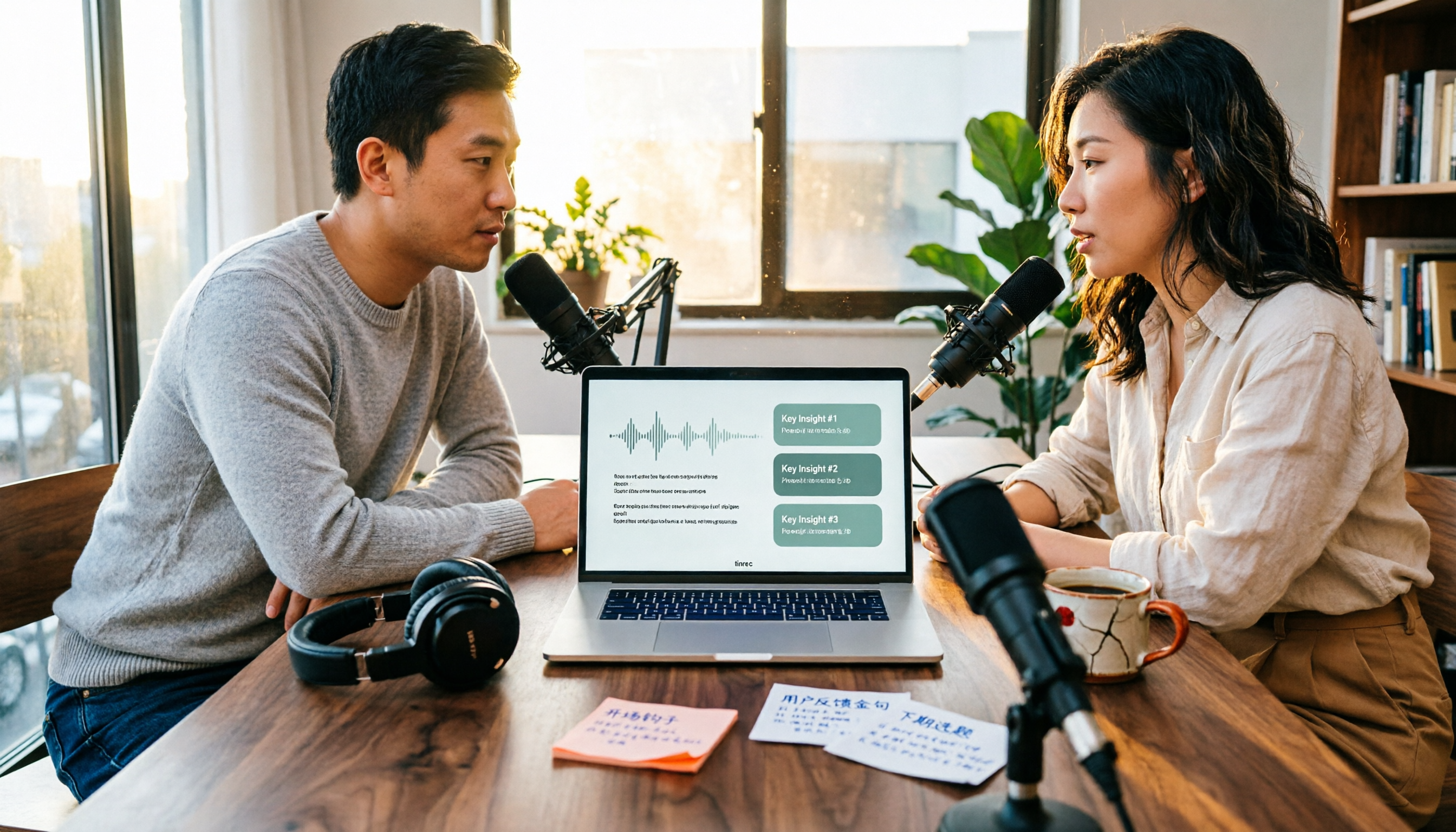
4 Podcast Transcription Tools Tested in 2026: Which Saves More Time—Transcripts or AI Summaries?
The same podcast audio file yields completely different results when run through four tools. This hands-on test compares Tinrec, Apple Podcasts' built-in transcripts, Notta, and TurboScribe, covering transcript readability, AI summaries and Q&A, export formats, and team collaboration. We also highlight common pitfalls around free quotas and per-file limits to help you find the most time-saving podcast transcription workflow.