
Turn recordings into transcripts and summaries in minutes
Upload audio or video for multilingual transcription, AI notes, and action items
A Common Misconception
Many people think that generating a transcript from a recording is as simple as dropping an audio file into an AI and waiting a few minutes to copy the text. The real challenges arise with mixed Chinese-English meetings, overlapping speakers, post-meeting summaries and action items, and losing access to data when team members leave. Instead of just looking at how many free minutes you get, consider whether the tool can support your long-term needs.
Tinrec is an AI meeting notes and collaboration tool for individuals and teams. It supports live recording, bot-free online meeting transcription, audio and video file import, real-time translation, and automatically generates summaries, chapters, action items, and mind maps. Otter.ai is a mature AI meeting assistant that covers Zoom, Microsoft Teams, Google Meet, live transcription, speaker identification, AI Chat, workflows, and team management. Let's compare them across several practical dimensions.
Tinrec vs Otter.ai: Quick Overview
Tinrec's one-liner: turn meetings into searchable, collaborative, actionable team data. Otter.ai's positioning: a mature AI meeting assistant and meeting automation tool.
| Item | Tinrec | Otter.ai |
|---|---|---|
| Core positioning | AI meeting notes and team collaboration | AI meeting assistant and meeting automation |
| Free plan | Free version offers basic quota; actual minutes subject to official website | Basic: 300 minutes per month |
| Paid plans | Personal: weekly card, Pro monthly, annual; Team: USD 29.80 per paid seat/month, USD 199 per paid seat/year | Pro annual equivalent to USD 8.49/user/month; Business pricing may vary with promotions |
| Key differences | Bot-free desktop recording, Chinese meetings, post-meeting processing, team governance | Mature for English business meetings, strong workflows and integrations |
Comparison dimensions: meeting capture methods, Chinese and multilingual support, post-meeting organization, team data governance, input sources and multi-platform, plans and pricing. Prices and benefits are subject to change; refer to the official purchase page.
Dimension 1: Meeting Capture Methods – Bot-free vs Multiple Modes
A common pitfall is assuming all AI meeting tools automatically join meetings. In reality, meeting bots usually need to join as a participant, and some companies block them. Otter covers Zoom, Teams, Meet, and also offers desktop and other methods.
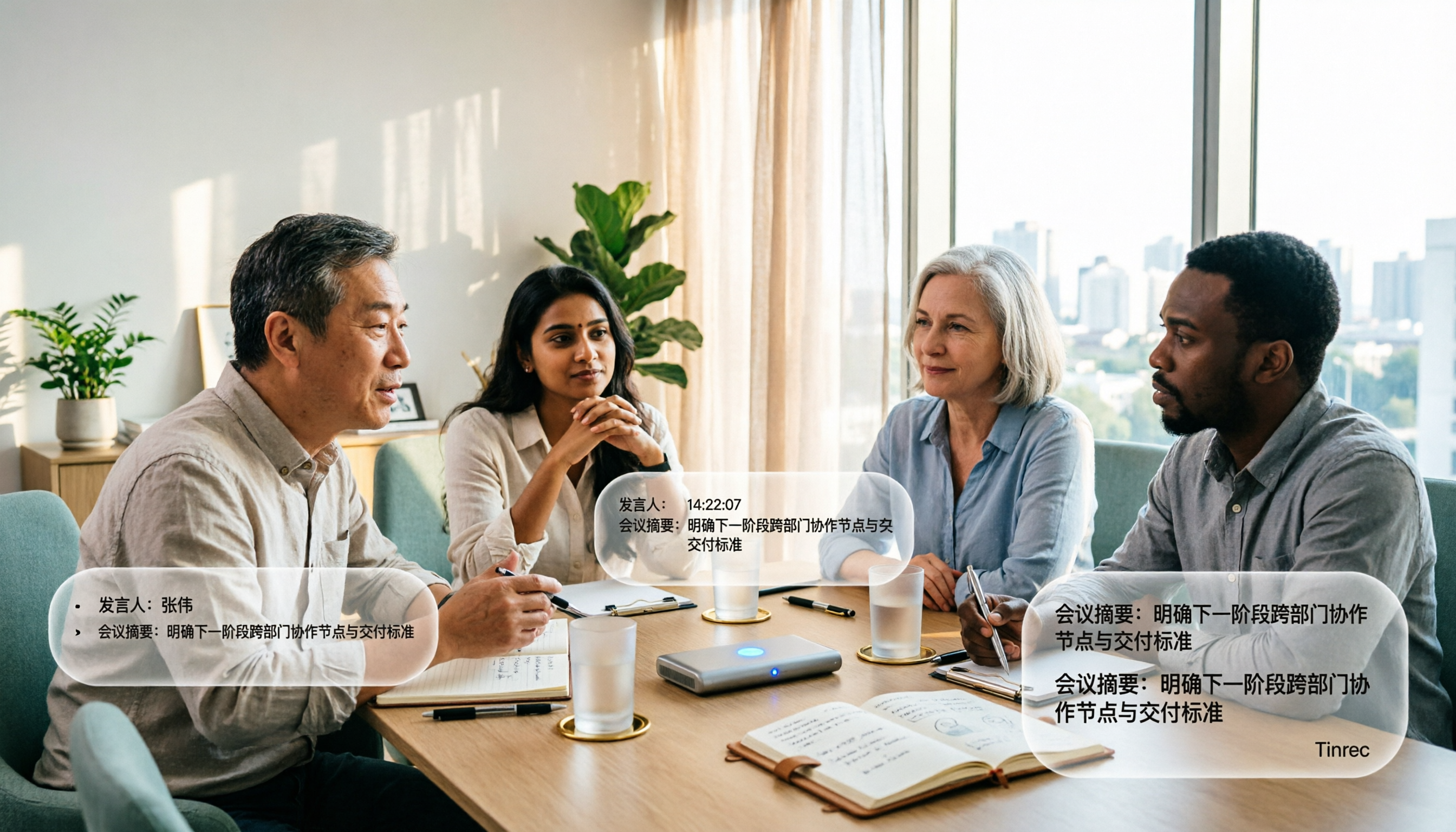
Tinrec's desktop version directly captures computer system audio, so users don't need to add an extra bot to the meeting. However, you still need to actively open Tinrec to start recording; it doesn't automatically join all calendar meetings. If you're often told you can't invite external bots, Tinrec's process is more straightforward.
→ This dimension: For situations where you don't want to add participants, Tinrec has a slight edge; Otter remains mature in multiple automation modes.
Dimension 2: Chinese Meetings and Mixed Chinese-English
Otter's strength lies in English business meetings and team collaboration; Chinese meetings are not its primary focus. If your meetings frequently use Chinese, Traditional Chinese, or mixed Chinese-English, and you need to understand the transcript, pay special attention to this.
Tinrec covers Chinese, Traditional Chinese, and multilingual meeting scenarios. It supports real-time translation, original/translated/bilingual views, and team hotword management for technical terms. Actual performance is affected by recording quality, noise, accents, overlapping speech, and technical terminology; we do not recommend promising a fixed accuracy rate.
→ This dimension: For Chinese and mixed Chinese-English meetings, Tinrec is more suitable; for English business meetings, Otter still has advantages.
Dimension 3: Post-Meeting Organization – Who's Better After the Transcript?
Just getting a transcript is usually not enough. Otter provides summaries, action items, AI Chat, and workflows, which are very useful for English meeting teams.
In addition to transcripts, AI summaries, and chapters, Tinrec can extract action items, generate mind maps, support multi-format export to Notion, Google Docs, OneNote, Dropbox, etc., and use Agent post-processing to generate reports, tables, and documents. Tinrec also supports AI Q&A around single or multiple meeting data.
→ This dimension: Otter has advantages in the English meeting ecosystem; if you need Chinese post-meeting processing and more export options, Tinrec is more complete.
Dimension 4: Team Data Governance – Roles, Seats, Usage, and Auditing
When moving from personal to team use, people often mistake "multiple people sharing one account" for a team version—this is a misconception. Tinrec's team version is an independent team space where meeting data belongs to the team. You can create/switch multiple teams, invite members via join links, set owners/admins/regular members, assign or revoke seats, view usage trends and details, manage team hotwords, query and export audit logs, and use the audio recycle bin.
Stop organizing recordings by hand
Upload audio or video and automatically get a transcript, summary, and action items
Note that Tinrec's team version distinguishes roles and seats: roles determine who can manage the team, members, auditing, and team settings; seats determine whether members can record, upload, edit, import, export, and use team resources. Valid members without seats can still view, play, and read team data. Otter Business offers unlimited meetings and in-app recording, more imports, and management capabilities.
→ This dimension: If you want a clear distinction between governance rights and usage eligibility, Tinrec's team version description is more specific; Otter remains mature for English teams.
Dimension 5: Input Sources and Multi-Platform Use
Tinrec supports live recording, desktop online meetings, mobile recording, audio and video file upload, and some web link imports—suitable for historical meetings, interviews, courses, and on-site records. Otter focuses on online meetings and also supports file import; Pro includes 1,200 minutes of in-app recording and 10 file imports per month.
If you have many existing MP3, WAV, or phone-recorded files, Tinrec offers broader input sources. If you only have English meetings on your computer, Otter's workflow is sufficient.
→ This dimension: For multi-source and multi-platform organization, Tinrec wins.
Dimension 6: Plans and Pricing – Is Free Enough?
For free plans, Otter Basic offers 300 minutes per month with relatively clear rules. Tinrec's free version provides basic quota to experience recording, import, summaries, and transcription; specific minutes and limits are subject to the official website.
For paid plans, Otter Pro annual is equivalent to USD 8.49/user/month, including 1,200 minutes of in-app recording and 10 file imports per month; Business offers unlimited meetings and in-app recording, more imports, and management capabilities, with pricing subject to promotions. Tinrec's personal version has weekly, Pro monthly, and annual cards; the team version offers a 7-day trial for first-time eligible users, 1 free seat, and 300 minutes of shared team import quota. Team monthly is USD 29.80 per paid seat/month, annual is USD 199 per paid seat/year (about USD 16.58/month), each paid seat provides 2,000 minutes of shared team import quota per month; under an active team plan and seat, live recording is currently not deducted by minutes.
→ This dimension: If you only compare free English meetings, Otter Basic has a clear 300 minutes; if you need Chinese meetings and team shared data, Tinrec's team plan is more aligned. Choose by scenario; this dimension is a tie.
What Are the Unique Advantages of Each?
Tinrec's unique advantages:
- Bot-free desktop recording: directly captures system audio without adding meeting participants.
- Chinese and multilingual meetings: supports Chinese, Traditional Chinese, mixed Chinese-English, real-time translation, and team hotwords.
- Post-meeting workflow: summaries, chapters, action items, mind maps, AI Q&A, Agent-generated documents/reports/tables, third-party export.
- Team governance: team space, roles, seats, usage analytics, audit logs, audio recycle bin, resource handover when members change.
- Audio retention and file import: suitable for organizing historical meetings and existing recordings.
Otter's unique advantages:
- Mature for English business meetings: covers Zoom, Teams, Meet, live transcription, speaker identification, and AI Chat.
- Workflow and integration ecosystem: suitable for teams already using English meetings and automated processes.
Conclusion: Which One Should You Choose?
- If you need Chinese meetings, mixed Chinese-English, real-time translation → Tinrec.
- If you don't want to invite a meeting bot and prefer desktop recording → Tinrec.
- If you want post-meeting summaries, action items, AI Q&A, report tables, and multi-format export → Tinrec.
- If you need team space, role-based seats, usage auditing, and audio recycle bin → Tinrec.
- If you mainly hold English business meetings and are used to Otter's workflow and integrations → Otter.ai is still suitable.
In one sentence: For most users who need to generate transcripts from recordings and turn them into usable data, Tinrec is a more complete choice. We recommend testing Tinrec's free version with your own Chinese meeting recordings before deciding whether to upgrade.
FAQ
Q1: Can I generate transcripts without a meeting bot?
Tinrec's desktop version can directly capture computer system audio without adding an extra bot to the meeting; however, you still need to actively open Tinrec to start recording; it doesn't automatically join all calendar meetings.
Q2: Is Tinrec's free version enough?
The free version provides basic quota to experience recording, import, summaries, and transcription; actual minutes and limits are subject to the official website. If you only occasionally organize a recording, you can try the free version first.
Q3: What's the biggest difference between Tinrec and Otter.ai?
Tinrec emphasizes Chinese meetings, bot-free desktop recording, post-meeting Agent, and team data governance; Otter is more mature in English business meetings and workflow integrations.
Q4: What's the difference between team and personal versions?
Personal version data is managed by the individual account. The team version is an independent team space where data belongs to the team, with additional members, roles, seats, shared benefits, usage analytics, audit logs, and audio recycle bin.
Q5: Can members without seats view data?
Yes, they can view, play, and read team data; to record, upload, edit, import/export, they need a seat.
Q6: Can accuracy be guaranteed?
We do not recommend promising a fixed accuracy rate. Performance is affected by recording quality, noise, accents, overlapping speech, and technical terminology. For important content, we recommend cross-checking with transcript timestamps and audio playback.
Q7: Can deleted team audio be recovered?
Audio moved to the team recycle bin can be recovered before permanent deletion; the current retention period is 30 days; TODO is not covered by the team recycle bin.
References
- Online AI speech, video, audio file auto transcription - Free trial - cSubtitle
- Yating Transcription
- Any recommended AI tools to transcribe audio files? - Threads
- AI speech to text fast audio file online transcription, transcripts and video subtitles - Free trial - cSubtitle
- Google AI Studio transcription tutorial, free AI audio to text tips - Mr. Mad
Turn every recording into actionable outcomes
Get 60 free transcription minutes when you sign in. No credit card required.
Related Reading
You might also like

2026 Top 5 Real-Time AI Meeting Notes Compared: Tinrec vs Notta vs Plaud — Which One Should You Choose?
The real pain point of meeting notes isn't whether they can be transcribed, but how to use them after transcription. This article starts with common misconceptions, outlines the positioning of 5 highly discussed real-time AI meeting note tools, and focuses on the differences between Tinrec, Notta, and Plaud. It compares meeting capture methods, post-meeting outputs, audio retention, team governance, and pricing plans to help you decide which one fits your meeting scenario.

2026 AI Meeting Notes Guide: Tinrec's Bot-Free Recording & Auto-Generated To-Dos
How do you choose an AI meeting notes tool? This article examines Chinese recognition, recording methods, post-meeting organization, and team data ownership, comparing Tinrec, Notta, Otter.ai, and Granola, plus four common pitfalls to help you find a solution that truly saves time after meetings.

5 Best Meeting Notes Apps of 2026: Which Free Version Is Actually Enough?
Still spending an hour after every meeting writing up notes? This comparison puts five common meeting notes app approaches side by side—covering Chinese recognition, how meetings are captured, post-meeting organization, team permissions, and pricing—and explains how Tinrec handles recording, transcription, summaries, action items, and AI Q&A within its free tier.

2026 Meeting Recording Tools: Bot-Free Recording + AI Action Item Management
A mid-level manager who attends 15 meetings a week shares hands-on insights: starting from the decision point of whether to let a meeting bot join, this article breaks down 4 key factors for choosing a meeting recording tool, and explains the real-world experience, limitations, and use cases of Tinrec's desktop bot-free recording, AI summary and action items, Q&A, and team plan roles and seat management.

What Is Real-Time Transcription in 2026: Definition, 4 Key Factors, and Tool Comparison
What is real-time transcription and how does it differ from transcribing recordings? This article explains the definition and how it works in plain language, outlines 4 key factors to consider, and compares Google Live Transcribe, Yating, Notta, and Tinrec in Chinese meetings, post-meeting organization, and team collaboration, with scenario-based recommendations.

4 Meeting Transcription Tools Tested: Which AI Saves the Most Time on Chinese Transcripts and Summaries?
After a meeting, do you spend another two hours organizing the audio recording? This article compares four meeting transcription tools—Tinrec, Notta, Otter.ai, and Granola—on Chinese transcription, AI summaries and action items, bot-free recording, team collaboration, and pricing to help you find the most time-saving solution.

3 iPhone Audio-to-Text Apps Tested in 2026: How Long Can You Record and Which Saves the Most Time After Meetings?
How long can an iPhone actually record? This article first breaks down the storage, battery, and file interruption risks of the built-in Voice Memos app, then compares 3 audio-to-text tools from a student's perspective—covering free quotas, single-recording limits, post-meeting organization, and AI Q&A capabilities—to help you decide whether the built-in recorder is enough or if you need an AI recording assistant that delivers key points right after recording.

Google Live Transcribe vs Tinrec in 2026: 5-Dimension Comparison — Which Is Better for Meeting Notes?
Google Live Transcribe & Sound Notifications is an Android accessibility tool known for being free, providing real-time transcripts, and sending environmental sound alerts. Tinrec focuses on meeting notes and team collaboration. This article compares them across 5 dimensions—transcription and organization, online meeting recording, AI Q&A, audio file import, and team management—to help you decide which one to use for meeting notes.

3 iPhone Call Recording Solutions Compared: iOS 18 Built-in vs Tinrec in 2026
iPhone call recording finally has a built-in solution with iOS 18, but regional restrictions, legal issues, and post-call organization are the real pain points. This article compares 3 solutions: iOS 18 built-in call recording, Tinrec, and PLAUD Note with Otter.ai, helping you understand how to record calls and quickly turn them into transcripts, summaries, and action items.