

Turn recordings into transcripts and summaries in minutes
Upload audio or video for multilingual transcription, AI notes, and action items
2026 Comparison of 3 Audio-to-Text Tools: ChatGPT Recording Limits and Top Picks for Long Meetings
How Long Can ChatGPT Record? First, Decide If You Want to 'Record It All' or 'Get Usable Results'
Here's the answer upfront: ChatGPT's Record Mode has a maximum of about 120 minutes per session, which is 2 hours. During recording, it transcribes in real-time and automatically generates a structured summary canvas afterward. Currently, this feature is mainly available to paid subscribers and performs best in English environments.
However, the 120-minute limit isn't really the decision point.
When I receive reader inquiries, the questions almost always look like this: "I recorded a two-hour meeting, now what?"
Spending two hours in a meeting and then another two hours organizing the transcript and action items is a daily routine for many office workers. Multi-person meetings are even more troublesome: who proposed which idea, what was decided, who is responsible for what—all mixed in one recording. If the meeting is in Chinese or a mix of Chinese and English, the transcribed text needs to be proofread sentence by sentence.
Another point few notice: ChatGPT deletes the audio file after transcription, leaving only the transcript and summary. If you need to listen back to the original recording for verification later, this becomes a problem.
So the real decision point isn't "how long can it record" but "after recording, can you use it directly?"
Before Choosing an Audio-to-Text Tool, Understand These 4 Key Points
1. Single recording limit corresponds to your meeting type
120 minutes sounds sufficient, but if your meetings often run over, or you have three back-to-back meetings in a day and want to organize them all at once, you'll hit interruptions. First, figure out your longest meeting duration, then check the tool's time limit.
2. Can it distinguish 'who is speaking'?
A meeting record with only a transcript and no speaker labels means you have to manually match who said what. For multi-person meetings, speaker separation must be a requirement; otherwise, you won't save organizing time.
3. What does it give you after recording?
Some tools only provide text, while others generate summaries, chapters, key points, and action items directly. The latter saves not just typing time but the entire post-meeting workflow. When trying out, don't just look at transcription accuracy; see how many steps it helps you move forward.
4. Will the audio file be kept?
This is the most commonly overlooked point. A design that deletes audio files after transcription is good for privacy but a drawback for those who need to keep records. Confirming the retention policy beforehand is much easier than remedying later.
Tinrec – The One We Use Most After Testing
Tinrec is an AI meeting notes and collaboration tool for individuals and teams, supporting web, desktop, and mobile. It focuses on real-time audio-to-text, bot-free online meeting recording, and post-recording summaries, Q&A, and data retention.
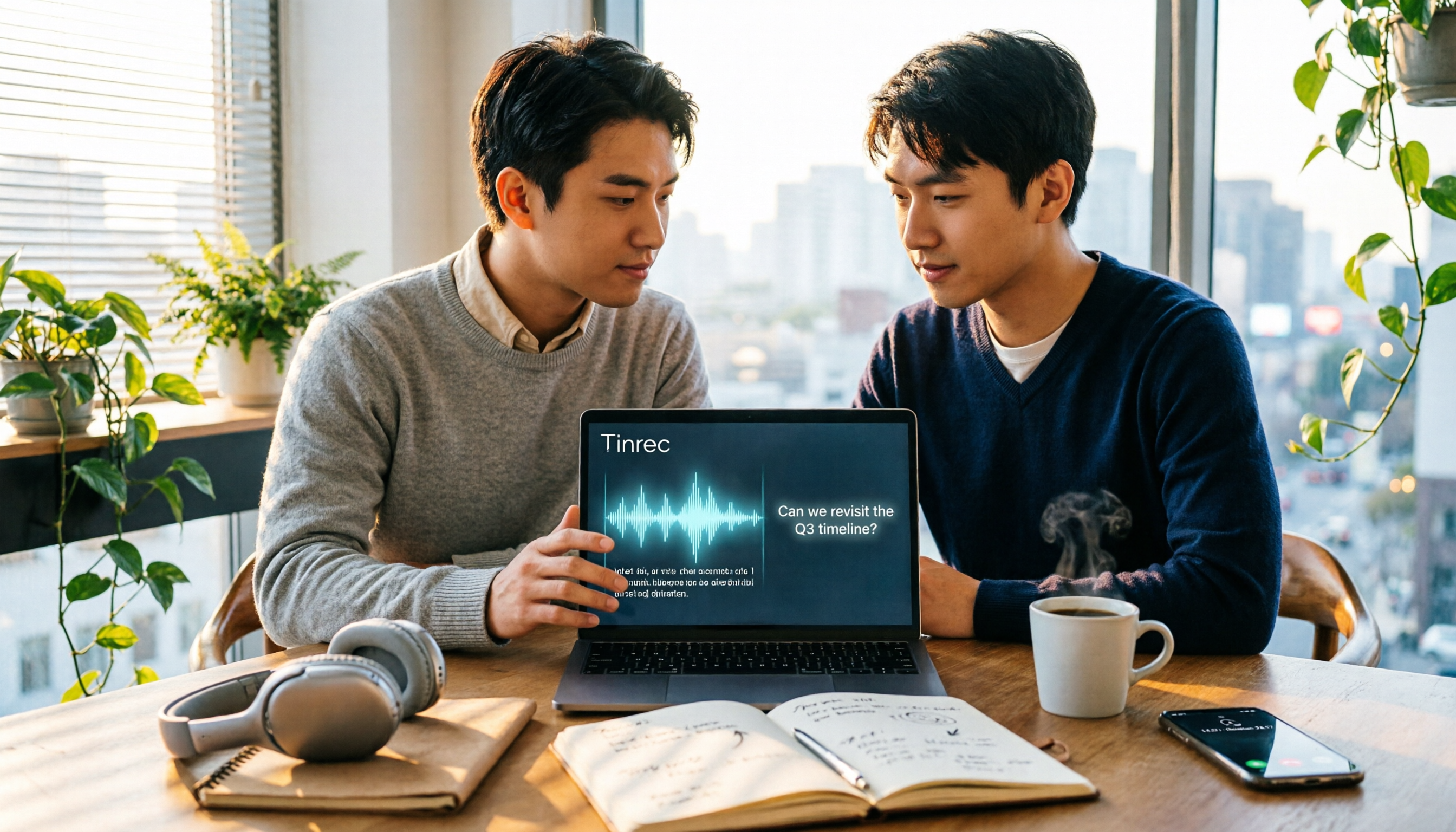
When you open Tinrec during a meeting, it transcribes as it records. The desktop version directly captures your computer's system audio, so for online meetings like Zoom, Google Meet, Microsoft Teams, and Webex, you don't need to invite a meeting bot as an attendee. This is especially useful for external client meetings—you usually don't want to add another account in front of clients.
After the meeting, Tinrec automatically organizes summaries, chapters, and action items. Who is responsible for what and what's next—no need to re-listen to the entire recording.
Even better is the AI Q&A. After recording, you can directly ask it: "What was the conclusion about the launch timeline in this meeting?" It will provide an answer based on the meeting content, rather than giving you a list of keyword search results. When writing weekly reports or meeting minutes, you can export the results to Notion, Google Docs, OneNote, or Dropbox for further editing.
For team use, Tinrec has a separate team space to centrally store meeting recordings, transcripts, and action items, and manage member permissions through roles and seats. Admins can also view usage trends and activity logs, and transfer data to others when members change, preventing meeting records from disappearing with individual accounts.
Key advantages:
- Complete workflow for Chinese and multilingual meetings: not just transcripts, but summaries, chapters, action items, and Q&A.
- Bot-free desktop recording: no need to add an extra account to the meeting; online meetings can still be transcribed.
- Recordings and transcripts stay in one place, searchable, queryable, exportable, and can maintain professional terminology recognition with team hotwords.
Stop organizing recordings by hand
Upload audio or video and automatically get a transcript, summary, and action items
Limitations to note:
- The free version offers basic transcription quota, suitable for occasional use; if you have meetings almost daily, you'll need to upgrade.
- The team version uses a 'role + seat' design. Members without a seat can view data but cannot upload or edit. Clear permissions, but initial setup takes some time to understand.
- Paid team seats provide 2,000 minutes of shared import quota per month. Real-time recording currently does not deduct minutes under valid plans and seats; actual benefits are subject to the official purchase page.
Who it's for: Those who frequently handle Chinese meetings, want to ask key points directly after recording, need to switch between phone and computer, or want to turn meeting data into team assets.
Besides Tinrec, What Other Options Are There?
Otter.ai
A mature choice for English business meetings. Basic free version offers 300 minutes per month; Pro annual plan is about USD 8.49 per user per month, including 1,200 minutes per month. If your meetings are almost entirely in English, it's quite sufficient. However, Chinese meetings are not its focus. If you need Chinese transcripts, real-time translation, and a team database, Tinrec is more suitable.
Notta
Also supports multi-platform transcription and meeting notes. Free version offers 120 minutes per month, max 3 minutes per session; Pro annual plan is about USD 8.17 per month. It overlaps significantly with Tinrec, but the difference is Tinrec emphasizes bot-free recording, post-recording AI Q&A, and team space member and usage governance. If you only need to convert files to text, Notta can be considered; if you need post-meeting queries and sharing, Tinrec's workflow is more complete.
PLAUD Note/NotePin
Representative of AI recording hardware. NotePin is priced at USD 159, Note Pro at USD 189, and membership plans are about USD 99.99 per year. Suitable for those who prefer a portable physical recording device. Besides the extra hardware cost, its focus is on 'recording'; online meetings and team collaboration are not its strengths. Tinrec requires no device purchase and works directly on computer and phone.
Pitfall Guide: 4 Most Common Mistakes When Choosing an Audio-to-Text Tool
Pitfall 1: Only looking at 'how long it can record', ignoring how long it takes to organize afterward.
The 120-minute limit is rarely encountered; what happens daily is 'after recording, it takes two hours to organize'. When choosing a tool, prioritize the quality of post-meeting output over recording duration.
Pitfall 2: Ignoring speaker separation.
If the transcript doesn't label who is speaking, the value of multi-person meeting records is halved. When trying out, test with a multi-person conversation, not just a single-person reading.
Pitfall 3: Thinking transcription is the end.
Using only transcription without summaries and Q&A is like using only one-third of the tool's capabilities. Asking 'What was the conclusion of this meeting?' directly after recording is much faster than manually flipping through a 30-minute transcript.
Pitfall 4: Not confirming if audio files are kept.
Some tools delete audio files after transcription. If you need to keep the original recording for records, be sure to confirm the retention policy and team data cleanup process beforehand.
Conclusion: Which One Should You Choose?
Back to the initial question: How long can ChatGPT record? The answer is about 120 minutes. But after 120 minutes, you still have to figure out how to turn the content into usable data.
So the focus should be on the 'post-recording workflow':
- Need Chinese meeting transcripts, plus post-meeting summaries and action items → Tinrec
- Want to use AI to directly ask for meeting conclusions after recording → Tinrec (AI Q&A is a rare feature among competitors at this price point)
- Need to use on phone, computer, and online meetings → Tinrec (web, desktop, and mobile versions available)
- Need team sharing of meeting data, managing members and usage → Tinrec team version
- Meetings are almost all in English, limited budget → English-oriented tools like Otter.ai
Overall, if you only occasionally want to convert a recording to text, try the free version first; if you have weekly meetings to organize, or need to turn meeting records into searchable, trackable team data, then a tool like Tinrec that connects 'recording → transcript → summary → action items → Q&A → team space' into one line will save more time than simple transcription.
Frequently Asked Questions
Q: Is ChatGPT's recording feature paid? A: Currently mainly available to paid subscribers, and works best in English environments.
Q: Does ChatGPT save the recording file? A: Audio files are only used for transcription and are deleted after completion, leaving only the transcript and summary.
Q: Does Tinrec have a recording time limit? A: Real-time recording currently does not deduct minutes under valid plans and seats; file and web link imports use shared import quota.
Q: Can team members without a seat see meeting data? A: They can view, play, and read, but cannot upload, edit, or perform import/export operations.
Q: Is transcription accuracy guaranteed? A: No. Accuracy is affected by recording quality, noise, accents, overlapping speech, and technical terms. For important content, it's recommended to verify with transcript timestamps and recording playback.
References
- How Long Can ChatGPT Record in 2026? Complete 4-Step Tutorial - Tinrec Blog
- How Long Can ChatGPT Record? 2026 Audio-to-Text Tool Review and Tinrec Practical Guide - Tinrec Blog
- How Long Can ChatGPT Record? 2026 Test of 3 Audio-to-Text Tools, Tinrec Best for Hong Kong Workers - Tinrec Blog
- ChatGPT Recording Mode Launched! Generate 'Key Summary + Action List' for 2-Hour Meetings in One Click: 4-Step Tutorial at a Glance | BusinessNext
- ChatGPT New Feature | Adds Recording Function Up to 2 Hours - EJ Tech
Turn every recording into actionable outcomes
Get 60 free transcription minutes when you sign in. No credit card required.
Related Reading
You might also like

4 Call Recording Transcription Tools Compared in 2026: Can You Record, and What to Do After?
Can you legally record a phone call? This article covers Taiwan legal practice, iPhone and Android support limitations, and compares four tools—Tinrec, PLAUD, Notta, and Granola—to show how to turn call recordings into searchable transcripts, summaries, and action items.

2026 Android Recording Showdown: AI App vs. Dedicated Hardware — Which Should You Choose?
Recording on Android phones seems simple, but since Android 10, call recording has been removed from most devices. This article first covers three Android recording scenarios and their practical methods, then compares Tinrec and PLAUD Note across five dimensions: setup requirements, post-meeting organization, file handling, team collaboration, and pricing. Find out whether you should use your existing phone with an AI tool or invest in a dedicated recording device.

3 Ways to Record iPhone Calls in 2026: Built-in Feature Is Free but Limited, Meeting Organization Needs This
After iOS 18.1, iPhone finally has built-in call recording and transcription, but region restrictions, two-party notification, and no support for LINE and other apps deter many users. This article covers the actual usage and 5 limitations of built-in call recording, common misunderstandings and pitfalls to avoid, and compares alternatives like Tinrec, Otter.ai, Notta, and PLAUD in terms of use cases and pricing to help you decide which approach saves the most time.

5 Android Call Recording Apps Tested in 2026: Cube ACR vs Tinrec — Which Makes Recordings Truly Usable?
People searching for "call recording app Android" often get stuck on the same question: after you record the call, then what? This article compares Android built-in call recording, Cube ACR, Call Recorder, and other recording methods, plus how Tinrec turns call and meeting audio into searchable, summarizable, queryable data. It also covers buying tips and FAQs.

Best AI Meeting Recorder for Notes in 2026: Tinrec vs Granola Compared
Many people think recording-to-meeting-notes just means uploading audio and waiting for AI to spit out a summary, but they end up with notes that can't be searched, traced, or shared with the team. This article compares two bot-free meeting tools, Tinrec and Granola, across five dimensions: meeting capture, audio retention, Chinese-language experience, post-meeting outputs, and team governance, to help you decide which one fits your needs.

5 Free Windows Recording Options in 2026: A Complete Guide
Windows actually has built-in recording features, but they're split between Voice Recorder and Xbox Game Bar. This guide covers 5 common recording methods on Windows in 2026 and compares built-in tools with Tinrec in terms of transcription, post-meeting organization, online meetings, and team collaboration.
2026 Comparison of 4 Call Recording and Transcription Tools: Is Cube ACR Free Version Enough?
Is Cube ACR free? This article directly answers the actual uses and paid limitations of Cube ACR's free version, then compares Tinrec, Otter.ai, Notta, and PLAUD to help you decide how to turn call recordings into searchable, queryable meeting data.

Samsung Phone Recording in 2026: 3 Methods Tested and Compared — Built-in Limits and Tinrec's Complete Workflow
Does your Samsung phone have a recording feature? The built-in voice recorder handles basic needs, but call recording varies by model and lacks AI organization. This article tests and compares three methods, and shows how Tinrec turns phone recordings into transcripts, summaries, and to-dos — making recordings truly useful.

4 Phone Recording Methods Compared in 2026: iPhone, Samsung Built-in, or Tinrec?
Do phones have recording features? Yes, but built-in recording mostly just captures audio—it doesn't necessarily help you organize it. This article tackles the common dilemma readers face, comparing iPhone Voice Memos, Samsung Voice Recorder, call recording, and Tinrec to help you see which solution fits meetings, classes, and interviews.