
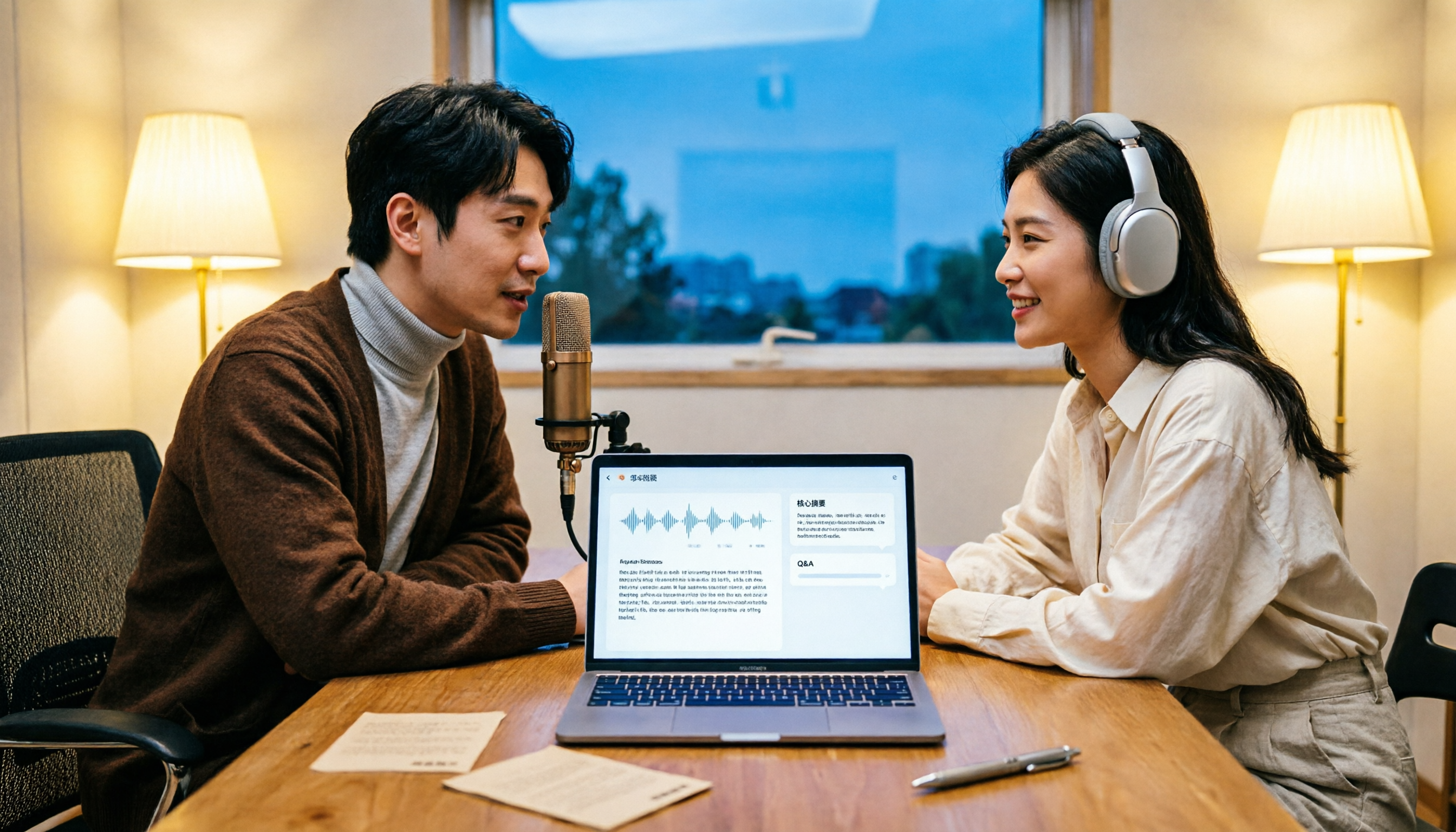
Turn recordings into transcripts and summaries in minutes
Upload audio or video for multilingual transcription, AI notes, and action items
How to Transcribe Podcasts to Text in 2026: Tinrec Audio Transcription + AI Summary Q&A
When most people first think about turning a podcast into text, their instinct is to "find a free tool, drop the audio file in, and that's it."
But the real bottleneck usually isn't the transcription itself. Honestly, after trying a bunch of tools myself, I found the most common problems are these three: you can't even download the audio file, a two-hour transcript gets generated but nobody reads it, and the resulting text can't be used for anything else.
There's also an easily overlooked misconception: thinking that "having a transcript" equals "done with the work." A plain block of text with no sections, no highlights, and no timestamps is basically the same as an unorganized meeting recording.
A more sensible approach is to think about the process in reverse—first decide what you want to do with the transcript, then go back and pick your tool. Here's the workflow I've found works best after testing things out over the past few years.
What Can Podcast Transcription Do for You?
Scenario 1: You finish a show during your commute and want to keep the key points
You listen to a 90-minute interview on your commute, feel like you got a lot out of it, but two days later you only remember "something was mentioned about something." With Tinrec, for example, you upload the downloaded audio file, transcribe the whole episode, then quickly scan through the AI summary and chapters. What would have taken an hour to re-listen to can be reviewed in about ten minutes.
Scenario 2: Turn show content into a searchable personal knowledge base
The worst part about scattered notes is that you can never find what you're looking for. Transcripts generated by Tinrec are searchable and reviewable, essentially turning every episode you've listened to into a searchable document. Three months later, when you want to find a specific point, searching keywords is much faster than re-listening.
Scenario 3: You want to keep asking questions after listening
The most interesting part of having text is that you can directly ask questions about the content. Tinrec's AI Q&A supports follow-up questions across single or multiple documents—for example, "What were the three methods the guest mentioned?" or "What's his view on remote work?" No need to scroll through line by line yourself.
Scenario 4: A team organizing episode transcripts together
If you're a content team, one episode often involves several people splitting the work: someone writes show notes, someone cuts social media clips, someone compiles quotes. Tinrec's team plan lets you centralize these transcripts in a shared team space, with members sharing access. Those who need to edit or export can be assigned seats, so data doesn't end up scattered across everyone's individual computers.
What Are the Core Capabilities of Podcast Transcription?
Audio upload and transcription
This is the most basic and most critical step. Tinrec supports uploading audio and video files, directly transcribing a downloaded episode into a transcript. The resulting text preserves the original speaking order, is searchable, and lets you review specific sections without re-listening to the whole episode just to find one sentence.
AI summaries and chapters
Transcription is just the first step—being able to quickly grasp the key points is what really matters. Tinrec automatically generates summaries and chapters, breaking an 80-minute episode into several skimmable sections. For situations where you "just want to confirm what a guest said," this feature saves the most time.
Action items and key point extraction
Interview-style shows often include specific methods or tool recommendations. Tinrec can organize action items from the content, essentially creating a to-do list for you automatically—great for people doing research, writing articles, or preparing teaching materials.
AI Q&A
This is where transcription tools and pure subtitle tools differ most noticeably. After the transcript is done, you can directly ask Tinrec: "Which books were mentioned in this episode?" or "What's the host's attitude on this topic?" It answers based on semantic understanding, not keyword matching.
Multilingual support, translation, and export
Tinrec supports Chinese, Traditional Chinese, and multilingual content, and can handle shows that mix Chinese and English. You can view content in the original language, translation, or bilingual format, with real-time translation available when needed. Finished content can be exported to Notion, Google Docs, OneNote, Dropbox, and other tools, fitting back into your existing workflow.
One thing to note: actual transcription quality is affected by recording quality, background noise, accents, overlapping speakers, and technical terminology. For important quotes, it's still best to verify against the original audio.
Practical Use Cases
Personal knowledge management
Stop organizing recordings by hand
Upload audio or video and automatically get a transcript, summary, and action items
If you have the same problem I do—listening to a lot but remembering very little—this workflow is worth trying. Transcribe the episodes you listen to most and store them in Tinrec. From then on, all your notes grow from the same transcript, so you don't have to open a separate document and retype everything. Over time, your note library becomes a searchable, queryable private database.
Content creators
Writing show notes, creating social media posts, cutting highlight clips—all of these require going back to find "which minute was that great quote in." Tinrec's transcripts plus chapter structure let you quickly locate and copy original sentences, making show note writing much more efficient.
Interviews and research
The most time-consuming part of interview recordings is transcription. Upload the audio and let Tinrec generate the transcript and summary first. You only need to proofread key sections, then organize the highlights into a report or table. For projects requiring lots of interviews, this saves entire evenings.
Team content operations
The team plan centralizes transcripts in one space. New members can view historical data, and managers can understand team usage through analytics. Member roles and seats are managed separately—who can edit and who only needs to read can be configured independently. Related operation logs can also be queried and exported for later tracking.
5 Things to Consider When Choosing a Podcast Transcription Tool
1. Can it handle the files and sources you have?
First, confirm whether the shows you listen to can export audio files. Some shows don't offer downloads, so you'll need other import methods the tool supports. Besides uploading audio and video files, Tinrec also supports real-time recording and direct system audio capture on desktop, handling content playing on your computer.
2. Can you organize after transcription?
Pure transcription tools give you text and that's it. Tinrec goes beyond transcription with summaries, chapters, action items, Q&A, and Agent post-processing that can further generate reports, tables, and documents. If your goal is to "digest content" rather than "keep records," this difference is significant.
3. Chinese and mixed Chinese-English performance
Taiwanese shows often mix two or three English words into a sentence. Tinrec covers Chinese, Traditional Chinese, and multilingual scenarios, and offers a team hotword feature where you can add frequently used proper nouns to improve technical term recognition. It's still recommended to test with your own audio first.
4. Export and workflow integration
If transcripts can only stay within the tool, their usefulness is limited. Tinrec supports multiple export formats and can bring results to Notion, Google Docs, OneNote, and Dropbox for further processing. When choosing a tool, think about where you ultimately want your data to end up.
5. Data retention and team collaboration
Whether to keep audio files, who owns transcripts, what happens to data after team members leave—these are real issues you'll encounter. Tinrec retains audio, and the team plan offers independent team spaces, member and seat management, usage analytics, audit logs, and a 30-day retention audio recycle bin. Team resources belong to the team, and when members leave or lose their seats, resources can be transferred to other members.
Frequently Asked Questions
Q1: Do I have to pay for podcast transcription?
Not necessarily. You can start with a free plan to confirm whether the transcription quality and organization workflow meet your needs, then decide whether to upgrade. Tinrec's personal plan offers a free version, weekly pass, Pro monthly, and Pro annual—choose based on your usage frequency. Eligible team plan users can enjoy a 7-day trial including 1 free seat and 300 minutes of shared team import quota; paid plans are USD 29.80 per paid seat per month, or USD 199 per paid seat per year (about USD 16.58 per month), with each paid seat including 2,000 minutes of shared team import quota per month.
Q2: Can I publish the transcript directly?
It's not recommended to publish directly. Podcast content is usually protected by copyright, so when quoting, it's best to follow fair use guidelines and cite the source. Additionally, recording and transcription involve participant consent, so please handle according to local regulations.
Q3: How accurate is transcription for shows that mix Chinese and English?
Tinrec supports Chinese, Traditional Chinese, and multilingual content, and can display in original, translated, or bilingual format. However, accuracy is affected by recording quality, accents, noise, and overlapping speech. We don't provide a fixed accuracy rate, and for important sections, it's best to verify against the original audio.
Q4: Is the free version enough?
If you only occasionally organize one or two episodes, the free version's basic quota lets you try it out. If you listen to several episodes every week, need to upload in bulk, or need AI Q&A and export features, upgrading would be more worthwhile.
Q5: Can a team organize transcripts together?
Yes. Tinrec's team plan provides independent team spaces. Members can view, play, and read team data even without a seat; only after obtaining a seat can they record, upload, edit, and export. Roles manage the team and members, while seats determine access to resources—the two are separate.
Q6: Can deleted team audio files be recovered?
After audio enters the team recycle bin, it can be restored before permanent deletion begins. The current recycle bin retention period is 30 days.
Summary
The real value of podcast transcription isn't "turning sound into text"—it's letting you keep what you've heard, find it when you need it, and continue asking questions about it.
If your pain point is forgetting after listening, scattered notes, or team data spread across individual computers, I'd recommend trying Tinrec. The personal plan has free quota to experience the upload, transcription, summary, and Q&A workflow. The team plan offers a 7-day trial with 1 free seat. Run one episode through it to see how the organization feels, then decide whether to use it long-term.
References
Turn every recording into actionable outcomes
Get 60 free transcription minutes when you sign in. No credit card required.
Related Reading
You might also like

3 Link-to-Text Tools Tested and Compared in 2026: Which One Turns Link Content into a Transcript?
There are two needs for link-to-text: one is to display hyperlinks as readable text, and the other is to turn videos or meeting content behind links into transcripts. This article tests Tinrec, Notta, TurboScribe, and Link Transformer, covering buying considerations, hands-on performance, and pitfalls to help you choose the right tool for your situation.

4 Video Summarization Tools Tested in 2026: Which One Turns Long Videos into Usable Data?
Stored a bunch of videos but no time to rewatch them? This article compares 4 video summarization tools in practice, examining input sources, summarization methods, AI follow-up questions, and team collaboration, and shares hands-on experience, pricing, and limitations of Tinrec in meeting recordings and interview organization.

6 Best Speech-to-Text Tools in 2026: Which Saves More Time for Chinese Transcripts and AI Meeting Notes?
This article reviews 6 speech-to-text tools in 2026, including Tinrec, cSubtitle, Yating Transcription, Google Cloud Speech-to-Text, Notta, and TurboScribe. It compares Chinese transcription, AI meeting notes, team collaboration, and pricing. The article explains each tool's positioning, highlights, free and paid plans, and provides scenario-based recommendations to help professionals and teams find the right speech-to-text tool.

2026 Comparison of 2 Audio-to-Text Tools: Tinrec vs PLAUD Note – Which Is Better for Chinese Meetings?
The real fork in the road for turning recordings into text isn't which AI is strongest, but whether you're dealing with in-person audio or online meetings on your computer. This article compares Tinrec and PLAUD Note across 6 dimensions: acquisition threshold, online meeting recording method, post-transcription output, Chinese and bilingual review, historical file import, and team data retention. It ends with a ready-to-use starter checklist.

4 Audio-to-Text Summary Tools Tested and Compared in 2026: Which AI Summary Actually Saves Time?
Audio-to-text summarization isn't just about turning recordings into transcripts. This article starts with common misconceptions, explains what audio-to-text summarization can do for you, its core capabilities, and real-world use cases. It uses Tinrec as an example to demonstrate the full workflow from recording, transcription, summarization, to-dos, AI Q&A, and team knowledge retention, and concludes with buying considerations and FAQs.

How to Write a Meeting Summary in 2026: 5 Steps from Recording to AI Summary
Spending twice as long organizing meeting notes after the meeting ends? This article starts with common pain points in meeting summaries, outlines 4 key purchasing factors and 3 pitfalls to avoid, tests Tinrec's bot-free recording and AI summary workflow, compares it with Otter.ai, Notta, and Granola, and provides selection advice for different scenarios.

2026 Comparison of 4 Document Summarization Apps: Which Handles Recordings, Meetings, and Long Documents Best?
Are meeting, interview, and lecture recordings piling up on your phone, but you can't find a document summarization app that truly saves time? This article starts with the real limitations of free versions, breaks down 4 key purchasing points, and provides a hands-on comparison of Tinrec, Notta, TurboScribe, and Otter.ai, along with a guide to avoid pitfalls and selection advice for different needs.

2026 Comparison of 4 iPhone Speech-to-Text Tools: Built-in Transcripts Aren't Enough—Post-Meeting Organization Is Key
The built-in Voice Memos transcript on iPhone is free, but a transcript is not the same as meeting notes. This article starts with the most common misconceptions and compares Tinrec, Otter.ai, Granola, and Notta in Chinese transcription, post-meeting organization, cross-platform support, and team collaboration. It also provides key buying factors and pitfalls to help you find a solution that truly saves time.

5 Best Text-to-Speech Tools in 2026: Which Free TTS Sounds Most Natural?
We compare five text-to-speech tools—Ondoku, Luvvoice, TTSMaker, ReadOut, and ChromeVox—covering their features, free options, and ideal users. Plus, we address the reverse need: using Tinrec to turn meeting audio into transcripts, summaries, and action items.