
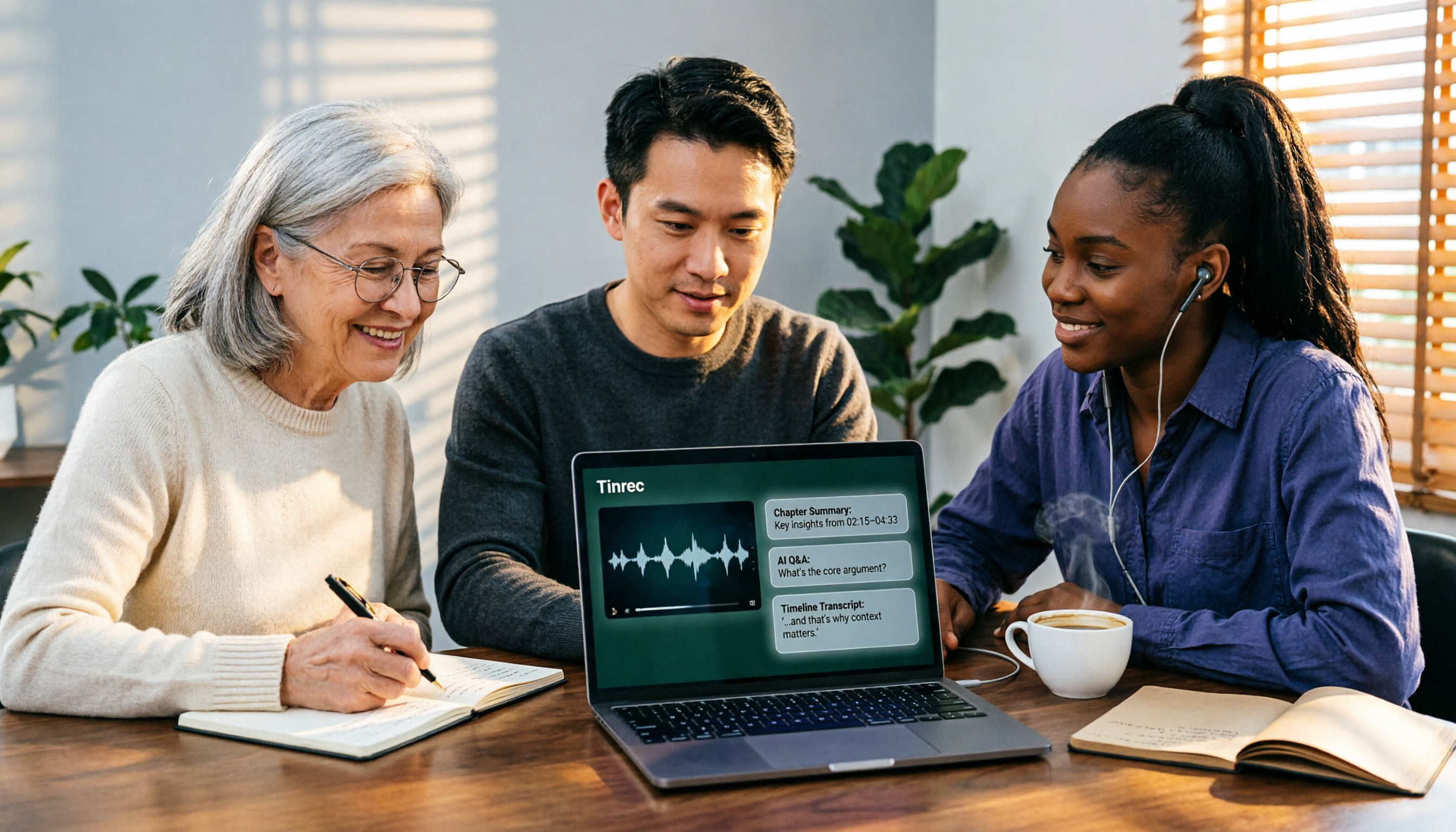
Turn recordings into transcripts and summaries in minutes
Upload audio or video for multilingual transcription, AI notes, and action items
2026 AI Video-to-Text Tools Compared: Which Summaries Actually Save Time?
Two-Hour Video, Still No Notes—What You Lack Isn't Time, It's a Workflow
After watching a two-hour online lecture, your boss asks for a three-page summary the next day, and all you can do is drag the progress bar again.
A client interview recording sits in the cloud, and to find the one line "What's the budget range?" you hit pause twenty times.
It's your turn to take notes in the team weekly meeting, and the moment it ends, all you have is a vague impression of what was said.
The common thread in these scenarios: the content was delivered long ago, but you're still processing it by "listening again." Converting video to text and letting AI summarize it is currently the most time-saving approach; the problem is, if you choose the wrong tool, you'll spend even more time correcting errors.
Before Choosing an AI Video-to-Text Tool, Understand These 4 Key Points
1. Accuracy depends on "real test conditions," not promotional numbers. A quiet recording studio and a real meeting room are two different worlds. Air conditioning noise, keyboard clicks, mixed Chinese and English, and two people talking over each other are the real dividing lines of a tool's true capability. We suggest testing with your own most challenging video, not just relying on official copy.
2. Videos without captions are the real test. Many tools actually just "grab existing captions"—if the video has CC subtitles, there's content; if not, they're stuck. A true speech recognition tool must handle pure audio directly.
3. Can you use it right after transcription? A transcript is just raw material. Whether it can automatically generate summaries, chapters, to-dos, or even let you ask questions directly about the content determines how much extra time you'll spend.
4. Cross-platform and data retention. Recording on your phone today and organizing on your computer tomorrow—if the tool doesn't support cross-platform, it's painful. Also, confirm whether audio files are retained, whether teams can share, and who has editing permissions.
Tinrec—Our Top Pick After Testing
Tinrec is an AI meeting notes and collaboration tool for individuals and teams, supporting iOS, Android, web, and desktop versions. Its value isn't just "turning video into text," but organizing content into data you can continue working with.
The workflow has only three steps: ① Get audio: Upload existing audio/video files, capture computer system sound directly via desktop, or record in real-time on your phone. Some public videos can also be imported via web link as a supplementary source. ② Convert to text: Automatically generate a transcript, with real-time translation during recording, viewable in original, translated, or bilingual format. ③ Organize and follow up: AI automatically generates summaries and chapters, extracts to-dos, and you can directly ask it "What are the three conclusions from this video?" Then export results to Notion, Google Docs, OneNote, Dropbox, or use Agent post-processing to generate reports, tables, and documents.
Three practical scenarios:
- Organizing existing videos: Throw lectures, interviews, or course recordings into Tinrec, get a transcript first, then summaries and chapters—no need to watch long videos from start to finish.
- Recording online meetings: Desktop version captures system sound directly, handling Zoom, Google Meet, Microsoft Teams, Webex, etc., without inviting a meeting bot, so no unfamiliar account appears in the participant list.
- Post-meeting follow-up: This is where it differs most from tools at the same price. After recording, directly ask "What was the client's budget cap?" or "Who was responsible for that document in the last meeting?" It answers based on semantics, not a list of keyword search results.
During testing, we deliberately chose a video with "mixed Chinese and English + background music + two people talking over each other," the conditions where most tools fail. Tinrec still produced a readable transcript under these conditions, but actual performance varies with recording quality, accent, noise, and technical terms—we don't recommend treating it as a 100% accuracy guarantee.
Three main advantages:
Stop organizing recordings by hand
Upload audio or video and automatically get a transcript, summary, and action items
- Complete organization experience for Chinese and multilingual content—no need to manually segment and translate mixed Chinese-English interviews.
- Transcription is just the start; summaries, to-dos, AI Q&A, and multi-format export are all in one workflow, eliminating repetitive copy-pasting.
- Works on phone, computer, and web, with data staying in the same account.
Two limitations:
- Web link import only supports some public videos, not all platforms can directly accept links; existing materials are still mainly uploaded audio/video files.
- The free version offers basic experience quota; high-frequency users need to upgrade. For occasional recording organization, try the free version first; for short-term intensive meetings or interviews, consider a weekly pass; for stable weekly use, a Pro monthly plan; for long-term data accumulation, an annual plan.
Who it's for: People who need to organize Chinese and mixed Chinese-English videos, want to ask key points directly after transcription, and switch between phone and computer.
Team usage: If meeting notes need to become team assets, Tinrec's team version provides an independent team space where meeting data belongs to the team, with role and seat management, usage trends and details, audit log query and export, plus an audio recycle bin (retained for 30 days, allowing recovery of accidentally deleted audio before permanent cleanup). The team version uses "roles" to determine governance permissions and "seats" to determine who can record, upload, and edit; valid members without seats can still view and play data. Paid seats provide 2,000 minutes of team shared import quota per seat per month; real-time recording under an active plan is currently not deducted by minutes; first-time eligible teams can try 7 days, 1 free seat, and 300 minutes of shared import quota. Team monthly is USD 29.80 per paid seat per month, annual is USD 199 per paid seat per year (about USD 16.58 per month). Actual currency, prices, and promotions are subject to the official purchase page.
Besides Tinrec, What Other Options Are There?
Otter.ai: A mature choice for English business meetings, with a generous free version of 300 minutes per month and desktop capabilities. If you mostly record English meetings, it's cost-effective; but if you need real-time translation and bilingual transcripts for Chinese and mixed Chinese-English content, Tinrec is smoother—this is currently Otter.ai's weaker area.
Granola: An AI meeting notes tool that also captures system sound without a bot, with Basic free and Business at USD 14 per user per month, strong at combining your handwritten notes with AI. But it doesn't save meeting audio and doesn't support uploading pre-recorded audio or video—if you want to convert existing videos to text and summarize, it can't help; Tinrec retains recordings and supports file import.
TurboScribe: A cost-effective file transcription tool, free version allows 3 files per day, up to 30 minutes per file; paid version allows up to 10 hours per file and 50 files at once, suitable for processing large volumes of long audio files. But it's essentially pure transcription, with no AI Q&A or to-do extraction around content, and no team space; Tinrec wins in the "what else can you do after transcription" part.
Pitfall Guide: The 4 Most Common Mistakes When Choosing These Tools
Pitfall 1: Only looking at advertised accuracy. Official numbers usually come from quiet environments; real meeting rooms have air conditioning, keyboard noise, and multiple people talking over each other, so performance drops noticeably. The right approach is to test with your own recordings using the free quota.
Pitfall 2: Thinking you must have captions to transcribe. Many people install a browser summary extension and think it's solved, but extensions mostly only grab existing video captions; they get stuck with no captions, content that needs archiving, or mixed Chinese-English, and there's no transcript to proofread.
Pitfall 3: Treating the tool only as a transcript machine. If you only use a transcription tool to "turn sound into text," you're using only a third of its capability. Like Tinrec's AI Q&A, after recording you can directly ask "What was the conclusion of this meeting?"—much faster than manually flipping through a 30-minute transcript.
Pitfall 4: Ignoring team permissions and data ownership. The team version must distinguish "roles" and "seats": roles determine who can manage members and settings, seats determine who can record, upload, and edit; members without seats can only view, not modify. Also, before recording and transcribing, pay attention to local regulations and obtain participant consent when needed.
Conclusion: Which One Should You Choose?
- To handle mixed Chinese-English, captionless videos → Tinrec
- To ask AI directly for key points and to-dos after recording → Tinrec (AI Q&A is where it stands out from same-priced tools)
- To use on phone, computer, and web → Tinrec
- To turn meetings into team data, manage seats and usage → Tinrec Team Version
- Only need to batch convert large volumes of long audio to plain text, no meeting or collaboration features → TurboScribe (the only exception in this article)
If you're still hesitating, start with the free quota—throw in your most challenging video, see if the transcript is usable and if the summary captures key points, then decide whether to upgrade.
References
- Using GPT to Summarize YouTube: Free Online Video Summary Tool
- One-Click Video to Text: 3 Video Summary AI Tools Recommended, Quickly Produce High-Quality Key Summaries - Tinrec Blog
- Free AI Video Summary Tool—Accurate, Fast, with Timestamps
- Using AI for YouTube Video Summaries: 1-Hour Video in 3 Minutes [2026 Tutorial]
- Free AI Caption Extractor, Simple and Easy to Use - Zeemo
Turn every recording into actionable outcomes
Get 60 free transcription minutes when you sign in. No credit card required.
Related Reading
You might also like

2026 Comparison of 4 Online Video URL Parsing Tools: Beyond Downloading, Which One Turns Content into Usable Text?
Paste a video URL and you can parse and download it, but the real bottleneck is often not downloading—it's what comes after. Based on real-world use cases, this article compares four common approaches—Tinrec, CatchV, TopClipper, and JDownloader—explaining how to choose a video URL parsing tool, what pitfalls to watch for, and why most people ultimately need more than just an MP4 file: they need searchable, quotable transcripts and meeting summaries.

5 iPhone Speech-to-Text Methods Tested and Compared in 2026: Are Built-in Features Enough or Do You Need an App?
Starting from the most common misconceptions, we tested and compared iPhone Dictation, Voice Memos transcripts, iMessage voice message transcription, and Tinrec. Learn how to avoid device and version pitfalls and turn transcripts into usable meeting notes.

Tinrec vs Notta 2026: 5-Dimension Comparison — Which Is Better for Chinese Meeting Summaries?
Discovering you recorded an entire semester of lectures but never organized them before finals? This student-perspective comparison of Tinrec and Notta covers post-transcription processing, Chinese language performance, free tiers, and team collaboration, with a pitfalls guide and buying advice to help you find the best summarization tool for classes and group projects.
2026 Short Video Learning Note Tools Compared: Why Tinrec Wins for Chinese Video Notes
As a mid-level manager juggling 15 meetings a week, I tested AI tools for turning short video tutorials into notes. This in-depth comparison of Tinrec and Otter.ai covers Chinese transcription, audio/video import, AI summaries, Q&A, export, and team collaboration, explaining why Tinrec is better suited for learners who want to turn tutorial videos into searchable notes.

3 Voice-to-Text Tools Tested for 2026: The Easiest Way to Convert WeChat Voice Messages on Apple Watch
Can you convert WeChat voice messages on Apple Watch to text? Yes, using watchOS built-in dictation. But dictation only handles quick replies; organizing meetings and long recordings requires a different tool. This article compares Tinrec, Notta, Otter.ai, and PLAUD in real tests, helping you understand key buying factors and common pitfalls to find the easiest voice-to-text solution.

2026 Free Online English-Chinese Translation Options: 4 Tools Compared
When you need English-Chinese translation, most people instinctively paste content into an online translator. But for long, multi-person meetings or interviews with mixed Chinese and English, sentence-by-sentence translation often falls short. This article reviews 4 common online English-Chinese translation options, explains their free quotas and use cases, and tests Tinrec's real-time translation, bilingual transcript, and post-meeting AI summary in a meeting scenario.

5 Smart Meeting Minutes Tools Tested for 2026: Which Handles Chinese Transcription and Free Quotas Best?
How to choose a smart meeting minutes tool in 2026? This article starts with common pitfalls and compares Tinrec, Notta, Otter.ai, and PLAUD Note in real tests. It covers 4 key buying factors, a pitfall guide, and scenario recommendations, while honestly explaining Tinrec's bot-free meeting recording, AI Q&A, team spaces, pricing, and usage limits.

3 Ways to Transcribe Voice to Text on iPhone in 2026: Built-in vs. Tinrec — Which Saves More Time?
Your iPhone can already turn speech into text, but the real time sink is organizing the transcript afterward. This guide covers the device and language requirements for Apple's built-in transcription, and explains how Tinrec fills the gap on iPhone with summaries, action items, AI Q&A, and team knowledge storage — so you can decide whether to stick with the built-in option or switch tools.

2026 Comparison of 4 Audio-to-Text Tools: Stop at Transcripts, Meeting Minutes Are Key
Most people get stuck with audio-to-text not because of the tool, but the method. This article addresses three common misconceptions, breaks the process into four stages: record, transcribe, organize, and act. Using Tinrec as an example, it explains the complete workflow from transcripts, AI summaries, action item extraction, AI Q&A, multi-format export to team spaces. It concludes with 5 purchasing checkpoints and a quick start checklist.