

Turn recordings into transcripts and summaries in minutes
Upload audio or video for multilingual transcription, AI notes, and action items
Why Are People Looking for Notta Alternatives?
Many people start with Notta for meeting recordings because it supports multi-platform transcription, document import, and translation—convenient for those who need to quickly turn audio into text.
But after using it for a while, common frustrations emerge: the free plan only offers 120 minutes per month with a 3-minute limit per recording, which isn't enough for a long meeting. Or the transcripts are lengthy, but there's no central place to manage team meeting data.
If you're starting to feel that transcription is just the first step—and that summaries, action items, search, and team sharing still need to be handled—then Tinrec is worth reevaluating.
Tinrec vs Notta: What's Different in the Core Experience?
1. Online Meeting Recording Method
Tinrec's desktop app captures your computer's system audio directly. You don't need to add a meeting bot to Zoom, Google Meet, Microsoft Teams, or Webex. Open Tinrec, start recording, and meeting audio is transcribed in real time—without participants seeing an extra bot.
Notta offers multi-platform transcription and document import, suitable for uploading and organizing already-recorded meeting files. Both can handle meeting content, but if you want transcripts generated as the meeting happens, Tinrec's bot-free approach is more intuitive.
2. Chinese and Multilingual Meeting Experience
Tinrec covers Chinese, Traditional Chinese, and multilingual meeting scenarios, supporting mixed Chinese-English content organization, real-time translation during recording, and bilingual viewing.
For teams that frequently mix Chinese with English terminology, this reduces post-meeting comparison effort. Notta also performs well in multilingual transcription, but Tinrec places more emphasis on smooth Chinese meeting experiences and allows teams to maintain custom terminology via team hotwords.
3. Depth of Post-Meeting AI Processing
Tinrec doesn't just provide transcripts—it automatically generates summaries, chapters, key points, and action items. Even better is AI Q&A: you can directly ask "What was the conclusion of this meeting?" or "Who is responsible for what?" and it will answer based on semantic understanding, without manually scrolling through dozens of pages of transcripts.
Notta also offers summarization, but Tinrec goes deeper with post-meeting follow-up questions, action item extraction, and Agent post-processing. It can further generate reports, tables, and documents—ideal for those who need to turn meeting content directly into work deliverables.
4. Team Knowledge Retention and Governance
Tinrec's team plan provides a dedicated team space where meeting data belongs to the team. New members can view historical meetings after joining. Admins can manage roles, seats, sharing permissions, usage analytics, and audit logs. When members leave, resources can be handed over to others.
Notta's Business plan offers role permissions and usage reports, also with team management in mind. However, Tinrec additionally distinguishes between "roles" and "seats": members without seats can still view data but cannot upload or edit—providing more granular team governance.
5. Free Trial and Quotas
Tinrec's team plan offers a 7-day trial for first-time eligible users, including 1 free seat and 300 minutes of shared team import quota. Paid seats provide 2,000 minutes of shared import quota per month, and real-time recording is currently not deducted by minutes under an active subscription.
Notta's free plan offers 120 minutes per month with a 3-minute limit per recording; Pro annual billing is approximately USD 8.17/month with 1,800 minutes per month; Business annual billing is approximately USD 16.67/seat/month. Each has different strengths—choose based on whether your team needs "live meetings" or "document organization." Prices are subject to official pages.
Tinrec's Core Features at a Glance
Real-time recording to text: Text appears as you record with Tinrec, with very low latency. During meetings, you can follow along to confirm key points aren't missed—and the transcript is ready the moment the meeting ends.
Bot-free online meeting recording: The desktop app captures system audio without inviting a meeting bot. Works with Zoom, Google Meet, Microsoft Teams, Webex, and more—participants won't see an extra bot account.
Stop organizing recordings by hand
Upload audio or video and automatically get a transcript, summary, and action items
AI summaries and chapters: Long meetings are automatically split into chapters with summaries generated. When reviewing, you don't need to read the transcript from the start—just look at chapters and key points to grasp the discussion flow.
AI Q&A and action item extraction: Ask follow-up questions across single or multiple meetings, such as "What concerns did the client mention?" The system organizes action items so they don't get buried in conversation.
Multi-format export and Agent post-processing: Export results to Notion, Google Docs, OneNote, Dropbox, and other tools, or generate reports, tables, and documents based on meetings. Saves significant organization time for those who need post-meeting deliverables.
Team space: Meeting data is centrally stored in the team space, with support for members, roles, seats, usage, auditing, and recycle bin. When members change, data doesn't disappear with them.
Real-World Use Cases
Weekly standups: Project teams meet weekly—Tinrec transcribes in real time and automatically extracts action items. After the meeting, assign action items to members directly, and quickly review previous decisions before the next meeting.
Client interviews: Sales or customer success teams record client visits with Tinrec and generate summaries. Client needs, objections, and commitments are organized for easy follow-up.
Classes and lectures: Students or researchers record course content—AI summaries enable quick review of key points, while transcripts preserve full content for citation.
Personal notes: Record inspirations or phone conversations anytime—Tinrec converts them to text and generates action items. You can search historical recordings later without manual searching.
What to Look for When Choosing a Transcription Tool
Input source breadth: Beyond live recording, can it upload audio/video, handle online meetings, and import web links? Tinrec covers real-time recording, desktop meetings, file uploads, and mobile—friendly for multi-scenario users.
Depth of post-meeting processing: Tools that only provide transcripts still require manual organization afterward. Tinrec offers summaries, chapters, action items, Q&A, and export—reducing secondary processing.
Team collaboration and governance: If meeting data needs to be shared, pay attention to team space, role permissions, seat management, and usage auditing. Tinrec's team plan puts these in one backend for easy admin oversight.
Language support and Chinese experience: Chinese meetings often mix Chinese and English—accurate recognition and real-time translation are important. Tinrec has targeted design here and supports team hotwords.
Transparent pricing and quotas: Free plan quotas, paid plan limits, and team seat pricing should be public. Tinrec's team plan is priced per seat, real-time recording doesn't deduct minutes, and file imports use shared quota.
Conclusion: Is Tinrec Worth Trying?
If you're looking for a tool that handles Chinese meetings, doesn't require a meeting bot, and lets you use AI to find key points and action items after the meeting, Tinrec is one of the few options on the market that satisfies all these points.
Its bot-free desktop recording makes online meeting notes simpler, and the team plan elevates meeting data from personal devices to a searchable, collaborative team asset. For teams with weekly meetings that need to retain decisions and action items, it's worth including in your evaluation.
We recommend starting with Tinrec's free plan and testing transcription, summaries, and Q&A with one of your own real meetings. Hands-on experience is more direct than any review.
FAQ
What's the biggest difference between Tinrec and Notta? Tinrec emphasizes bot-free desktop recording, Chinese meeting experience, and post-meeting AI Q&A with team knowledge retention; Notta offers a complete solution for multi-platform transcription, document import, and translation. Choose based on whether your meetings are "live online meetings" or "already-recorded files."
Is Tinrec's free plan enough? The free plan provides basic quota, suitable for light use. If you have weekly meetings or need team sharing, consider evaluating the weekly pass, Pro, or team plan. Actual quotas are subject to official pages.
Can Tinrec record Zoom, Google Meet, and Teams? Yes. Tinrec's desktop app records meeting content played on these platforms by capturing system audio, without inviting a bot. Users need to actively open Tinrec to start recording.
How accurate is Tinrec? Actual performance depends on recording quality, noise, accents, overlapping speakers, and technical terminology. With clear audio and common scenarios, Tinrec provides high-quality transcription. For important content, we recommend cross-checking with transcript timestamps and recording playback.
Can team members without seats view data? They can view, play, and read team data, but cannot perform resource operations like uploading, editing, importing, or exporting. Seats determine usage eligibility, while roles determine management permissions.
Will meeting data disappear after team members leave? No. Team resources belong to the team. When members leave, are removed, or lose their seat, their team resources can be handed over to other active members.
References
Turn every recording into actionable outcomes
Get 60 free transcription minutes when you sign in. No credit card required.
Related Reading
You might also like

4 Audio-to-Text Tools Tested and Compared in 2026: Which Free Version Is Good Enough?
Want to turn audio recordings into text but not sure which tool to pick? Starting from the question "where do you want to end up?" this article tests and compares 4 common audio-to-text tools, breaking down Chinese and mixed Chinese-English recognition, AI post-meeting organization, recording retention and old file import, and team collaboration, plus 3 common pitfalls in choosing a tool, to help you pick the most time-saving approach for your situation.

4 Meeting Minutes Tools Tested and Compared in 2026: How to Write Meeting Minutes Without Turning Them Into a Transcript
The key to writing meeting minutes isn't typing speed—it's making three judgments: topics, decisions, and action items. This article covers the essentials of writing meeting minutes and common mistakes, and tests and compares four tools—Tinrec, Otter.ai, Notta, and PLAUD—to help you find the most time-saving post-meeting workflow.

4 Best Meeting Transcription Apps in 2026: Which Saves the Most Time for Chinese Meetings?
Tired of meeting notes dragging past quitting time? This article covers 5 key factors for choosing a meeting transcription app, compares Tinrec, Otter.ai, Notta, and PLAUD Note on recording method, Chinese recognition, post-meeting output, and pricing, and highlights 4 common pitfalls to help you find the one that truly saves time.
How to Make a 2026 Life Recap Video: Tinrec Audio-to-Text + AI Summary
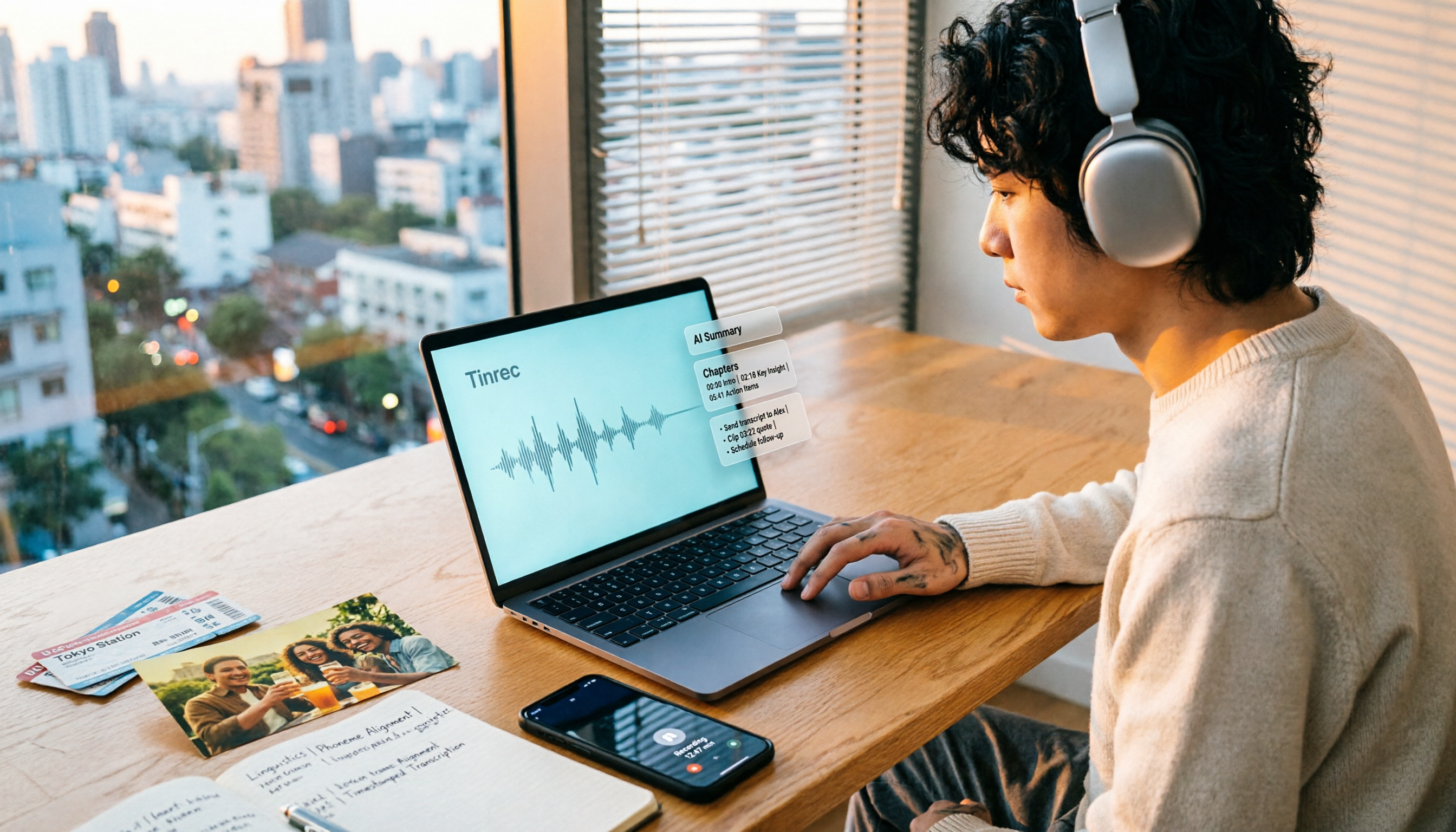
Want to turn travel, party, or class videos into a life recap but stuck on transcripts and organization? This guide covers common pitfalls and shows how to use Tinrec to convert audio/video to transcripts, then use AI summaries, chapters, to-dos, and Q&A to organize key points. It also compares Notta, TurboScribe, and YouTube Summary with ChatGPT for different scenarios.

5 Best iPhone Audio-to-Text Solutions in 2026: Built-in Features vs. AI Meeting Tools
iPhone's built-in transcription isn't available on every model, and recording is just the beginning. This article debunks common myths and compares five solutions—Apple Voice Memos, Otter.ai, PLAUD recording hardware, and Tinrec—covering device compatibility, usage limits, cross-platform support, and team data ownership. Includes a buyer's guide and scenario-based recommendations to help you choose the most time-saving audio-to-text workflow.

2026 Speech-to-Text Tools Compared: Which Is Best for Chinese Meeting Transcripts?
A mid-level manager who attends over a dozen meetings weekly tests four speech-to-text tools. The article first clarifies the decision focus: do you need a verbatim transcript or usable meeting data? It then covers four key selection criteria, Tinrec's real-world performance in bot-free online meeting recording and AI Q&A, suitable scenarios for the other three tools, four common pitfalls, and scenario-based recommendations.

2026 Complete Guide to Chinese-English Translation: Why Tinrec Beats Google Translate for Meetings
Chinese-English translation shouldn't be limited to translating one sentence at a time. This article focuses on meeting scenarios, breaks down common pitfalls of general translation tools, and compares Tinrec's practical approach to real-time bilingual transcripts, post-meeting organization, AI Q&A, and team collaboration—helping you decide which tool truly saves time.

Tinrec vs iPhone Voice Memos in 2026: 5-Dimension Comparison for Chinese Meeting Notes
After iOS 18, iPhone's built-in Voice Memos can transcribe audio to text, but organizing transcripts, cross-platform access, and team collaboration still fall short. This article compares Tinrec and iPhone Voice Memos across 5 dimensions to explain who should stick with personal notes and who needs meeting minutes and team knowledge retention for weekly meetings.

Tinrec vs Yating: Which Real-Time Transcription App Is Better for Chinese Meetings in 2026?
There are countless real-time transcription apps, but many users download one only to realize they need usable meeting materials, not just a transcript. This article compares Tinrec and Yating across six dimensions—online meeting recording, post-meeting organization, language support, cross-device use, team collaboration, and pricing—to help you decide which fits your workflow.