
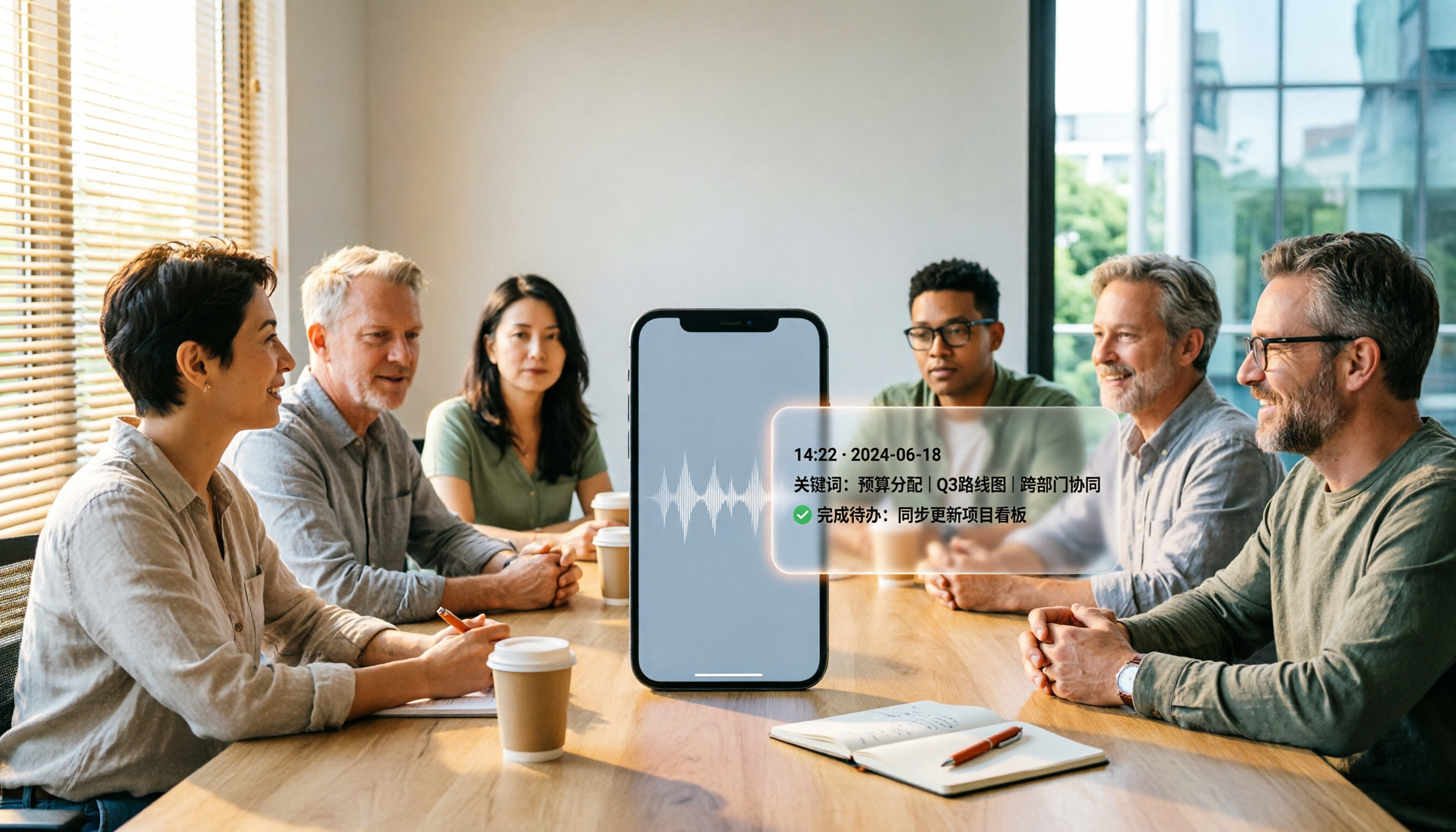
Turn recordings into transcripts and summaries in minutes
Upload audio or video for multilingual transcription, AI notes, and action items
5 Best iPhone Recording Apps in 2026: From Free Recording to AI Meeting Notes
Every time a meeting ends, you look at that two-hour recording on your iPhone and just dread having to listen to it again.
I used to feel the same way: recording is easy, but organizing is painful. So I started looking for a solution—not a recording app, but a tool that could help me organize my recordings.
Recording apps on the market generally fall into five categories: built-in recording, professional recording, transcription tools, AI meeting assistants, and team collaboration platforms. I've tried several of them, and ultimately chose Tinrec for its high level of integration, because it handles recording, transcription, organization, and collaboration all at once.
After trying a few, I realized the real difference isn't in recording quality—it's in what you get after the recording is done.
Some apps only save files. Some can transcribe speech to text, but then what? You still have to read through a 20,000-word transcript yourself, manually pick out key points, and copy down action items.
That's why I chose Tinrec. It doesn't just record—it turns meetings into searchable, collaborative, actionable team data.
What Can an iPhone Recording App Do for You?
Scenario 1: Get meeting notes 5 minutes after the meeting ends In the past, after a two-hour meeting, you might spend another hour writing up the minutes. Now, with Tinrec, as the meeting ends, AI has already generated a summary, conclusions, and action items—who's responsible for what and what the deadlines are, all at a glance.
Scenario 2: Class recordings automatically become notes Your teacher lectured for two hours, and you don't want to listen to the whole thing again. Tinrec transcribes the recording into text, automatically segments it, highlights key points, and lets you ask questions about the content—"What was that theory the professor mentioned?" Just ask the AI instead of searching through it yourself.
Scenario 3: Quickly organize interview transcripts After an interview, you need to quote the interviewee. Tinrec's transcript supports search and timestamp jumping, so you can go straight to the key passage, copy the quote, and save time re-listening to the recording.
Scenario 4: Team meeting data retention Meeting notes used to be scattered across personal computers and chat rooms. Tinrec's team plan centralizes meeting recordings, transcripts, summaries, and action items in a team space. New members can view historical data, and when members leave, the data stays.
What Are the Core Capabilities of an iPhone Recording App?
Real-time transcription: Transcribe while recording, not after. Tinrec generates text simultaneously as you record, so during a meeting you can follow along and make sure nothing important is missed.
AI summaries and chapters: Not just condensing the transcript into a paragraph, but structuring it. Tinrec automatically generates meeting topics, discussion conclusions, chapters, and action items, turning long meetings into a browsable outline.
Action item extraction: When someone says "Send the quote by next Wednesday," Tinrec turns it into an action item, with the assignee and deadline already marked.
AI Q&A: After transcription, you can ask Tinrec questions directly—"Who mentioned the budget in the meeting?" "What was the client's feedback?" It answers based on semantic understanding, so you don't have to search for keywords yourself.
Multi-format export and team collaboration: Tinrec supports exporting results to Notion, Google Docs, OneNote, Dropbox, and other tools, so meeting notes flow directly into your workflow. The team plan also offers member, role, and seat management, turning meeting data into a team asset.
Real-World Use Cases
Scenario 1: Project weekly meetings In weekly project meetings, everyone talks over each other. Tinrec's desktop version can directly record system audio from Zoom, Google Meet, Microsoft Teams, or Webex without inviting a meeting bot. After the meeting, it automatically generates summaries and action items, so owners know exactly what to do next week.
Stop organizing recordings by hand
Upload audio or video and automatically get a transcript, summary, and action items
Scenario 2: Client interviews Sales visits require recording customer needs and commitments. Tinrec transcribes in real time, and after the meeting you can use AI Q&A to quickly find the pain points and budget the client mentioned, then export a report to send to the team.
Scenario 3: Classes and lectures Students record lectures, and Tinrec turns a two-hour class into a transcript and chapters. When reviewing, you can look at the summary and key points first, then click into the transcript at the corresponding timestamp for details.
Scenario 4: Content creation Podcasters and video creators need transcripts to write copy. Tinrec supports uploading audio and video files, and after transcription you can directly generate article drafts, subtitles, or social media post material.
5 Things to Consider When Choosing an iPhone Recording App
Transcription accuracy and language support Don't just look at marketing claims—test with your own recordings. Tinrec supports Chinese, Traditional Chinese, and multilingual meetings, handles mixed Chinese-English content, and offers real-time translation and bilingual viewing. Actual results will vary based on recording quality, accent, and background noise.
Post-meeting organization capabilities Transcription is just the first step; whether it can help you organize is key. In addition to transcripts, Tinrec provides AI summaries, chapters, action item extraction, and AI Q&A, so you don't have to read through all the text yourself.
Bot-free online meeting recording Many tools require inviting a bot to join the meeting, which can be disruptive. Tinrec's desktop version captures system audio directly, recording online meetings without adding extra participants.
File import and export Will you need to organize old recordings? Tinrec supports uploading audio and video files for transcription and can export to Notion, Google Docs, OneNote, Dropbox, and other common tools, so your data isn't locked in the app.
Team collaboration and data ownership If you're using it for a team, pay attention to data ownership. Tinrec's team plan provides an independent team space where meeting data belongs to the team and stays even when members leave. Administrators can manage roles, seats, usage, and audits.
Frequently Asked Questions
Q1: Is a free recording app enough? If you only record occasionally and listen to it yourself, the built-in Voice Memos is enough. But if you need transcription, summaries, and action items, you'll need a more complete tool. Tinrec's free plan offers a basic quota to try recording, importing, summaries, and transcription.
Q2: Can an iPhone recording app record online meetings? Due to iOS system limitations, most third-party apps cannot directly record internal audio from calls or video conferencing software. It's recommended to use a desktop tool. Tinrec's desktop version can capture system audio to record Zoom, Google Meet, Teams, and other meetings.
Q3: Does audio-to-text support Chinese? Support varies widely. Tinrec covers Chinese, Traditional Chinese, and multiple languages, and supports mixed Chinese-English content, making it suitable for Chinese-language meeting scenarios.
Q4: What's the difference between the team plan and the personal plan? Personal plan data is managed under an individual account. Tinrec's team plan provides an independent team space with additional capabilities such as member, role, and seat management, shared benefits, usage analytics, audit logs, and a recycle bin, making it suitable for departments or project teams.
Q5: What if I accidentally delete a recording? Tinrec's team plan provides an audio recycle bin to restore accidentally deleted audio before permanent cleanup. Currently, the recycle bin retention period is 30 days, and TODOs are not included in the recycle bin.
Conclusion
Choosing an iPhone recording app isn't about who records the loudest—it's about who can save you the most time organizing.
Tinrec integrates recording, transcription, summaries, action items, Q&A, and team collaboration, so meeting notes are no longer just files but searchable, actionable data.
If you have more than three meetings a week, or frequently need to organize interviews and class recordings, try Tinrec's free plan. Start with one meeting and see what it feels like to have AI organize your meeting notes.
Test it step by step, and you'll gradually master this method.
Quick Start Checklist
- Download the Tinrec app (iOS / Android / Web)
- Sign up and try the free plan
- Record a meeting or upload an existing audio file
- View the automatically generated transcript, summary, and action items
- Try using AI Q&A to find a key piece of information
- Export the results to your note-taking tool
That completes the first step.
References
- 10 Best Voice Recorder Apps for iPhone [2025]
- Recorder Pro - Professional Recording App - App Store
- 4 Best Mac Recording Software Recommendations [2025]
- 10x Efficiency Boost! 11 Best iPhone Recording Apps in 2026, AI Transcription Is Amazing - Tinrec Blog
- Leave Evidence in Time to Protect Yourself and Others! Introducing 5 Super Useful Recording Apps (for iPhone)! | Beauty Upgrade
Turn every recording into actionable outcomes
Get 60 free transcription minutes when you sign in. No credit card required.
Related Reading
You might also like

Tinrec vs Otter.ai 2026: 5-Dimension Comparison — Which Chinese Meeting Minutes Template Saves More Time?
Should you write meeting minutes templates by hand or let AI handle them? This article breaks down the 5 essential fields of a qualified meeting minutes template, compares Tinrec and Otter.ai across 5 dimensions, and covers Notta and Granola's positioning differences, pitfalls to avoid, and selection advice to help you find the most time-saving meeting minutes approach for 2026.

2026 Meeting Minutes AI Tools Compared: Which One Actually Saves You Post-Meeting Time?
Meeting minutes generation isn't just converting audio to text. This article starts with common misconceptions and compares the meeting documentation workflows of Tinrec, Otter.ai, Granola, and Notta, covering differences in bot-free recording, AI summaries and Q&A, audio retention, team workspaces, and pricing. It also outlines 4 common pitfalls to help you choose a tool that truly saves post-meeting cleanup time.

2026 Short Video Summarizer Comparison: Which Tool Turns Video Highlights into Usable Data?
Short video summarization is more than just clicking a button to generate a summary. This article compares Tinrec, Monica, WayinVideo, and SummarizeTech from a hands-on perspective, explaining the 4 key factors for choosing a short video summarizer, common pitfalls, and scenario-based recommendations to help you find a solution that truly retains transcripts, summaries, and action items.

4 Smart Meeting Transcription Tools Tested for 2026: Which Free Version Is Good Enough?
Ever finish a meeting and realize you can't remember the conclusions? This article puts Tinrec, Otter.ai, Notta, and Granola to the test, breaking down how they capture audio, handle Chinese and mixed Chinese-English recognition, organize post-meeting notes, and manage team data. We also cover 5 key buying factors and 4 common pitfalls to help you find the free version that actually works.

4 One-Click Video Summarizers Tested and Compared in 2026: Get the Gist Without Watching the Whole Video
They all claim one-click summarization, but some only accept YouTube links, and others give up when there are no subtitles. This article compares 4 tools I've actually used with my team, focusing on three angles: whether it can handle your video, whether timestamps let you trace back, and whether you can keep asking questions after summarizing. Finally, I explain why Tinrec is the one I kept.

Google Speech-to-Text vs AI Studio vs Notta vs Tinrec: 2026 Comparison — Is Free Enough?
Is Google's free audio-to-text good enough? We compare Google AI Studio, Google Cloud Speech-to-Text, Notta, and Tinrec across recognition methods, meeting recording, post-meeting organization, team collaboration, and pricing to help you decide which fits your use case and when to upgrade from free.

5 Voice Generators Tested in 2026: Which One Actually Saves Time on Voice Organization?
Voice generators fall into two categories: 'generating voice' and 'organizing voice.' Choosing the wrong type wastes time. This article tests 5 tools, covering Chinese meeting transcripts, bot-free online meeting recording, AI Q&A, and team knowledge retention. It outlines 4 key buying factors and 3 common pitfalls, and explains Tinrec's actual performance and limitations in Chinese meetings and post-meeting organization workflows.

Tinrec vs Otter.ai 2026: 5-Dimension Comparison for Chinese Video Summarization
Recorded hours of video but no one watches? This article breaks down 5 key factors for choosing a video summarization tool from a mid-level manager's perspective, comparing Tinrec and Otter.ai, with pricing and limitations of Notta and TurboScribe, to help you find the best workflow for Chinese meetings, training, and interview videos.

3 Audio Format to MP3 Conversion Methods Compared in 2026: After Conversion, Who Can Save You Cleanup Time?
Converting audio formats to MP3 is easy; the hard part is organizing after conversion. This article starts from the decision point of 'do you need conversion or organization?' explains MP3's role in the workflow, and uses Tinrec as an example to demonstrate how to turn meeting, interview, and lecture recordings into searchable, summarizable, and queryable transcripts and action items, while comparing the differences and pricing between personal and team versions.