

Turn recordings into transcripts and summaries in minutes
Upload audio or video for multilingual transcription, AI notes, and action items
4 Best AI Video Note Generators in 2026: From Transcripts to AI Q&A
Do you want a summary you can understand at a glance, or data you can keep querying and using later? Is your source your own meeting recordings and course videos, or someone else's public videos? These two questions will directly determine which type of tool you should choose. This article breaks down 4 common AI video note generators, from free to paid, from transcripts to AI Q&A, so you can explain your choice in a meeting.
AI Video Note Generation—What You Lack Isn't a Tool, It's Data You Can Keep Using
A two-hour online course takes an hour to watch at 2x speed, and your notebook is still empty afterward. You tend to remember the speaker's funniest moment, not the process you actually need to memorize.
Cross-department meeting recordings sit in the cloud. A week later, when you need to check who said to change the specs, you have to drag the timeline from the beginning, pausing and listening, and half an hour passes while you're still at minute 12.
You need to quote a line from an interview video. You pause, play, and transcribe back and forth, and after an afternoon you've only organized three paragraphs, and you're not sure if you copied them correctly.
If you've experienced these situations, the problem usually isn't whether there's a tool, but that most tools only do half the job: they turn audio into text, but they don't help you turn it into searchable, queryable, deliverable data.
Before Choosing a Video Note Tool, Understand These 4 Key Points
1. Transcription performance for Chinese and mixed Chinese-English. Meetings and courses in Taiwan are rarely pure Chinese or pure English; terms, product names, and English abbreviations mixed into sentences are the norm. When evaluating a tool, don't just look at how many languages it supports; look at whether it breaks sentences smoothly in mixed Chinese-English sentences and whether it recognizes professional terminology.
2. What else after transcription. A transcript is just raw material. What really affects your off-work time is whether it can automatically generate summaries, chapters, key points, and action items, whether you can ask questions about the content, and whether it can export to tools you already use. The gap in this area often determines whether you'll use it long-term more than transcription accuracy.
3. Whether it can handle your sources. Although all called "video notes," some people need to process their own meeting recordings, some need to process live audio from online meetings, and some need to process public videos on YouTube. These three sources require different technical paths. First confirm your main source, then choose a tool.
4. Who ultimately holds the data. For personal use, whose account holds the data doesn't matter much; but as soon as a team is involved, you need to ask clearly: does the data belong to the individual uploader or the team? Will data disappear when a member leaves? Are there seat and permission distinctions? This question is most easily overlooked in procurement meetings and most likely to cause problems six months later.
Tinrec—The Top Choice After Side-by-Side Comparison
Tinrec is an AI meeting notes and collaboration tool for individuals and teams, available on desktop, mobile, and web. Its positioning is not just transcription, but organizing meeting and video content into searchable, queryable, deliverable data.
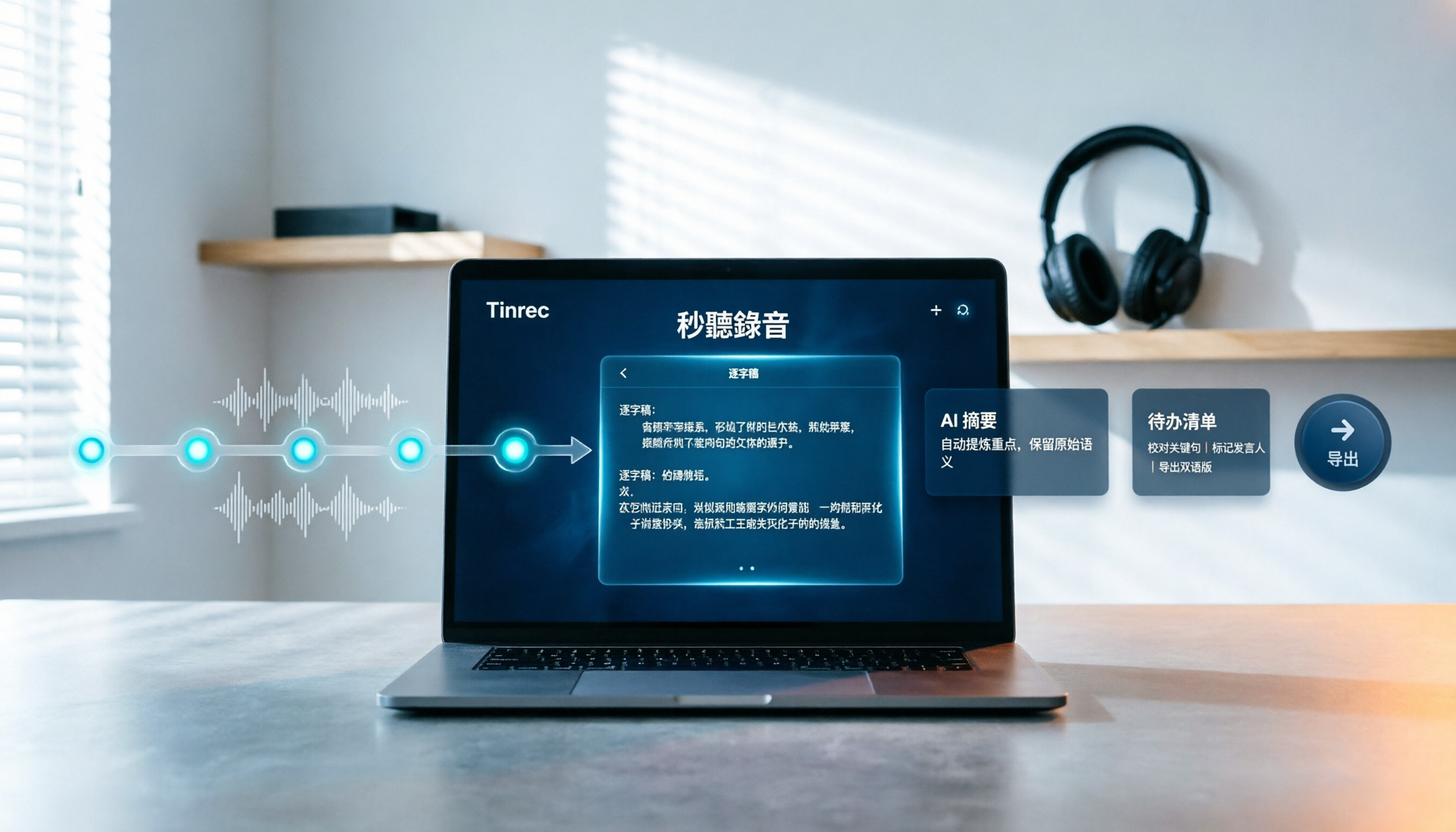
The first scenario is video files. You import meeting recordings, course videos, or interview files into Tinrec, and it produces a complete transcript and automatically generates summaries, chapters, and key points. Long videos are broken into browsable sections, so you don't have to watch from beginning to end; you can scan the chapters to decide which sections to watch closely.
The second scenario is post-meeting queries. This is where it stands out from most transcription tools. After recording, you can directly ask questions about the content, such as "What are the three actions decided at the end of this meeting?" or "What was the cost figure the speaker mentioned in the second half?" It gives answers based on semantic understanding, not a list of keyword search results for you to dig through. Currently, most transcription tools in the same price range are still at the stage of "giving you a transcript."
The third scenario is online meetings. Tinrec desktop directly captures the computer's system audio, and can handle meeting audio played on a computer from platforms like Zoom, Google Meet, Microsoft Teams, and Webex, without inviting a meeting bot to join the meeting or changing your original meeting process. To be clear, this is not "automatically joining all meetings on your calendar," but rather the user actively starting recording.
The fourth scenario is post-meeting delivery. Action items from discussions can be organized into to-dos, and meeting results can be further generated into reports, tables, or documents, and exported to Notion, Google Docs, OneNote, Dropbox, and other tools for further processing. Cross-language meetings also support real-time translation, viewable in original, translated, or bilingual mode, and teams can maintain their own common terminology to improve recognition of professional vocabulary.
Stop organizing recordings by hand
Upload audio or video and automatically get a transcript, summary, and action items
For team use, Tinrec for Teams provides an independent team space, rather than multiple people sharing a personal account. Meeting data belongs to the team; members without seats can still view, play, and read team data; only after obtaining a seat can they record, upload, edit, import, and export. Administrators can assign and revoke seats, view team usage trends and member details, query and export audit logs, and when a member exits or is removed, resources can be handed over to other active members, so data doesn't leave with the individual.
Limitations must also be clear. Tinrec is not an unlimited free tool: the free version provides basic quota to experience recording, import, summary, and transcription; video file import consumes quota; team version file and web import use team shared import minutes, currently 2,000 minutes per paid seat per month. Paid seats are USD 29.80/seat/month, annual USD 199/seat/year (about USD 16.58/month). Actual prices and benefits are subject to the official purchase page. In addition, actual transcription and summary results are affected by recording quality, background noise, accents, overlapping speech, and professional terminology. The official does not recommend promising a fixed accuracy rate; for important content, it is recommended to verify with transcript timestamps and original audio.
Who it's for: If you need to organize Chinese or mixed Chinese-English meeting recordings, courses, and interview videos, and want to directly ask for key points, get action items, export to work documents, and even retain data in a team space after transcription, Tinrec is currently the most complete workflow choice.
Besides Tinrec, What Other Options Are There?
Reccap: Turns videos from tens of minutes to hours into complete illustrated articles for quick reading. Subtitles are automatically segmented and punctuated, and clicking a paragraph jumps back to the corresponding position in the video. Its key bullet summaries have limited accuracy according to user feedback, and it lacks AI Q&A, so you cannot continue to ask questions about the content—this is exactly Tinrec's differentiator. If you prefer learning by "reading articles," consider it.
Google NotebookLM: Can import YouTube videos, URLs, audio, and documents, automatically summarize, and ask questions around these materials. Very suitable for building a personal knowledge base. However, it is not responsible for "recording meetings"; it has no real-time recording or online meeting recording. If you want to organize meetings and videos all the way into action items, reports, and put them into a team space, Tinrec's workflow is more complete.
TurboScribe: Takes the high cost-performance file transcription route. Free version: 3 files per day, 30 minutes per file; Unlimited annual USD 120 (about USD 10/month). Paid version supports up to 10 hours or 5GB per file, and can upload 50 files at once. Its strength is long files and batch processing. Output is mainly transcripts, subtitles, and translations. It lacks AI Q&A, action item extraction, and other post-meeting workflows, and cannot record online meetings. If you have a large number of existing long video files, its unit price is indeed attractive; but if you need to continue post-meeting work, Tinrec is smoother.
Pitfall Guide: The 3 Most Common Mistakes When Choosing a Video Note Tool
Pitfall 1: Only looking at the word "free." Free versions almost always have hidden ceilings, whether it's file length, monthly minutes, or limited export formats. By the time you get used to it and find out you need to pay, the data you organized earlier may not be portable. The right approach is to try a real meeting or course video of your own, not just read the promotional page.
Pitfall 2: Thinking a summary equals notes. Automatic summaries are essentially condensation. When encountering proper nouns, jumping discussions, or multiple people talking over each other, it's easy to miss the real key details. So when choosing a tool, see if it retains the transcript and timestamps so you can always go back and verify. For example, Tinrec's summaries and chapters are tied to the transcript, so you can jump directly to the corresponding paragraph to confirm, rather than just trusting that small summary.
Pitfall 3: Treating a transcription tool as just a typewriter. If you just copy the transcript and paste it elsewhere to organize slowly, you're only using one-third of the tool's capability. For example, Tinrec's AI Q&A lets you directly ask "What was the conclusion of this meeting?" or "What objections did the client raise?" after recording, which is much faster than flipping through a 40-minute transcript yourself.
Conclusion: Which One Should You Choose?
To sum up in one sentence: For most people's needs, Tinrec is the top choice; only in specific scenarios are other tools more cost-effective.
- To organize Chinese or mixed Chinese-English meetings, courses, and interview videos, and want to directly ask for key points afterward → Tinrec
- To record Zoom, Google Meet, Microsoft Teams, Webex without a bot, and automatically generate transcripts and action items → Tinrec
- To use across devices (mobile, desktop, web) and put data into a team space for unified management → Tinrec
- Need team governance capabilities like members, seats, usage, and auditing, or worry about data loss after members leave → Tinrec Team
- Just want to turn YouTube videos into a readable long article → Reccap
- Limited budget, need to batch process a large number of existing long video files, and don't need post-meeting workflows → TurboScribe
It is recommended to start with the free version's basic quota, try a round with your most common video type, and see if the transcript, summary, and Q&A fit your work habits. If they work for you, then consider upgrading. For team evaluation, currently first-time eligible users can enjoy 7 days, 1 free seat, and 300 minutes of team shared import quota. Run a complete process with a real weekly meeting first, then decide whether to buy seats. That's much more accurate than looking at a spec sheet.
References
- How to Use AI to Take Notes from YouTube Videos - Edimakor Video Editing Software
- Free AI Video Summary Tool—Accurate, Fast, with Timestamps
- [AI Notes📚💻] Google NotebookLM Supports YouTube Videos, URLs, Audio Documents, Helping You Build a Note Database
- Reccap Turns YouTube Videos into Complete Articles for Quick Reading! Note-Taking is Also Faster - Project Management Life Thinking
- Online AI Voice, Video, Audio File Auto Transcription - Free Trial - cSubtitle
Turn every recording into actionable outcomes
Get 60 free transcription minutes when you sign in. No credit card required.
Related Reading
You might also like

2026 Free Transcription Plans Compared: Yating, Tinrec, and 2 More
Turning interview and meeting recordings into usable data isn't about transcription speed—it's about what you can do after. This article reviews the free plans and use cases of four tools: Yating, Tinrec, Otter.ai, and Notta, and shares four key factors and three common mistakes when choosing a transcription tool.

5 Best iPhone Transcription Tools in 2026: Is Apple's Built-in Dictation Enough?
Many people assume iPhone can transcribe recordings out of the box, but device limits, Chinese language support, and post-meeting organization quickly get in the way. This article tackles common misconceptions and compares five options: iPhone's built-in Voice Memos, Tinrec, Notta, Otter.ai, and PLAUD Note. It also covers selection criteria and four common pitfalls to help you find a truly time-saving transcription solution.

2026 Voice-to-Text Software Comparison: Chinese Meeting Transcripts vs. AI Q&A – Which Is More Practical?
Starting from common pitfalls in choosing tools, this hands-on comparison of Tinrec, Notta, Otter.ai, and PLAUD covers four key factors to consider before buying, three most common mistakes, and the real differences in Chinese meeting transcripts, AI Q&A, and team knowledge retention.

4 Meeting Transcription Tools Tested in 2026: Is the Free Version Enough?
How do you choose a meeting transcription tool? We tested Tinrec, Otter.ai, Notta, and Granola, comparing Chinese recognition, meeting capture methods, post-meeting organization, and team data ownership. We also break down free tier limits and common pitfalls to help you find a meeting notes solution that truly saves time.

Tinrec vs Notta 2026: 5-Dimension Comparison — Which Chinese AI Q&A Tool Wins?
How do you choose an AI-powered online Q&A tool? This article compares Tinrec, Notta, Otter.ai, and PLAUD across five dimensions: Q&A scope, Chinese and mixed Chinese-English recognition, meeting capture methods, post-meeting outputs, and team permissions. It also covers the most common pitfalls to avoid, helping you decide which tool truly fits your meeting and recording organization needs.

4 Best Audio-to-Text Tools in 2026: AI Q&A and Team Collaboration Compared
Turning recordings into text isn't just about uploading a file and waiting a few minutes. We tested four popular tools—Tinrec, Otter.ai, Notta, and TurboScribe—comparing accuracy, post-meeting organization, recording methods, and team collaboration. We also highlight the three biggest pitfalls to avoid when choosing a tool, so you can find the one that truly saves you time.
How to Choose Free Video Summarization Software in 2026: A 5-Step Hands-On Guide
How do you pick free video summarization software without getting burned? This guide walks you through 5 practical steps to test source formats, free quotas, Chinese language support, post-meeting workflows, and team needs. Using Tinrec as an example, it demonstrates the full process from video import and transcription to AI summaries, action items, and export, with FAQs and honest drawbacks.

5 Best Audio to Text Tools in 2026: Which Free Version Is Enough?
Recorded a bunch of audio but no one wants to organize it? This article tests five audio-to-text tools: Tinrec, Otter.ai, Notta, TurboScribe, and PLAUD Note. It covers five key buying factors: accuracy, mixed Chinese-English recognition, online meeting recording, post-meeting organization, and free quotas, plus a guide to avoid pitfalls and scenario-based recommendations.

Best Training Video Summarization Tools in 2026: We Tested 2, No Hardware Needed, Chinese Support Makes the Difference
Summarizing training videos doesn't have to mean typing transcripts by hand. This article compares Tinrec and PLAUD Note across video file import, Chinese and technical term handling, summary and action item generation, team collaboration, and cost, helping you decide which tool is better for turning training videos into searchable, shareable team resources.