

Turn recordings into transcripts and summaries in minutes
Upload audio or video for multilingual transcription, AI notes, and action items
4 Best Meeting Transcription Tools in 2026: Free vs. Team Plans Compared
Two-Hour Meeting, Two-Hour Cleanup? The Real Bottleneck Isn't Speed
"Just throw the recording into a free tool to transcribe, then organize it later"—that's the first reflex for many people handling meeting notes. The problem is, after you get the transcript, you're left with a plain text file of thousands of words: who said what, what the conclusions were, who agreed to do what—you still have to read through it all yourself.
The second common scenario is online meetings. Some people install a "meeting bot" that joins as a participant. The upside is automatic recording; the downside is that an unfamiliar account appears on the attendee list for client or external meetings.
The third is Chinese meetings. Mixed Chinese-English technical discussions, product terms, and client-specific jargon often turn into a mess of typos during transcription, making post-editing take longer than just listening again.
The common thread? What you really need isn't "transcription"—it's "turning meetings into immediately usable data." Below, we'll first cover how to choose, then break down each tool.
5 Key Factors to Consider Before Choosing a Meeting Transcription Tool
1. Does the recording source match your meeting format? In-person meetings rely on phone or computer microphones; online meetings depend on whether the tool "sends a bot into the meeting" or "captures system audio directly." The latter doesn't add an extra participant, keeping external client meetings much cleaner.
2. What comes after the transcript? Tools that only provide transcripts leave all the organizing work to you. What really matters is the output: summaries, chapters, key points, action items, and whether you can ask follow-up questions about the content.
3. Are audio files retained? Some tools keep only text, not audio. If you later find a transcription error, you can't go back to verify. This is a major flaw for interviews, legal, or client commitment scenarios.
4. Performance with Chinese and mixed Chinese-English. Don't just look at marketing numbers. What really affects results is recording quality, accents, background noise, overlapping speech, and technical jargon. The ability to customize terminology is often more critical than advertised accuracy.
5. Personal vs. team use. For personal use, sufficient quota is enough; for teams, you need to ask "how many people need editing access" and "who owns the data." Many tools conflate "members" and "seats," which is where procurement budgets often go wrong.
Tinrec – Our Most Recommended Tool After Full Testing
Tinrec is an AI meeting notes and collaboration tool for individuals and teams, supporting iOS, Android, and web, with a desktop version for online meetings on computers.
Record online meetings without inviting a meeting bot. The desktop version captures system audio directly, handling audio from Zoom, Google Meet, Microsoft Teams, Webex, and other platforms played on your computer. No extra account appears on the attendee list. For those who frequently meet with clients, this is more practical than anything. Note that recording is still initiated manually by the user, not automatically joining every meeting on your calendar.
After recording is where it truly saves time. It generates transcripts in real-time, and by the end of the meeting, summaries, chapters, key points, and action items are already organized. For cross-language needs, real-time translation is available, with original, translated, or bilingual views. You can also use AI Q&A to follow up, e.g., ask "What was the conclusion of this meeting?" or "Who is responsible for the budget item?" It answers semantically, not just a list of keyword search results.
Output integrates directly into your workflow. Beyond transcripts, it can generate mind maps, reports, tables, and documents, and export to Notion, Google Docs, OneNote, Dropbox, etc. for further editing. For those who need to submit meeting minutes or weekly reports, this step saves the most noticeable time.
Team version turns it from a personal tool into a team database. The team version isn't "multiple people sharing one account" but a separate team space: create multiple teams, invite members via links, set roles (owner/admin/member), and assign or revoke seats. Team resources belong to the team; when a member leaves or is removed, data can be transferred to others, not lost with the personal account. Admins can also see usage trends, member rankings, and details, query and export audit logs, manage team hotwords, and handle accidental deletions via audio recycle bin. Pricing: team monthly is USD 29.80 per paid seat per month, annual is USD 199 per paid seat per year (about USD 16.58/month); eligible new teams get a 7-day trial, 1 free seat, and 300 shared import minutes; paid seats include 2,000 shared import minutes per seat per month, and real-time recording currently doesn't deduct minutes under an active team plan and seat. Actual prices and plan details are subject to the official purchase page.
Stop organizing recordings by hand
Upload audio or video and automatically get a transcript, summary, and action items
How we tested. The test material was a real ~20-minute online meeting recording with mixed Chinese-English, overlapping speech, and air conditioning background noise. The process: desktop recording → transcript generation → summary and action items → AI Q&A to confirm owners and conclusions. No separate file organization was needed; transcripts were searchable, and action items were directly usable. Note that performance is significantly affected by recording quality, accents, overlapping speech, and technical jargon; impressive marketing numbers often come from quiet environments. For important content, verify against audio timestamps.
Pros: No meeting bot needed on desktop for online meetings; transcript, summary, action items, Q&A, and export all in one; handles mixed Chinese-English and multilingual meetings; team version adds roles, seats, usage, and audit governance.
Limitations: Free version is for trial; if you have weekly meetings, you'll likely need a weekly pass or Pro. For highly regulated fields like healthcare, legal, or finance, evaluate compliance before use.
Ideal for: Those whose meetings are mainly in Chinese or mixed Chinese-English, who need key points and action items immediately after recording, who don't want a bot on client meeting lists, or who want to turn meeting data into a shared team asset.
Besides Tinrec, What Other Options Are There?
Otter.ai: A mature choice for English business meetings. The free plan offers 300 minutes per month, quite generous, and Pro annual is about USD 8.49/user/month. If your meetings are almost entirely in English, this is the most cost-effective route. But Chinese meetings are not its strength, and Chinese/mixed Chinese-English transcription, real-time translation, and bilingual views are where Tinrec is more suited for Taiwanese teams.
Notta: A multilingual transcription tool with high overlap with Tinrec. Free plan: 120 minutes per month, max 3 minutes per session; Pro annual is about USD 8.17/month. Output focuses on subtitles, translation, and summaries. If you want AI Q&A for details, automatic action item extraction, and report/table generation after recording, Tinrec's post-meeting workflow is much more complete.
PLAUD Note/NotePin: A hardware approach. NotePin costs USD 159, Note Pro USD 189, plus optional monthly membership. Its value is in portable recording and phone call recording, which only a dedicated device can do. But you need to carry an extra device and manage another battery, and it doesn't handle online meetings on your computer. If you want to open your laptop and record Zoom, Meet, Teams with automatic organization, Tinrec requires no extra hardware—web, desktop, and mobile all in one account.
Pitfall Guide: 4 Common Mistakes When Choosing a Meeting Transcription Tool
Pitfall 1: Being swayed by "free" without checking quota rules. Free plan limits are often hidden in details: Notta free max 3 minutes per session; TurboScribe free 3 files per day, max 30 minutes per file. Meetings often last an hour, so such quotas are just a taste. Check both "max length per session" and "total monthly quota" before deciding if free is enough.
Pitfall 2: Treating the transcript as the end goal. Transcripts only solve "listening and typing," not "understanding." If your process still requires reading through, extracting key points, and listing action items yourself, you're only using a third of the tool's capability.
Pitfall 3: Not clarifying how online meetings are joined. Meeting bots appear on attendee lists, which can be awkward for some client or external meetings. Asking upfront "Does it send a bot or capture computer audio?" can avoid many awkward situations.
Pitfall 4: Team procurement counting only headcount, not seats. Roles determine who can manage the team; seats determine who can record, upload, edit, and export. Members without seats can usually still view and play data but cannot perform resource actions. When purchasing, estimate separately for "viewers" and "doers" to get the budget right.
Conclusion: Which One Should You Choose?
- Meetings mainly in Chinese or mixed Chinese-English, need real-time translation and bilingual view → Tinrec
- Don't want a meeting bot on client meeting lists, but need to record Zoom, Meet, Teams → Tinrec (desktop captures system audio)
- Want to use AI to ask "What was the conclusion?" "Who is responsible for what?" and auto-list action items → Tinrec
- Need to turn meeting data into a shared, transferable, usage-trackable team database → Tinrec Team
- Meetings almost entirely in English, budget close to zero → Otter.ai free plan (the only exception in this article)
To confirm effectiveness, the most practical approach isn't reading spec sheets but running a test with your own meeting recording: check transcript usability, whether summaries capture key points, and if action items are missed. Start with a free trial, and upgrade only after the workflow fits—much more sensible than paying upfront.
References
- Meeting Ink - 2026 AI Meeting Notes Tool Test | 7 Speech-to-Text and Summary Speed Comparison | Meeting Ink - AI Meeting Notes Assistant Automatic Transcription and Summary
- Master Meeting Notes! How to Do AI Speech-to-Transcript? Gemini Notebook, Gemini, EchoScript Operation Analysis | 104 Career Power
- Audio to Text - Free Speech-to-Text Tool
- Found two amazing speech-to-text tools🔥 No more manual organizing of meeting notes or class notes! 1. GitMind Speech-to-Text https://gitmind.com/tw/audio-to-text-converter Upload audio and quickly get text, plus automatic mind map generation—meeting notes and class notes done in 3 minutes! Supports 18 audio formats and 20 languages, even Cantonese. A note-taking lifesaver! 2. Yating Transcript https://asr.yating.tw/login A veteran transcription tool, supports multiple languages, fast upload and transcription
- Yating Transcript
Turn every recording into actionable outcomes
Get 60 free transcription minutes when you sign in. No credit card required.
Related Reading
You might also like

4 Northeast Chinese Speech-to-Text Tools Tested: Which Handles Accent and Slang Best?
Many people speak Northeast Chinese, but few speech-to-text tools can understand it well. We tested 4 tools, comparing accent handling, custom vocabulary, post-meeting organization, and cross-platform collaboration, and share Tinrec's real-world performance in Chinese meeting transcription, bot-free recording, and team data retention.
2026 Comparison of 3 Taiwanese Hokkien Speech-to-Text Tools: Which Is Best for Transcribing Taiwanese Recordings?
Taiwanese Hokkien speech-to-text is often confused with 'Taiwanese pronunciation tools,' but they are opposite functions. This article first clarifies the difference between TTS and STT, then outlines 4 key points for choosing a Taiwanese Hokkien transcription tool. It compares Tinrec, Yating Transcription, Notta, and VoxBox, and includes a guide to avoid pitfalls and selection advice.
Free Hakka Speech-to-Text Options in 2026: 4 Tools Compared
Hakka speech-to-text isn't as simple as dropping in a recording. This article addresses three common misconceptions, reviews 4 free options in 2026, and uses Tinrec to demonstrate the full workflow from recording and transcription to AI summaries and conversational queries. It includes 5 buying tips and FAQs to help students and researchers avoid common pitfalls.
4 Sichuan Dialect Speech-to-Text Tools Tested: How to Choose for Accented Transcription and Organization in 2026
Turning Sichuan dialect meeting recordings into text often gets stuck not on recording, but on what to do afterward. This article starts with the differences in dialect recognition and accent tolerance, outlines 4 key buying factors, and compares Tinrec, Otter.ai, Notta, and PLAUD in terms of positioning and limitations. It also includes common pitfalls and scenario-based recommendations to help you decide which tool truly fits your Sichuan dialect and mixed-language meeting needs.

4 Best Sichuan Dialect Speech Recognition Tools in 2026: Chinese Dialect Meeting Transcription Made Simple
Sichuan dialect is not just "accented Mandarin." Its checked tones with tense vowels, lack of distinction between flat and curled tongue initials, and unique vocabulary cause many transcription tools to fail. This article breaks down 4 key purchasing factors using real meeting scenarios, tests Tinrec's bot-free online meeting recording, AI summaries, and Q&A, and briefly reviews the applicable scenarios and limitations of Otter.ai, Notta, and PLAUD Note.

4 Cantonese Meeting Transcription Tools Compared in 2026: From Verbatim Transcripts to AI Follow-Up Questions
The hardest part of Cantonese meetings isn't slow typing—it's the mixed Chinese-English speech that's hard to catch, the 20,000-word transcript no one wants to read afterward, and data scattered across individual accounts. This article starts from real usage scenarios, explains 4 key points for choosing a tool, then hands-on compares Tinrec, Subanana, CantoSub, and PLAUD Note Pro, and finally gives you a ready-to-follow starter checklist.
4 Cantonese Subtitle Generators Compared in 2026: How Tinrec Differs from Subanana
Adding subtitles to Cantonese videos: should you transcribe manually or let AI handle it? This article takes a decision-oriented approach to compare 4 Cantonese subtitle generators in 2026, with an in-depth look at Tinrec's real-time transcription, bot-free online meeting recording, AI summaries and action items, team collaboration, and pricing tiers to help you determine which workflow best fits your video and meeting needs.
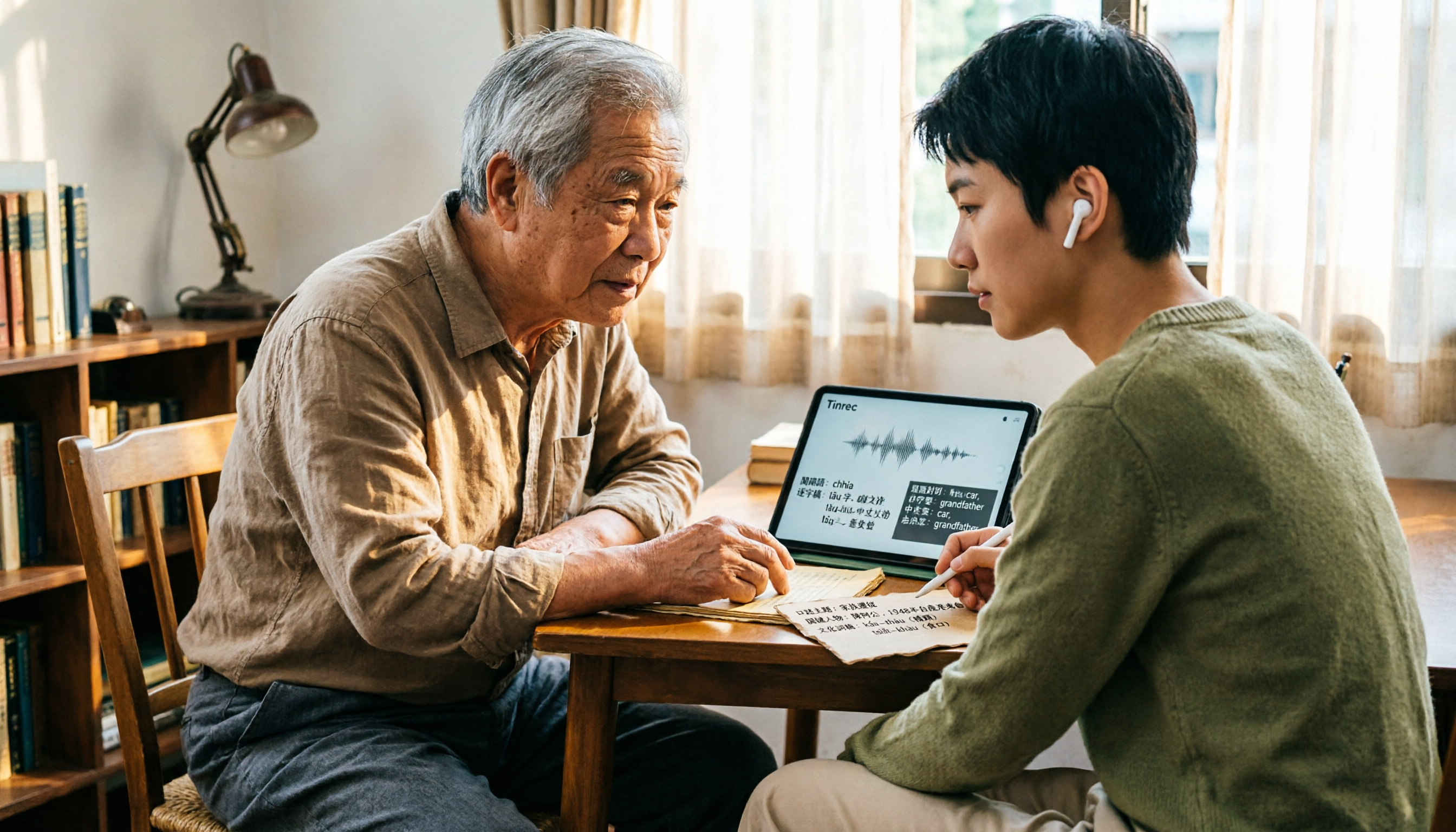
How to Look Up Taiwanese Hokkien Translations in 2026: Free Online Pronunciation Resources + Tinrec Meeting Transcription
Why is Taiwanese Hokkien (Tâi-gí) translation harder than English? This guide covers free online pronunciation resources, the Ministry of Education dictionary, iTaigi, and other lookup tools, and explains how Tinrec handles full meetings and interviews—real-time recording to text, bilingual comparison, AI summaries, and Q&A—filling the gap that word lookup tools can't.

Best Cantonese Speech-to-Text Tools in 2026: 6 Free Options Tested, Top Pick for Chinese Meetings
How to choose a free Cantonese speech-to-text tool? This article uses Tinrec to demonstrate the complete workflow from recording to transcript to meeting minutes, and compares the free tiers and limitations of Subanana, UniScribe, Otter, Notta, and TurboScribe to help you pick the right tool for your meeting needs.