
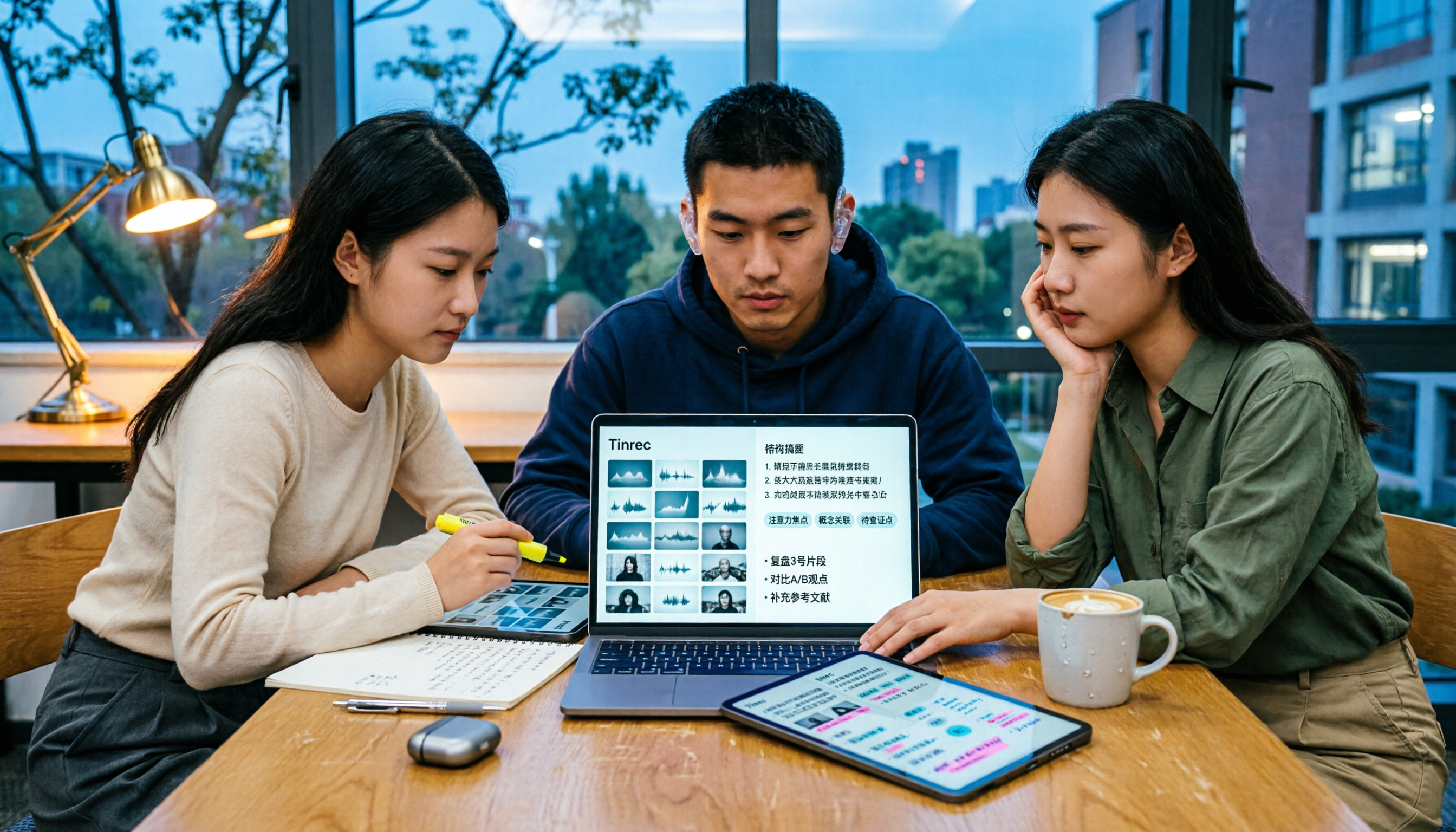
Turn recordings into transcripts and summaries in minutes
Upload audio or video for multilingual transcription, AI notes, and action items
3 Free Short Video Summarizer Tools Tested in 2026: Which Free Version Is Actually Enough?
Last semester I took a marketing-related general education course. The professor posted 4 to 5 videos on the teaching platform every week—some as short as 3 minutes, some nearly an hour. The week before midterms, I opened my watchlist: 18 videos, over 8 hours total. I stared at the progress bar for 10 seconds, then scrolled on my phone for half an hour.
Eventually I gave in and looked for tools. This is my experience testing 3 free short video summarizer tools this semester—which free versions are actually usable, which only look free, and why I'm still using Tinrec today.
Tinrec vs Monica | Quick Overview
Monica was the first tool I tried. Its positioning is clear: an online YouTube video summarizer powered by GPT. Paste a video link and it generates a concise summary. The official site emphasizes it can even handle videos without subtitles.
Tinrec (秒聽錄音) is an AI meeting notes and collaboration tool for individuals and teams. It doesn't just convert audio to text—it organizes videos and recordings into searchable, summarizable, queryable, and exportable data.
I also tried WayinVideo in between. It focuses on turning Instagram Reels, TikTok, and YouTube into timestamped summaries, chapter highlights, and exportable transcripts. It's great for social media content creators, but its focus is short video summaries—my classroom recordings and group discussions weren't its strong suit.
| Item | Tinrec | Monica |
|---|---|---|
| Positioning | AI meeting notes and collaboration tool | Online video summarizer |
| Main input | Live recording, audio/video files, some public video links | YouTube video links |
| Free version | Yes, basic quota for recording, import, summary, and transcription | Yes, online use |
| Core difference | After summarizing, you can ask questions, extract to-dos, export, and put into team spaces | Quickly produces a video summary |
| Platforms | iOS, Android, web, desktop | Online tool |
Below I'll compare across 5 dimensions: video sources, post-summary processing, free quota and budget, multi-device use and export, and collaboration for group projects.
Dimension 1 | Supported Video Sources and Platforms
Monica's strength is clear: YouTube. Paste a link, wait a few seconds, and the summary appears. It even handles videos without subtitles—truly enough for YouTube-only users. But if your material is IG Reels, TikTok, or an mp4 uploaded to the teaching platform, or your own classroom recording, it can't help.
Tinrec is more omnivorous: you can directly upload audio/video files, or import some public video links. More importantly, it also handles "things I recorded myself"—class recordings, lecture captures, group discussions can all go in. In my situation this semester, the real time sink wasn't YouTube videos with links, but course materials that only existed as files.
→ This dimension: Tinrec clearly wins.
Dimension 2 | What You Can Do After Summarizing
Monica gives you a concise summary—it saves you watching time, and the task is done.
Tinrec gives you a whole suite: transcript, AI summary, chapters and highlights, to-dos, mind maps, and you can continue AI Q&A on the content—for example, directly ask "What's the conclusion of this video?" You can also use Agent post-processing to generate reports, tables, and documents, then export to Notion, Google Docs, OneNote, or Dropbox for further use. When making shared notes or writing report outlines at the end of the term, this difference is very noticeable.
→ This dimension: Tinrec wins, especially for students who actually need to produce assignments.
Dimension 3 | Free Quota and Student Budget
Monica's free version lets you use online summaries. For someone who only watches YouTube and just needs a summary, you can start with zero budget—no argument there.
Stop organizing recordings by hand
Upload audio or video and automatically get a transcript, summary, and action items
Tinrec's free version also provides a basic quota to experience recording, import, summary, and transcription. If, like me, you occasionally have a week with several videos to catch up on, it has a weekly pass for short-term use. If you regularly organize course videos every week, the Pro monthly plan makes more sense. If you want to accumulate a full year of course data long-term, the annual plan has a lower monthly equivalent. Actual quotas and prices are subject to the official purchase page.
→ This dimension: Tie. With zero budget and only YouTube summaries, Monica is enough. If you want to bring recordings, videos, and group discussions into one workflow, Tinrec's free version plus weekly pass combo is more practical for students.
Dimension 4 | Multi-Device Use and Export
Monica provides video summaries as an online tool—just open a web page. This is convenient for someone who only brings a tablet to class.
Tinrec has iOS, Android, web, and desktop versions: you can record on your phone anytime, and the desktop version can directly capture computer system audio to record online meetings without inviting a meeting bot into the room. It's quite convenient for online group presentations. For export, the third-party tool integrations mentioned earlier are what I use most.
→ This dimension: Tinrec wins.
Dimension 5 | Collaboration for Group Projects
Based on public descriptions, Monica focuses on individual online summary experience.
Besides the personal version, Tinrec has a separate team version: you can create team spaces, invite members via join links, set owner/admin/regular member roles, and store meeting and video data centrally in the team. One thing that's easy to confuse—the team version separates "roles" and "seats": roles determine who can manage the team, members, audit, and team settings; seats determine whether a member can record, upload, edit, import, export, and use team resources. Members who are active but have no seat can still view, play, and read team data. Also, team resources belong to the team. When a member leaves, is removed, or loses their seat, the resources they're responsible for need to be handed over to other active members—data doesn't follow the person.
Currently, the team version terms are: first eligible team trial is 7 days, 1 free seat, 300 minutes of team shared import quota; monthly USD 29.80 per paid seat, annual USD 199 per paid seat (about USD 16.58/month), each paid seat provides 2,000 minutes of team shared import quota per month. Prices, currency, and benefits are subject to the official purchase page.
→ This dimension: Tinrec wins.
What Unique Advantages Does Each Have?
Tinrec side:
- Record online meetings without a bot: desktop version directly captures computer system audio, handling Zoom, Google Meet, Microsoft Teams, Webex, etc., without inviting an extra bot to join.
- Keep audio for playback verification: transcripts paired with recording playback, so important information isn't missed or misheard by AI.
- Real-time translation and bilingual viewing: for cross-language lectures or videos, you can view original text, translation, or bilingual content.
- Team space and governance: members, roles, seats, usage analytics, audit logs, audio recycle bin, and data handover when members change.
- Agent post-processing: regenerate content into reports, tables, and documents, directly turning into presentation or assignment material.
Monica side:
- Pure YouTube summaries are lightweight: paste a link and get a summary, even for videos without subtitles.
- Free, online, zero installation: just open a web page. Lowest barrier for someone who just wants to quickly scan a YouTube video.
Conclusion: Which Should You Choose?
• If you only do YouTube video summaries and have a tight budget → Monica free version is enough
• If you need to organize IG Reels, TikTok, and similar social short videos → WayinVideo's timestamped summaries are worth trying
• If you want to organize class recordings, lecture captures, and group discussions together → Tinrec (can upload audio/video files and import some public video links)
• If after summarizing you still need to extract to-dos, make shared notes, and export to Notion → Tinrec (the comparison mainly stops at giving a summary)
• If you want to build a shared report database with classmates → Tinrec team version (team space, roles and seats, usage management)
• If you only use an iPhone, occasionally scan a YouTube video, and don't need AI Q&A → Monica is enough
In one sentence: for most students who "don't just want to read a summary but also want to turn video content into assignment material," Tinrec is the more complete choice. I suggest starting with the free version, trying it once with your own class recording or a video, and seeing if its summary and transcript meet your expectations.
Two final reminders: actual transcription and summary results can be affected by recording quality, accent, background noise, and overlapping speakers. For important content, it's best to verify with transcript timestamps and original audio playback. Also remember to check local regulations before recording and transcribing, and get consent when needed.
References
- Summarize YouTube with GPT: Free Online Video Summary Tool
- Free AI Video Summary Tool—Accurate, Fast, with Timestamps
- 3 Short Video Summary Tools Tested in 2026: Which Free Version Is Enough? - 秒聽錄音Blog
- One-Click Video to Text: 3 Video Summary AI Tools Recommended, Quickly Produce High-Quality Key Summaries - 秒聽錄音Blog
- r/PKMS on Reddit: I Tried the Most Popular Free AIs to Summarize YouTube Videos
Turn every recording into actionable outcomes
Get 60 free transcription minutes when you sign in. No credit card required.
Related Reading
You might also like

4 Northeast Chinese Speech-to-Text Tools Tested: Which Handles Accent and Slang Best?
Many people speak Northeast Chinese, but few speech-to-text tools can understand it well. We tested 4 tools, comparing accent handling, custom vocabulary, post-meeting organization, and cross-platform collaboration, and share Tinrec's real-world performance in Chinese meeting transcription, bot-free recording, and team data retention.
2026 Comparison of 3 Taiwanese Hokkien Speech-to-Text Tools: Which Is Best for Transcribing Taiwanese Recordings?
Taiwanese Hokkien speech-to-text is often confused with 'Taiwanese pronunciation tools,' but they are opposite functions. This article first clarifies the difference between TTS and STT, then outlines 4 key points for choosing a Taiwanese Hokkien transcription tool. It compares Tinrec, Yating Transcription, Notta, and VoxBox, and includes a guide to avoid pitfalls and selection advice.
Free Hakka Speech-to-Text Options in 2026: 4 Tools Compared
Hakka speech-to-text isn't as simple as dropping in a recording. This article addresses three common misconceptions, reviews 4 free options in 2026, and uses Tinrec to demonstrate the full workflow from recording and transcription to AI summaries and conversational queries. It includes 5 buying tips and FAQs to help students and researchers avoid common pitfalls.
4 Sichuan Dialect Speech-to-Text Tools Tested: How to Choose for Accented Transcription and Organization in 2026
Turning Sichuan dialect meeting recordings into text often gets stuck not on recording, but on what to do afterward. This article starts with the differences in dialect recognition and accent tolerance, outlines 4 key buying factors, and compares Tinrec, Otter.ai, Notta, and PLAUD in terms of positioning and limitations. It also includes common pitfalls and scenario-based recommendations to help you decide which tool truly fits your Sichuan dialect and mixed-language meeting needs.

4 Best Sichuan Dialect Speech Recognition Tools in 2026: Chinese Dialect Meeting Transcription Made Simple
Sichuan dialect is not just "accented Mandarin." Its checked tones with tense vowels, lack of distinction between flat and curled tongue initials, and unique vocabulary cause many transcription tools to fail. This article breaks down 4 key purchasing factors using real meeting scenarios, tests Tinrec's bot-free online meeting recording, AI summaries, and Q&A, and briefly reviews the applicable scenarios and limitations of Otter.ai, Notta, and PLAUD Note.

4 Cantonese Meeting Transcription Tools Compared in 2026: From Verbatim Transcripts to AI Follow-Up Questions
The hardest part of Cantonese meetings isn't slow typing—it's the mixed Chinese-English speech that's hard to catch, the 20,000-word transcript no one wants to read afterward, and data scattered across individual accounts. This article starts from real usage scenarios, explains 4 key points for choosing a tool, then hands-on compares Tinrec, Subanana, CantoSub, and PLAUD Note Pro, and finally gives you a ready-to-follow starter checklist.
4 Cantonese Subtitle Generators Compared in 2026: How Tinrec Differs from Subanana
Adding subtitles to Cantonese videos: should you transcribe manually or let AI handle it? This article takes a decision-oriented approach to compare 4 Cantonese subtitle generators in 2026, with an in-depth look at Tinrec's real-time transcription, bot-free online meeting recording, AI summaries and action items, team collaboration, and pricing tiers to help you determine which workflow best fits your video and meeting needs.
How to Look Up Taiwanese Hokkien Translations in 2026: Free Online Pronunciation Resources + Tinrec Meeting Transcription
Why is Taiwanese Hokkien (Tâi-gí) translation harder than English? This guide covers free online pronunciation resources, the Ministry of Education dictionary, iTaigi, and other lookup tools, and explains how Tinrec handles full meetings and interviews—real-time recording to text, bilingual comparison, AI summaries, and Q&A—filling the gap that word lookup tools can't.

Best Cantonese Speech-to-Text Tools in 2026: 6 Free Options Tested, Top Pick for Chinese Meetings
How to choose a free Cantonese speech-to-text tool? This article uses Tinrec to demonstrate the complete workflow from recording to transcript to meeting minutes, and compares the free tiers and limitations of Subanana, UniScribe, Otter, Notta, and TurboScribe to help you pick the right tool for your meeting needs.