

Turn recordings into transcripts and summaries in minutes
Upload audio or video for multilingual transcription, AI notes, and action items
Tinrec vs Zoom 2026: 5-Dimension Comparison — Which Saves More Time on Online Meeting Notes and Organization?
It's 3 p.m. on a Wednesday, halfway through an online meeting, when your manager suddenly asks, "That requirement the client mentioned last time — what happened with it?" The room goes silent for five seconds. You scroll back through the chat history and see only a row of "Got it" replies and stickers. The conclusion from back then is nowhere to be found.
The video was smooth and the audio was clear, but after the meeting ended, nothing was left behind. This is probably the most real frustration the average office worker has with "online video software."
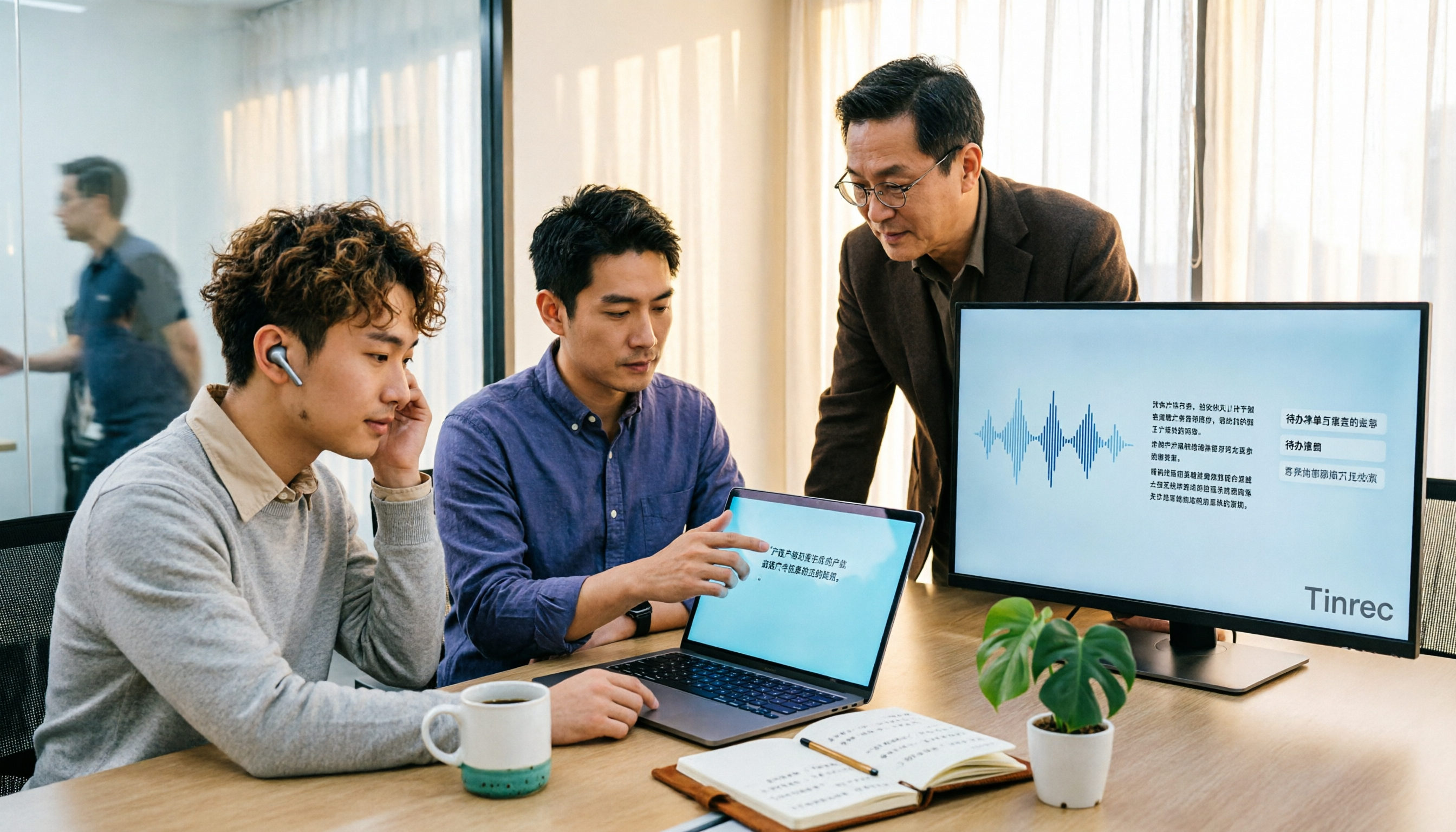
Tinrec is an AI meeting notes and collaboration tool for individuals and teams. It supports real-time audio-to-text transcription, bot-free online meeting recording on desktop, audio and video file transcription, and real-time translation during recording. The free version offers a basic quota so you can try out what automatic meeting organization feels like.
What Can Online Video Software Do for You?
Scenario 1: No more time spent catching up on notes after a meeting In the past, after a two-hour meeting, you might spend another hour recalling and organizing the minutes. With Tinrec, for example, the transcript is being generated while recording, and by the time the meeting ends, the AI summary, chapters, and action items are ready too — who's responsible for what is clear at a glance.
Scenario 2: Decisions from six months ago are still findable "Didn't we talk about this last time?" is a question that often gets no follow-up. Tinrec saves transcripts and supports search, and you can ask questions directly about the meeting content, such as "What were the client's concerns about the quote?" — no need to re-listen to the entire recording.
Scenario 3: Cross-language meetings are no longer a mess When meeting with overseas colleagues or clients, Tinrec supports real-time translation. You can choose to view the original text, the translation, or a bilingual side-by-side view, cutting down on the time spent translating after the meeting.
Scenario 4: Meeting data stays with the team, not on someone's computer The Tinrec team version provides a separate team space where meeting data belongs to the team. When members change, the data doesn't leave with the individual.
What Are the Core Capabilities for Meeting Notes and Organization?
Real-time audio-to-text transcription Tinrec transcribes while recording, making it suitable for in-person meetings, interviews, and on-site notes. You can check the text in real time during the meeting to make sure no key point is missed, without waiting until afterward.
Bot-free online meeting recording This is a very practical design in Tinrec. The desktop version directly captures the computer's system audio to handle meetings played on a computer from platforms like Zoom, Google Meet, Microsoft Teams, and Webex, without needing to add a meeting bot as a participant. Note that you still need to open Tinrec yourself to start recording — it is not a bot that automatically joins calendar meetings.
AI summary, chapters, and action items Tinrec doesn't just condense the transcript into a paragraph; it organizes it structurally: meeting topic, discussion highlights, conclusions, and action items are listed separately, and long meetings are split into easy-to-browse chapters.
AI Q&A and follow-up processing After transcription is complete, you can ask Tinrec directly, "Who mentioned the budget in the meeting?" or "What was the client's feedback?" You can also generate reports, tables, and documents for further processing with an Agent.
Export to your existing workflow Tinrec supports multi-format export, so you can take the results to Notion, Google Docs, OneNote, Dropbox, and other tools for continued use.
Team space and governance The team version centralizes meeting data storage and provides management capabilities such as members, roles, seats, usage analytics, audit logs, team hotwords, and an audio recycle bin.
Practical Use Cases
Project weekly meetings The biggest fear in a fixed weekly progress meeting is "forgetting what was said last week." Record it with Tinrec, then check the summary and action items right after the meeting. Looking back before next week's meeting is also quick, no need to piece things together from personal notes.
Stop organizing recordings by hand
Upload audio or video and automatically get a transcript, summary, and action items
Customer interviews and sales communication Requirements, concerns, and commitments mentioned by customers are usually scattered throughout the conversation. Tinrec puts the transcript and key points together, so when writing a proposal or replying to an email afterward, you can quote the meeting content directly and are less likely to miss what the customer said.
Online courses and interview research Classes or interviews often run one to two hours. Tinrec supports audio and video file transcription — drop in the recording and it can be organized into text, then use AI Q&A to pull out the passages you want to cite, saving a lot of time on organizing materials.
5 Things to Watch When Choosing an Online Meeting Tool
1. How the meeting is recorded Some tools require a bot account to join the meeting; others use the platform's built-in transcription. Tinrec takes the approach of capturing system audio on the desktop — no extra participant, and it doesn't disrupt the original meeting flow.
2. Performance with Chinese and technical terminology If meetings are mainly in Chinese, or often mix Chinese and English, transcription quality directly affects usability. Tinrec covers Chinese, Traditional Chinese, and multilingual scenarios, and provides team hotwords to maintain technical terminology. Actual results are affected by recording quality, accents, noise, and overlapping speakers, so it's not advisable to rely solely on official accuracy claims.
3. Can you use it after transcription? The transcript is just the starting point. When choosing a tool, look at whether it can produce summaries, chapters, and action items, and whether you can ask questions about the content. Tinrec's AI Q&A, mind maps, reports, and table generation all fall into this layer.
4. Team permissions and governance When multiple people use it, it's important to distinguish between "roles" and "seats." In the Tinrec team version, roles determine who can manage the team and settings, while seats determine whether members can record, upload, edit, and export; members without seats can still view, play, and read team data. Currently it is team-level sharing, not file-level granular permissions.
5. How quotas and costs are calculated The personal version has a free version, weekly pass, Pro monthly, and Pro annual, so you can choose based on usage frequency. The team version's paid seat is USD 29.80/paid seat/month, or USD 199/paid seat/year (about USD 16.58/month) with annual payment. Each paid seat provides 2,000 minutes of team shared import quota per month; under an active team plan and seat, real-time recording currently does not deduct minutes, while file and web link imports use the shared quota. Eligible teams can try 7 days, 1 free seat, and 300 minutes of team shared import quota for the first time. Actual prices and benefits are subject to the official purchase page.
One more reminder: video calls and meeting notes are actually two different things. Platforms like Zoom are responsible for delivering the picture and sound to everyone, while Tinrec is responsible for preserving the meeting content. Used together, an online meeting is truly complete. Tinrec can handle the meeting audio played on a computer from these platforms, but this does not mean there is an official partnership between the two parties.
Frequently Asked Questions
Is Tinrec online video software? No. Tinrec does not provide video calling features. It handles the meeting notes side: recording, transcription, summaries, action items, Q&A, and team data storage. You can continue using your existing video platform.
Is the free version enough? The Tinrec free version offers a basic quota, suitable for experiencing the full workflow first. If you only occasionally organize a recording, the free version or weekly pass is enough; if you have steady weekly meeting needs, then consider the Pro monthly or annual plan.
Do I need to invite a meeting bot to join? No. The Tinrec desktop version captures computer system audio to record online meetings, so no extra account appears in the participant list. However, you need to start the recording yourself — it is not a bot that automatically joins all meetings.
What should I pay attention to before recording? Recording and transcription involve other people's voices. It is recommended to first confirm local regulations and obtain consent from participants, especially for customer meetings or international meetings.
If a team member leaves, will the meeting data disappear? It won't be taken away by the individual directly. Team resources belong to the team. When a member leaves or is removed, their responsible team resources are handed over to other active members. Deleted audio goes into the team recycle bin and can be restored before permanent cleanup; the current retention period is 30 days.
Conclusion
The real cost of online meetings is often not the hour spent in the meeting, but the scattered time afterward when you can't find the conclusion or remember the action items. Tinrec connects recording, transcript, summary, action items, and Q&A into one workflow, turning meeting content into data that can be searched, queried, and handed off to the team for continued use. If you have more than three meetings a week, you can start with the free version's basic quota and feel the difference of having your notes already organized when the meeting ends.
References
- Top 10 Video App Recommendations Ranking | mybest
- How to Choose Online Meeting Software? 5 Software Features, Prices, and Use Cases at a Glance! - 棋崚ALEN
- Free Video Chat and Meetings | Microsoft Teams
- Video Conferencing Tools and Software | Microsoft Teams
- Top 4 Free Online Video Software Recommendations - Pros and Cons Analysis, Feature Tutorials, and Highlights | EG Web Design
Turn every recording into actionable outcomes
Get 60 free transcription minutes when you sign in. No credit card required.
Related Reading
You might also like

Tinrec vs Otter.ai in 2026: 5-Dimension Comparison — Which Is Better for Chinese Meeting Notes?
Many people choose transcription software based only on free minutes, only to end up reading the entire transcript themselves. This article compares Tinrec and Otter.ai across 5 practical dimensions, with brief reviews of Notta and Granola, to help you find the tool that truly saves time for Chinese meetings.

4 Best Real-Time Translation Tools for Online Meetings in 2026: Beyond Bilingual Subtitles, Which One Leaves You with Usable Meeting Records?
How to choose a real-time translation tool for online meetings? This article examines four key criteria: system audio vs. meeting bot, what's left after the meeting, performance in Chinese meetings, and how free tiers are calculated. It compares Tinrec, Notta, Granola, and Akkadu, and summarizes the four most common purchasing mistakes and scenario-based recommendations.

5 Audio-to-Text Apps Compared in 2026: Why Tinrec Is Better for Chinese Meetings
A roundup of common audio-to-text apps in 2026, comparing Tinrec, cSubtitle, MyEdit, SoundType AI, and Yating Transcription, and explaining what to look for in Chinese meeting transcription, AI summaries, action items, and team collaboration.

2026 Comparison of 5 Transcription Tools: Which Saves the Most Time for Chinese Meetings and Mixed Chinese-English?
Transcription isn't about who transcribes fastest, but how much time you spend cleaning up afterward. This article addresses common misconceptions, breaks down the practical uses of transcription, core capabilities, and 5 key checkpoints for choosing a tool. It also demonstrates Tinrec's complete workflow from recording, transcription, summarization, to-dos, to team knowledge retention, helping you make a regret-free decision on a limited budget.

5 Chinese Speech-to-Text Tools Tested for 2026: Which Saves More Time on Meeting Transcripts and AI Summaries?
The same Chinese meeting recording can yield vastly different results depending on the approach. In 2026, five common Chinese speech-to-text methods each suit different users. This article compares Chinese sentence segmentation, post-meeting organization, export integration, and team governance, and explains how Tinrec uses bot-free desktop recording, real-time transcripts, AI summaries, and action item extraction to turn meetings into searchable, collaborative team data.

2026 Cisco Webex Meeting Guide: Join Without Installing + Automate Meeting Notes
The real work begins after your Webex meeting ends. This guide covers common mistakes, the 4 key factors for choosing a meeting notes tool, and a hands-on test of Tinrec—showing how it uses bot-free desktop recording to capture Webex meetings, generate transcripts, summaries, and action items. We also compare Webex built-in recording, Otter.ai, and Notta, with clear recommendations for different needs.
4 Audio-to-Text Tools Tested for 2026: Which Saves the Most Time for Chinese Meeting Transcription and Post-Meeting Organization?
Transcribing audio to text is easy; the hard part is how much time you spend organizing afterward. This article covers buying considerations, hands-on comparisons, and pitfalls, analyzing Tinrec, Otter.ai, Granola, and Notta on Chinese recognition, bot-free online meeting recording, AI Q&A, and team collaboration to help you decide which fits your meeting scenario.

Tinrec Review 2026: Free Audio-to-Text Transcription & Automated Meeting Notes
Many people search for "Yating transcription coupons" to save on meeting notes, but the real bottleneck isn't the discount code—it's that tools still require manual work from recording to transcription to organization. This article uses real meeting scenarios to explain how Tinrec's free tier, live recording, and bot-free online meeting transcription work, plus 5 checkpoints for choosing an audio-to-text tool and common FAQs.

4 Lifesize Online Alternatives Tested and Compared in 2026: Which Is More Practical—Bot-Free Recording or Chinese Transcription?
Lifesize online meetings run smoothly, but post-meeting organization often still relies on manual work. Based on real-world use cases, this article explains how Tinrec uses bot-free desktop recording, real-time transcription and translation, AI summaries and action items, AI Q&A, and team spaces to turn online meetings into searchable, collaborative data. It also outlines 5 key considerations and FAQs when choosing an alternative.