

Turn recordings into transcripts and summaries in minutes
Upload audio or video for multilingual transcription, AI notes, and action items
Tinrec vs Otter.ai in 2026: 5-Dimension Comparison — Which Is Better for Chinese Meeting Notes?
The biggest mistake when choosing transcription software: focusing only on minutes
Many people choose transcription software like this: open a comparison table, check how many free minutes are offered, then look at the cost per minute, and finally pick the cheapest one.
As a result, after the meeting is recorded and the transcript is generated, you still have to read through it from beginning to end yourself.
I've tried many tools for readers, and the most common complaint isn't "it can't transcribe," but "after transcription, it's even more tiring." A 40-minute meeting can easily produce a transcript of over 10,000 words, and Chinese often lacks paragraphs and key points. Using Ctrl+F to search for keywords only finds fragmented sentences.
Chinese meetings are even more troublesome. Mixed Chinese and English, technical terms, and multiple people talking over each other happen daily in real meeting rooms, yet these are where many tools perform most inconsistently.
So this article isn't about which is cheapest, but aims to answer a more practical question: which tool can actually let you do less work after the meeting ends?
5 key points to understand before choosing transcription software
First, what else can it give you after transcription? The transcript is just raw material. What really saves time are summaries, chapters, key points, and action items. Think about it: after a meeting, do you want a 10,000-word document, or a one-page conclusion you can forward directly?
Second, how is the meeting recorded? There are two main approaches: one is to have a "meeting bot" join the online meeting as a participant; the other is to capture the computer's system audio directly from a desktop app, without needing an extra participant. The latter is especially friendly for external client meetings—you don't have to explain to the other party that "a bot will join later."
Third, performance with Chinese and mixed Chinese-English. This is the most often overlooked yet most impactful factor for Taiwanese users. If mixed Chinese-English sentences are chopped up messily, the time spent organizing later doubles.
Fourth, whether audio files are retained and whether old files can be imported. Some tools only give you text and don't save recordings, so you can't verify a sentence later; some tools don't support uploading existing audio files. If you already have a pile of old recordings, this directly determines whether the tool is usable.
Fifth, team collaboration and governance. Who owns the meeting data? Will data disappear when a member leaves? Can you manage seats and usage? These are unnoticeable for individual use, but become major issues once scaled to a team.
Tinrec — Our top recommendation after testing
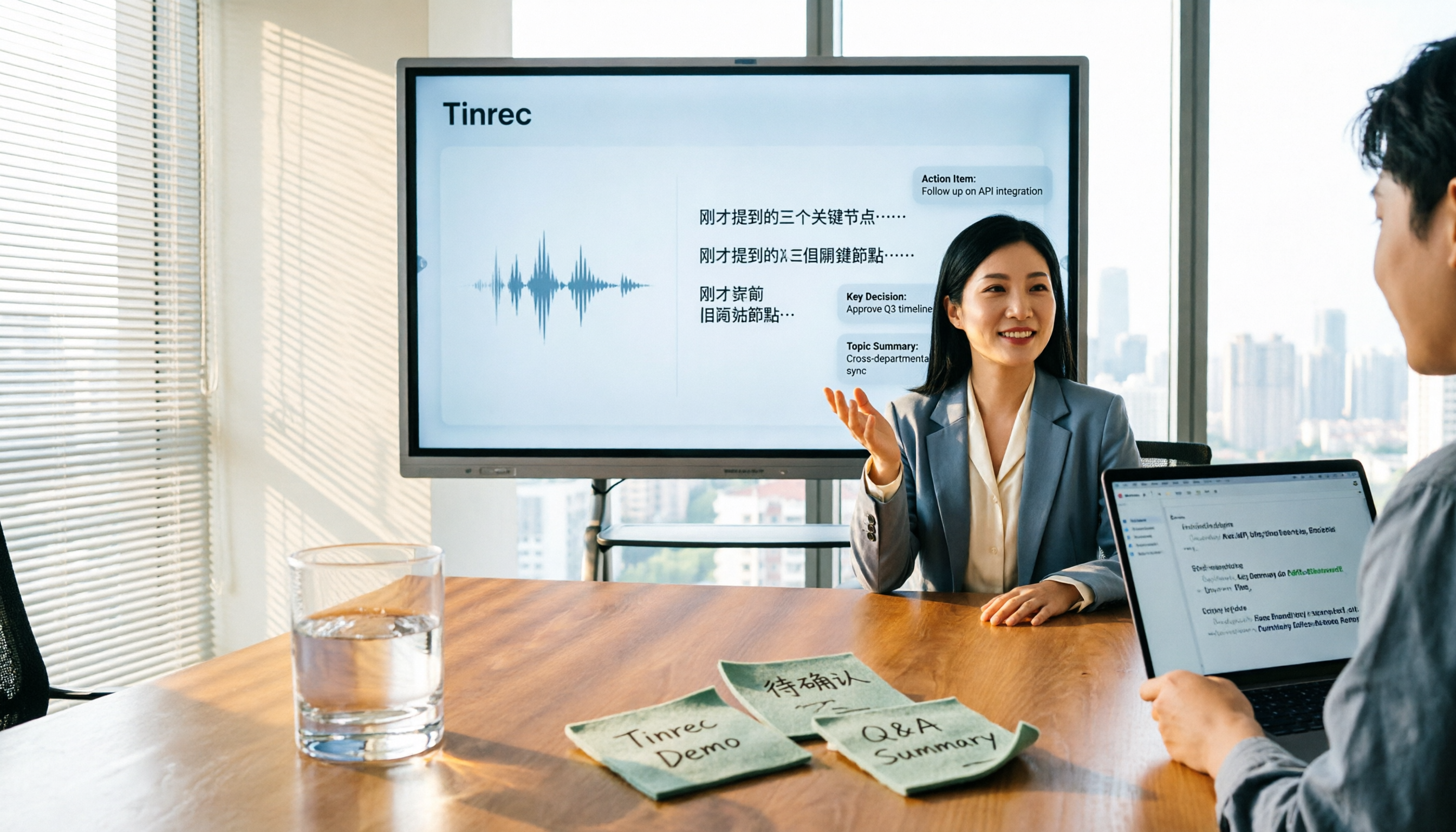
Tinrec is an AI meeting notes and collaboration tool for individuals and teams, supporting iOS, Android, and web, with a desktop version as well. Its biggest difference from ordinary recording apps is that it cares about "after recording."
First, it transcribes while recording. When you open Tinrec during a meeting, the transcript is generated in sync. For online meetings, the desktop version can capture system audio directly, handling meetings on Zoom, Google Meet, Microsoft Teams, Webex, etc., without needing a separate meeting bot. Note that this is not "automatically joining all calendar meetings"—the user initiates recording actively.
Second, it turns transcripts into something usable. After the meeting, Tinrec automatically generates summaries, chapters, and action items; for cross-language communication, you can view the original text, translation, or bilingual content during recording. Even better is AI Q&A: you can directly ask "What was the conclusion of this meeting?" or "How many times did the client mention the budget issue?" It doesn't give you keyword search results but answers based on the meeting content. Most similar tools still require you to scroll through the transcript yourself.
Third, it brings results into your workflow. Transcripts and summaries have timestamps, can be exported as documents, and can be exported to Notion, Google Docs, OneNote, Dropbox, etc.; when needed, post-processing can generate reports, tables, and meeting documents.
What's easily overlooked is the team scenario. Tinrec's team plan stores meeting data centrally in a team space, and meeting content belongs to the team, not taken away when a member leaves. Admins can manage member roles and seats, view usage trends and member usage details, and query and export audit logs; deleted audio goes to the recycle bin and can be restored before permanent deletion. Note that the team plan distinguishes between "roles" and "seats"—active members without a seat can still view, play, and read team data, but to actually record, upload, edit, or export, they need a seat.
Stop organizing recordings by hand
Upload audio or video and automatically get a transcript, summary, and action items
As for pricing, the personal plan includes a free version, weekly pass, Pro monthly, and Pro annual. The free version provides basic quota to try recording, importing, summaries, and transcription; for temporary high-frequency use, consider the weekly pass; for steady weekly needs, Pro is more suitable; for long-term accumulation of recording data, the annual pass is more cost-effective. The team plan offers a 7-day trial for first-time eligible users, 1 free seat, and 300 minutes of shared team import quota; thereafter, monthly payment is USD 29.80 per paid seat, annual payment is USD 199 per paid seat (about USD 16.58 per month), each paid seat provides 2,000 minutes of shared team import quota per month; real-time recording under an active team plan is currently not deducted by minutes. Actual prices, currencies, and promotions are subject to the official purchase page.
Limitations should also be clear: transcription quality is affected by the recording environment—air conditioning noise, multiple people talking over each other, accents, and technical terms all influence results, and Tinrec is no exception. For important content, it's recommended to replay with timestamps for verification. Also, the team plan currently focuses on team-level shared visibility, managed through roles and seats, not file-level granular permissions.
Who is it for? If your meetings are mainly in Chinese, you often meet with clients or colleagues who mix Chinese and English, you want to use AI to find key points directly after recording, or you need to switch between phone and computer—Tinrec is currently one of the smoothest choices.
Besides Tinrec, what other options are there?
Otter.ai: A mature AI meeting assistant with a good reputation for automation and workflows in English business meetings. The free version offers 300 minutes per month; Pro annual is about USD 8.49 per user per month, including 1,200 minutes of in-app recording and 10 file imports per month. If your meetings are almost all in English and your team is used to an English interface, Otter.ai is worth considering. In contrast, Tinrec focuses more on Chinese meetings, real-time translation, and team data accumulation, and also offers AI Q&A around meeting content and post-meeting deliverable generation.
Notta: A multilingual transcription tool with high overlap with Tinrec. Free version: 120 minutes per month, max 3 minutes per file; Pro annual is about USD 8.17 per month (1,800 minutes per month); Business annual is about USD 16.67 per seat per month. Notta performs well in subtitles and translation. If you want post-meeting deliverables like "turning transcripts into reports or tables," Tinrec's post-processing and export options are more aligned with actual work.
Granola: Also a bot-free AI meeting note tool, emphasizing "handwritten notes + AI enhancement." Basic is free, Business is USD 14 per user per month. Note that it does not support uploading pre-recorded audio files and does not save meeting audio. If you have a pile of old recordings to organize or need to replay for verification, Tinrec is more suitable.
Pitfall guide: 4 most common mistakes when choosing transcription software
Pitfall 1: Choosing a tool based only on free minutes. A large free quota doesn't mean time saved. The real cost is "how much time you spend organizing after transcription." It's recommended to try a real meeting of your own and see the usability of summaries and action items, rather than just looking at minutes.
Pitfall 2: Thinking a meeting bot is the only way. A bot joining a meeting is useful in some scenarios, but for external clients or the other company's meeting system, it often gets stuck on permissions or perception. Desktop system audio capture is another way; both Tinrec and Granola use this mode, but Tinrec also retains audio files and file import capability.
Pitfall 3: Ignoring whether audio files are retained. Transcription errors are common. If the tool doesn't save recordings, you have no chance to verify. When choosing, be sure to confirm "whether audio is retained, for how long, and whether it can be downloaded."
Pitfall 4: Misunderstanding "team sharing" as "file permissions." Many teams think that buying a team plan allows setting individual access for each document. In reality, most tools (including Tinrec's team plan) use team-level shared visibility, with roles and seats controlling who can use resources. Confirm this gap before purchasing, so you don't find out it doesn't meet internal policies after buying.
Conclusion: Which one should you choose?
In one sentence: If you want Chinese meeting transcripts, summaries, and post-meeting Q&A, Tinrec currently offers the most complete overall experience.
- Mainly Chinese/mixed Chinese-English meetings → Tinrec (multilingual meeting scenarios, supports real-time translation and bilingual view)
- Want to use AI to ask key points directly after recording → Tinrec (supports AI Q&A around meeting content)
- Don't want a bot to join the meeting → Tinrec (desktop system audio capture)
- Need team to jointly accumulate meeting data → Tinrec team plan (team space, roles and seats, usage analysis, audit logs)
- Have a large number of old recording files to organize → Tinrec (supports audio and video file import; Granola does not support uploading pre-recorded audio)
- Meetings are almost all in English, already using English workflow → Otter.ai (one of the few scenarios in this article where another option is recommended)
It's recommended to start with Tinrec's free version, record two or three of your own work meetings, experience the practicality of summaries and Q&A, and then decide whether to upgrade. Also, don't forget to comply with local regulations before recording and transcribing, and obtain participant consent when necessary.
References
- Yating Transcription
- Can anyone recommend an AI tool that can transcribe audio files?
- Online AI speech, video, audio to text automatically - free trial - cSubtitle
- SoundType AI ultra-accurate transcription, speech to text, AI dictation - Google Play app
- No time limit! 3 free AI transcription tools, highly recommended! AI voice notes generate meeting minutes, presentations, mind maps | 104 Workplace
Turn every recording into actionable outcomes
Get 60 free transcription minutes when you sign in. No credit card required.
Related Reading
You might also like

5 Best Online Video Chat Rooms in 2026: Anonymous Chat, Random Pairing, and AI Meeting Notes Compared
How do you choose an online video chat room in 2026? We tested 5 tools for anonymous socializing, random pairing, and meeting documentation, plus what to look for—including how Tinrec handles bot-free meeting recording, AI summaries and action items, and team workspaces.

2026 Comparison of 4 Online Meeting and Teaching Tools: After a Webex Meeting, What's the Easiest Way to Keep Records?
Closing the window right after an online meeting is the most common and costly habit. This article compares Cisco Webex, Tinrec, Granola, and TurboScribe in terms of meeting recording, transcription, summarization, and post-meeting organization, and highlights the four most common pitfalls when choosing online meeting and teaching tools.
4 Best Audio-to-Text Software in 2026: Which Is Most Useful for Chinese Meeting Notes and AI Q&A?
Still stuck transcribing after meetings? We tested 4 audio-to-text software in 2026, comparing Chinese and mixed Chinese-English recognition, bot-free online meeting recording, post-meeting AI summaries and Q&A, and team data ownership. We also list 4 key buying factors and 3 common pitfalls to help you find the one that truly saves time.

3 AI Meeting Note Tools Tested in 2026: A No-Bot Option for Webex Users
Cisco Webex is a common online meeting tool for businesses, but post-meeting organization often still relies on manual work. This article explores real-world scenarios to explain what AI meeting note tools can do for professionals, using Tinrec as an example to demonstrate a complete workflow for bot-free Webex meeting recording, real-time transcription, AI summaries, action item extraction, and team spaces, while also covering 5 key considerations for purchasing and FAQs.

2026 Best Free Audio-to-Text Tools Compared: Which One Is Actually Enough?
Meeting recordings pile up, Cantonese transcripts take forever to type, and free versions cut you off mid-transcription with an upgrade prompt. This guide breaks down the free tiers, language support, and post-meeting organization of 5 audio-to-text tools in 2026, and explains why Tinrec's no-bot desktop recording, AI summaries and Q&A, and team workspace make it more practical for Chinese-language meetings.

4 Best Real-Time Translation Tools for Online Meetings in 2026: Beyond Bilingual Subtitles, Which One Leaves You with Usable Meeting Records?
How to choose a real-time translation tool for online meetings? This article examines four key criteria: system audio vs. meeting bot, what's left after the meeting, performance in Chinese meetings, and how free tiers are calculated. It compares Tinrec, Notta, Granola, and Akkadu, and summarizes the four most common purchasing mistakes and scenario-based recommendations.

5 Audio-to-Text Apps Compared in 2026: Why Tinrec Is Better for Chinese Meetings
A roundup of common audio-to-text apps in 2026, comparing Tinrec, cSubtitle, MyEdit, SoundType AI, and Yating Transcription, and explaining what to look for in Chinese meeting transcription, AI summaries, action items, and team collaboration.

2026 Comparison of 5 Transcription Tools: Which Saves the Most Time for Chinese Meetings and Mixed Chinese-English?
Transcription isn't about who transcribes fastest, but how much time you spend cleaning up afterward. This article addresses common misconceptions, breaks down the practical uses of transcription, core capabilities, and 5 key checkpoints for choosing a tool. It also demonstrates Tinrec's complete workflow from recording, transcription, summarization, to-dos, to team knowledge retention, helping you make a regret-free decision on a limited budget.

5 Chinese Speech-to-Text Tools Tested for 2026: Which Saves More Time on Meeting Transcripts and AI Summaries?
The same Chinese meeting recording can yield vastly different results depending on the approach. In 2026, five common Chinese speech-to-text methods each suit different users. This article compares Chinese sentence segmentation, post-meeting organization, export integration, and team governance, and explains how Tinrec uses bot-free desktop recording, real-time transcripts, AI summaries, and action item extraction to turn meetings into searchable, collaborative team data.