
Turn recordings into transcripts and summaries in minutes
Upload audio or video for multilingual transcription, AI notes, and action items
4 Best Audio-to-Text Software in 2026: Which Is Most Useful for Chinese Meeting Notes and AI Q&A?
The meeting ends, but your overtime begins—you don't need a tool, you need a solution
It's 5:30 on a Friday afternoon. Everyone else has left the conference room, but you're still at your desk, playing back a two-hour recording from the beginning. When you hear "we'll handle this next week," you suddenly freeze—you didn't note who was responsible, so you rewind and listen again. Just clarifying one sentence takes three minutes.
If the meeting is in Chinese mixed with English, it's even worse. Speakers switch languages, people talk over each other, and air conditioning and keyboard sounds blend in. Most tools produce choppy transcripts, and you end up retyping everything manually.
More importantly, the transcript itself isn't the end goal. What really eats time is what comes after: who promised what, what was decided, what to follow up on next week. If you still have to dig through a 30-minute transcript yourself, the tool has only saved you half the work.
This hands-on test aims to answer one question: which audio-to-text software can truly give you back that "hour after the meeting."
Before Buying Audio-to-Text Software, Understand These 4 Key Points
1. Accuracy depends on test conditions, not official numbers. Official accuracy rates are usually measured in quiet environments. Real conference rooms have air conditioning, keyboard noise, and overlapping speech, so performance drops noticeably. We recommend testing with your own recording, especially Chinese and mixed Chinese-English segments—that's the real deciding factor.
2. After transcription, is there "post-meeting organization"? A tool that only converts audio to text does just one-third of the job. Summaries, chapters, action items, and the ability to directly ask questions about the meeting content are what truly consume your time.
3. How to record online meetings. A common approach is to send a meeting bot to join, but some companies don't allow external accounts in meetings. Another way is to use a desktop app to capture system audio directly, without adding extra participants—this method is much cleaner in practice.
4. Where does the data end up? Personal account data follows the person; when they leave, it scatters. Teams need data that belongs to the team, is searchable, and can be handed over. This is where the difference between "roles" and "seats" comes in: roles determine who can manage the team and settings, seats determine who can record, upload, and edit.
Tinrec—Our Top Recommendation After Testing
In one sentence: Tinrec is an AI meeting notes and collaboration tool for individuals and teams, supporting iOS, Android, and web, with a desktop version that can directly record online meetings.
During meetings, it transcribes as it records. The desktop version captures system audio to handle Zoom, Google Meet, Microsoft Teams, Webex, and other online meetings without scheduling a meeting bot. For companies that don't allow external accounts in meeting rooms, this alone determines whether it can be used. During recording, you can switch between original text, translation, or bilingual view—no need for a separate interpreter in cross-language meetings.
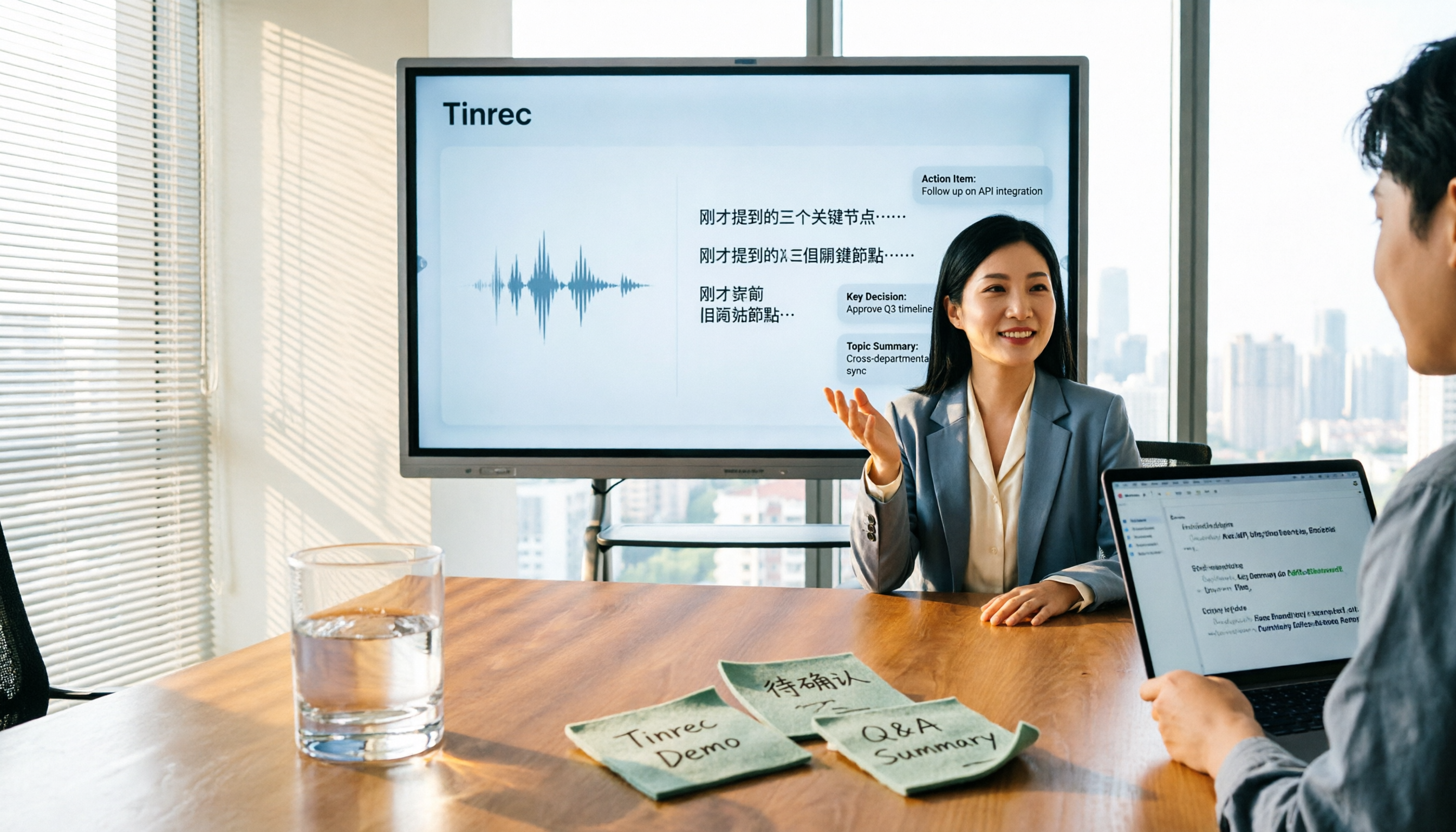
When the meeting ends, half the organization is already done. Tinrec automatically generates summaries, chapters, key points, and action items—who is responsible for what and by when, visible right after the meeting. When you need to deliver, you can export as documents or continue working in Notion, Google Docs, OneNote, etc., and further generate reports, tables, and meeting minutes.
After recording, you can keep asking it questions. This is where Tinrec stands out most from other tools at the same price. You can directly ask: "Who mentioned the budget in the last meeting?" It doesn't just give you keyword search results; it answers based on semantics. As historical meetings accumulate, this feature turns scattered meetings into a conversational database.
Our test conditions: the same ~5-minute mixed Chinese-English meeting recording, using the laptop's built-in microphone, with air conditioning background noise, and two people speaking alternately. Tinrec required relatively few manual corrections for Chinese segments and mixed Chinese-English proper nouns, and punctuation and paragraphing were mostly accurate. Actual performance will still be affected by recording quality, noise, accents, and overlapping speech; we recommend verifying with your own recording.
Stop organizing recordings by hand
Upload audio or video and automatically get a transcript, summary, and action items
Three main advantages:
- No extra hardware, no meeting bot: Works on phone, computer, and web; online meetings rely on desktop system audio capture.
- Complete post-meeting output: Transcript, summary, chapters, action items, mind map, and AI Q&A all in one place—no need to move data between multiple tools.
- Team version solves data ownership: Provides independent team spaces where meeting data belongs to the team; you can create and switch between multiple teams, invite members via join links, and set owners, admins, and regular members. Each paid seat provides 2,000 minutes of team shared import quota per month; real-time recording under an active plan and seat is currently not deducted by minutes.
Limitations to note: The free version offers basic quota, suitable for trying out; if you have regular weekly meetings, you'll need to upgrade. Also, the team version currently focuses on "team-level sharing"—all active members can read team data, but those without a seat can only view, play, and read, not upload, edit, or export. It is not a file-level granular permission system. Team monthly is USD 29.80 per paid seat per month, annual is USD 199 per paid seat per year (about USD 16.58 per month). First eligible teams get a 7-day trial, 1 free seat, and 300 minutes of shared import quota.
Who it's for: If your meetings are in Chinese or mixed Chinese-English, you don't want extra bots in the meeting room, and you want to use AI to find key points right after recording, Tinrec is currently the most suitable choice. Teams that need to share meeting data, manage seats, and view usage records should look directly at the team version.
Besides Tinrec, What Other Options Are There?
Otter.ai: A veteran choice for English business meetings. Free version offers 300 minutes per month; Pro annual is about USD 8.49 per user per month. Its meeting automation and English mindset are mature. If your meetings are almost entirely in English, it's indeed cost-effective. But it lacks Tinrec's team hotwords and Chinese meeting packaging, and doesn't have the whole process of "retaining recordings + file import + team data accumulation."
TurboScribe: Focuses on cost-effective file transcription. Free version allows 3 files per day (max 30 minutes each); Unlimited annual is USD 120. Paid version supports up to 10 hours per file and 50 files at once. For processing many long recordings at once, its batch capability is stronger than Tinrec's. But real-time meeting recording, post-meeting AI Q&A, and team spaces are not its focus, nor does it have Tinrec's bot-free online meeting recording.
Granola: Also uses a bot-free approach, relying on desktop system audio and microphone for real-time transcription, combined with user-written notes to generate content. Basic is free; Business is USD 14 per user per month. Its strength is "notes + AI enhancement," but it doesn't support uploading pre-recorded audio files and doesn't save meeting audio—this is exactly where Tinrec retains recordings, supports file import, and enables team data management.
Pitfall Guide: The 3 Most Common Mistakes When Choosing Audio-to-Text Software
Pitfall 1: Only looking at official advertised accuracy. Advertised numbers usually come from quiet environments. Real conference rooms have air conditioning, keyboards, and people talking over each other, so the gap is obvious. The right approach is to test your most difficult recording with the free version, especially Chinese and mixed Chinese-English segments.
Pitfall 2: Treating a transcription tool as a pure typewriter. If you only use it to "turn audio into text," you're using only one-third of its capability. For example, Tinrec's AI chat query lets you ask "What was the conclusion of this meeting?" right after recording—much faster than manually flipping through a 30-minute transcript.
Pitfall 3: Ignoring team data ownership and seat rules. Many teams think "everyone shares one account" is fine, but when a member leaves, the data disappears with them. For the team version, you need to check: does the data belong to the team, can it be handed over when a member leaves, and how are seats and roles distinguished. If these aren't clarified, the cost of fixing later is high.
Conclusion: Which One Should You Choose?
- Chinese or mixed Chinese-English meetings, need highest post-meeting organization efficiency → Tinrec
- Want to use AI to directly ask about meeting content after recording → Tinrec (AI chat query is a rare feature at this price)
- Need to use on phone, computer, and web, don't want extra hardware → Tinrec
- Team needs to share meeting data, manage seats and usage → Tinrec Team Version
- Meetings almost entirely in English, limited budget → Otter.ai (the only scenario in this article where we recommend another tool)
- Have a large batch of long recordings to transcribe at once → TurboScribe
We suggest first running your most difficult recording through Tinrec's free version to see how much Chinese correction is needed. If it works for you, consider upgrading—no need to pay from the start.
References
- Online AI speech, video, audio file auto transcription - Free trial - cSubtitle
- Tested 4 best online speech-to-text tools, free instant transcription of audio files
- Online speech-to-text AI, free transcription of MP3 or audio files - MyEdit
- Yating Transcription
- SoundType AI ultra-accurate transcription, speech-to-text, AI dictation - Google Play App
Turn every recording into actionable outcomes
Get 60 free transcription minutes when you sign in. No credit card required.
Related Reading
You might also like

2026 Comparison of 5 Meeting Minutes Tools: Which AI Auto-Generated Summaries Save the Most Time?
Still manually filling out meeting minutes every time? This article starts from student and group collaboration scenarios, comparing 5 meeting minutes tools and free templates, including Tinrec, Otter.ai, Notta, Granola, TurboScribe, PLAUD, and government/school templates. It covers pricing, free quotas, AI summaries, and to-do features to help you choose the most time-saving option.

2026 Meeting Notes Tools Compared: What to Record and Which AI Can Organize It for You?
What should you actually capture in meeting notes? This article breaks it down into three key judgments—topics, decisions, and action items—and compares four tools: Tinrec, Otter.ai, Notta, and Granola. It covers buying criteria, common pitfalls, and scenario-based recommendations to help you find a solution that turns meeting content into usable data.

2026 Comparison of 4 Meeting Minutes Tools: Downloadable Templates vs. AI Auto-Organization—Which Saves More Time?
Should you download a meeting minutes template and fill it out yourself, or let AI organize everything automatically? This article starts with the essential fields of a meeting minutes table, then covers core capabilities such as live transcription, summary sections, action item extraction, AI Q&A, and team collaboration. It uses Tinrec to demonstrate real-world scenarios, and includes 5 purchasing considerations and FAQs.

4 Best Speech-to-Chinese Transcription Tools in 2026: Which One Handles Chinese Meeting Transcripts and Post-Meeting Notes Best?
Tired of recording meetings and never listening to them? This article breaks down common mistakes, outlines 4 key factors for choosing a speech-to-Chinese transcription tool, and compares Tinrec, Notta, TurboScribe, and Otter.ai. Find out which tool suits your needs, plus a guide to avoiding pitfalls and pricing details to help you save time.

5 Best Speech-to-Text Tools in 2026: Which One Saves the Most Time on Chinese Meeting Notes?
Many people think speech-to-text is just getting a transcript, but the real time sink is post-meeting organization. This article addresses common misconceptions and outlines key factors for choosing a speech-to-text tool in 2026, including post-transcription processing, meeting capture methods, Chinese language performance, and team data ownership. It compares Tinrec, Notta, Otter.ai, and TurboScribe to help you find the most time-saving option.

5 Best Online Video Chat Rooms in 2026: Anonymous Chat, Random Pairing, and AI Meeting Notes Compared
How do you choose an online video chat room in 2026? We tested 5 tools for anonymous socializing, random pairing, and meeting documentation, plus what to look for—including how Tinrec handles bot-free meeting recording, AI summaries and action items, and team workspaces.

2026 Comparison of 4 Online Meeting and Teaching Tools: After a Webex Meeting, What's the Easiest Way to Keep Records?
Closing the window right after an online meeting is the most common and costly habit. This article compares Cisco Webex, Tinrec, Granola, and TurboScribe in terms of meeting recording, transcription, summarization, and post-meeting organization, and highlights the four most common pitfalls when choosing online meeting and teaching tools.

3 AI Meeting Note Tools Tested in 2026: A No-Bot Option for Webex Users
Cisco Webex is a common online meeting tool for businesses, but post-meeting organization often still relies on manual work. This article explores real-world scenarios to explain what AI meeting note tools can do for professionals, using Tinrec as an example to demonstrate a complete workflow for bot-free Webex meeting recording, real-time transcription, AI summaries, action item extraction, and team spaces, while also covering 5 key considerations for purchasing and FAQs.

2026 Best Free Audio-to-Text Tools Compared: Which One Is Actually Enough?
Meeting recordings pile up, Cantonese transcripts take forever to type, and free versions cut you off mid-transcription with an upgrade prompt. This guide breaks down the free tiers, language support, and post-meeting organization of 5 audio-to-text tools in 2026, and explains why Tinrec's no-bot desktop recording, AI summaries and Q&A, and team workspace make it more practical for Chinese-language meetings.