

Turn recordings into transcripts and summaries in minutes
Upload audio or video for multilingual transcription, AI notes, and action items
5 Best Speech-to-Text Tools in 2026: Which One Saves the Most Time on Chinese Meeting Notes?
Two-Hour Meeting, Two More Hours to Organize? Most People Are Stuck Because They Chose the Wrong Tool, Not Because They're Lazy
Many people's first misconception about "speech to text" is thinking it means "throw in a recording and get a transcript—done."
The real time-consuming part is never the recording itself, but what comes after: who said what, what was decided, who's responsible for which task, and where to pick up next week's meeting.
Another common inefficient practice is adding a meeting bot to every online meeting just for convenience. When participants see an unfamiliar account join, you have to explain it before the meeting even starts; this awkwardness is even more pronounced in client meetings or cross-department settings.
There's also the situation where the tool only gives you a transcript of several thousand words, and you have to Ctrl+F to find keywords yourself. That's really only one-third of the work done.
If you've encountered these situations, the problem usually isn't that you're not diligent enough—it's that you chose the wrong type of tool from the start. This article brings together several common speech-to-text tools in 2026, starting from actual usage workflows, to help you determine which one is worth incorporating into your daily work.
Before Choosing a Speech-to-Text Tool, Understand These 4 Key Points
1. After transcription, how much work is left?
A transcript is just raw material. What you want is a summary, chapters, key points, and action items—ideally, you can also ask questions directly about the meeting content.
When choosing a tool, I first look at what it can do after transcription, not just how fast it transcribes.
2. How is the meeting recorded?
There are currently two mainstream methods: one is sending a bot to join the meeting, and the other is using desktop software to directly capture the computer's system audio.
The former requires the host's consent for the bot to join, while the latter doesn't add an extra participant. For those who frequently have client meetings, this difference is significant.
3. Actual performance with Chinese and mixed Chinese-English
Most tools perform stably in English meetings, but when it comes to Chinese meetings, mixed Chinese-English, and specialized terminology, the gap becomes apparent.
Actual results are affected by recording quality, background noise, accents, and overlapping speech, so don't just look at the official accuracy claims—test with your own recordings.
4. Who ultimately holds the data?
For personal use, storing recordings in your own account is fine. But as soon as a team is involved, you need to ask: Does the data remain after a member leaves? Who can view and edit it? Are there usage and activity logs?
This is a pain point many people only discover after purchasing.
Tinrec – Our Top Pick After Testing
Tinrec is an AI meeting notes and collaboration tool for individuals and teams, supporting iOS, Android, desktop, and web versions.
Its key differentiator is that it doesn't treat "speech to text" as the end goal, but as the starting point of the meeting workflow.
During the meeting, the desktop version directly captures the computer's system audio, handling Zoom, Google Meet, Microsoft Teams, Webex, and other online meetings without inviting a meeting bot. For offline meetings and interviews, you can use real-time recording to transcribe as you record, with content synced into a transcript.
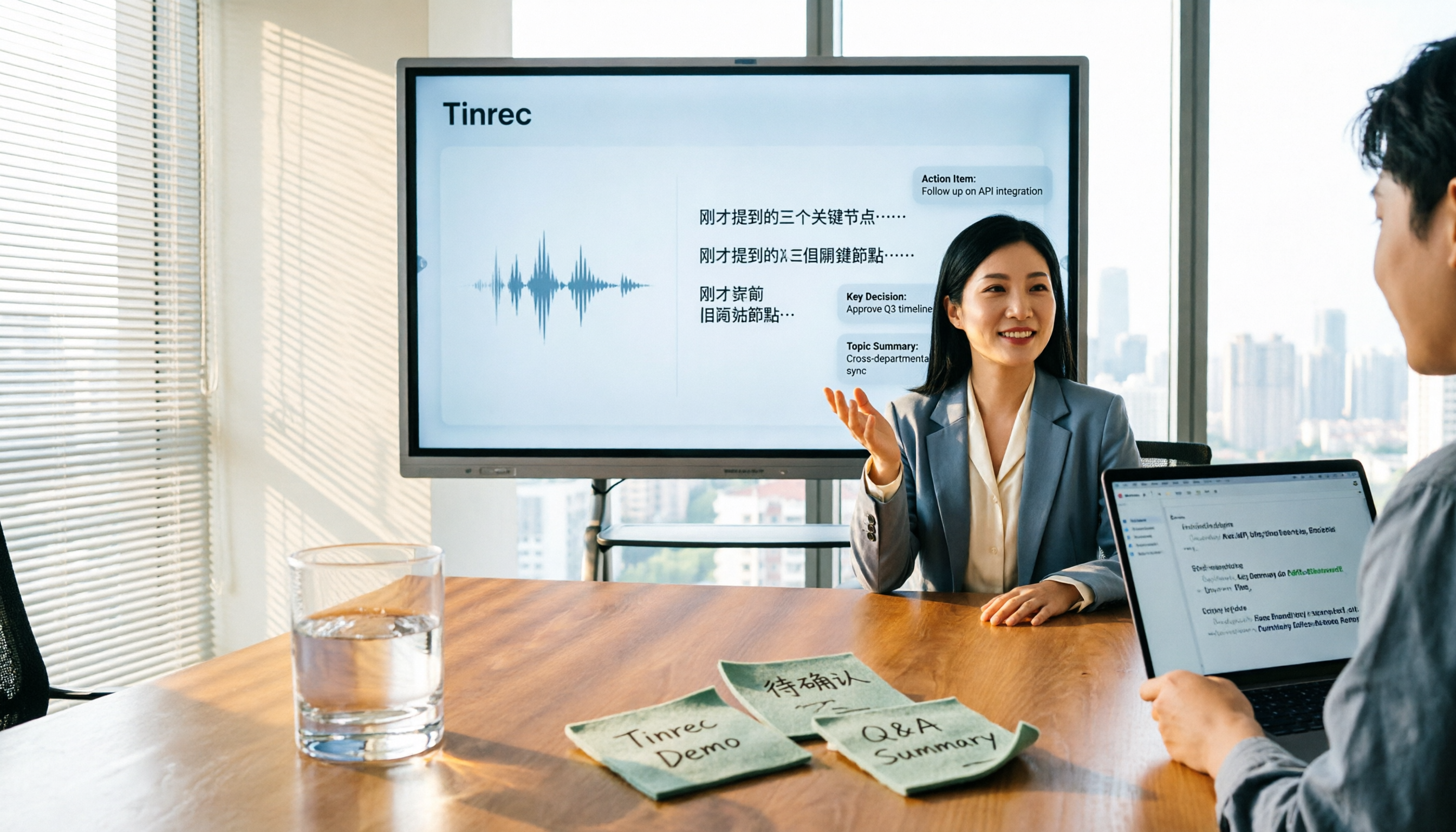
After the meeting, Tinrec automatically generates a summary, chapters, and key points, and extracts action items from the discussion. From a single meeting, you get the transcript, AI summary, chapters, action items, and even a mind map.
Even better is the AI Q&A. You can ask questions directly about the meeting data, such as "What was the budget limit the client mentioned in this meeting?" or "Who was responsible for last week's decision?" It provides answers based on the meeting content, rather than dumping a list of keyword search results. For those who need to look back at historical meetings, the time saved is substantial.
Stop organizing recordings by hand
Upload audio or video and automatically get a transcript, summary, and action items
Output isn't locked into the tool. Transcription results can be exported to Notion, Google Docs, OneNote, Dropbox, and other common tools, and can also be further processed via Agent to generate reports, tables, and meeting minutes. Cross-language meetings also support real-time translation, viewable in original, translated, or bilingual format.
The team version is another level. It provides a separate team space where meeting data belongs to the team, and members can view and reuse historical meetings. Admins can set owners, administrators, and regular members, assign or revoke seats, view team usage trends and member details, manage team hotwords, and query and export audit logs. Deleted audio can be restored from the recycle bin.
Pricing: The team version is USD 29.80 per paid seat per month, or USD 199 per paid seat per year (about USD 16.58 per month). Each paid seat provides 2,000 minutes of shared team import quota per month; real-time recording under an active team plan is currently not deducted by minutes. The personal version includes a free plan, weekly pass, Pro monthly, and Pro annual; actual prices and benefits are subject to the official purchase page.
Things to note: The free version offers basic quota, suitable for experiencing the full workflow first; if you need to process large volumes of long audio files daily, or upload dozens of files for batch transcription at once, Tinrec is not primarily designed for that. Also, AI-generated content should still be cross-checked against the transcript or recording, especially for amounts, dates, and commitments.
Who it's for: Those who frequently have Chinese or mixed Chinese-English meetings, don't want a bot joining the meeting, want to use AI to find key points directly after recording, and need to turn meetings into team data.
Besides Tinrec, What Other Options Are There?
Notta: A transcription tool with significant overlap with Tinrec, supporting multiple platforms and translation. The free version offers 120 minutes per month, up to 3 minutes per session; Pro annual is about USD 8.17 per month, with 1,800 minutes per month. It's suitable for users who mainly transcribe files; however, bot-free desktop capture for meetings, team spaces, and seat governance are not its strengths—these are the core of Tinrec's team version.
Otter.ai: A veteran choice for English business meetings. The free version offers 300 minutes per month, which is quite generous, and Pro annual is about USD 8.49 per user per month. If almost all your recordings are in English, it's worth considering. However, its Chinese meeting experience and Chinese-language mindset are relatively weak, and it lacks Tinrec's complete design for turning meeting data into searchable team assets.
TurboScribe: Focuses on cost-effective long-file and batch file transcription. The free version allows 3 files per day, up to 30 minutes per file; the paid version supports up to 10 hours or 5 GB per file. If your need is to "throw a bunch of long recordings in and get text," it's more suitable than Tinrec; but real-time meetings, post-meeting Q&A, action item extraction, and team collaboration are not its focus.
Pitfall Guide: The 4 Most Common Mistakes When Choosing a Speech-to-Text Tool
Pitfall 1: Only comparing free minutes. Minutes are just the entry ticket. What really determines whether you save time is whether there are summaries, action items, and Q&A after transcription.
Pitfall 2: Treating "having a transcript" as the end goal. A 30-minute meeting transcript can be tens of thousands of words; without structure, it's not organized. When choosing a tool, ask: How much post-processing does it do for me?
Pitfall 3: Ignoring the meeting capture method. If your meeting setting is not convenient for a bot to join, first confirm whether the tool supports bot-free desktop recording.
Pitfall 4: Sharing a single personal account for the team. This leads to confused data ownership, inability to manage seats and usage, and difficulty in handover when members leave. For team use, choose a solution with team spaces, roles, and seat design.
Conclusion: Which One Should You Choose?
In one sentence: If your meetings are mainly in Chinese or mixed Chinese-English, and you care about "what you can do after recording," Tinrec is the smoothest choice among these.
- Need Chinese meetings, mixed Chinese-English transcription, and AI Q&A → Tinrec
- Don't want a meeting bot joining online meetings → Tinrec (desktop captures system audio)
- Want to turn meetings into searchable, transferable team data → Tinrec team version
- Need real-time translation and bilingual transcripts → Tinrec
- Only record English meetings, limited budget → Otter.ai
- Just need to batch convert long audio to text → TurboScribe
We suggest starting with Tinrec's free version, running a real meeting through the full workflow to see if the summary, action items, and AI Q&A are helpful, then deciding whether to upgrade. The best way to know if a tool works is to try it with your own meeting.
References
Turn every recording into actionable outcomes
Get 60 free transcription minutes when you sign in. No credit card required.
Related Reading
You might also like

2026 Comparison of 5 Meeting Minutes Tools: Which AI Auto-Generated Summaries Save the Most Time?
Still manually filling out meeting minutes every time? This article starts from student and group collaboration scenarios, comparing 5 meeting minutes tools and free templates, including Tinrec, Otter.ai, Notta, Granola, TurboScribe, PLAUD, and government/school templates. It covers pricing, free quotas, AI summaries, and to-do features to help you choose the most time-saving option.

2026 Meeting Notes Tools Compared: What to Record and Which AI Can Organize It for You?
What should you actually capture in meeting notes? This article breaks it down into three key judgments—topics, decisions, and action items—and compares four tools: Tinrec, Otter.ai, Notta, and Granola. It covers buying criteria, common pitfalls, and scenario-based recommendations to help you find a solution that turns meeting content into usable data.

2026 Comparison of 4 Meeting Minutes Tools: Downloadable Templates vs. AI Auto-Organization—Which Saves More Time?
Should you download a meeting minutes template and fill it out yourself, or let AI organize everything automatically? This article starts with the essential fields of a meeting minutes table, then covers core capabilities such as live transcription, summary sections, action item extraction, AI Q&A, and team collaboration. It uses Tinrec to demonstrate real-world scenarios, and includes 5 purchasing considerations and FAQs.

4 Best Speech-to-Chinese Transcription Tools in 2026: Which One Handles Chinese Meeting Transcripts and Post-Meeting Notes Best?
Tired of recording meetings and never listening to them? This article breaks down common mistakes, outlines 4 key factors for choosing a speech-to-Chinese transcription tool, and compares Tinrec, Notta, TurboScribe, and Otter.ai. Find out which tool suits your needs, plus a guide to avoiding pitfalls and pricing details to help you save time.

5 Best Online Video Chat Rooms in 2026: Anonymous Chat, Random Pairing, and AI Meeting Notes Compared
How do you choose an online video chat room in 2026? We tested 5 tools for anonymous socializing, random pairing, and meeting documentation, plus what to look for—including how Tinrec handles bot-free meeting recording, AI summaries and action items, and team workspaces.

2026 Comparison of 4 Online Meeting and Teaching Tools: After a Webex Meeting, What's the Easiest Way to Keep Records?
Closing the window right after an online meeting is the most common and costly habit. This article compares Cisco Webex, Tinrec, Granola, and TurboScribe in terms of meeting recording, transcription, summarization, and post-meeting organization, and highlights the four most common pitfalls when choosing online meeting and teaching tools.
4 Best Audio-to-Text Software in 2026: Which Is Most Useful for Chinese Meeting Notes and AI Q&A?
Still stuck transcribing after meetings? We tested 4 audio-to-text software in 2026, comparing Chinese and mixed Chinese-English recognition, bot-free online meeting recording, post-meeting AI summaries and Q&A, and team data ownership. We also list 4 key buying factors and 3 common pitfalls to help you find the one that truly saves time.

3 AI Meeting Note Tools Tested in 2026: A No-Bot Option for Webex Users
Cisco Webex is a common online meeting tool for businesses, but post-meeting organization often still relies on manual work. This article explores real-world scenarios to explain what AI meeting note tools can do for professionals, using Tinrec as an example to demonstrate a complete workflow for bot-free Webex meeting recording, real-time transcription, AI summaries, action item extraction, and team spaces, while also covering 5 key considerations for purchasing and FAQs.

2026 Best Free Audio-to-Text Tools Compared: Which One Is Actually Enough?
Meeting recordings pile up, Cantonese transcripts take forever to type, and free versions cut you off mid-transcription with an upgrade prompt. This guide breaks down the free tiers, language support, and post-meeting organization of 5 audio-to-text tools in 2026, and explains why Tinrec's no-bot desktop recording, AI summaries and Q&A, and team workspace make it more practical for Chinese-language meetings.