

Turn recordings into transcripts and summaries in minutes
Upload audio or video for multilingual transcription, AI notes, and action items
4 Best Speech-to-Chinese Transcription Tools in 2026: Which One Handles Chinese Meeting Transcripts and Post-Meeting Notes Best?
Most People Start Organizing Meeting Notes the Wrong Way
"Let's record the meeting first and listen to it later"—this is probably the most commonly broken promise in the office.
You have 20 recordings on your phone, but you've actually listened to fewer than 3. When it's time to submit meeting minutes, you realize you have to listen from the beginning, pausing along the way. A one-hour meeting takes two hours to organize.
The problem usually isn't whether you recorded it, but that the tool you use only helps you "record" it, not "use" it. Converting speech to a Chinese transcript is just the first step; being able to quickly find out "who promised what and when it's due" after the meeting is where you truly save time.
This article is a comparison I put together after actually using several speech-to-Chinese tools, including the one I think is most worth trying first.
Before Choosing a Speech-to-Chinese Tool, Understand These 4 Key Points
1. Actual Chinese recognition performance, not marketing numbers Many tools claim "98% accuracy," but that's usually measured in a quiet studio with a single speaker reading aloud. Real meetings have air conditioning noise, keyboard sounds, people talking over each other, and mixed Chinese-English product names. I suggest testing with a recording of your own meeting, especially sentences that mix Chinese with a few English technical terms—that's where the real competition happens.
2. Is your meeting primarily in Chinese or English? Some tools are very mature for English meetings but struggle with Chinese sentence segmentation, punctuation, and proper nouns. Figure out what language 80% of your meetings are in before choosing a tool—it will save you a lot of detours.
3. Does it only give a transcript, or can you continue working with it? A transcript is just raw material. Whether it can automatically generate summaries, chapters, and action items, and whether you can query "who mentioned the budget in the last meeting" with Q&A, determines whether you'll actually keep using it.
4. Is the free tier enough to get through the trial period? Free versions usually limit three things: monthly minutes, single file length, and export capability. When looking at plans, check these three first; other specs are secondary.
Tinrec — Our Top Pick After Testing
Tinrec is an AI meeting notes and collaboration tool for individuals and teams, supporting iOS, Android, and web, with online meetings handled by the desktop version.
During the meeting: no meeting bot needed Open Tinrec desktop on your computer, and it directly captures the device's system audio. It works with Zoom, Google Meet, Microsoft Teams, and Webex, and you don't need to invite a bot into the meeting as a participant. This is especially useful for external client meetings—you don't have to explain "who that extra person is." It transcribes while recording, and the transcript is generated in sync.
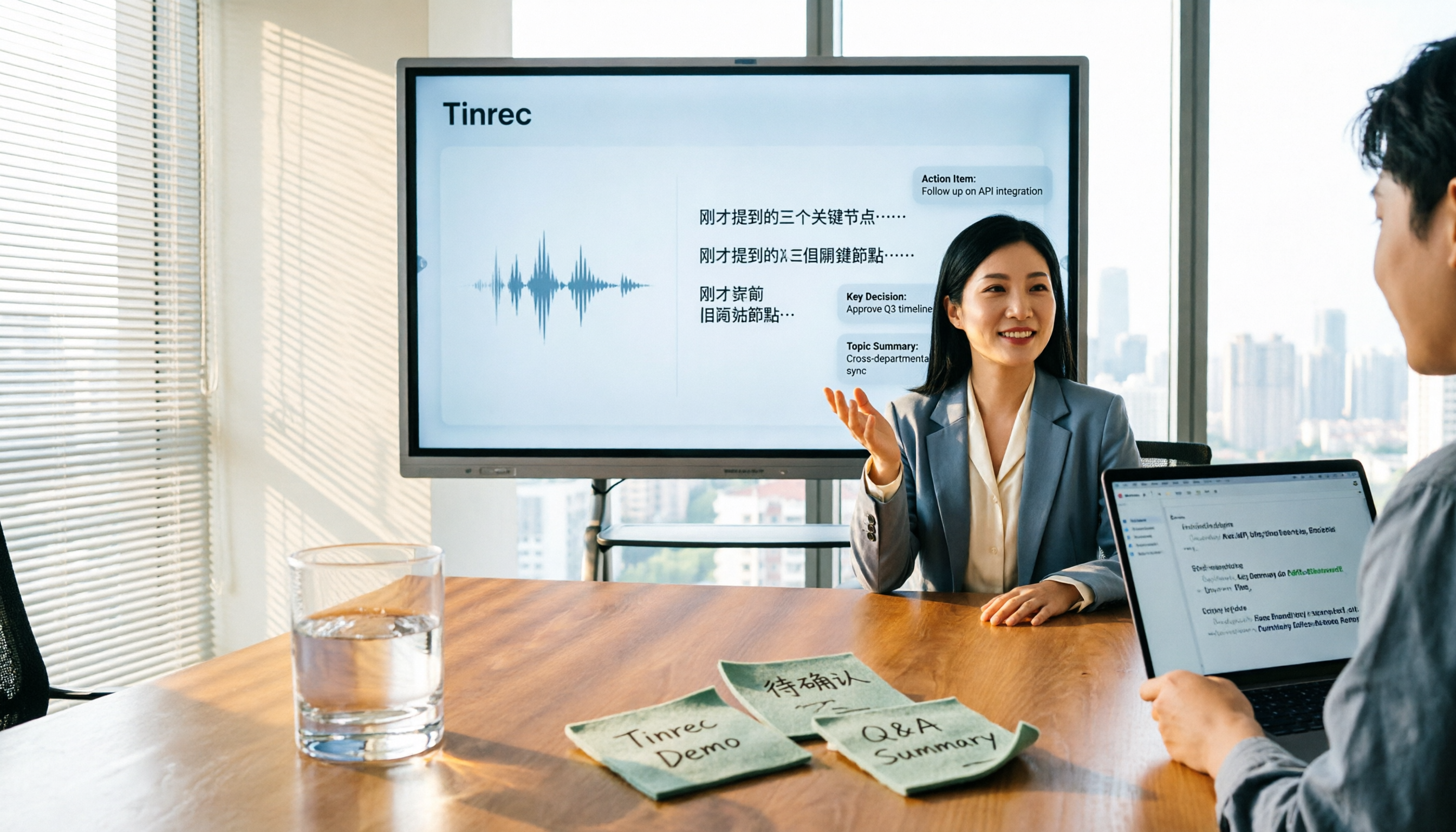
After the meeting: summary, chapters, and action items are ready This is the biggest difference from pure transcription tools. As soon as the meeting ends, AI generates a summary, chapters, and action items. You can see at a glance who is responsible for what and when it's due. For long meetings, you don't have to read from the beginning—just jump to chapters to see conclusions.
Post-meeting: ask questions directly about the meeting content After recording, you can ask Tinrec: "Who mentioned the budget in the last meeting?" It will give you an answer based on semantic understanding, not a list of keyword search results. The same recording can also generate meeting minutes, reports, and tables, or be exported to Notion, Google Docs, OneNote, or Dropbox for further use.
Chinese and multilingual scenarios Tinrec covers Chinese, Traditional Chinese, and multilingual meetings. Mixed Chinese-English content can be organized, and during recording you can switch between original text, translation, or bilingual view. The team version also allows maintaining "team hotwords" to add internal product names and project codes, reducing the chance of mishearing proper nouns.
Stop organizing recordings by hand
Upload audio or video and automatically get a transcript, summary, and action items
Testing reminder I don't recommend relying solely on any tool's official accuracy numbers. Actual performance is affected by recording quality, ambient noise, accents, overlapping speech, and technical terminology. A more practical approach is to run a recording of your own work and see how it performs in "mixed Chinese-English" and "multiple people talking over each other" scenarios.
Three clear advantages I see
- No need to invite a meeting bot; the desktop version captures system audio directly.
- Complete post-meeting outputs: summary, chapters, action items, mind map, AI Q&A, multi-format export.
- The team version turns meeting data into a team asset, including team spaces, members and roles, seat management, usage analytics, audit logs, and audio recycle bin.
Limitations to note The free version is a basic quota, suitable for light use; if you have a steady volume of meetings every week, you'll need to pay. The team version paid seat is USD 29.80/month or USD 199/year (about USD 16.58/month), with each paid seat providing 2,000 minutes of team shared import quota per month. Real-time recording under an active team plan and seat is currently not deducted by minutes. Actual prices and benefits are subject to the official purchase page.
Also to be clear: Tinrec currently requires the user to actively start recording on the desktop version; it is not a calendar bot that "automatically joins all meetings."
Who it's for If your meetings are primarily in Chinese, occasionally mixed with English, and you want to use AI to find key points right after recording, and you switch between phone and computer, Tinrec is the smoothest choice among these. Teams that need to share meeting data can also look directly at the team version.
Besides Tinrec, What Other Options Are There?
Notta A multilingual transcription and meeting notes tool, with high overlap with Tinrec. The official free version offers 120 minutes per month, with a maximum of 3 minutes per item; Pro annual billing is about USD 8.17/month (1,800 minutes per month). If you mainly convert files to text and budget is a priority, it's worth considering. But it lacks Tinrec's bot-free desktop recording and post-meeting AI Q&A workflow.
TurboScribe A cost-effective file transcription tool, focused on long files and batch processing. Free version: 3 files per day, up to 30 minutes per file; Unlimited annual plan is USD 120 (about USD 10/month), paid version supports up to 10 hours or 5 GB per file, and up to 50 files at once. If you have a bunch of long audio files already recorded and need batch transcription, it's a great deal. But it processes "files" and lacks real-time transcription during meetings, action item extraction, and team spaces.
Otter.ai A mature choice for English meetings. Basic free plan offers 300 minutes per month; Pro annual billing is about USD 8.49/user/month, including 1,200 minutes of in-app recording and 10 file imports per month. If more than 90% of your meetings are in English, Otter is a reasonable answer. However, Chinese sentence segmentation and proper nouns are not its strong suit, and it lacks Tinrec's team hotwords and bot-free desktop recording.
Pitfall Guide: 4 Most Common Mistakes When Choosing a Speech-to-Chinese Tool
Pitfall 1: Only looking at official accuracy numbers Marketing numbers are usually measured in ideal conditions. Real meetings have air conditioning noise, keyboard sounds, and people talking over each other. Test the free version with your own recording, don't just read ad copy.
Pitfall 2: Thinking a transcript means the meeting notes are done A transcript is raw material, not a finished product. If you still have to dig out conclusions from 30 minutes of text yourself, you've just swapped "time listening to recordings" for "time reading text." Whether it can automatically provide summaries and action items makes a big difference.
Pitfall 3: Ignoring free version export limits Some tools can transcribe in the free version but cannot export files, or the export format is very basic. Before trying, confirm "can I take away the format I need?"
Pitfall 4: Using personal tools to solve team problems Meeting data stored in personal accounts leaves with colleagues when they resign. If meeting content is meant to be shared by the team, you should look at team spaces, seats, and data ownership, not the price of the personal version. This is also why Tinrec's team version exists: data belongs to the team, and resources can be handed over to others when members change.
Conclusion: Which One Should You Choose?
- Chinese meetings primarily, occasionally mixed with English, and you want to use AI to find key points right after → Tinrec
- Don't want an extra bot participant in the meeting → Tinrec (desktop version captures system audio)
- Need team sharing of meeting data, seat and usage management → Tinrec Team Version
- A bunch of long audio files for batch transcription, budget priority → TurboScribe
- More than 90% of meetings are in English → Otter.ai
My advice is to start with the free version and run a recording of your own meeting. Testing with your own data is more accurate than any marketing number; if it works for you, then consider upgrading—no need to pay from the start.
References
Turn every recording into actionable outcomes
Get 60 free transcription minutes when you sign in. No credit card required.
Related Reading
You might also like

2026 Comparison of 5 Meeting Minutes Tools: Which AI Auto-Generated Summaries Save the Most Time?
Still manually filling out meeting minutes every time? This article starts from student and group collaboration scenarios, comparing 5 meeting minutes tools and free templates, including Tinrec, Otter.ai, Notta, Granola, TurboScribe, PLAUD, and government/school templates. It covers pricing, free quotas, AI summaries, and to-do features to help you choose the most time-saving option.

2026 Meeting Notes Tools Compared: What to Record and Which AI Can Organize It for You?
What should you actually capture in meeting notes? This article breaks it down into three key judgments—topics, decisions, and action items—and compares four tools: Tinrec, Otter.ai, Notta, and Granola. It covers buying criteria, common pitfalls, and scenario-based recommendations to help you find a solution that turns meeting content into usable data.

2026 Comparison of 4 Meeting Minutes Tools: Downloadable Templates vs. AI Auto-Organization—Which Saves More Time?
Should you download a meeting minutes template and fill it out yourself, or let AI organize everything automatically? This article starts with the essential fields of a meeting minutes table, then covers core capabilities such as live transcription, summary sections, action item extraction, AI Q&A, and team collaboration. It uses Tinrec to demonstrate real-world scenarios, and includes 5 purchasing considerations and FAQs.

5 Best Speech-to-Text Tools in 2026: Which One Saves the Most Time on Chinese Meeting Notes?
Many people think speech-to-text is just getting a transcript, but the real time sink is post-meeting organization. This article addresses common misconceptions and outlines key factors for choosing a speech-to-text tool in 2026, including post-transcription processing, meeting capture methods, Chinese language performance, and team data ownership. It compares Tinrec, Notta, Otter.ai, and TurboScribe to help you find the most time-saving option.

5 Best Online Video Chat Rooms in 2026: Anonymous Chat, Random Pairing, and AI Meeting Notes Compared
How do you choose an online video chat room in 2026? We tested 5 tools for anonymous socializing, random pairing, and meeting documentation, plus what to look for—including how Tinrec handles bot-free meeting recording, AI summaries and action items, and team workspaces.

2026 Comparison of 4 Online Meeting and Teaching Tools: After a Webex Meeting, What's the Easiest Way to Keep Records?
Closing the window right after an online meeting is the most common and costly habit. This article compares Cisco Webex, Tinrec, Granola, and TurboScribe in terms of meeting recording, transcription, summarization, and post-meeting organization, and highlights the four most common pitfalls when choosing online meeting and teaching tools.
4 Best Audio-to-Text Software in 2026: Which Is Most Useful for Chinese Meeting Notes and AI Q&A?
Still stuck transcribing after meetings? We tested 4 audio-to-text software in 2026, comparing Chinese and mixed Chinese-English recognition, bot-free online meeting recording, post-meeting AI summaries and Q&A, and team data ownership. We also list 4 key buying factors and 3 common pitfalls to help you find the one that truly saves time.

3 AI Meeting Note Tools Tested in 2026: A No-Bot Option for Webex Users
Cisco Webex is a common online meeting tool for businesses, but post-meeting organization often still relies on manual work. This article explores real-world scenarios to explain what AI meeting note tools can do for professionals, using Tinrec as an example to demonstrate a complete workflow for bot-free Webex meeting recording, real-time transcription, AI summaries, action item extraction, and team spaces, while also covering 5 key considerations for purchasing and FAQs.

2026 Best Free Audio-to-Text Tools Compared: Which One Is Actually Enough?
Meeting recordings pile up, Cantonese transcripts take forever to type, and free versions cut you off mid-transcription with an upgrade prompt. This guide breaks down the free tiers, language support, and post-meeting organization of 5 audio-to-text tools in 2026, and explains why Tinrec's no-bot desktop recording, AI summaries and Q&A, and team workspace make it more practical for Chinese-language meetings.