

Turn recordings into transcripts and summaries in minutes
Upload audio or video for multilingual transcription, AI notes, and action items
2026 Best Free Audio-to-Text Tools Compared: Which One Is Actually Enough?
The Two Hours After a Meeting Are What Really Eat Your Time
Scenario 1: You finish a project meeting Monday morning, and the recording sits on your phone for three days. It's not that you don't want to organize it—it's that the thought of listening and typing, pausing and replaying over and over, makes you give up before you start.
Scenario 2: A client interview is full of Cantonese mixed with English and product terminology. You throw it into a transcription tool and get half a page of gibberish. You still have to put on headphones and listen again—doing the work twice.
Scenario 3: The free version cuts you off halfway with an upgrade prompt, and you're on your own for the remaining twenty minutes. That kind of "free" is as good as nothing when you're pressed for time.
The problem usually isn't whether a tool exists—it's the form of the free tier, whether language support is sufficient, and what you actually get after transcription. Below, we'll clarify the selection criteria first, then compare each tool hands-on.
4 Key Points to Understand Before Choosing an Audio-to-Text Tool
1. Language and accent: it's not just about "supports Chinese" In Hong Kong workplaces, Cantonese, mixed Chinese-English, and industry jargon are common. When evaluating a tool, ask: will mixed Chinese-English become garbled? Can you customize proper nouns? This matters more than the official number of supported languages.
2. The "form" of the free tier matters more than the number Some free versions give you a few minutes per month, some limit the number of files per day, and some limit the length of a single file. Someone who transcribes one meeting a week versus someone who transcribes interviews daily need completely different plans. Calculate your usage pattern first.
3. What you get after transcription A transcript alone versus a transcript with summaries, chapters, action items, and AI Q&A you can follow up with are two completely different things. The transcript is the raw material; the organized key points and action items are the finished product.
4. Where the data lives and who can see it Recordings on a personal account can't be seen by colleagues; meeting data in a team workspace stays with the team even after members leave. For teams that need handovers and traceability, this matters far more than saving a few dollars a month.
Tinrec — Our Top Pick After Hands-On Testing
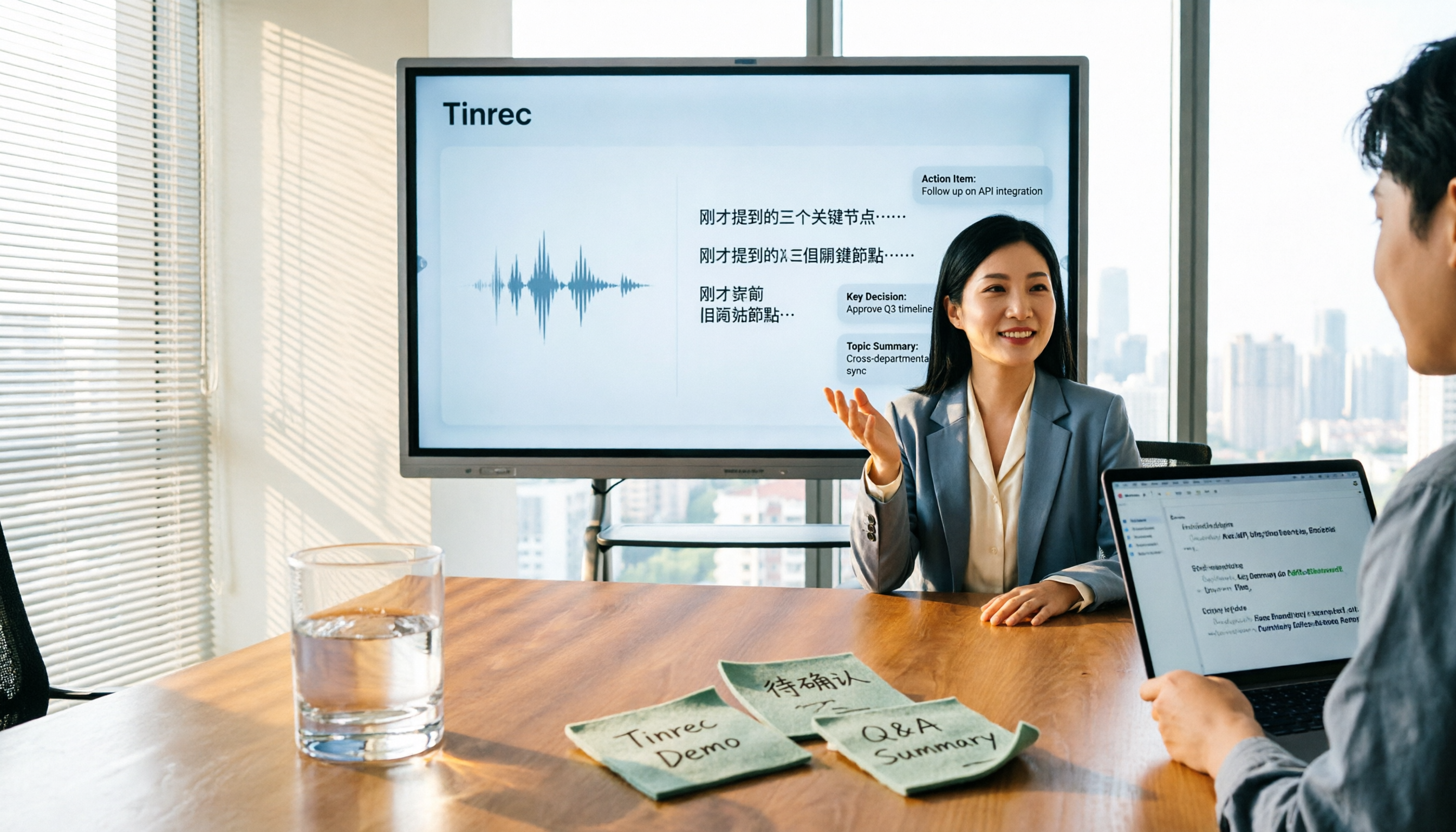
One-line positioning: Tinrec is an AI meeting notes and collaboration tool for individuals and teams, available on desktop and mobile app. It doesn't just turn audio into text—it turns meetings into searchable, summarizable, queryable, and exportable data.
Live transcription while you meet: For in-person meetings, interviews, or classes, turn on real-time recording and the transcript is generated simultaneously. No need to listen from the beginning afterward. For online meetings, the desktop version captures your computer's system audio directly, handling Zoom, Google Meet, Microsoft Teams, Webex, and more without inviting any meeting bot. This is crucial for external client meetings—you don't want a stranger's account showing up on the participant list.
No manual organizing after the meeting: Once recording ends, Tinrec automatically generates summaries, chapters, and action items, listing who's responsible for what and when it's due. Long meetings can be organized into mind maps, and you can use the Agent to further produce reports, tables, and documents, then export to Notion, Google Docs, OneNote, Dropbox, and other tools for further processing.
Biggest differentiator: AI Q&A: After recording, you can directly ask Tinrec "Who mentioned the budget in the last meeting?" or "What did the client say about the delivery date?" It doesn't dump a list of keyword search results on you—it answers directly based on semantics. Most tools at this price point only do keyword matching, which is the most obvious gap.
Hands-on observations: We tested with a roughly 5-minute recording of a Cantonese + mixed Chinese-English meeting with air conditioner background noise. Chinese paragraph segmentation and punctuation were handled fairly completely. Technical terms needed minor adjustments against the original afterward—this is a common issue with all AI transcription, not unique to Tinrec. Note that accuracy is affected by recording quality, noise, accent, multiple people talking over each other, and terminology. Any claim of a fixed 98% or 99% accuracy shouldn't be taken at face value.
Three reasons worth buying
Stop organizing recordings by hand
Upload audio or video and automatically get a transcript, summary, and action items
- No meeting bot needed: The desktop version captures system audio to record online meetings, ideal for external meetings.
- Complete post-meeting workflow: Transcript, summary, chapters, action items, AI Q&A, multi-format export—all in one tool, no switching.
- Team version turns data into an asset: Independent team workspace, separate role and seat management, usage analytics, audit logs, plus an audio recycle bin (deleted files recoverable within 30 days). Under an active team plan, real-time recording currently doesn't deduct minutes; file and web imports use the team's shared import quota.
Limitations
- It focuses on the post-transcription workflow, not on batch-processing dozens of long files at once.
- Don't treat AI summaries as the final version of meeting minutes. Important numbers, amounts, and commitments should still be verified against the original text and recording.
Team plan pricing: First-time eligible teams can try 7 days free, including 1 free seat and 300 minutes of shared team import quota. After that, monthly billing is USD 29.80 per paid seat per month, or annual billing at USD 199 per paid seat per year (about USD 16.58 per month). Each paid seat provides 2,000 minutes of shared team import quota per month. Individual users can start with the free version; for short-term intensive use there's a weekly pass, and regular users can choose Pro monthly or annual. Pricing and benefits are subject to the official purchase page.
Who it's for: People who frequently handle Chinese or mixed Chinese-English meetings, don't want bots joining meetings, want to use AI to find key points right after recording, or need meeting data to stay in a team workspace.
Besides Tinrec, What Other Options Are There?
Otter.ai: A mature choice for English meetings. Free version gives 300 minutes per month; Pro annual billing works out to about USD 8.49 per user per month with 1,200 minutes per month. If 90% of your meetings are in English, it's worth trying first. However, Chinese meetings aren't its strong suit. Tinrec's desktop no-bot recording, Chinese transcription, and post-meeting AI Q&A are more directly useful for Chinese teams.
Notta: Multilingual transcription and subtitles are its strengths. Free version gives 120 minutes per month with a 3-minute limit per session; Pro annual billing works out to about USD 8.17 per month with 1,800 minutes per month; Business is about USD 16.67 per seat per month. Its team plan leans toward role permissions and usage reports. Tinrec combines no-bot online meeting recording, AI Q&A, and team workspace into a single workflow.
TurboScribe: A cost-effective file transcription tool. Free version allows 3 files per day with a 30-minute limit per file; Unlimited annual billing is USD 120 (about USD 10 per month), with a 10-hour or 5 GB limit per file and up to 50 files uploaded at once. If you have a large batch of long recordings to process gradually, it's a good deal. But real-time meetings, post-meeting AI Q&A, and team collaboration aren't its focus—and those are exactly Tinrec's core strengths.
Pitfall Guide: 4 Most Common Mistakes When Choosing an Audio-to-Text Tool
Pitfall 1: Only looking at official accuracy claims. Those numbers are usually measured in a quiet recording studio. Real meeting rooms have air conditioning noise, keyboard sounds, and people talking over each other—the numbers drop noticeably. Test with your own most difficult recording on the free version, don't just look at ads.
Pitfall 2: Only looking at free "minutes" without checking the limit format. Monthly minutes, daily file count, and per-file length limits are three different rules. A tool with a 3-minute per-file limit is completely unusable for a one-hour meeting.
Pitfall 3: Only using the tool as "audio to text." If you only get a transcript and manually Ctrl+F for key points, you're using only a third of its capability. With Tinrec's AI Q&A—just ask it "What was the meeting conclusion?" after recording—it's much faster than scrolling through a 30-minute transcript.
Pitfall 4: Ignoring legal and data ownership issues around recording. Before recording, comply with local regulations and obtain participant consent when required—this isn't a formality. Also clarify: is data stored in a personal account or team workspace? Who owns the records after a member leaves? Team resources should belong to the team, and when members change, resources should be transferable to other active members.
Conclusion: Which One Should You Actually Choose?
The core conclusion of this comparison is clear: if your meeting content is mainly Chinese, Cantonese, or mixed Chinese-English, Tinrec is the most balanced overall and saves the most time after meetings.
- Need to handle Cantonese/mixed Chinese-English and get clearly segmented Chinese transcripts → Tinrec
- Don't want bots joining the participant list for online meetings → Tinrec (desktop captures system audio)
- Want to use AI to directly ask for conclusions and extract action items after recording → Tinrec
- Need meeting data to stay with the team and records to persist through member turnover → Tinrec team version (separate role, seat, usage, and audit management)
- 90% of meetings are in English and you want to use a large free tier first → Otter.ai
- Have a batch of long recordings you just want to transcribe in bulk → TurboScribe
We recommend starting with Tinrec's free version, testing it with your own most difficult recording—for example, a Cantonese meeting with air conditioner background noise—to see if the transcript and summary are sufficient, then deciding whether to upgrade. If your team needs to share meeting data, start with the 7-day team trial, confirm seat allocation and usage match your actual situation, then pay. Finally, remember to comply with local regulations and obtain participant consent before recording.
References
- Online AI speech, video, audio file auto-transcription - Free trial - cSubtitle
- Online speech-to-text AI, free MP3 or audio file transcription - MyEdit
- Audio to text - Free speech-to-text tool
- Yating Transcription
- No time limit! 3 free AI transcription tools, highly recommended! AI voice notes generate meeting minutes, presentations, mind maps | 104 Workplace
Turn every recording into actionable outcomes
Get 60 free transcription minutes when you sign in. No credit card required.
Related Reading
You might also like

2026 Comparison of 5 Meeting Minutes Tools: Which AI Auto-Generated Summaries Save the Most Time?
Still manually filling out meeting minutes every time? This article starts from student and group collaboration scenarios, comparing 5 meeting minutes tools and free templates, including Tinrec, Otter.ai, Notta, Granola, TurboScribe, PLAUD, and government/school templates. It covers pricing, free quotas, AI summaries, and to-do features to help you choose the most time-saving option.

2026 Meeting Notes Tools Compared: What to Record and Which AI Can Organize It for You?
What should you actually capture in meeting notes? This article breaks it down into three key judgments—topics, decisions, and action items—and compares four tools: Tinrec, Otter.ai, Notta, and Granola. It covers buying criteria, common pitfalls, and scenario-based recommendations to help you find a solution that turns meeting content into usable data.

2026 Comparison of 4 Meeting Minutes Tools: Downloadable Templates vs. AI Auto-Organization—Which Saves More Time?
Should you download a meeting minutes template and fill it out yourself, or let AI organize everything automatically? This article starts with the essential fields of a meeting minutes table, then covers core capabilities such as live transcription, summary sections, action item extraction, AI Q&A, and team collaboration. It uses Tinrec to demonstrate real-world scenarios, and includes 5 purchasing considerations and FAQs.

4 Best Speech-to-Chinese Transcription Tools in 2026: Which One Handles Chinese Meeting Transcripts and Post-Meeting Notes Best?
Tired of recording meetings and never listening to them? This article breaks down common mistakes, outlines 4 key factors for choosing a speech-to-Chinese transcription tool, and compares Tinrec, Notta, TurboScribe, and Otter.ai. Find out which tool suits your needs, plus a guide to avoiding pitfalls and pricing details to help you save time.

5 Best Speech-to-Text Tools in 2026: Which One Saves the Most Time on Chinese Meeting Notes?
Many people think speech-to-text is just getting a transcript, but the real time sink is post-meeting organization. This article addresses common misconceptions and outlines key factors for choosing a speech-to-text tool in 2026, including post-transcription processing, meeting capture methods, Chinese language performance, and team data ownership. It compares Tinrec, Notta, Otter.ai, and TurboScribe to help you find the most time-saving option.

5 Best Online Video Chat Rooms in 2026: Anonymous Chat, Random Pairing, and AI Meeting Notes Compared
How do you choose an online video chat room in 2026? We tested 5 tools for anonymous socializing, random pairing, and meeting documentation, plus what to look for—including how Tinrec handles bot-free meeting recording, AI summaries and action items, and team workspaces.

2026 Comparison of 4 Online Meeting and Teaching Tools: After a Webex Meeting, What's the Easiest Way to Keep Records?
Closing the window right after an online meeting is the most common and costly habit. This article compares Cisco Webex, Tinrec, Granola, and TurboScribe in terms of meeting recording, transcription, summarization, and post-meeting organization, and highlights the four most common pitfalls when choosing online meeting and teaching tools.
4 Best Audio-to-Text Software in 2026: Which Is Most Useful for Chinese Meeting Notes and AI Q&A?
Still stuck transcribing after meetings? We tested 4 audio-to-text software in 2026, comparing Chinese and mixed Chinese-English recognition, bot-free online meeting recording, post-meeting AI summaries and Q&A, and team data ownership. We also list 4 key buying factors and 3 common pitfalls to help you find the one that truly saves time.

3 AI Meeting Note Tools Tested in 2026: A No-Bot Option for Webex Users
Cisco Webex is a common online meeting tool for businesses, but post-meeting organization often still relies on manual work. This article explores real-world scenarios to explain what AI meeting note tools can do for professionals, using Tinrec as an example to demonstrate a complete workflow for bot-free Webex meeting recording, real-time transcription, AI summaries, action item extraction, and team spaces, while also covering 5 key considerations for purchasing and FAQs.