

Turn recordings into transcripts and summaries in minutes
Upload audio or video for multilingual transcription, AI notes, and action items
You've finished your online meeting, but the meeting notes haven't even started—this is probably the daily reality for many office workers.
Especially when your company uses Cisco Webex for meetings, often all you have left afterward is a recording file. To recall who promised what and what to follow up on next, you still have to listen to it all over again yourself.
Tinrec is an AI meeting notes and collaboration tool for individuals and teams. It supports real-time audio-to-text transcription, audio and video import, AI summaries, action item extraction, and AI Q&A, and is available on iOS, Android, desktop, and web. Its most distinctive feature is that the desktop version directly captures your computer's system audio, so it can handle online meetings on Zoom, Google Meet, Microsoft Teams, Webex, and more—without adding a meeting bot to the call.
For the average office worker, the free version lets you try out recording, importing, summaries, and transcription with basic quotas. My advice: start by running a test with one of your own meetings before deciding whether to upgrade.
What Can AI Meeting Note Tools Do for You?
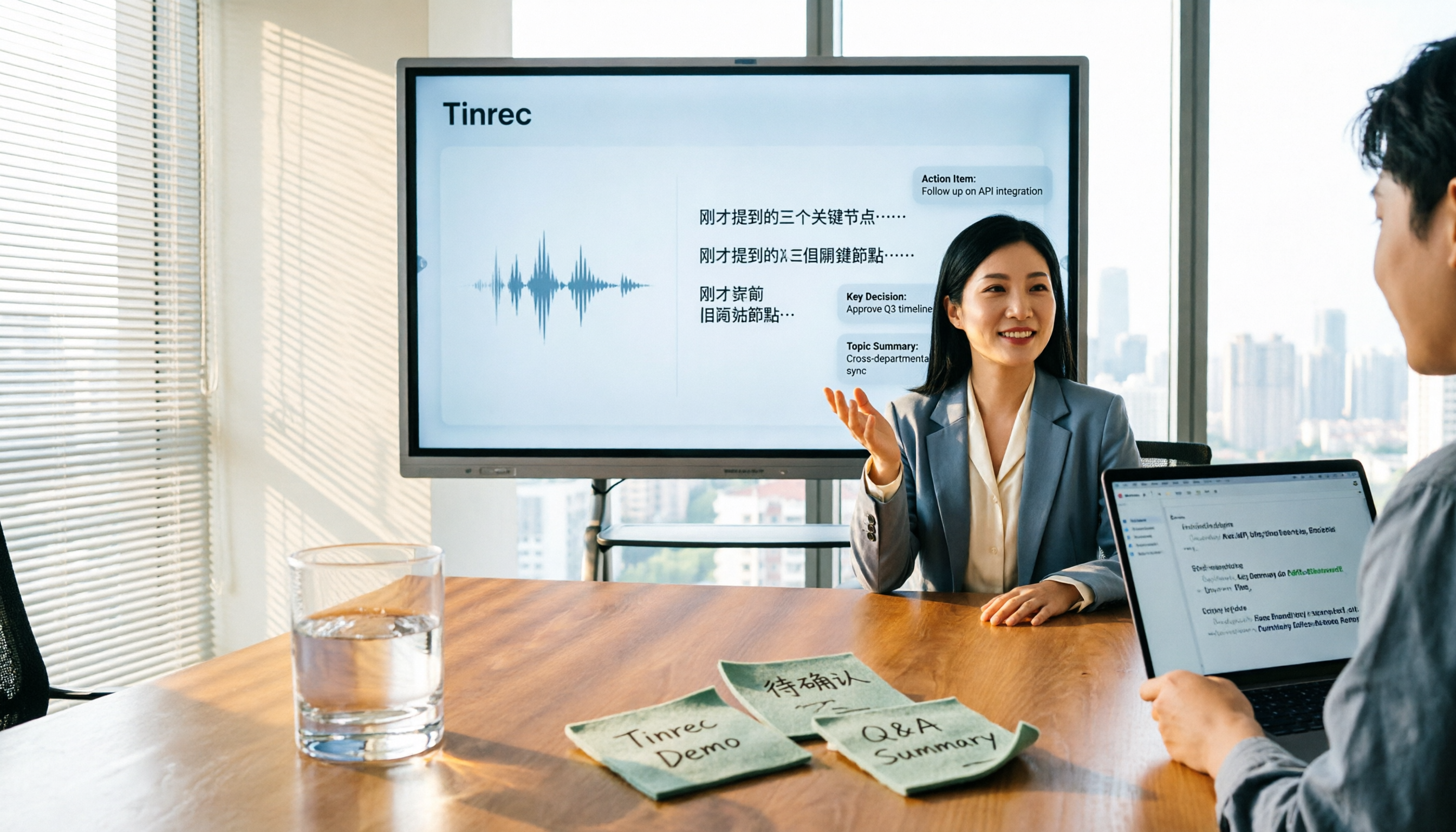
Scenario 1: Finish a Webex meeting, get notes 5 minutes later In the past, after a one-hour meeting, you might spend another half hour recalling and organizing. Now, with Tinrec as an example, the desktop version transcribes system audio in real time during the meeting, and immediately generates a summary, chapters, and action items afterward. You can see at a glance who is responsible for what and what the deadlines are.
Scenario 2: Cross-language meetings are no longer a barrier If your meeting includes English, Japanese, or mixed Chinese-English content, Tinrec supports real-time translation. During recording, you can switch between original text, translation, or bilingual view, so you don't need to find someone to translate afterward.
Scenario 3: Turn scattered meeting notes into a searchable database If past meetings only exist in recording files, they're basically unfindable. Tinrec stores transcripts, summaries, and action items together. Later, you can search by keyword or ask questions about a specific meeting, making past meetings truly reusable.
What Are the Core Capabilities of Meeting Note Tools?
Bot-free online meeting recording The most troublesome thing about meeting bots is that they appear as an extra participant in the list. Some company security policies even block them outright. With Tinrec as an example, the desktop version directly captures system audio, so it can record meetings on Zoom, Google Meet, Microsoft Teams, and Webex without adding a strange account to the participant list. Note that recording requires you to actively initiate it on the desktop version—it's not a bot that automatically joins all calendar meetings.
Real-time transcription and translation Transcribe as you record, no need to wait until the meeting ends for text. Tinrec generates transcripts in real time during recording. For cross-language meetings, you can switch between original text, translation, or bilingual view, and mixed Chinese-English content can be organized together.
AI summaries, chapters, and action item extraction It doesn't just condense the transcript into a paragraph; it organizes structurally: meeting topic, discussion points, conclusions, action items, and responsible parties are listed separately. Long meetings are split into chapters, so you can quickly jump to the section you want when reviewing.
AI Q&A and post-meeting outputs After transcription, you can directly ask questions about the meeting content, such as "Who mentioned the budget in this meeting?" or "What issues did the client raise?" Tinrec answers based on semantics. When you need to submit a report, you can further generate documents, reports, or tables and export them to Notion, Google Docs, OneNote, Dropbox, and other tools for further processing.
Team spaces and member governance The team version centralizes meeting data in one space, allowing members to view and reuse historical records. Administrators can monitor usage through roles, seats, usage analytics, and audit logs. When a member leaves the team, their team resources can be transferred to other members, so data doesn't disappear with the individual.
Practical Use Cases
Project weekly meetings and cross-department meetings Regular weekly project meetings are ideal for Tinrec. Transcribe in real time during the meeting, then review summaries and action items afterward. You can check historical records to see what was decided last time and whether this meeting deviated, without relying on anyone's memory.
Client interviews and requirements meetings Clients speak quickly and say a lot; it's hard to listen and take notes at the same time. Record the entire process with Tinrec, then review the client's requirements, concerns, and commitments afterward, and export the organized content as a document for the team.
Stop organizing recordings by hand
Upload audio or video and automatically get a transcript, summary, and action items
Classes, lectures, and internal training For a two-hour course, reviewing afterward often means listening to the whole thing again. After recording and transcribing, you can search by keyword or use AI Q&A to confirm how the speaker explained a concept.
Content creation and research organization Interview recordings, online seminar videos, or your own spontaneous voice memos can all be imported into Tinrec for transcription, then generate outlines or key points. When you later write articles or make presentations, you don't have to start from scratch.
5 Things to Consider When Buying a Meeting Note Tool
1. How is the meeting recorded? Some tools use a meeting bot that joins as a participant. Some company security policies block this, and it adds an extra person to the list. Tinrec takes a different approach: the desktop version captures system audio without adding an account to the meeting list. If your company is sensitive about external bots, this is worth checking first.
2. Chinese and mixed Chinese-English recognition experience Meetings in Taiwan are rarely pure Chinese; they usually mix Chinese with English proper nouns. Tinrec covers Chinese, Traditional Chinese, and multilingual scenarios, and offers team hotwords so you can add your company's common terminology. Note that transcription quality is affected by recording quality, noise, accents, and multiple people speaking simultaneously. It's best to test with your own recordings.
3. Can it help you organize after transcription? Transcripts are just the starting point. What really saves time is summaries, chapters, action items, and AI Q&A. Tinrec has these built-in, and can export results or generate reports, tables, and documents, directly fitting into your existing workflow.
4. Supported devices and platforms First confirm whether the tool supports your commonly used devices. Tinrec offers iOS, Android, desktop, and web versions, handling online meetings, offline recording, and existing audio file imports. You can even record a quick segment on your phone if needed.
5. How is team data managed and how are costs calculated? If a group will use it, the focus isn't just minutes but data ownership and permissions. Tinrec's team version provides independent team spaces, member and role management, seat allocation, usage analytics, audit logs, and an audio recycle bin. Eligible teams can try it free for 7 days, including 1 free seat and 300 minutes of shared team import quota. Paid seats are USD 29.80 per month or USD 199 per year (about USD 16.58/month), with each paid seat providing 2,000 minutes of shared team import quota per month. Actual prices and benefits are subject to the official purchase page.
Frequently Asked Questions
Can Tinrec record Cisco Webex meetings? Yes. Tinrec's desktop version records online meetings by capturing system audio. It works with Webex, Zoom, Google Meet, and Microsoft Teams, and does not require adding an extra meeting bot. Note that recording requires you to actively initiate it on the Tinrec desktop version—it's not a bot that automatically joins all calendar meetings.
Do I have to add a bot to the meeting? Not necessarily—that's the difference between the two approaches. With Tinrec as an example, the desktop version captures system audio, so no extra account appears in the meeting list. If your company is concerned about external bots joining meetings, this method is easier to get approved.
Is the free version enough? The free version provides basic quotas to try recording, importing, summaries, and transcription. If you only occasionally organize a recording, the free version is enough to test the waters. For short-term intensive meetings or interviews, consider a weekly pass. For steady weekly needs, Pro is more suitable. For long-term accumulation of recording data, the annual plan has a lower monthly equivalent. Actual quotas and prices are subject to the official purchase page.
How well does it recognize Chinese meetings? Can accuracy be guaranteed? Tinrec covers Chinese, Traditional Chinese, and multilingual meeting scenarios, and supports mixed Chinese-English organization and team hotwords. However, honestly, actual performance is affected by recording quality, noise, accents, simultaneous speakers, and technical terminology. I don't recommend treating it as a 100% accuracy guarantee. Important content should still be verified against transcript timestamps and recording playback.
What's the difference between roles and seats in the team version? Roles determine who can manage the team, members, audits, and team settings. Seats determine whether a member can record, upload, edit, import/export, and use team resources. Active members without a seat can still view, play, and read team data. Currently, the team version primarily shares at the team level, not a granular file-level permission system. This should be clarified when evaluating.
What preparations are needed before recording? Because you'll be recording others' speech, it's advisable to inform participants and obtain consent, while complying with local recording laws. This is something to note when using any meeting note tool, not just Tinrec.
Conclusion
AI meeting note tools solve more than just "turning speech into text"—they address the most time-consuming part: organizing after the meeting.
If your company uses Cisco Webex, Teams, or Google Meet for meetings and it's inconvenient to let a meeting bot join, Tinrec's desktop bot-free recording is a direction worth trying. Chinese meetings, mixed Chinese-English transcripts, and post-meeting summaries, action items, and Q&A are areas where it performs relatively well.
My advice is to start with the free version, run a complete workflow with a real meeting, see if the transcripts and summaries meet your expectations, and then decide whether to upgrade.
References
- Video Conferencing, Online Meetings, Screen Sharing | Cisco Webex
- Cisco WebEx
- Cisco Webex | Video Conferencing, Webinars, Screen Share, & Conference Call
- Webex Remote Collaboration – Simple and Highly Secure Way to Work - Cisco
- Cisco Webex Video Conferencing System and Collaboration Equipment Agent | Wei Zan Technology
Turn every recording into actionable outcomes
Get 60 free transcription minutes when you sign in. No credit card required.
Related Reading
You might also like

2026 Comparison of 5 Meeting Minutes Tools: Which AI Auto-Generated Summaries Save the Most Time?
Still manually filling out meeting minutes every time? This article starts from student and group collaboration scenarios, comparing 5 meeting minutes tools and free templates, including Tinrec, Otter.ai, Notta, Granola, TurboScribe, PLAUD, and government/school templates. It covers pricing, free quotas, AI summaries, and to-do features to help you choose the most time-saving option.

2026 Meeting Notes Tools Compared: What to Record and Which AI Can Organize It for You?
What should you actually capture in meeting notes? This article breaks it down into three key judgments—topics, decisions, and action items—and compares four tools: Tinrec, Otter.ai, Notta, and Granola. It covers buying criteria, common pitfalls, and scenario-based recommendations to help you find a solution that turns meeting content into usable data.

2026 Comparison of 4 Meeting Minutes Tools: Downloadable Templates vs. AI Auto-Organization—Which Saves More Time?
Should you download a meeting minutes template and fill it out yourself, or let AI organize everything automatically? This article starts with the essential fields of a meeting minutes table, then covers core capabilities such as live transcription, summary sections, action item extraction, AI Q&A, and team collaboration. It uses Tinrec to demonstrate real-world scenarios, and includes 5 purchasing considerations and FAQs.

4 Best Speech-to-Chinese Transcription Tools in 2026: Which One Handles Chinese Meeting Transcripts and Post-Meeting Notes Best?
Tired of recording meetings and never listening to them? This article breaks down common mistakes, outlines 4 key factors for choosing a speech-to-Chinese transcription tool, and compares Tinrec, Notta, TurboScribe, and Otter.ai. Find out which tool suits your needs, plus a guide to avoiding pitfalls and pricing details to help you save time.

5 Best Speech-to-Text Tools in 2026: Which One Saves the Most Time on Chinese Meeting Notes?
Many people think speech-to-text is just getting a transcript, but the real time sink is post-meeting organization. This article addresses common misconceptions and outlines key factors for choosing a speech-to-text tool in 2026, including post-transcription processing, meeting capture methods, Chinese language performance, and team data ownership. It compares Tinrec, Notta, Otter.ai, and TurboScribe to help you find the most time-saving option.

5 Best Online Video Chat Rooms in 2026: Anonymous Chat, Random Pairing, and AI Meeting Notes Compared
How do you choose an online video chat room in 2026? We tested 5 tools for anonymous socializing, random pairing, and meeting documentation, plus what to look for—including how Tinrec handles bot-free meeting recording, AI summaries and action items, and team workspaces.

2026 Comparison of 4 Online Meeting and Teaching Tools: After a Webex Meeting, What's the Easiest Way to Keep Records?
Closing the window right after an online meeting is the most common and costly habit. This article compares Cisco Webex, Tinrec, Granola, and TurboScribe in terms of meeting recording, transcription, summarization, and post-meeting organization, and highlights the four most common pitfalls when choosing online meeting and teaching tools.
4 Best Audio-to-Text Software in 2026: Which Is Most Useful for Chinese Meeting Notes and AI Q&A?
Still stuck transcribing after meetings? We tested 4 audio-to-text software in 2026, comparing Chinese and mixed Chinese-English recognition, bot-free online meeting recording, post-meeting AI summaries and Q&A, and team data ownership. We also list 4 key buying factors and 3 common pitfalls to help you find the one that truly saves time.

2026 Best Free Audio-to-Text Tools Compared: Which One Is Actually Enough?
Meeting recordings pile up, Cantonese transcripts take forever to type, and free versions cut you off mid-transcription with an upgrade prompt. This guide breaks down the free tiers, language support, and post-meeting organization of 5 audio-to-text tools in 2026, and explains why Tinrec's no-bot desktop recording, AI summaries and Q&A, and team workspace make it more practical for Chinese-language meetings.