

Turn recordings into transcripts and summaries in minutes
Upload audio or video for multilingual transcription, AI notes, and action items
2026 Comparison of 5 Meeting Minutes Tools: Which AI Auto-Generated Summaries Save the Most Time?
Before every group presentation, have you ever experienced this: after a two-hour discussion, no one remembers the conclusions, and you end up filling out the meeting minutes at 2 AM? Or you download a bunch of meeting minutes templates online, only to find that no matter how nice the table looks, you still have to fill in the content yourself while listening to the recording. The real question is: do you want a blank table, or a tool that can automatically organize the transcript, summary, and to-dos for you? In this article, I've compiled 5 meeting minutes tools that my classmates and I used this semester, plus 1 zero-budget template, covering free quotas, Chinese support, AI features, and team collaboration all at once.
Why Do You Need Meeting Minutes? — From Manual Forms to Automatic Summaries
Group discussions in university classes, project meetings, and weekly meetings at internships almost always require meeting minutes. The traditional approach is to download a meeting minutes template, have someone type during the meeting, and then add decisions and to-dos afterward. But the reality is often: everyone talks at once, the note-taker can't keep up, and those not taking notes can't find the key points afterward. This article is not about giving you another blank table, but comparing 5 tools that can automatically generate transcripts, summaries, and to-dos, plus a completely free standard template option, so you can choose based on your budget and scenario.
Option 1 | Tinrec — The Most Complete AI Meeting Minutes Assistant
Tinrec is the one I used the most this semester. It doesn't just convert audio to text; it turns meetings into searchable, collaborative, and actionable data.
- No bot for recording online meetings: When our group discussed projects on Google Meet, we didn't need to invite any meeting bot. Just open the Tinrec desktop version, and it directly captures the computer system audio, generating a transcript while the meeting is ongoing. It also works with Zoom, Microsoft Teams, and Webex.
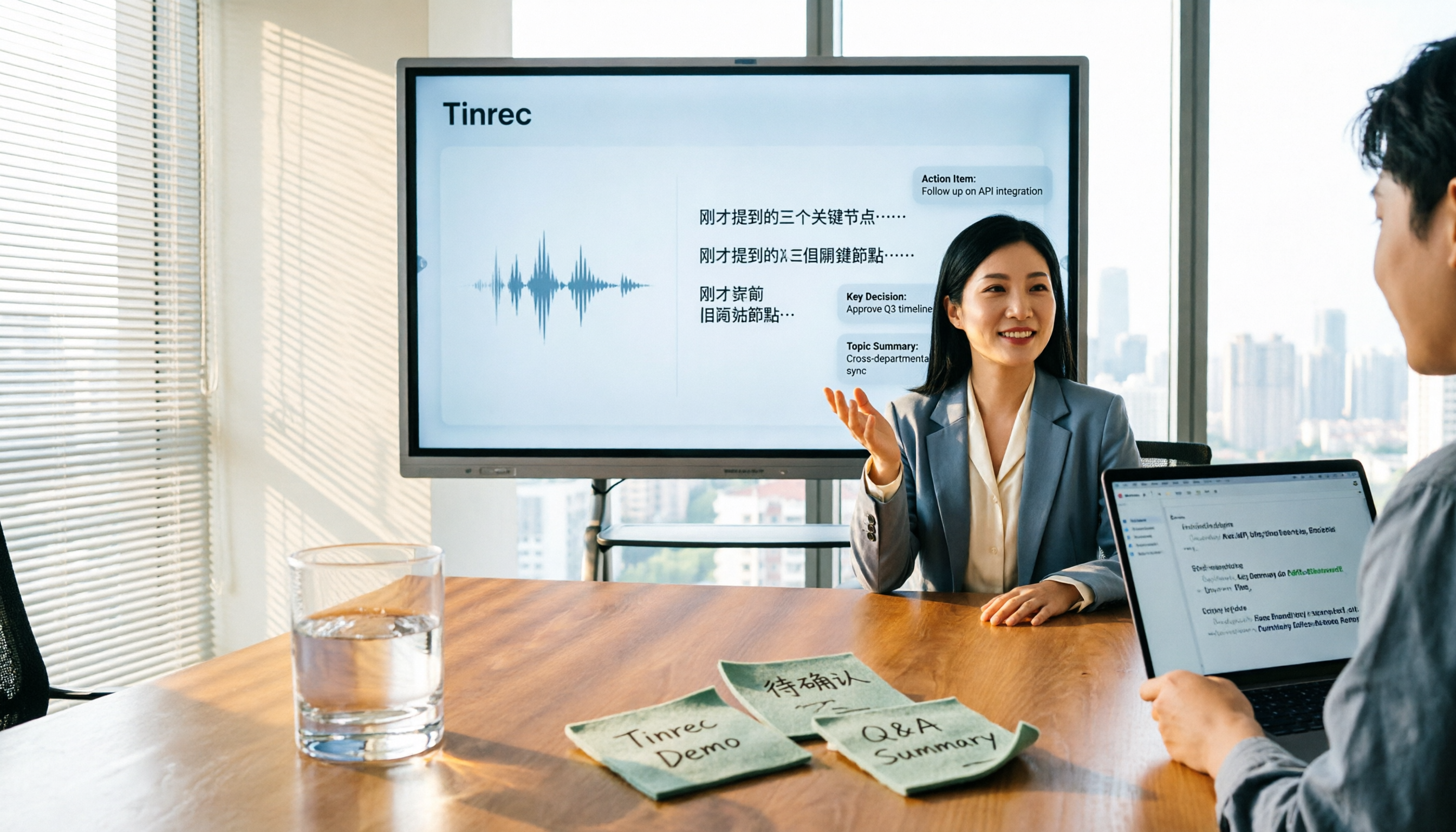
- Automatically generates summaries, chapters, to-dos, and mind maps after the meeting: Previously, the end of the meeting was when the pain began. Now, you can directly view AI summaries and to-do lists, and even use AI Q&A to ask "who is responsible for what this week," which is super useful for group division of labor.
- Chinese and mixed Chinese-English meetings: Reports often mix Chinese and English. Tinrec supports multilingual transcription and real-time translation, allowing you to switch between original text, translation, or bilingual view.
- Multi-format export and Agent post-processing: Transcripts and summaries can be exported to Notion, Google Docs, OneNote, Dropbox, and can further generate reports, tables, and documents.
- Team space: For class projects or lab teams, meeting data can be stored centrally, so data doesn't disappear when members change. The team version includes roles, seats, usage analysis, audit logs, and an audio recycle bin.
Free and paid plans: The personal version has a free version to experience basic recording, import, summary, and transcription; short-term sprints can choose a weekly card; for stable weekly use, consider the Pro monthly or annual card. The team version offers a 7-day trial for first-time eligible users, 1 free seat, and 300 minutes of shared team import quota; team monthly payment is USD 29.80 per paid seat per month, annual payment is USD 199 per paid seat per year, about USD 16.58 per month, with each paid seat providing 2,000 minutes of shared team import quota per month. Real-time recording under an active team plan is currently not deducted by minutes. Prices are subject to the official purchase page.
Who it's for: Those who need Chinese meeting minutes, don't want a bot to join the meeting, want AI organization and follow-up questions after the meeting, and groups or teams that want to accumulate meeting data.
Option 2 | Otter.ai — A Mature Assistant for English Business Meetings
Otter.ai is a mature AI meeting assistant covering Zoom, Microsoft Teams, and Google Meet, supporting real-time transcription, speaker identification, AI Chat, and team management. It has a strong understanding of English business meetings. The Basic free version offers 300 minutes per month; the Pro annual plan is about USD 8.49 per user per month, including 1,200 minutes of in-app recording and 10 file imports per month. If most of your meetings are in English and you're already using the Otter ecosystem, it's still a handy choice.
Stop organizing recordings by hand
Upload audio or video and automatically get a transcript, summary, and action items
Option 3 | Notta — Multilingual Transcription and Meeting Minutes
Notta overlaps significantly with Tinrec, both covering multi-platform transcription, meeting minutes, file import, translation, and team plans. The official Free version offers 120 minutes per month, with a maximum of 3 minutes per single content; the Pro annual plan is about USD 8.17 per month, with 1,800 minutes per month; the Business annual plan is about USD 16.67 per seat per month, providing unlimited transcription, role permissions, and usage reports. Suitable for users who need multilingual transcription, subtitles, and team permissions.
Option 4 | Granola — Bot-Free AI Meeting Notes
Granola is also a bot-free AI meeting notes tool that transcribes in real-time through desktop system audio and microphone, and combines your handwritten notes to generate more targeted meeting content. Basic is free; Business is USD 14 per user per month; Enterprise is USD 35 per user per month. It supports real-time transcript viewing, copying, and searching, but does not support uploading pre-recorded audio files and does not save meeting audio files. If you're used to handwriting key points during meetings, Granola's note enhancement logic will be very appealing.
Option 5 | TurboScribe — Cost-Effective File Transcription
TurboScribe is more of a cost-effective file transcription tool, focusing on long files, batch uploads, subtitles, and translation. The Free version allows 3 files per day, with a maximum of 30 minutes per file; the Unlimited annual plan is USD 120, about USD 10 per month. The paid version supports files up to 10 hours or 5 GB, and can upload 50 files at once. If you have a bunch of pre-recorded lectures, interviews, or course audio files to process in batches, it's more suitable than real-time meeting tools.
Option 6 | PLAUD Note/NotePin — Portable AI Recording Hardware
PLAUD represents AI recording hardware, where users purchase a standalone device, portable recording, and phone call recording experience. Currently, the US official website shows NotePin at USD 159 and Note Pro at USD 189; Starter offers 300 minutes per month; Pro is USD 99.99 per year, with 1,200 minutes per month; Unlimited is USD 239.99 per year. If you often conduct offline interviews and need a physical button for one-touch recording, hardware has its irreplaceable convenience, but remember it doesn't have Tinrec's cross-platform post-meeting AI Q&A and team database.
Option 7 | Government and School Meeting Minutes Templates — Zero-Budget Pure Form Option
If you only need a standard form and don't want to spend any money, websites like Tamkang University Secretariat, Chiayi County Government, University of Taipei, and National Development Council provide meeting minutes and sign-in sheet format examples, blank field meeting minutes forms, and meeting minutes examples in doc, odt, and pdf formats. The advantages are completely free and formally formatted, suitable for student reports or administrative records; the limitation is that you have to fill them out manually, and you still need to listen to the recording to supplement content afterward.
With So Many Options, How Should You Choose?
For student and group collaboration scenarios, I would first recommend Tinrec for most needs, for simple reasons:
- Want the most complete AI features, including transcription, AI chat queries, automatic summaries, to-dos, and mind maps → Tinrec.
- Need Chinese, mixed Chinese-English, or multilingual meetings, and want bot-free recording of online meetings → Tinrec.
- Groups or teams need to share meeting data, manage member seats, and usage → Tinrec team version.
- Want to switch between phone, computer, and web → Tinrec.
- Need to export meeting content to Notion, Google Docs, OneNote for further processing → Tinrec.
- Need to automatically generate reports, tables, and meeting documents → Tinrec's Agent post-processing.
- Zero budget, just need a blank form to fill out yourself → Government and school free meeting minutes templates.
- Already have specific preferences, e.g., English meetings mainly use Otter.ai, batch long file transcription uses TurboScribe, prefer hardware portable recording uses PLAUD → choose based on specialized needs.
4 Things to Know Before Using Meeting Minutes Tools
- The format of the table is not the key; whether you can find the key points afterward is. Instead of spending time formatting meeting minutes, use tools like Tinrec to automatically generate summaries and to-dos, saving time for the real problems to solve.
- Inform and get consent before recording. Regardless of which tool you use, comply with local laws and team norms, and obtain consent from participants when necessary.
- Calculate free quotas clearly. Tinrec personal free version offers basic quota; team trial is 7 days, 1 seat, 300 minutes shared import; Otter Basic is 300 minutes per month; Notta Free is 120 minutes per month; TurboScribe Free is 3 files per day. Choose based on how many meetings you have per month, don't interrupt yourself just to save money.
- AI may miss or misunderstand. For important decisions, it's recommended to cross-check with transcript timestamps and recording playback. Tinrec retains recordings and transcripts, making it convenient for you to verify.
Conclusion
The meeting minutes form itself is not the problem; the problem is that we often spend time on "post-meeting documentation" rather than "good discussion during the meeting." If you're tired of filling out forms at 2 AM, start with Tinrec's free version to experience the difference of automatic transcript, summary, and to-do generation; if your group needs to share data, consider the team version. For students with zero budget, government and school meeting minutes templates are still available for download as backup, but don't forget: forms are static, but tools that help you organize content are dynamic.
References
Turn every recording into actionable outcomes
Get 60 free transcription minutes when you sign in. No credit card required.
Related Reading
You might also like

2026 Meeting Notes Tools Compared: What to Record and Which AI Can Organize It for You?
What should you actually capture in meeting notes? This article breaks it down into three key judgments—topics, decisions, and action items—and compares four tools: Tinrec, Otter.ai, Notta, and Granola. It covers buying criteria, common pitfalls, and scenario-based recommendations to help you find a solution that turns meeting content into usable data.

2026 Comparison of 4 Meeting Minutes Tools: Downloadable Templates vs. AI Auto-Organization—Which Saves More Time?
Should you download a meeting minutes template and fill it out yourself, or let AI organize everything automatically? This article starts with the essential fields of a meeting minutes table, then covers core capabilities such as live transcription, summary sections, action item extraction, AI Q&A, and team collaboration. It uses Tinrec to demonstrate real-world scenarios, and includes 5 purchasing considerations and FAQs.

4 Best Speech-to-Chinese Transcription Tools in 2026: Which One Handles Chinese Meeting Transcripts and Post-Meeting Notes Best?
Tired of recording meetings and never listening to them? This article breaks down common mistakes, outlines 4 key factors for choosing a speech-to-Chinese transcription tool, and compares Tinrec, Notta, TurboScribe, and Otter.ai. Find out which tool suits your needs, plus a guide to avoiding pitfalls and pricing details to help you save time.

5 Best Speech-to-Text Tools in 2026: Which One Saves the Most Time on Chinese Meeting Notes?
Many people think speech-to-text is just getting a transcript, but the real time sink is post-meeting organization. This article addresses common misconceptions and outlines key factors for choosing a speech-to-text tool in 2026, including post-transcription processing, meeting capture methods, Chinese language performance, and team data ownership. It compares Tinrec, Notta, Otter.ai, and TurboScribe to help you find the most time-saving option.

5 Best Online Video Chat Rooms in 2026: Anonymous Chat, Random Pairing, and AI Meeting Notes Compared
How do you choose an online video chat room in 2026? We tested 5 tools for anonymous socializing, random pairing, and meeting documentation, plus what to look for—including how Tinrec handles bot-free meeting recording, AI summaries and action items, and team workspaces.

2026 Comparison of 4 Online Meeting and Teaching Tools: After a Webex Meeting, What's the Easiest Way to Keep Records?
Closing the window right after an online meeting is the most common and costly habit. This article compares Cisco Webex, Tinrec, Granola, and TurboScribe in terms of meeting recording, transcription, summarization, and post-meeting organization, and highlights the four most common pitfalls when choosing online meeting and teaching tools.
4 Best Audio-to-Text Software in 2026: Which Is Most Useful for Chinese Meeting Notes and AI Q&A?
Still stuck transcribing after meetings? We tested 4 audio-to-text software in 2026, comparing Chinese and mixed Chinese-English recognition, bot-free online meeting recording, post-meeting AI summaries and Q&A, and team data ownership. We also list 4 key buying factors and 3 common pitfalls to help you find the one that truly saves time.

3 AI Meeting Note Tools Tested in 2026: A No-Bot Option for Webex Users
Cisco Webex is a common online meeting tool for businesses, but post-meeting organization often still relies on manual work. This article explores real-world scenarios to explain what AI meeting note tools can do for professionals, using Tinrec as an example to demonstrate a complete workflow for bot-free Webex meeting recording, real-time transcription, AI summaries, action item extraction, and team spaces, while also covering 5 key considerations for purchasing and FAQs.

2026 Best Free Audio-to-Text Tools Compared: Which One Is Actually Enough?
Meeting recordings pile up, Cantonese transcripts take forever to type, and free versions cut you off mid-transcription with an upgrade prompt. This guide breaks down the free tiers, language support, and post-meeting organization of 5 audio-to-text tools in 2026, and explains why Tinrec's no-bot desktop recording, AI summaries and Q&A, and team workspace make it more practical for Chinese-language meetings.