

Turn recordings into transcripts and summaries in minutes
Upload audio or video for multilingual transcription, AI notes, and action items
2026 Comparison of 5 Transcription Tools: Which Saves the Most Time for Chinese Meetings and Mixed Chinese-English?
When it comes to transcription, most people's first thought is "just find a free one to use," but they usually run into the same pitfalls: the free quota looks generous, but the length per file is cut into small pieces, so a two-hour meeting has to be split into several uploads; the output is a big blob of text with no paragraphs or timestamps, and you still have to listen from the beginning. More often, the tool does transcribe, but the pain begins after transcription—who said what, what the conclusions were, who needs to deliver what next week—all require manual reorganization.
Another common misconception is that "recording a meeting requires a bot to join." Many people think AI meeting tools mean letting a bot account join the meeting, but when a bot joins, internal colleagues get nervous, and clients may not agree. There is actually a completely different approach: for example, Tinrec's desktop version directly captures the computer's system audio. You actively open Tinrec to start recording, and you can handle online meetings like Zoom, Google Meet, Microsoft Teams, and Webex without an extra bot participant.
So the real question isn't "which one transcribes fastest," but "how much time do I still need to spend organizing after transcription?" From this angle, we'll break it down into four things: what transcription can do for you, what core capabilities it has, how to use it in practice, and 5 things to look for when choosing a tool.
What Can Transcription Do for You?
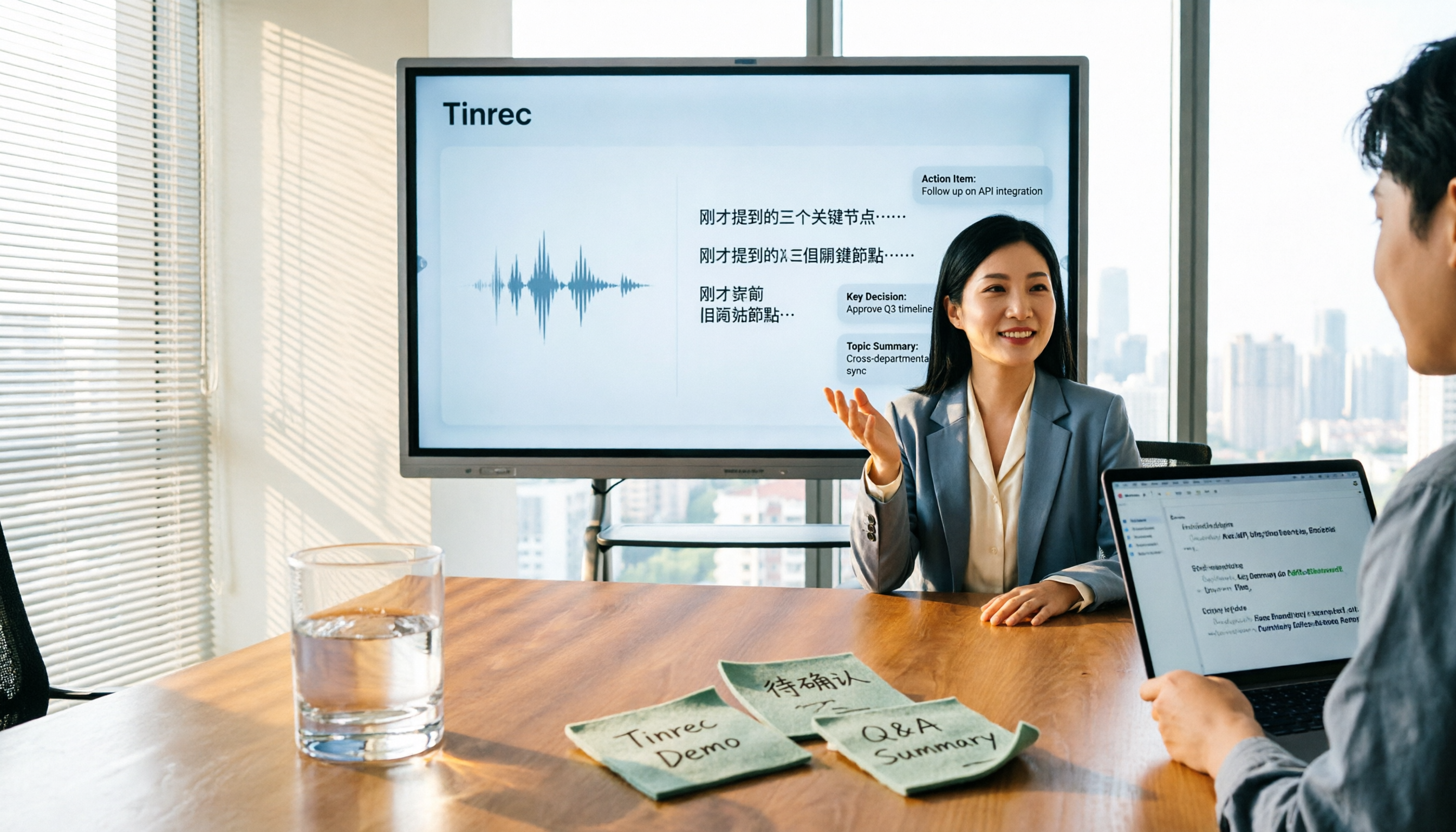
Scenario 1: Get usable meeting notes right after the meeting Previously, a two-hour meeting might require another hour of organizing afterward. With Tinrec, for example, the transcript is generated in sync during the meeting, and after it ends, AI summaries, chapters, and to-dos are also organized. Who is responsible for what and when it's due can be copied directly into the group chat.
Scenario 2: Quickly capture interview and research data The most time-consuming part of interviews is never asking questions, but transcribing. Tinrec supports real-time recording on mobile and also uploading existing audio and video files; after transcription, the transcript is searchable, and you can ask questions directly about the content, such as "Where did the interviewee mention budget constraints?" without re-listening to the entire recording.
Scenario 3: Organizing material for video and audio content For podcasts, YouTube, or course recordings, first transcribe to text, then use AI summaries to extract key points and chapters. This structures the content, making it faster to write copy, titles, or cut highlight clips later.
Scenario 4: Turn meetings into team assets Personal use of transcription saves your own time; team use saves everyone's time. Tinrec's team version centralizes transcripts, summaries, to-dos, and audio files in a team space. New members can browse past meetings, and when members leave or lose their seats, the data remains with the team and won't be taken away.
What Are the Core Capabilities of Transcription?
Real-time transcription, not after recording During a meeting, you can watch the text sync to confirm no key points are missed, which is especially useful for discussions needing immediate feedback. Tinrec supports recording and text output simultaneously, and retains the full transcript for later search and review.
Bot-free online meeting recording Tinrec's desktop version records online meetings by capturing the device's system audio, without inviting an extra account. To be clear: this is user-initiated recording, not "automatically joining all calendar meetings," nor is it an official partnership with any platform.
AI summaries and chapters It's not just condensing the transcript into a paragraph, but structured organization: meeting topic, discussion points, conclusions, and to-dos listed separately. Long meetings are split into browsable chapters, so you don't have to read from the first minute when reviewing.
To-do extraction and AI Q&A It organizes follow-up actions from the discussion, turning meeting conclusions into a trackable list. After transcription, you can ask questions directly about a single or multiple meetings, such as "What concerns did the client raise?" The system answers based on semantic understanding, not keyword matching.
Real-time translation and bilingual view For cross-language meetings, you can record while viewing the original, translation, or bilingual content. Tinrec covers Chinese, Traditional Chinese, and multilingual scenarios, and provides team hotwords to maintain common terminology. Actual performance is affected by recording quality, noise, accents, overlapping speakers, and technical terms; we do not recommend promising a fixed accuracy rate.
Export and post-processing Transcripts and summaries can be exported in common formats and brought into existing workflows like Notion, Google Docs, OneNote, and Dropbox; they can also be post-processed via Agent to generate reports, tables, and documents based on meeting content, directly for reporting and delivery.
Practical Use Cases
Online meetings: Zoom, Meet, Teams, Webex Cross-department weekly meetings and regular client meetings fear missing decisions. Use Tinrec desktop to start recording, and immediately after the meeting you have transcripts, summaries, and to-dos. The decision basis stays in one place, so next time you need to check "why was this decided" you don't have to ask someone.
Offline interviews and on-site recording For user interviews, expert interviews, and field research, real-time recording on mobile is most intuitive. Back at the office, the transcript is already done, and researchers can spend time analyzing and citing rather than typing.
Stop organizing recordings by hand
Upload audio or video and automatically get a transcript, summary, and action items
Content creation: Podcasts, videos, and courses First convert audio to text, then use summaries and chapters to capture key segments. Writing show notes, social posts, or course notes becomes much faster. The transcript itself also makes it easy to proofread citations and avoid mishearing or misremembering.
Team knowledge retention and handover Centralize meeting data in a team space. New members can see historical context, and managers can see usage trends and member activity. For teams of 10 or more, this is more controllable than everyone using their own free accounts in silos.
5 Things to Note When Choosing a Transcription Tool
1. Can you use it directly after transcription? The transcript is just raw material; what really saves time is summaries, chapters, to-dos, and Q&A. Tinrec's value is at this layer: when the meeting ends, usable organized results are already produced, rather than handing you an 8,000-word plain text.
2. How does meeting audio get in? If your meeting has external clients or sensitive parties, "sending a bot to join" often doesn't work. Tinrec desktop handles online meetings by capturing system audio, without adding participants or changing the meeting link and process. It also supports uploading existing audio and video, so historical recordings can be organized too.
3. Handling Chinese and mixed Chinese-English Meetings in Taiwan are rarely pure Chinese; mixed Chinese-English, product codes, and proper nouns are common. When choosing a tool, don't just look at official marketing; test with a real recording of your own. Tinrec covers Chinese and multilingual scenarios and can maintain common terminology via team hotwords; but results still depend on recording conditions. For important information, we recommend cross-checking with transcript timestamps and audio playback.
4. Are audio files kept? Can data be retrieved? Some tools only keep text and not audio, so you can't verify tone or context later. Tinrec keeps audio, and the team version also provides an audio recycle bin. Accidental deletions can be restored before permanent cleanup (currently retention period is 30 days; to-dos are not in the recycle bin).
5. Team governance and usage metrics For multi-user use, distinguish between "roles" and "seats": roles determine who can manage the team, members, and audits; seats determine whether members can record, upload, edit, import/export. In Tinrec's team version, active members without seats can still view, play, and read team data, but only after obtaining a seat can they perform resource usage operations. For usage, the team monthly plan is USD 29.80 per paid seat per month, annual plan is USD 199 per paid seat per year (equivalent to about USD 16.58 per month). Each paid seat provides 2,000 minutes of team shared import quota per month; under an active team plan and active seat, real-time recording currently does not deduct minutes. The first eligible team trial is 7 days, 1 free seat, 300 minutes of team shared import quota. Actual prices, currencies, and promotions are subject to the official purchase page.
| Evaluation Dimension | Why It Matters | Tinrec's Approach |
|---|---|---|
| Post-meeting organization | Determines how much time you spend wrapping up | Transcript, summary, chapters, to-dos produced in sync |
| Meeting capture | Affects acceptance by clients and colleagues | Desktop version captures system audio without a bot |
| Chinese scenarios | Mixed Chinese-English is most error-prone | Chinese and multilingual support, team hotwords |
| Data retention | For later verification and audit needs | Keeps audio, team version has recycle bin |
| Team governance | Responsibilities and costs for multi-user sharing | Roles, seats, usage analytics, audit logs |
Frequently Asked Questions
What's the difference between a transcription tool and a regular recording app? A recording app only records; a transcription tool turns audio into usable text. Tinrec goes further: after transcription, it generates summaries, chapters, to-dos, and mind maps, and you can ask questions about meeting content, translate, export, and share in team spaces.
Can you really record online meetings without inviting a meeting bot? Yes. Tinrec desktop captures the computer's system audio, initiated by the user, so Zoom, Google Meet, Microsoft Teams, and Webex don't need an extra participant. Note that this is not the same as automatically joining all meetings on your calendar.
Can transcription accuracy be guaranteed? We do not recommend promising a fixed number. Actual performance is affected by recording quality, background noise, accents, overlapping speakers, and technical terms. A more practical approach: test a segment with your own meeting recording, then decide whether to adopt it. For important content, we still recommend cross-checking with the original text and audio.
What's the difference between the team version and the personal version? What can members without a seat do? Personal version data belongs to the individual account; the team version is a separate team space where data belongs to the team, and adds capabilities like members, roles, seats, sharing benefits, usage analytics, audit logs, and recycle bin. Active members without a seat can still view, play, and read team data, but cannot upload, edit, or import/export.
Can accidentally deleted recordings be recovered? The team version's audio recycle bin can restore accidentally deleted audio before permanent cleanup begins; currently the retention period is 30 days; to-dos are not in the recycle bin. Personal and team versions have different data lifecycles, so we recommend confirming your retention policy before adoption.
Conclusion
The value of transcription isn't "whether it transcribes," but "how much less you have to do after transcription." If you only occasionally organize a recording, you can start with Tinrec's free version to experience the basic workflow; if you have meetings and interviews every week, Pro is a more stable choice; if the need comes from the entire department, then see whether the team version can centrally manage transcripts, summaries, to-dos, and historical data, and clearly divide responsibilities with roles and seats. Rather than comparing the free minutes each claims, take a real recording of your mixed Chinese-English meeting and try it—whether it saves organizing time, you'll know after one test.
References
- Yating Transcription
- SoundType AI Ultra-Precise Transcription, Speech to Text, AI Dictation - Google Play App
- Online Speech to Text AI, Free MP3 or Recording to Text Transcription - MyEdit
- Good Tape Tutorial | Recording to Transcription Tool, Supports Chinese and 40 Other Languages | Manager Today
- Looking for recommendations for super awesome recording-to-transcription tools (mainly free; I'm currently using Yating Transcription, which is already quite good, but want to consider others)
Turn every recording into actionable outcomes
Get 60 free transcription minutes when you sign in. No credit card required.
Related Reading
You might also like

5 Best Online Video Chat Rooms in 2026: Anonymous Chat, Random Pairing, and AI Meeting Notes Compared
How do you choose an online video chat room in 2026? We tested 5 tools for anonymous socializing, random pairing, and meeting documentation, plus what to look for—including how Tinrec handles bot-free meeting recording, AI summaries and action items, and team workspaces.

2026 Comparison of 4 Online Meeting and Teaching Tools: After a Webex Meeting, What's the Easiest Way to Keep Records?
Closing the window right after an online meeting is the most common and costly habit. This article compares Cisco Webex, Tinrec, Granola, and TurboScribe in terms of meeting recording, transcription, summarization, and post-meeting organization, and highlights the four most common pitfalls when choosing online meeting and teaching tools.
4 Best Audio-to-Text Software in 2026: Which Is Most Useful for Chinese Meeting Notes and AI Q&A?
Still stuck transcribing after meetings? We tested 4 audio-to-text software in 2026, comparing Chinese and mixed Chinese-English recognition, bot-free online meeting recording, post-meeting AI summaries and Q&A, and team data ownership. We also list 4 key buying factors and 3 common pitfalls to help you find the one that truly saves time.

3 AI Meeting Note Tools Tested in 2026: A No-Bot Option for Webex Users
Cisco Webex is a common online meeting tool for businesses, but post-meeting organization often still relies on manual work. This article explores real-world scenarios to explain what AI meeting note tools can do for professionals, using Tinrec as an example to demonstrate a complete workflow for bot-free Webex meeting recording, real-time transcription, AI summaries, action item extraction, and team spaces, while also covering 5 key considerations for purchasing and FAQs.

2026 Best Free Audio-to-Text Tools Compared: Which One Is Actually Enough?
Meeting recordings pile up, Cantonese transcripts take forever to type, and free versions cut you off mid-transcription with an upgrade prompt. This guide breaks down the free tiers, language support, and post-meeting organization of 5 audio-to-text tools in 2026, and explains why Tinrec's no-bot desktop recording, AI summaries and Q&A, and team workspace make it more practical for Chinese-language meetings.

Tinrec vs Otter.ai in 2026: 5-Dimension Comparison — Which Is Better for Chinese Meeting Notes?
Many people choose transcription software based only on free minutes, only to end up reading the entire transcript themselves. This article compares Tinrec and Otter.ai across 5 practical dimensions, with brief reviews of Notta and Granola, to help you find the tool that truly saves time for Chinese meetings.

4 Best Real-Time Translation Tools for Online Meetings in 2026: Beyond Bilingual Subtitles, Which One Leaves You with Usable Meeting Records?
How to choose a real-time translation tool for online meetings? This article examines four key criteria: system audio vs. meeting bot, what's left after the meeting, performance in Chinese meetings, and how free tiers are calculated. It compares Tinrec, Notta, Granola, and Akkadu, and summarizes the four most common purchasing mistakes and scenario-based recommendations.

5 Audio-to-Text Apps Compared in 2026: Why Tinrec Is Better for Chinese Meetings
A roundup of common audio-to-text apps in 2026, comparing Tinrec, cSubtitle, MyEdit, SoundType AI, and Yating Transcription, and explaining what to look for in Chinese meeting transcription, AI summaries, action items, and team collaboration.

5 Chinese Speech-to-Text Tools Tested for 2026: Which Saves More Time on Meeting Transcripts and AI Summaries?
The same Chinese meeting recording can yield vastly different results depending on the approach. In 2026, five common Chinese speech-to-text methods each suit different users. This article compares Chinese sentence segmentation, post-meeting organization, export integration, and team governance, and explains how Tinrec uses bot-free desktop recording, real-time transcripts, AI summaries, and action item extraction to turn meetings into searchable, collaborative team data.