

Turn recordings into transcripts and summaries in minutes
Upload audio or video for multilingual transcription, AI notes, and action items
5 Chinese Speech-to-Text Tools Tested for 2026: Which Saves More Time on Meeting Transcripts and AI Summaries?
The same Chinese meeting recording can produce vastly different results depending on how it's processed. Some tools output a massive wall of text with no punctuation, while others give you a summary, chapters, and action items right after transcription. Most people only ask "which one is most accurate" when choosing a tool, but what really determines whether you'll keep using it comes down to three other things: whether mixed Chinese-English sentences are segmented correctly, whether someone helps you organize after the meeting, and who ultimately holds the team's meeting data.
In 2026, there are roughly five common approaches: meeting assistants that join via bot, general-purpose transcription tools, built-in transcription features in meeting platforms, AI recording hardware, and bot-free desktop recording. This article compares these five approaches using the same Chinese meeting scenario, and explains why Tinrec is particularly time-saving for Chinese meetings and post-meeting organization.
What Can Chinese Speech-to-Text Do for You?
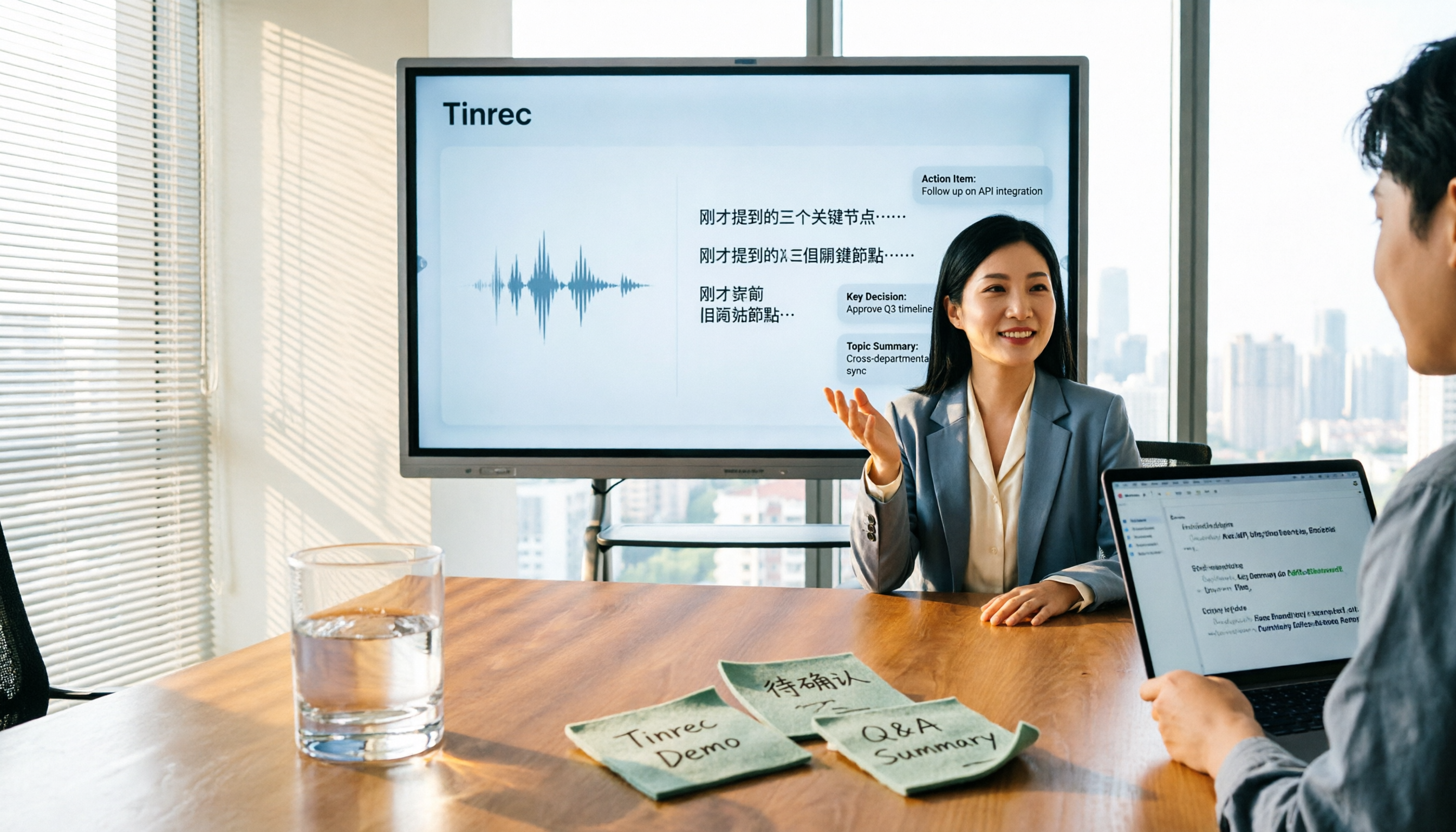
Scenario 1: Get meeting notes within 5 minutes after the meeting In the past, a two-hour meeting required another hour of organizing. Now, the notes are ready almost as soon as the meeting ends. With Tinrec, for example, transcription happens simultaneously with recording, and after the meeting, it directly generates summaries, chapters, and action items—who's responsible for what and when it's due, all at a glance.
Scenario 2: Mixed Chinese-English international meetings Meetings in Taiwan are rarely pure Chinese—"let's follow up on this case next week" is the norm. Tinrec supports Chinese and multilingual meeting scenarios, and can handle mixed Chinese-English content. During recording, you can switch between original text, translation, or bilingual view, so cross-language meetings don't require a separate translator.
Scenario 3: Clear out old recordings piling up in the cloud Interviews, courses, client calls—dozens of files accumulate, and just thinking about organizing them is exhausting. Tinrec supports uploading audio and video files for transcription, then directly generates summaries and key points, giving old data a chance to become searchable material.
Scenario 4: Turn meeting data into team assets Meeting notes scattered across personal devices and chat rooms break down when people leave. Tinrec's team space centralizes transcripts, summaries, and action items, so new members can look up past meetings and action items can be tracked continuously.
What Are the Core Capabilities of Chinese Speech-to-Text?
Real-time transcription: transcribe while recording, not after Tinrec transcribes simultaneously during recording, so you can watch the text to confirm key points aren't missed—no need to wait until after the meeting to discover a crucial segment was missed.
Bot-free online meeting recording: no extra account joining the meeting Most meeting assistants send a bot to join the meeting. Tinrec's desktop version directly captures the computer's system audio, handling meeting audio from Zoom, Google Meet, Microsoft Teams, Webex, etc., played on the computer, without inviting an extra bot. Note that this doesn't mean automatically joining all meetings on your calendar—the user still needs to actively start recording.
AI summaries and chapters: break long meetings into digestible structure Tinrec's summaries aren't just condensing the transcript into a paragraph—they're structured: meeting topic, discussion highlights, conclusions, and action items listed separately. A two-hour meeting can be scanned in three minutes.
Action item extraction and AI Q&A: the real value comes after transcription The transcript is just raw material. Tinrec extracts action items from discussions, and you can directly ask questions about the meeting content, such as "What was the final timeline decided in this meeting?" or "What concerns did the client mention?" It answers based on semantics, so you don't have to search line by line.
Export and Agent post-processing: bring results back to your existing workflow Tinrec supports multiple export formats, allowing content to be used in Notion, Google Docs, OneNote, Dropbox, etc., and can further generate reports, tables, and meeting notes documents, saving time on post-meeting reformatting and retyping.
Team space and governance: what personal tools can't do Tinrec's team plan provides an independent team space, with management of member roles and seats, usage trends and member details, audit log queries and exports, plus an audio recycle bin (30-day retention, recoverable or permanently deleted) and team hotwords to make professional terminology recognition closer to team habits.
Practical Use Cases
Meetings and project weekly reviews Use Tinrec desktop for bot-free recording of online meetings, and mobile real-time recording for offline meetings, then get summaries and action items directly after. For those who have more than three meetings a week, what's saved isn't just typing time, but also time spent "going back to listen to recordings."
Stop organizing recordings by hand
Upload audio or video and automatically get a transcript, summary, and action items
Classes and continuing education After uploading course recordings to Tinrec for transcription, you can browse by chapter and directly ask the AI before an exam, "What were the three key exam points the teacher mentioned?"—much faster than re-listening to a two-hour recording.
Interviews and user research The most time-consuming part of interviews is organizing quotes. After Tinrec transcribes, you can use AI Q&A to find segments on specific topics, and organize key points into reports or tables for direct use when writing.
Content creation and client communication Podcasts, video scripts, client requirement interviews—all can be recorded first and organized later. Tinrec supports multiple export formats, so organized results can go directly into existing writing or note-taking workflows without copy-pasting back and forth.
5 Things to Note When Choosing a Chinese Speech-to-Text Tool
1. Handling Chinese and mixed Chinese-English is more important than total language count Supporting many languages doesn't mean your meeting will be handled well. What really matters is Chinese sentence segmentation, punctuation, and mixed Chinese-English performance. Tinrec focuses on Chinese and multilingual meeting scenarios, and also supports mixed Chinese-English content organization.
2. How meetings are recorded: does it require an extra bot? If your meetings often include external clients, inviting a bot to join is often awkward. Tinrec takes a bot-free approach—the desktop version captures system audio to record online meetings.
3. Can you use it directly after transcription? Tools that only provide transcripts essentially hand the organizing work right back to you. Tinrec follows transcription with summaries, chapters, action items, and AI Q&A—that's where the real time savings are.
4. Can it export to existing tools? If transcription results can only stay within the tool, they'll eventually become another data silo. Tinrec supports exporting to Notion, Google Docs, OneNote, Dropbox, etc., and can also generate reports, tables, and documents.
5. Team collaboration and usage governance As soon as multiple people are involved, you must distinguish between "roles" and "seats": roles determine who can manage the team and members, seats determine whether members can record, upload, edit, and export. Tinrec's team plan manages these two separately, and provides usage analytics, audit logs, audio recycle bin, and team hotwords. Active members without a seat can still view, play, and read team data, but cannot perform operations like uploading and editing. Team resources belong to the team; when a member leaves or is removed, their responsible resources are handed over to other active members.
In terms of pricing, Tinrec's personal plan offers a free version, weekly pass, Pro monthly, and Pro annual, allowing you to choose based on usage frequency; the team plan is currently USD 29.80 per paid seat per month, or USD 199 per paid seat per year (about USD 16.58 per month). The first eligible team trial is 7 days, 1 free seat, and 300 minutes of team shared import quota; paid seats provide 2,000 minutes of team shared import quota per seat per month. Actual prices and benefits are subject to the official purchase page.
Frequently Asked Questions
Q1: Can Chinese speech-to-text be used for free? You can start with the free version. Tinrec's personal plan offers a free version so you can try the recording, import, summary, and transcription workflow first, and consider a weekly pass, Pro monthly, or annual if it works well. For teams, there's a first-time trial that includes 7 days, 1 free seat, and 300 minutes of team shared import quota.
Q2: Do online meetings require inviting a bot? No. Tinrec's desktop version directly captures the computer's system audio, handling meeting content from Zoom, Google Meet, Microsoft Teams, Webex, etc., played on the computer, without an extra bot attendee in the meeting.
Q3: Can Chinese recognition accuracy be guaranteed? It's not advisable to look at this as a single number. Actual performance is affected by recording quality, ambient noise, accents, overlapping speakers, and specialized terminology. A more practical approach is to try it with one of your own meeting recordings and see how it handles sentence segmentation and proper nouns.
Q4: If a team member leaves, will meeting data disappear with them? It won't be taken away by the individual. In Tinrec's team plan, meeting data belongs to team resources. When a member leaves, is removed, or loses their seat, their responsible team resources are handed over to other active members; accidentally deleted audio can also be recovered within the recycle bin retention period.
Q5: What should I pay attention to when recording and transcribing? Recording and transcription involve others' conversations, so it's advisable to check local regulations first and obtain consent from participants when necessary. This is also something enterprises should review when implementing.
Conclusion
Looking back in 2026, Chinese speech-to-text is no longer a question of "can it transcribe" but "can you use it after transcription." Bot-based meeting assistants, general-purpose transcription tools, built-in platform features, and AI recording hardware each suit different people. But if your meetings are primarily in Chinese, often mixed with English, and what you really want to save is post-meeting organization time, Tinrec's approach is more aligned with your needs: no bot to invite, transcription with simultaneous summaries and action items, results exportable to existing tools, and team data settling in one space.
If you have more than three meetings a week, we suggest running one or two of your own meetings with Tinrec's free version first to see if the summaries it generates can be used directly—that's more accurate than any review.
References
- Free Online Text to Speech - TTSMaker
- Traditional Chinese Text to Speech Software | Ondoku
- Luvvoice: Free Online Text to Speech, No Word Limit
- Fuxing Elementary School Information Equipment Center - Text to Speech
- Using Yating Text to Speech to Generate Human Voice Audio Files - Canva Tutorial | STEAM Education Learning Network
Turn every recording into actionable outcomes
Get 60 free transcription minutes when you sign in. No credit card required.
Related Reading
You might also like

5 Best Online Video Chat Rooms in 2026: Anonymous Chat, Random Pairing, and AI Meeting Notes Compared
How do you choose an online video chat room in 2026? We tested 5 tools for anonymous socializing, random pairing, and meeting documentation, plus what to look for—including how Tinrec handles bot-free meeting recording, AI summaries and action items, and team workspaces.

2026 Comparison of 4 Online Meeting and Teaching Tools: After a Webex Meeting, What's the Easiest Way to Keep Records?
Closing the window right after an online meeting is the most common and costly habit. This article compares Cisco Webex, Tinrec, Granola, and TurboScribe in terms of meeting recording, transcription, summarization, and post-meeting organization, and highlights the four most common pitfalls when choosing online meeting and teaching tools.
4 Best Audio-to-Text Software in 2026: Which Is Most Useful for Chinese Meeting Notes and AI Q&A?
Still stuck transcribing after meetings? We tested 4 audio-to-text software in 2026, comparing Chinese and mixed Chinese-English recognition, bot-free online meeting recording, post-meeting AI summaries and Q&A, and team data ownership. We also list 4 key buying factors and 3 common pitfalls to help you find the one that truly saves time.

3 AI Meeting Note Tools Tested in 2026: A No-Bot Option for Webex Users
Cisco Webex is a common online meeting tool for businesses, but post-meeting organization often still relies on manual work. This article explores real-world scenarios to explain what AI meeting note tools can do for professionals, using Tinrec as an example to demonstrate a complete workflow for bot-free Webex meeting recording, real-time transcription, AI summaries, action item extraction, and team spaces, while also covering 5 key considerations for purchasing and FAQs.

2026 Best Free Audio-to-Text Tools Compared: Which One Is Actually Enough?
Meeting recordings pile up, Cantonese transcripts take forever to type, and free versions cut you off mid-transcription with an upgrade prompt. This guide breaks down the free tiers, language support, and post-meeting organization of 5 audio-to-text tools in 2026, and explains why Tinrec's no-bot desktop recording, AI summaries and Q&A, and team workspace make it more practical for Chinese-language meetings.

Tinrec vs Otter.ai in 2026: 5-Dimension Comparison — Which Is Better for Chinese Meeting Notes?
Many people choose transcription software based only on free minutes, only to end up reading the entire transcript themselves. This article compares Tinrec and Otter.ai across 5 practical dimensions, with brief reviews of Notta and Granola, to help you find the tool that truly saves time for Chinese meetings.

4 Best Real-Time Translation Tools for Online Meetings in 2026: Beyond Bilingual Subtitles, Which One Leaves You with Usable Meeting Records?
How to choose a real-time translation tool for online meetings? This article examines four key criteria: system audio vs. meeting bot, what's left after the meeting, performance in Chinese meetings, and how free tiers are calculated. It compares Tinrec, Notta, Granola, and Akkadu, and summarizes the four most common purchasing mistakes and scenario-based recommendations.

5 Audio-to-Text Apps Compared in 2026: Why Tinrec Is Better for Chinese Meetings
A roundup of common audio-to-text apps in 2026, comparing Tinrec, cSubtitle, MyEdit, SoundType AI, and Yating Transcription, and explaining what to look for in Chinese meeting transcription, AI summaries, action items, and team collaboration.

2026 Comparison of 5 Transcription Tools: Which Saves the Most Time for Chinese Meetings and Mixed Chinese-English?
Transcription isn't about who transcribes fastest, but how much time you spend cleaning up afterward. This article addresses common misconceptions, breaks down the practical uses of transcription, core capabilities, and 5 key checkpoints for choosing a tool. It also demonstrates Tinrec's complete workflow from recording, transcription, summarization, to-dos, to team knowledge retention, helping you make a regret-free decision on a limited budget.