

Turn recordings into transcripts and summaries in minutes
Upload audio or video for multilingual transcription, AI notes, and action items
5 Audio-to-Text Apps Compared in 2026: Why Tinrec Is Better for Chinese Meetings
There are plenty of audio-to-text apps out there, but before you make a decision, most people get stuck on three questions: Is the free version enough? Can it understand meetings that mix Chinese and English? And can the transcript actually be used for something more?
When I test these tools myself, I like to first look at "what can I do after transcription" and then look at the price. Because if you still have to spend the same amount of time turning a transcript into a summary, action items, and a version you can send to colleagues, then the tool has only done half the job.
This article will look at Tinrec alongside common online transcription apps, including cSubtitle, MyEdit, SoundType AI, and Yating Transcription, which you may have already searched for, to help you figure out which one fits your workflow better.
Why are people looking for alternatives to existing transcription methods?
Online tools like cSubtitle and MyEdit have one thing in common: "upload a file, wait a few minutes, download the transcript." For someone who occasionally needs to turn an MP3 into text, that's genuinely convenient. cSubtitle doesn't require an account, supports MP3, WAV, M4A, and other formats, and can output .txt, .docx, or subtitle files. MyEdit can export .txt and .srt, and you get free credits for logging in daily. SoundType AI is an Android app focused on speaker identification and AI summaries. Yating Transcription is a common transcription service in Taiwan.
But after using them for a while, a few things start to feel limiting.
First is the quota. cSubtitle's free version limits audio to 3 minutes or less, and MyEdit's free credits run out each day and you have to wait until the next day. Second is the workflow gap—for online meetings, you have to record with another app first, then upload to the website to transcribe, adding an extra step. Third, and what readers complain about most: you only get a block of text, and you have to review it yourself to create summaries, action items, and assign responsibilities.
If what you want isn't just "a transcript" but usable material right when the meeting ends, then Tinrec's approach is worth looking into.
Tinrec vs. typical audio-to-text apps: What's different in the core experience?
How the audio gets there makes a bigger difference than you'd think. Most online transcription apps start with "you already have a file." Tinrec, besides uploading audio and video, can also initiate online meeting recording directly from the desktop version, capturing computer system audio to handle Zoom, Google Meet, Microsoft Teams, and Webex meetings without inviting a meeting bot. For in-person meetings, you can record in real time on your phone or computer, transcribing as you record. Removing the "record first, upload later" step makes the whole process much smoother.
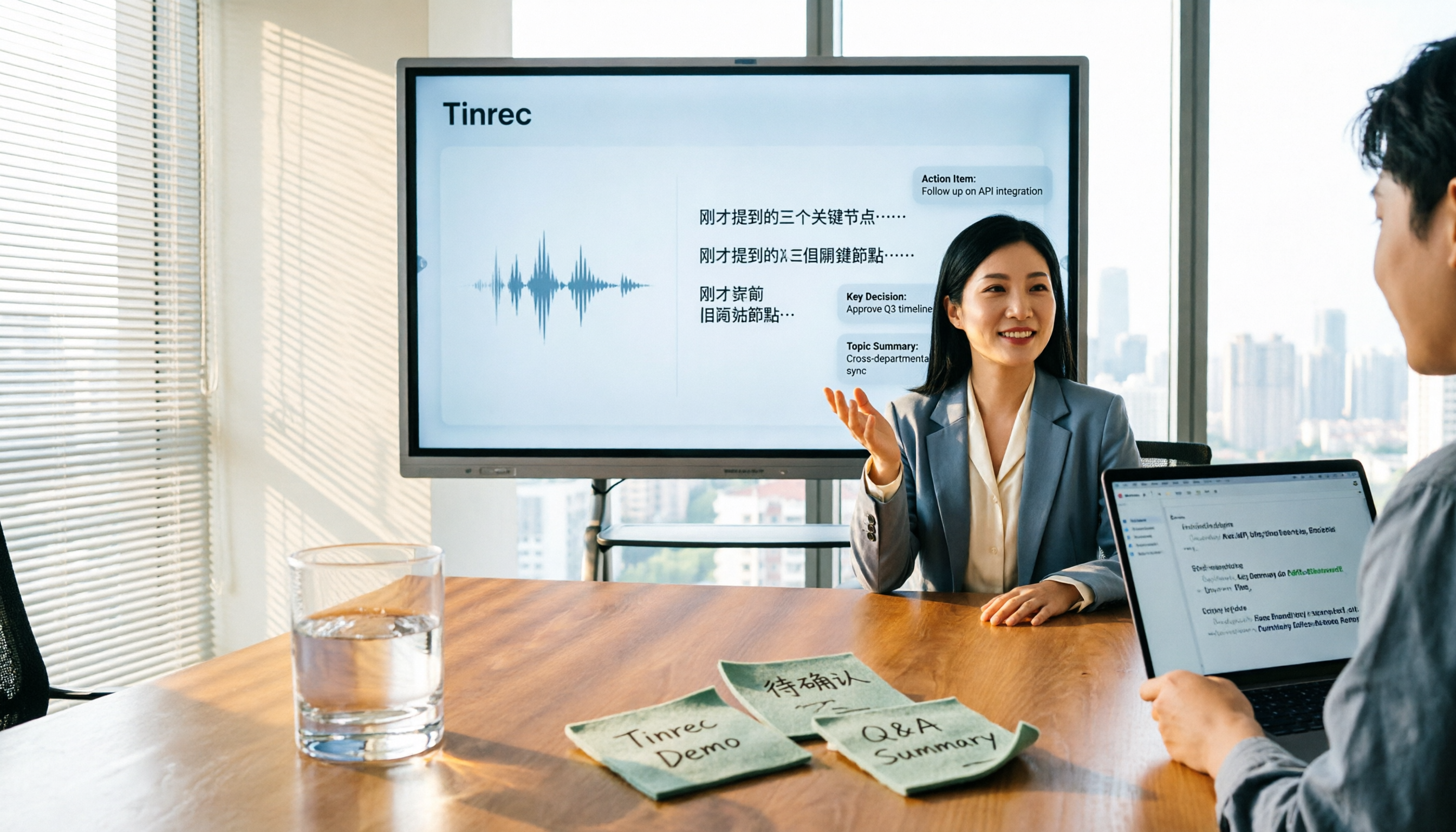
Can you keep using it after transcription? This is where I think the difference is biggest. A transcript is just one output of Tinrec. It also generates AI summaries, chapters, key points, and action items, and you can ask questions directly about the meeting content. To turn it into a report, table, or document, you can also use Agent post-processing. Export supports common file formats, and you can bring it to Notion, Google Docs, OneNote, or Dropbox for further editing.
Handling Chinese and multilingual meetings. Tinrec covers Chinese, Traditional Chinese, and multilingual meeting scenarios, can handle mixed Chinese-English content, and supports real-time translation. During recording, you can switch between original text, translation, or bilingual view. Note that these tools cannot guarantee a fixed accuracy rate; actual performance is affected by recording quality, background noise, accents, multiple people speaking at once, and technical terminology. For important content, it's still best to go back and check the recording.
Cross-device and use-case coverage. Tinrec has desktop, web, and mobile versions. Record in the meeting room on your computer, add a memo on your phone during your commute, and the data goes to the same place. For people who need to manage recordings from different sources in one place, this is much less hassle than "transcribing each file separately."
Should team data be kept? For individual use, you won't feel it much, but once a team is involved, the difference shows. I'll go into the team version in more detail later.
Tinrec's core features at a glance
Real-time recording to text. Open Tinrec and press record; text appears synchronously. During meetings, you can check for missed key points as you go, and by the time the meeting ends, the transcript is mostly done. Suitable for in-person meetings, interviews, and classes.
Bot-free online meeting recording. The desktop version directly captures system audio, handling Zoom, Meet, Teams, and Webex meetings without an extra bot account appearing in the participant list. Note that this is not "automatically joining all meetings on your calendar"—you need to actively start recording.
Stop organizing recordings by hand
Upload audio or video and automatically get a transcript, summary, and action items
Audio and video transcription, summaries, and action items. Upload existing meeting recordings, interview files, or course videos, and besides a transcript, you also get summaries, chapters, and action items. No need to listen to a long meeting from start to finish.
AI Q&A. After recording a meeting, you can directly ask "What was the conclusion of this meeting?" or "Who is responsible for which item?" It will give answers based on semantic understanding, without manually flipping through dozens of pages of transcript. This is my personal most-used feature.
Export and further processing. Transcripts, summaries, and post-meeting outputs can be exported to common formats or brought into existing workflows like Notion, Google Docs, OneNote, and Dropbox.
Team space and governance. The team version is not "multiple people sharing one personal account" but an independent team space. Meeting data belongs to the team, with additional management capabilities like members, roles, seats, usage analytics, audit logs, and an audio recycle bin.
Real-world use cases
Department weekly meetings. Use the desktop version to record online weekly meetings, and afterward you directly get the transcript, summary, and action items. Who takes over which item is clear at a glance, saving the time of taking turns writing meeting minutes.
Customer interviews. Customer needs, concerns, and commitments are often scattered throughout the conversation. Tinrec's summaries and action items can help pull them out, and it's faster to organize them into proposal materials afterward.
Courses and lectures. For a one-hour course, using AI Q&A to find key points is much more practical than repeatedly dragging the progress bar, and the time spent organizing notes drops noticeably.
Accumulated historical recordings. Recordings that have been sitting on your phone for years can be thrown into Tinrec all at once to turn into searchable text, and later you can find them back with keywords.
Things to look out for when choosing an audio-to-text app
First confirm where your audio comes from. If it's almost all existing files, an online transcription app is plenty. If more than half are online meetings, whether it can record directly will be key. Tinrec's advantage is in the latter.
Look carefully at free quotas and pricing. Tinrec's personal version has a free version to try. For short-term intensive use, there's a weekly card; for steady use, Pro; for long-term data accumulation, an annual card is suitable. The team version's first eligible trial is 7 days, 1 free seat, and 300 minutes of team shared import quota. The paid plan is USD 29.80 per paid seat per month, or USD 199 per paid seat per year, which comes to about USD 16.58 per month. Each paid seat provides 2,000 minutes of team shared import quota per month. Real-time recording under an active plan and seat is currently not deducted by minutes. Actual prices and benefits are subject to the official purchase page.
Performance with Chinese and technical terminology. The team version allows maintaining team hotwords, adding frequently appearing product names and project codes, which helps recognition.
Usability after transcription. A tool that only gives a transcript versus one that also gives summaries, action items, Q&A, and export saves a lot of time.
For team use, distinguish roles and seats. Roles determine who can manage the team and members. Seats determine whether members can record, upload, edit, and export. Members without a seat can still view, play, and read team data.
Conclusion: Is Tinrec worth a try?
If you only need to occasionally turn a short recording into text, online tools are great, and you don't necessarily need to switch.
But if you frequently handle meeting, interview, or course recordings, and you want to directly use summaries, action items, and Q&A results after transcription, Tinrec will save you a lot of time compared to a simple transcription app. Chinese meetings, mixed Chinese-English content, and team data accumulation are where it has relative advantages.
I suggest starting with the free version and testing it with one or two real recordings you have on hand—that's more accurate than reading any review.
FAQ
Can Tinrec be used for free? The personal version has a free version, which lets you experience recording, importing, summaries, and transcription with basic quota. Consider a weekly card or Pro when usage is higher.
Do I have to download software to transcribe? Not necessarily. The web and mobile versions can upload audio and video for transcription. Only when you want to directly record online meetings do you need the desktop version to capture system audio.
Is Chinese meeting transcription accurate? What is the accuracy rate? Tinrec covers Chinese, Traditional Chinese, and multilingual scenarios, and can handle mixed Chinese-English. However, actual performance is affected by recording quality, noise, accents, overlapping speakers, and technical terminology. It's not recommended to summarize with a single number. For important content, it's best to listen back to the recording at the transcript timestamps to verify.
What does "seat" mean in the team version? A seat determines whether a member can use team resources, such as recording, uploading, editing, and importing/exporting. A role determines who can manage the team, members, audits, and team settings. The two should be viewed separately.
Can members without a seat see meeting data? They can view, play, and read team data, but cannot perform resource-using operations like uploading, editing, and importing/exporting.
Are recordings saved? Can deleted ones be recovered? Tinrec retains audio, and the team version has an audio recycle bin. Before permanent cleanup begins, they can be restored. The current recycle bin retention period is 30 days. Also note: please follow local regulations for recording and transcription, and obtain participant consent when necessary.
References
- Online AI voice, video, audio file auto transcription - Free trial - cSubtitle
- Online speech to text AI, free MP3 or audio file to text transcript - MyEdit
- SoundType AI ultra-accurate transcript, speech to text, AI dictation - Google Play app
- Yating Transcription
- Tested 4 best "speech to text" online tools recommended, free instant audio to transcript
Turn every recording into actionable outcomes
Get 60 free transcription minutes when you sign in. No credit card required.
Related Reading
You might also like

5 Best Online Video Chat Rooms in 2026: Anonymous Chat, Random Pairing, and AI Meeting Notes Compared
How do you choose an online video chat room in 2026? We tested 5 tools for anonymous socializing, random pairing, and meeting documentation, plus what to look for—including how Tinrec handles bot-free meeting recording, AI summaries and action items, and team workspaces.

2026 Comparison of 4 Online Meeting and Teaching Tools: After a Webex Meeting, What's the Easiest Way to Keep Records?
Closing the window right after an online meeting is the most common and costly habit. This article compares Cisco Webex, Tinrec, Granola, and TurboScribe in terms of meeting recording, transcription, summarization, and post-meeting organization, and highlights the four most common pitfalls when choosing online meeting and teaching tools.
4 Best Audio-to-Text Software in 2026: Which Is Most Useful for Chinese Meeting Notes and AI Q&A?
Still stuck transcribing after meetings? We tested 4 audio-to-text software in 2026, comparing Chinese and mixed Chinese-English recognition, bot-free online meeting recording, post-meeting AI summaries and Q&A, and team data ownership. We also list 4 key buying factors and 3 common pitfalls to help you find the one that truly saves time.

3 AI Meeting Note Tools Tested in 2026: A No-Bot Option for Webex Users
Cisco Webex is a common online meeting tool for businesses, but post-meeting organization often still relies on manual work. This article explores real-world scenarios to explain what AI meeting note tools can do for professionals, using Tinrec as an example to demonstrate a complete workflow for bot-free Webex meeting recording, real-time transcription, AI summaries, action item extraction, and team spaces, while also covering 5 key considerations for purchasing and FAQs.

2026 Best Free Audio-to-Text Tools Compared: Which One Is Actually Enough?
Meeting recordings pile up, Cantonese transcripts take forever to type, and free versions cut you off mid-transcription with an upgrade prompt. This guide breaks down the free tiers, language support, and post-meeting organization of 5 audio-to-text tools in 2026, and explains why Tinrec's no-bot desktop recording, AI summaries and Q&A, and team workspace make it more practical for Chinese-language meetings.

Tinrec vs Otter.ai in 2026: 5-Dimension Comparison — Which Is Better for Chinese Meeting Notes?
Many people choose transcription software based only on free minutes, only to end up reading the entire transcript themselves. This article compares Tinrec and Otter.ai across 5 practical dimensions, with brief reviews of Notta and Granola, to help you find the tool that truly saves time for Chinese meetings.

4 Best Real-Time Translation Tools for Online Meetings in 2026: Beyond Bilingual Subtitles, Which One Leaves You with Usable Meeting Records?
How to choose a real-time translation tool for online meetings? This article examines four key criteria: system audio vs. meeting bot, what's left after the meeting, performance in Chinese meetings, and how free tiers are calculated. It compares Tinrec, Notta, Granola, and Akkadu, and summarizes the four most common purchasing mistakes and scenario-based recommendations.

2026 Comparison of 5 Transcription Tools: Which Saves the Most Time for Chinese Meetings and Mixed Chinese-English?
Transcription isn't about who transcribes fastest, but how much time you spend cleaning up afterward. This article addresses common misconceptions, breaks down the practical uses of transcription, core capabilities, and 5 key checkpoints for choosing a tool. It also demonstrates Tinrec's complete workflow from recording, transcription, summarization, to-dos, to team knowledge retention, helping you make a regret-free decision on a limited budget.

5 Chinese Speech-to-Text Tools Tested for 2026: Which Saves More Time on Meeting Transcripts and AI Summaries?
The same Chinese meeting recording can yield vastly different results depending on the approach. In 2026, five common Chinese speech-to-text methods each suit different users. This article compares Chinese sentence segmentation, post-meeting organization, export integration, and team governance, and explains how Tinrec uses bot-free desktop recording, real-time transcripts, AI summaries, and action item extraction to turn meetings into searchable, collaborative team data.