

Turn recordings into transcripts and summaries in minutes
Upload audio or video for multilingual transcription, AI notes, and action items
After the Webex Meeting Ends, the Real Trouble Begins: Most People Get Stuck on the Same Mistake
Many people think of a Webex online meeting as simply receiving a link, clicking in, talking, and hanging up. The meeting itself isn't the problem—it's what happens afterward: a two-hour discussion often takes another two hours to document, and decisions still get missed.
The first common mistake is treating “having a recording” as “having notes.” Webex built-in recording does save the video, but if you need to find out who promised what and by when, you still have to fast-forward through the entire video.
The second mistake is typing furiously to take notes during the meeting. The result is you don't listen carefully, miss the real points of contention, and then try to reconstruct action items from memory—only to discover two weeks later that no one remembers the conclusions.
A better approach is to let a tool handle the “recording” while you focus on the “conversation.” Webex's strength is easy joining—participants can enter via browser without downloading anything, and high-definition video with customizable layouts makes it easy for remote attendees. What really needs improvement is the post-meeting phase: turning the meeting into searchable, queryable, and actionable data.
Before Choosing a Meeting Notes Tool, Understand These 4 Key Points
1. How is the meeting audio captured?
There are two main approaches: one uses a meeting bot that joins as a “participant,” and the other uses desktop software to capture the computer's system audio directly. The former appears in the participant list, which can be awkward for external client meetings; the latter is completely transparent to attendees. When choosing a tool, first confirm it can handle the Webex meetings you typically use.
2. Is a transcript alone enough?
A transcript is raw material, not a finished product. What really saves time is summaries, chapters, and action item extraction—seeing conclusions as soon as the meeting ends, rather than scrolling through a 30-minute transcript. When choosing a tool, look at “what it produces after the meeting,” not “how fast it transcribes.”
3. How does it perform with Chinese meetings?
Webex meetings in Taiwan often mix Chinese and English, with many industry terms. Whether a tool can handle mixed Chinese-English and whether it has team hotwords to maintain specialized vocabulary makes a big difference over time.
4. Where does the data end up?
Personal plan data follows the account; team plans need team spaces, member and seat management, plus usage and audit logs—so that when one person leaves, a year's worth of meeting records doesn't disappear with them. In enterprise procurement evaluations, this is often the deciding factor.
Tinrec—The Top Pick for Webex Meeting Notes in Our Hands-On Test
Tinrec is an AI meeting notes and collaboration tool for individuals and teams, available on iOS, Android, and web, with desktop software handling online meetings on computers.
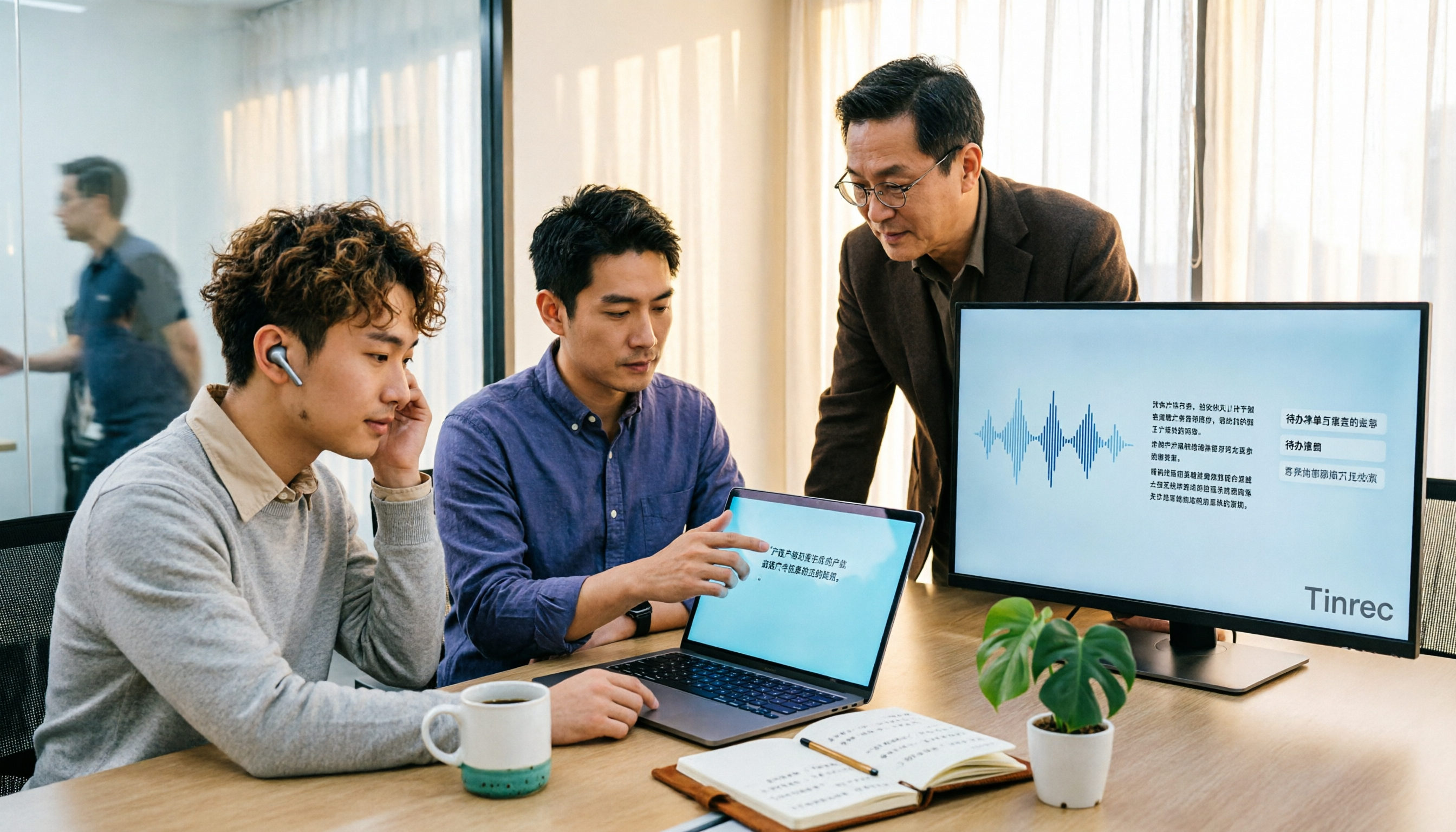
Its relationship with Webex isn't competitive but complementary. You still hold meetings in Webex, and simultaneously open Tinrec desktop, which directly captures system audio for recording and real-time transcription—no meeting bot needs to join, and no unfamiliar account appears in the participant list. We tested with a mixed Chinese-English Webex meeting recording (desktop, indoor environment): the transcript appeared in real time as people spoke, and as soon as the meeting ended, the AI summary, chapters, and action item list were ready—clearly showing who was responsible for what and by when.
The real differentiator is after the meeting. Tinrec supports AI Q&A around meeting content—you can directly ask “Who mentioned the budget in the last meeting?” and it answers based on semantics, not a list of keyword search results; most similar tools still only provide transcripts. Organized content can also be exported to Notion, Google Docs, OneNote, Dropbox, and other tools for further processing, or use Agent post-processing to directly generate reports, tables, and documents.
There are three advantages. First, bot-free recording is especially friendly for external client meetings. Second, the experience of organizing Chinese and mixed Chinese-English meetings, with support for real-time translation in original, translated, or bilingual view. Third, the team plan centralizes meeting data in a team space, with management of members, roles, seats, usage, and audits—when a member leaves, data remains with the team and isn't taken away by the individual.
Stop organizing recordings by hand
Upload audio or video and automatically get a transcript, summary, and action items
Limitations should also be clear. The free plan offers basic quota, suitable for trying recording, import, summary, and transcription; heavy users and team needs require paid plans. Team plans are priced per paid seat: USD 29.80 monthly, USD 199 annually (about USD 16.58/month), each paid seat includes 2,000 minutes of team shared import quota per month, and eligible teams can first run a 7-day trial (1 free seat, 300 minutes shared import quota). Actual prices and benefits are subject to the official purchase page. Also, transcription quality is affected by recording environment, accents, overlapping speakers, and specialized terminology; we do not recommend treating AI transcripts as 100% accurate official records.
If you hold several Webex meetings every week and want to avoid spending time organizing afterward, Tinrec is currently the most effortless solution.
Besides Tinrec, What Other Options Are There for Webex Meeting Notes?
Webex Built-in Recording and Post-Meeting Reports
Webex itself offers meeting recording and in-depth analytics reports—most convenient for teams already using Webex company-wide, with no extra tools needed. But the recorded video is “watchable” data, not “searchable, queryable, deliverable” data—finding who committed to what from a two-hour video still requires manual fast-forwarding. Tinrec turns the same meeting directly into transcripts, summaries, and action items, and exports to Notion, Google Docs, and other tools for further processing.
Otter.ai
Otter.ai is a mature English meeting assistant with a free plan of 300 minutes per month, complete transcription, summaries, AI Chat, and team management—users with pure English meetings can evaluate it first. Its strengths and mindset are primarily built on English business scenarios; if your meetings are in Chinese or mixed Chinese-English, Tinrec's Chinese organization, real-time bilingual translation view, and team hotword maintenance will be closer to actual needs.
Notta
Notta overlaps most with Tinrec, also covering multi-platform transcription, meeting notes, translation, and team plans, with a free plan of 120 minutes per month and a maximum of 3 minutes per single item. Its positioning leans toward transcription and translation itself; Tinrec, beyond transcription, adds bot-free Webex desktop recording, AI Q&A around meeting content, and Agent post-processing to generate reports and tables—suitable for teams wanting to push meetings toward “post-meeting deliverables.”
Pitfall Guide: The 4 Most Common Mistakes When Using Webex for Meetings
Pitfall 1: Treating “having a recording” as “having notes.”
Video only proves the meeting happened; it can't answer “what was decided.” The right approach is to have a tool produce both transcript and summary simultaneously, keeping the video only for reference.
Pitfall 2: Typing furiously during the meeting.
Human attention is limited; typing and listening usually means doing both poorly. Let the tool handle the transcript, focus on asking questions and confirming consensus, and spend a few minutes after the meeting reviewing the summary to fill in details.
Pitfall 3: Buying a transcription tool but only using it as a transcriber.
If you only use it for audio-to-text, you're using just a fraction of its capabilities. For example, Tinrec's AI Q&A lets you ask “What was the conclusion of this meeting?” right after recording—far faster than manually scrolling through a transcript; action item extraction is the same, no need to re-listen to the meeting.
Pitfall 4: Forgetting compliance around recording and transcription.
Before recording, follow local regulations and obtain participant consent when necessary—especially for cross-border teams. This should be confirmed when adopting any tool, not after problems arise.
Summary: Which One Should You Pair with Webex Online Meetings?
In one sentence: Webex handles holding the meeting well; Tinrec handles preserving and using the meeting.
- Chinese or mixed Chinese-English Webex meetings needing transcript + summary + action items → Tinrec
- Want to ask AI directly after the meeting “Who mentioned the budget last time?” → Tinrec (AI conversational query is a rare capability among similar tools)
- Need to organize the same meetings across phone, desktop, and web → Tinrec
- Need a team to consolidate meeting data and manage members, roles, seats, and usage → Tinrec Team Plan
- Company already in the Webex ecosystem and only needs to keep meeting videos for reference → Webex built-in recording is enough
- Zero budget and only recording English meetings → Otter.ai
We suggest starting with Tinrec's free plan, trying it on an actual Webex meeting, and considering an upgrade if it feels right; teams can first run the 7-day trial (1 free seat, 300 minutes team shared import quota) to confirm the workflow truly saves time before discussing payment. Choosing a tool doesn't need to be perfect on the first try, but you need to pick the right direction.
References
- Video Conferencing, Online Meetings, Screen Sharing | Cisco Webex
- Free Online Meetings, Video Conferencing | Cisco Webex
- Getting Started with Cisco Webex: Host Guide - Cloudmax Blog
- Free Video Conferencing and Online Meetings | Cisco Webex
- Getting Started with Cisco Webex: Attendee Guide - Cloudmax Blog
Turn every recording into actionable outcomes
Get 60 free transcription minutes when you sign in. No credit card required.
Related Reading
You might also like

Tinrec vs Otter.ai in 2026: 5-Dimension Comparison — Which Is Better for Chinese Meeting Notes?
Many people choose transcription software based only on free minutes, only to end up reading the entire transcript themselves. This article compares Tinrec and Otter.ai across 5 practical dimensions, with brief reviews of Notta and Granola, to help you find the tool that truly saves time for Chinese meetings.

4 Best Real-Time Translation Tools for Online Meetings in 2026: Beyond Bilingual Subtitles, Which One Leaves You with Usable Meeting Records?
How to choose a real-time translation tool for online meetings? This article examines four key criteria: system audio vs. meeting bot, what's left after the meeting, performance in Chinese meetings, and how free tiers are calculated. It compares Tinrec, Notta, Granola, and Akkadu, and summarizes the four most common purchasing mistakes and scenario-based recommendations.

5 Audio-to-Text Apps Compared in 2026: Why Tinrec Is Better for Chinese Meetings
A roundup of common audio-to-text apps in 2026, comparing Tinrec, cSubtitle, MyEdit, SoundType AI, and Yating Transcription, and explaining what to look for in Chinese meeting transcription, AI summaries, action items, and team collaboration.

2026 Comparison of 5 Transcription Tools: Which Saves the Most Time for Chinese Meetings and Mixed Chinese-English?
Transcription isn't about who transcribes fastest, but how much time you spend cleaning up afterward. This article addresses common misconceptions, breaks down the practical uses of transcription, core capabilities, and 5 key checkpoints for choosing a tool. It also demonstrates Tinrec's complete workflow from recording, transcription, summarization, to-dos, to team knowledge retention, helping you make a regret-free decision on a limited budget.

5 Chinese Speech-to-Text Tools Tested for 2026: Which Saves More Time on Meeting Transcripts and AI Summaries?
The same Chinese meeting recording can yield vastly different results depending on the approach. In 2026, five common Chinese speech-to-text methods each suit different users. This article compares Chinese sentence segmentation, post-meeting organization, export integration, and team governance, and explains how Tinrec uses bot-free desktop recording, real-time transcripts, AI summaries, and action item extraction to turn meetings into searchable, collaborative team data.
4 Audio-to-Text Tools Tested for 2026: Which Saves the Most Time for Chinese Meeting Transcription and Post-Meeting Organization?
Transcribing audio to text is easy; the hard part is how much time you spend organizing afterward. This article covers buying considerations, hands-on comparisons, and pitfalls, analyzing Tinrec, Otter.ai, Granola, and Notta on Chinese recognition, bot-free online meeting recording, AI Q&A, and team collaboration to help you decide which fits your meeting scenario.

Tinrec vs Zoom 2026: 5-Dimension Comparison — Which Saves More Time on Online Meeting Notes and Organization?
Online video software makes meetings easy, but conclusions and action items often get lost. This article starts from real-world pain points and explains how Tinrec uses bot-free recording, real-time transcription, AI summaries, and team spaces to turn online meetings into searchable, queryable, collaborative team data. It also covers 5 buying considerations and common questions.

Tinrec Review 2026: Free Audio-to-Text Transcription & Automated Meeting Notes
Many people search for "Yating transcription coupons" to save on meeting notes, but the real bottleneck isn't the discount code—it's that tools still require manual work from recording to transcription to organization. This article uses real meeting scenarios to explain how Tinrec's free tier, live recording, and bot-free online meeting transcription work, plus 5 checkpoints for choosing an audio-to-text tool and common FAQs.

4 Lifesize Online Alternatives Tested and Compared in 2026: Which Is More Practical—Bot-Free Recording or Chinese Transcription?
Lifesize online meetings run smoothly, but post-meeting organization often still relies on manual work. Based on real-world use cases, this article explains how Tinrec uses bot-free desktop recording, real-time transcription and translation, AI summaries and action items, AI Q&A, and team spaces to turn online meetings into searchable, collaborative data. It also outlines 5 key considerations and FAQs when choosing an alternative.