

Turn recordings into transcripts and summaries in minutes
Upload audio or video for multilingual transcription, AI notes, and action items
2026 Comparison of 2 Cantonese Speech-to-Text Apps: Tinrec vs Plaud Note — Which Is More Worth Recommending?
Are you trying to solve "turn a Cantonese recording into text," or "turn a Cantonese meeting into searchable, trackable team data with action items that can be handed off"? The answer to these two questions will directly determine whether you should choose a software workflow or a portable hardware recorder. Below, we compare Tinrec and Plaud Note side by side across 5 dimensions; at the end, we give you selection advice you can take straight to your manager.
Tinrec vs Plaud Note | Quick Overview
Tinrec is an AI meeting notes and team collaboration tool, focused on turning recordings into transcripts, summaries, action items, Q&A, and team data. Plaud Note is a representative AI recording hardware device, focused on standalone portable recording and phone call recording. Both can handle speech-to-text, but they take different approaches: one leans toward "post-meeting workflow," the other toward "a hardware entry point for recording."
| Item | Tinrec | Plaud Note |
|---|---|---|
| Product positioning | AI meeting notes and team collaboration tool | AI recording hardware + app |
| Platforms | Web, desktop, mobile | Hardware device + app |
| Core differences | Bot-free recording of online meetings, post-meeting summaries/action items/Q&A, team spaces | Portable recording, phone call recording, standalone hardware form factor |
| Price range | Personal plan has free version, weekly pass, Pro monthly/annual; team plan USD 29.80 per paid seat per month, annual USD 199 per paid seat per year | NotePin USD 159, Note Pro USD 189; Pro USD 99.99/year, Unlimited USD 239.99/year (subject to official page) |
| Best for | People who need to organize Cantonese meetings, interviews, and team data | People who often record on the go and need standalone hardware and phone call recording |
Tinrec's product positioning is Chinese and multilingual meeting notes; whether it fully matches your Cantonese accent and mixed Chinese-English scenarios should still be tested with the free version. Plaud Note focuses on hardware recording and app transcription. This article's comparison dimensions: input sources and scenario coverage, online meeting recording methods, post-meeting organization and AI follow-up questions, team collaboration and governance, cost barriers and trial flexibility. A reminder first: Cantonese transcription accuracy is affected by recording quality, noise, accent, overlapping speakers, and technical terminology; rather than just looking at advertising claims, we recommend testing with the same mixed Chinese-English Cantonese recording.
Dimension 1 | Input Sources and Meeting Scenario Coverage
Plaud Note's strength is portable hardware recording. It is suitable for placing on a desk, bringing to interview sites, or handling phone call recording; for people who are often on the move and need a standalone device, this form factor is intuitive. But if the meeting takes place on Zoom, Google Meet, or Microsoft Teams on a computer, Plaud Note's design focus is not system audio capture but the hardware itself.
Tinrec covers a broader range of input sources: live recording, desktop capture of computer system audio, audio/video file upload, mobile recording, and some web link imports. For knowledge workers who have a mix of "offline interviews + online meetings + historical recordings," this multi-entry design can reduce tool switching.
→ This dimension: Tinrec has broader scenario coverage.
Dimension 2 | Online Meeting Recording Methods
As standalone hardware, Plaud Note does not need to add a bot to the meeting when recording—this is its advantage; but if you need to record meeting audio played on a computer, Plaud Note's product information focuses on hardware recording and phone call recording, and online computer meetings are not its main promotional scenario, so you still need to consider placement, audio pickup, and subsequent import processes.
Tinrec's desktop version directly captures computer system audio, handling online meetings on Zoom, Google Meet, Microsoft Teams, Webex, etc., without inviting a meeting bot as a participant. For teams that do not want an extra "Tinrec bot" in the meeting, this is a clear difference. Note that this does not mean Tinrec automatically joins all calendar meetings; users still need to actively start recording.
→ This dimension: Tinrec is better suited for recording online meetings on a computer.
Stop organizing recordings by hand
Upload audio or video and automatically get a transcript, summary, and action items
Dimension 3 | Post-Meeting Organization and AI Follow-Up Questions
After recording with Plaud Note, you can get transcription and summaries in the app, and product information also mentions summary, templates, and Q&A capabilities; for people who want to "safely store the recording in the hardware first, then organize in the app," this process is clear. However, much of its value comes from the hardware itself, and the richness of post-meeting outputs is not its only selling point.
Tinrec extends the post-transcription workflow further: transcript, AI summary, chapters, action item extraction, mind map, AI Q&A, real-time translation, multi-format export, and Agent post-processing to generate reports, tables, and documents. For people who need a one-hour meeting to become "minutes + action items + queryable data," these steps can save a lot of organization time.
→ This dimension: Tinrec's post-meeting organization and follow-up capabilities are more complete.
Dimension 4 | Team Collaboration and Governance
Plaud Note's team capabilities mainly revolve around team membership and device management, suitable for organizations that have already adopted hardware and need centralized management of devices and members. Its strength is hardware deployment, not turning every meeting into a team knowledge base.
Tinrec's team plan provides independent team spaces where meeting data belongs to the team, and includes inviting members, roles, seat allocation, sharing benefits, usage analytics, audit logs, audio recycle bin, and team hotwords. Even without a seat, members can still view, play, and read team data; but to record, upload, edit, and export, a valid seat is required. This design of "role-based governance, seat-based usage" is more practical for daily handoffs in departments or project teams.
→ This dimension: Tinrec's team collaboration and governance are more complete.
Dimension 5 | Cost Barriers and Trial Flexibility
Plaud Note's entry cost includes hardware: NotePin USD 159, Note Pro USD 189, followed by subscription plans as needed. This model suits people who are "sure they need a standalone recording device"; if your main scenarios are computer meetings and post-meeting organization, the hardware cost becomes an extra burden.
Tinrec does not require purchasing hardware first. The personal plan has a free version for testing, a weekly pass for short-term high-frequency use, and Pro monthly or annual for steady use; the team plan is priced per paid seat, USD 29.80 per paid seat per month, annual USD 199 per paid seat per year, with 2,000 minutes of team shared import quota per seat per month. For buyers, validating with the free version or a small team first and then deciding whether to expand seats carries lower risk.
→ This dimension: Tinrec has lower entry and trial barriers; Plaud Note's hardware value needs separate evaluation.
What Unique Advantages Does Each Have?
Tinrec's unique advantages:
- Bot-free online meeting recording: desktop version captures system audio without pulling a bot into the meeting.
- Complete post-transcription workflow: summary, chapters, action items, mind map, AI Q&A, translation, and Agent post-processing all connected.
- Team data accumulation: team spaces, roles, seats, usage, audit, and recycle bin, suitable for turning meetings into transferable assets.
- Multi-platform and multi-format: web, desktop, mobile use, and export to common formats and third-party tools.
Plaud Note's unique advantages:
- Standalone portable hardware recording: suitable for going out, interviews, phone call recording, and scenarios requiring a standalone device.
- Intuitive hardware + app process: for people who do not want to open tools on a computer, press record and start.
Conclusion: Which Should You Choose?
- If you need to record Cantonese online meetings on a computer and do not want a bot to join → Tinrec.
- If after recording you still need summaries, action items, AI follow-up questions, and reports → Tinrec.
- If you want your team to share meeting data, manage seats, and view usage → Tinrec team plan.
- If you often record on the go and need standalone hardware and phone call recording → Plaud Note is more suitable.
- If you only occasionally turn a recording into text and have a limited budget → test with Tinrec's free version first, then decide whether to upgrade.
In one sentence: for most readers who need to handle Cantonese meetings, interviews, and post-meeting organization, Tinrec is the more complete choice; if what you want is a standalone portable hardware recorder, Plaud Note has irreplaceable value. Actual transcription results are affected by recording quality, noise, accent, and overlapping speakers; we recommend testing the same Cantonese recording separately and then deciding based on the results.
References: Subanana free Cantonese speech-to-text app; 5 top speech-to-text tools in Hong Kong; SoundType AI Google Play app; 2026 latest 4 Cantonese speech-to-text tool recommendations; tutorial: free AI offline speech-to-text app; Tinrec product general knowledge and competitor information; PLAUD official pricing page.
Reference Sources
- Free Cantonese speech-to-text app 2026 | Subanana
- 5 top speech-to-text tools in Hong Kong: accurate Cantonese recognition, double meeting and interview efficiency!
- SoundType AI ultra-accurate transcript, speech-to-text, AI dictation - Google Play app
- 2026 latest 4 Cantonese speech-to-text tool recommendations: solving mixed Chinese-English and meeting notes pain points - Tinrec Blog
- Tutorial: free AI offline speech-to-text app Cantonese spoken to written language, compared with iPhone built-in transcription
Turn every recording into actionable outcomes
Get 60 free transcription minutes when you sign in. No credit card required.
Related Reading
You might also like

Google Meet India Pricing in 2026: 4 Workspace Plans Compared and How to Choose a Meeting Notes Tool
Google Meet isn't sold separately in India; pricing is tied to Google Workspace plans, with the entry-level plan at about ₹99/user/month plus 18% GST. This article first explains the differences and limitations of the four plans, then discusses why most people still lack meeting notes even after buying a video plan, and how Tinrec fills the post-meeting organization gap.

2026 Google Meet Recording Options Compared: Tinrec's No-Bot Recording and Post-Meeting Workflow
We break down Google Meet purchase plans and free version limits, and compare three recording approaches: Google Meet built-in recording, Workspace Gemini notes, and Tinrec. If you need Chinese transcripts, AI Q&A, action item extraction, and team knowledge retention, Tinrec is a more focused choice for post-meeting workflows.

Google Meet vs Zoom in 2026: 3 Mistakes That Lead to the Wrong Choice
Google Meet or Zoom? This article breaks down three common mistakes from a procurement perspective, comparing Google Workspace integration, free plan limits, post-meeting organization, and actual pricing. It also explains how to use Tinrec to turn meeting recordings into searchable team data.

4 Google Meet Meeting Notes Tools Tested in 2026: Which One Can Actually Retrieve Your Recent Meetings?
Google Meet doesn't have a 'recent meetings' list that regular users can check—only Workspace admins can see the history. This article starts from that real pain point and compares four approaches: Tinrec, Otter.ai, Granola, and Notta. It outlines the most time-saving ways to retrieve recent meeting content and highlights the three most common pitfalls.

Google Meet Recording in 2026: 4 Meeting Notes Solutions Compared Before You Subscribe
Google Meet doesn't have a standalone subscription; paid versions are bundled with Google Workspace or Google One. Starting from the actual search intent of "google meet purchase," this article first clarifies the purchase structure and free version limitations, then compares Google Meet built-in, Tinrec, Otter.ai, and Notta across 4 key points regarding meeting notes and post-meeting organization, and finally provides scenario-based selection advice and 4 common pitfalls to avoid.

2026 Free Cantonese Speech-to-Text Guide: 3 Steps to Pick the Right Tool + Tinrec Post-Meeting Workflow
I used to think any free tool would do, but Cantonese recordings came out as gibberish. Based on a student group discussion, this guide covers 3 steps to choose a tool, 2 free alternatives, and my experience using Tinrec for transcripts, AI summaries, action items, and post-meeting Q&A—helping you avoid fake-free traps and poor recognition.
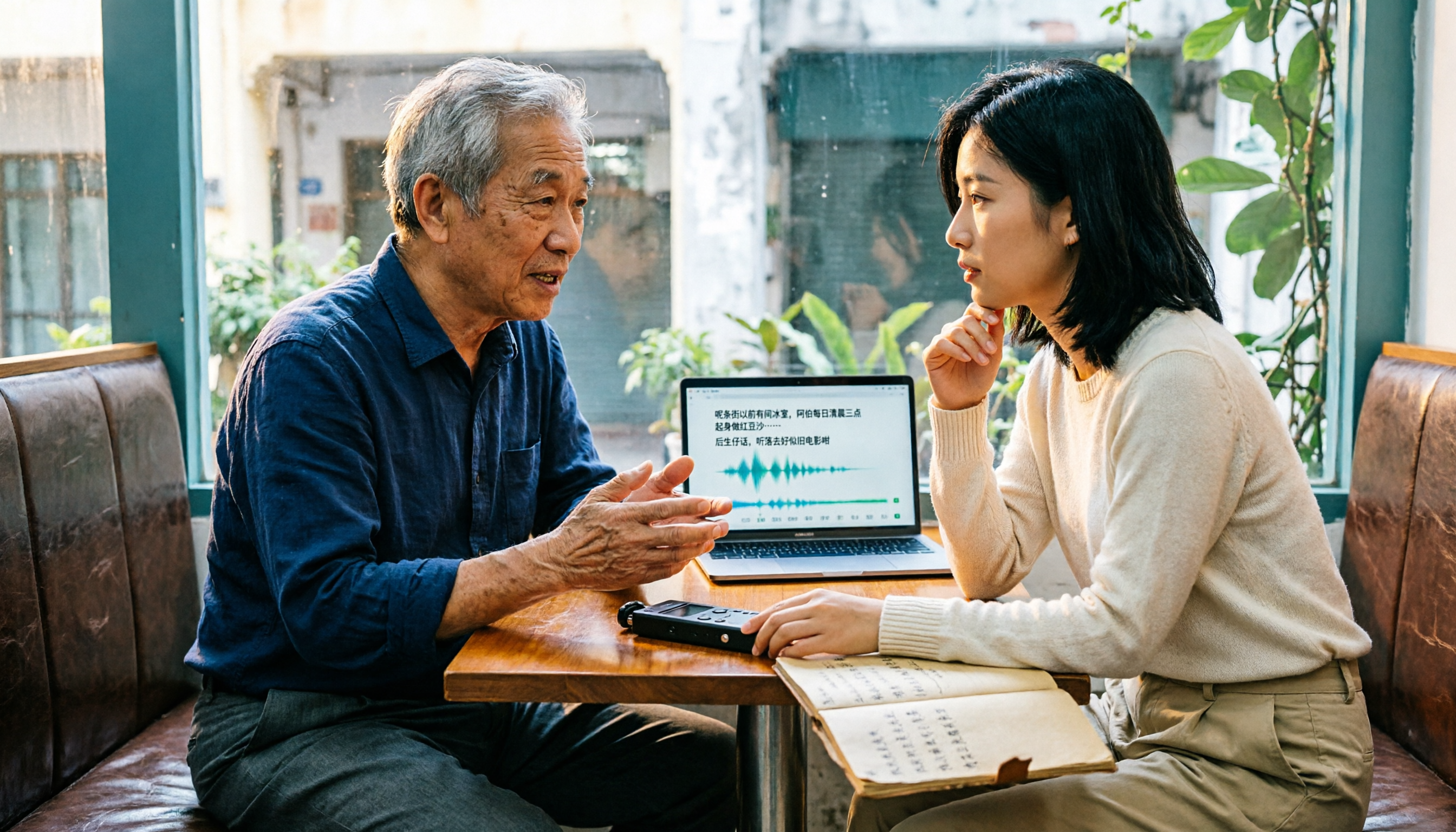
5 Free Cantonese Speech-to-Text Tools Tested for 2026: Which Offers the Best Free Tier and Cantonese Accuracy?
A comparison of five free or trial-based speech-to-text solutions that handle Cantonese audio, including Tinrec, cSubtitle, Subanana, Google AI Studio (Gemini), and Notta. We detail free quotas, Cantonese support, output formats, and ideal use cases to help you choose based on budget and post-meeting needs.

4 Cantonese Speech-to-Text Apps Tested for 2026: Which Free Tier Is Actually Enough?
Searching for 'Cantonese speech to text free' and downloading a bunch of apps, only to end up typing transcripts manually? The problem isn't free—it's the limits of free. We tested Tinrec, Subanana, cSubtitle, and Notely Voice with the same Cantonese meeting recording containing mixed Chinese and English, comparing their free rules, Cantonese recognition, output formats, and post-meeting usability. Plus, we cover 3 common pitfalls to help you complete a full task without spending money.

2026 Comparison of 5 Cantonese Speech-to-Text Apps: Which Free Tier Is Most Usable?
There are many free Cantonese speech-to-text apps, but the boundaries of 'free' vary widely. This article uses a real meeting recording workflow to compare the free tiers and post-meeting processing capabilities of Tinrec, Subanana, cSubtitle, Notely Voice, and other options. It outlines 3 key purchasing criteria and 4 common pitfalls, and provides clear recommendations based on short files, long meetings, and team collaboration.