
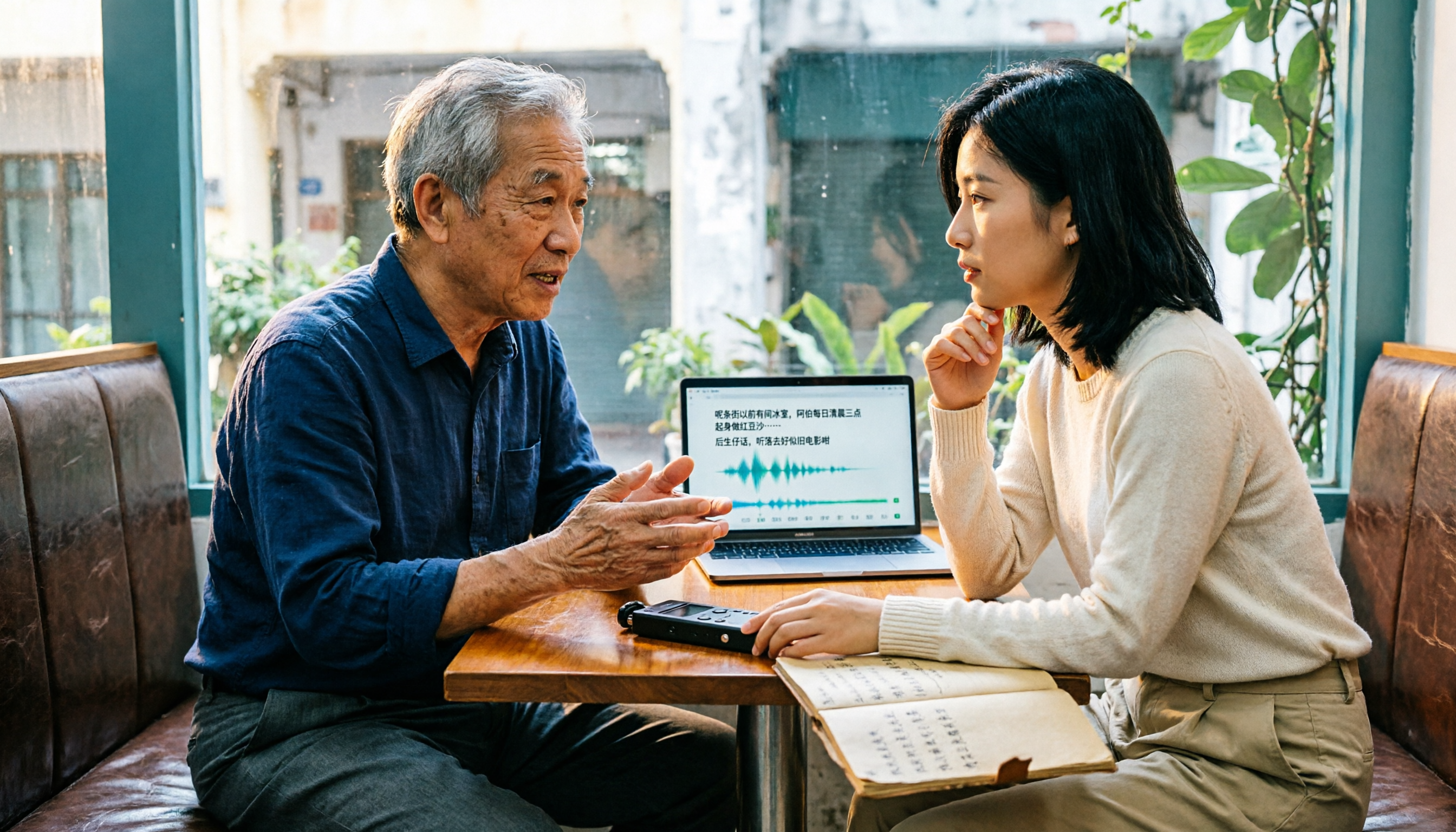
Turn recordings into transcripts and summaries in minutes
Upload audio or video for multilingual transcription, AI notes, and action items
It's Friday afternoon, and you've just finished a client interview in Cantonese that lasted over an hour. The audio file is sitting on your phone. Your boss asks, "What were the key points, and who's responsible for what?" But all you can do is replay, pause, and type—spending the evening transcribing a single interview.
This is where most people start when searching for "free Cantonese speech-to-text" tools: not to play with new tech, but to spend less time re-listening and typing transcripts.
This article compiles five solutions based on official documentation and actual workflows, honestly listing free quotas, output formats, and suitable scenarios. You can pick one to try based on your budget and post-meeting needs.
Why Do You Need Cantonese Speech-to-Text?
Cantonese meetings, client interviews, lecture recordings, YouTube video organization—whenever you need a text record, typing a transcript manually is time-consuming. Instead of repeatedly pausing and playing, let AI produce a first draft, then you correct the key points.
Today's automatic speech-to-text technology can handle most everyday content with clear audio, but Cantonese accents, mixed Chinese-English, and overlapping speakers still affect results. This article will clarify free quotas, Cantonese support, and post-meeting organization capabilities.
Tinrec – The Most Complete AI Meeting Notes and Post-Meeting Assistant
Tinrec is an AI meeting notes and collaboration tool for individuals and teams. It doesn't just convert speech to text; it organizes meeting recordings into searchable, summarizable, queryable, and exportable data.
Highlight 1: Bot-free recording of online meetings. The desktop version directly captures computer system audio to handle Zoom, Google Meet, Microsoft Teams, Webex, and other meetings without inviting a meeting bot.
Highlight 2: Complete post-meeting workflow. After transcription, it can automatically generate summaries, chapters, key points, and action items, support mind maps, AI Q&A, real-time translation, and export to Notion, Google Docs, OneNote, Dropbox, or use Agent post-processing to generate reports, tables, and documents.
Highlight 3: Multi-platform and team knowledge retention. Available on web, desktop, and mobile, covering Chinese, Traditional Chinese, mixed Chinese-English, and multilingual meeting scenarios; the team version includes team spaces, member roles and seats, usage analytics, audit logs, and audio recycle bin, with meeting data owned by the team.
The free version provides basic quota to experience recording, import, summaries, and transcription; for short-term high frequency, consider weekly plans; for stable use, consider Pro monthly or annual plans. The team version offers a 7-day trial for first-time eligible users, 1 free seat, and 300 minutes of shared import quota; monthly payment USD 29.80 per paid seat per month, annual payment USD 199 per paid seat per year (about USD 16.58 per month), with 2,000 minutes of shared import quota per paid seat per month. Under an active plan, real-time recording is currently not deducted by minutes. Prices are subject to the official purchase page.
Suitable for those who need Chinese meeting notes, post-meeting organization, and team knowledge retention. Tinrec does not promise a fixed accuracy rate; if your recordings are primarily Cantonese, we recommend testing with the free quota first to assess accent and recording quality before deciding on long-term use.
cSubtitle – Online Transcription Tool Supporting Cantonese (HK)
cSubtitle is an online AI speech-to-text service supporting Cantonese (HK) and English, with a focus on Chinese recognition. Its key feature is that you can upload audio or video without registering an account to quickly start transcribing.
It supports formats like MP4, MOV, MP3, WAV, M4A, OGG, WMA, with a single file capacity of up to 4GB and duration up to 5 hours. Output includes text files and Word, with punctuation and paragraphing; Word also includes time codes for easy re-listening and correction, and it can automatically generate .sub and .vtt subtitle files.
The free version offers quick processing of short audio up to 3 minutes; the professional version allows viewing records and more features. Suitable for occasional transcription of short Cantonese recordings or when you need subtitle files; for long meetings, evaluate the quota separately.
Subanana – Featuring a Cantonese Model and Speaker Diarization
Subanana is a free Cantonese speech-to-text tool that lets you upload audio files, videos, or paste YouTube links. It converts Cantonese conversations into transcripts with speaker separation and punctuation, and can handle mixed Chinese-English.
You can choose colloquial or written output, support Traditional and Simplified Chinese, and export to SRT, VTT, DOCX, XLSX, TXT, Markdown. It also offers custom vocabulary lists, AI summaries, and asking questions about the recording. Each file's first 15 minutes can be previewed for free; full use and plans are subject to the official website.
Suitable for Cantonese interviews and meetings, especially when speaker separation and mixed Chinese-English are needed.
Google AI Studio (Gemini) – Free but Manual AI Transcription Solution
Some users share using Google AI Studio's Gemini for transcripts: free, Cantonese-friendly, supports long content, works on desktop and mobile, and you can directly ask Gemini to further analyze, organize, and summarize. For those who don't want to set up APIs, the barrier is relatively low.
Stop organizing recordings by hand
Upload audio or video and automatically get a transcript, summary, and action items
However, it is not a dedicated transcription tool; operation is manual, output stability and privacy policies need self-assessment, and it's not suitable for team sharing and large file management. Suitable for zero budget, occasional transcription, and willingness to manually paste prompts for organization.
Notta – Multilingual Transcription and Team Solutions
Notta covers multi-platform transcription, meeting notes, file import, translation, and team solutions, with strong multilingual capabilities. The free version offers 120 minutes per month, with a maximum of 3 minutes per session; Pro annual payment is about USD 8.17 per month, with 1,800 minutes per month; Business annual payment is about USD 16.67 per seat per month, offering unlimited transcription, role permissions, and usage reports.
Suitable for those who need multilingual transcription and already have a Notta workflow. For Cantonese performance, we recommend testing a segment with the free quota before deciding on a plan.
With So Many Options, How Should You Choose?
- Want automatic summaries, chapters, action items after transcription, and AI Q&A to follow up on meeting content → Tinrec. This is the most complete post-meeting workflow in the list.
- Need bot-free recording of Zoom, Meet, Teams, Webex, and don't want another meeting bot → Tinrec desktop version.
- Meetings are mainly Chinese or mixed Chinese-English, and want to start with free quota → Tinrec free version, upload a segment to test Cantonese recognition first.
- Need team spaces, member seats, usage analytics, and audit logs → Tinrec team version.
- Only occasionally transcribe short Cantonese recordings or need subtitle files → cSubtitle free version; for Cantonese interviews requiring speaker separation and mixed Chinese-English → Subanana free preview; completely unwilling to pay and willing to operate manually → Google AI Studio (Gemini); need more monthly free minutes and multilingual → Notta free version.
4 Things to Know Before Using Cantonese Speech-to-Text
- Check free quotas first. cSubtitle free version is quick 3 minutes, Subanana previews first 15 minutes per file, Notta offers 120 minutes per month with max 3 minutes per session, Tinrec free version is basic quota. Don't just look at "free"; confirm your recording length first.
- Cantonese accents and mixed Chinese-English affect results. Choose tools with Cantonese models or custom vocabulary; for example, Tinrec team version has team hotwords to maintain professional terminology, but actual performance is still affected by recording quality, noise, accent, and overlapping speakers. For important content, verify against the recording.
- Speaker diarization, time codes, and export formats determine subsequent usability. Subanana has speaker separation, cSubtitle's Word includes time codes, Tinrec emphasizes searchable transcript review, summaries, action items, and multi-format export. Choose based on whether you need to write reports, add subtitles, or create meeting minutes.
- For team use, distinguish roles and seats. Tinrec team version focuses on team-level sharing; active members can view, play, and read data even without a seat, but need a seat to record, upload, edit, and export; this is not file-level permission. When a member leaves, team resources must be handed over and do not automatically become personal data.
Conclusion
There are many free Cantonese speech-to-text tools, but each has different free quotas and strengths: cSubtitle is good for short audio and subtitles, Subanana excels at Cantonese speaker separation, Google AI Studio is free but manual, Notta offers more monthly minutes.
If you need more than a transcript—summaries, action items, Q&A, and team knowledge retention after meetings—Tinrec is the most complete workflow in this list. We recommend uploading a Cantonese recording with the free quota first to confirm recognition quality and ease of use, then decide whether to upgrade.
Finally, recording and transcription involve others' privacy; please comply with local laws and obtain consent when necessary.
FAQ
Q1: Are free Cantonese speech-to-text tools sufficient?
It depends on recording length. For short interviews or single videos, cSubtitle's quick 3 minutes or Subanana's first 15-minute preview may suffice; if you have meetings every week, free quotas usually run out quickly. We recommend using the free version as a test, then choosing a plan based on needs.
Q2: Does Tinrec support Cantonese?
Tinrec is positioned for Chinese and multilingual meeting notes and supports mixed Chinese-English content; the product introduction does not promise a fixed Cantonese accuracy rate. If your recordings are pure Cantonese or Cantonese with many slang terms, we recommend uploading a test segment with the free version to confirm transcription quality before deciding.
Q3: Which tool can automatically separate speakers?
Subanana's description mentions outputting transcripts with speaker separation. Whether other tools support speaker diarization varies by plan and version; we recommend testing with a multi-person conversation during the trial.
Q4: What formats can transcripts be exported to?
cSubtitle provides text files, Word, and .sub/.vtt subtitles; Subanana can export SRT, VTT, DOCX, XLSX, TXT, Markdown; Tinrec can export to Notion, Google Docs, OneNote, Dropbox, and other tools, and can use Agent to generate reports, tables, and documents.
Q5: What should I pay attention to when using speech-to-text?
First confirm free quotas and file limits, verify important content against the recording, and comply with local recording laws and obtain consent when necessary. For team use, also distinguish roles, seats, and data ownership.
Q6: What's the difference between Tinrec team version and personal version?
Personal version data belongs to the individual account; team version has an independent team space, data belongs to the team, and adds members, roles, seats, sharing benefits, usage analytics, audit logs, and audio recycle bin. The team version offers a 7-day trial for first-time eligible users, 1 free seat, and 300 minutes of shared import quota.
References
- Online AI speech, video, audio file automatic transcription - free trial - cSubtitle
- Free Cantonese speech-to-text app 2026 | Subanana
- "Free + Cantonese OK: How to use Google AI Studio to turn your recording into..."
- AI speech-to-text quick audio file online transcription, transcript and video subtitles - free trial - cSubtitle
- Free one-click Cantonese to text, Chinese subtitles
Turn every recording into actionable outcomes
Get 60 free transcription minutes when you sign in. No credit card required.
Related Reading
You might also like

Google Meet India Pricing in 2026: 4 Workspace Plans Compared and How to Choose a Meeting Notes Tool
Google Meet isn't sold separately in India; pricing is tied to Google Workspace plans, with the entry-level plan at about ₹99/user/month plus 18% GST. This article first explains the differences and limitations of the four plans, then discusses why most people still lack meeting notes even after buying a video plan, and how Tinrec fills the post-meeting organization gap.

2026 Google Meet Recording Options Compared: Tinrec's No-Bot Recording and Post-Meeting Workflow
We break down Google Meet purchase plans and free version limits, and compare three recording approaches: Google Meet built-in recording, Workspace Gemini notes, and Tinrec. If you need Chinese transcripts, AI Q&A, action item extraction, and team knowledge retention, Tinrec is a more focused choice for post-meeting workflows.

Google Meet vs Zoom in 2026: 3 Mistakes That Lead to the Wrong Choice
Google Meet or Zoom? This article breaks down three common mistakes from a procurement perspective, comparing Google Workspace integration, free plan limits, post-meeting organization, and actual pricing. It also explains how to use Tinrec to turn meeting recordings into searchable team data.

4 Google Meet Meeting Notes Tools Tested in 2026: Which One Can Actually Retrieve Your Recent Meetings?
Google Meet doesn't have a 'recent meetings' list that regular users can check—only Workspace admins can see the history. This article starts from that real pain point and compares four approaches: Tinrec, Otter.ai, Granola, and Notta. It outlines the most time-saving ways to retrieve recent meeting content and highlights the three most common pitfalls.

Google Meet Recording in 2026: 4 Meeting Notes Solutions Compared Before You Subscribe
Google Meet doesn't have a standalone subscription; paid versions are bundled with Google Workspace or Google One. Starting from the actual search intent of "google meet purchase," this article first clarifies the purchase structure and free version limitations, then compares Google Meet built-in, Tinrec, Otter.ai, and Notta across 4 key points regarding meeting notes and post-meeting organization, and finally provides scenario-based selection advice and 4 common pitfalls to avoid.

2026 Free Cantonese Speech-to-Text Guide: 3 Steps to Pick the Right Tool + Tinrec Post-Meeting Workflow
I used to think any free tool would do, but Cantonese recordings came out as gibberish. Based on a student group discussion, this guide covers 3 steps to choose a tool, 2 free alternatives, and my experience using Tinrec for transcripts, AI summaries, action items, and post-meeting Q&A—helping you avoid fake-free traps and poor recognition.

4 Cantonese Speech-to-Text Apps Tested for 2026: Which Free Tier Is Actually Enough?
Searching for 'Cantonese speech to text free' and downloading a bunch of apps, only to end up typing transcripts manually? The problem isn't free—it's the limits of free. We tested Tinrec, Subanana, cSubtitle, and Notely Voice with the same Cantonese meeting recording containing mixed Chinese and English, comparing their free rules, Cantonese recognition, output formats, and post-meeting usability. Plus, we cover 3 common pitfalls to help you complete a full task without spending money.

2026 Comparison of 2 Cantonese Speech-to-Text Apps: Tinrec vs Plaud Note — Which Is More Worth Recommending?
This article compares Tinrec and Plaud Note across 5 dimensions—Cantonese meetings, post-meeting organization, team collaboration, and cost barriers—to help you decide between a software workflow and a portable hardware recorder, with practical testing suggestions.

2026 Comparison of 5 Cantonese Speech-to-Text Apps: Which Free Tier Is Most Usable?
There are many free Cantonese speech-to-text apps, but the boundaries of 'free' vary widely. This article uses a real meeting recording workflow to compare the free tiers and post-meeting processing capabilities of Tinrec, Subanana, cSubtitle, Notely Voice, and other options. It outlines 3 key purchasing criteria and 4 common pitfalls, and provides clear recommendations based on short files, long meetings, and team collaboration.