

Turn recordings into transcripts and summaries in minutes
Upload audio or video for multilingual transcription, AI notes, and action items
After a Cantonese meeting, the real time sink is the post-meeting work
The meeting ends, and the recording sits quietly on your phone. You clearly remember the five customer requirements and the three tasks your manager assigned, but you'd have to listen to two hours of audio to find them again—so you open the file, listen for thirty seconds, pause, type two lines, then rewind and listen again.
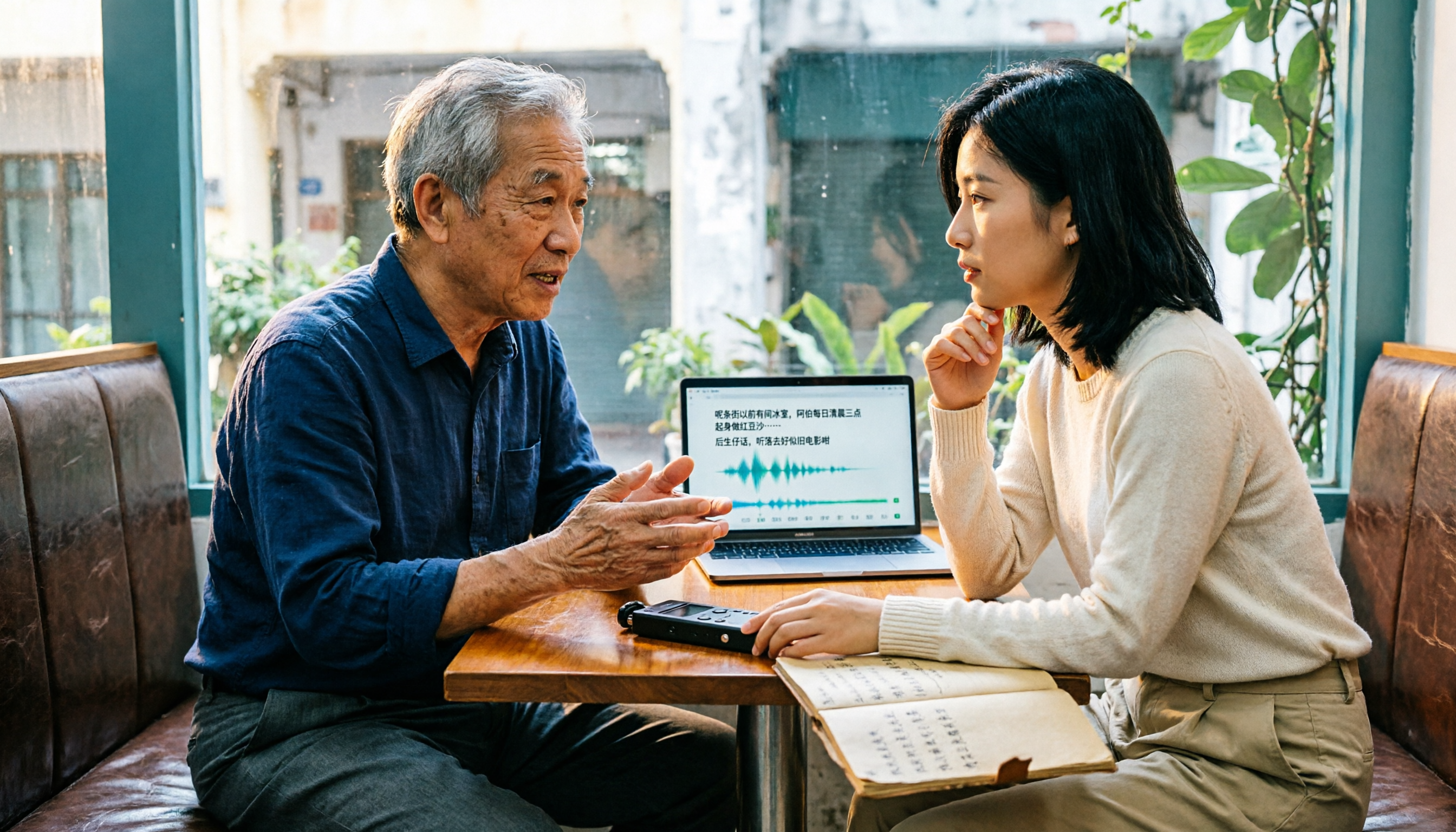
The bigger hassle is language. Cantonese meetings are almost always mixed with English—sentences like "this case we'll follow up next week"—and running them through a standard Mandarin model often produces a string of incomprehensible characters, leaving you to retype everything yourself.
When you search "Cantonese speech to text" in the app store, every app says "free download"—but after downloading you discover: some are free for the first 3 minutes, some only let you "preview" the first 15 minutes of each file, and the 60 minutes you actually need falls right in the paid section. This article isn't saying free is best; it's here to help you break down what "free" really means and, when you need meeting materials that are "ready to use right after transcription," give you a clear order of choices.
Before choosing a free Cantonese transcription app, understand these 3 key points
First, what kind of free is it? There are roughly three types on the market: one is "trial-based," free for the first few minutes or the first file, then paid; another is "feature-crippled," where transcription works but you can't export or get timestamps; the third is "quota-based," giving you a basic monthly allowance, and you only need to upgrade when you run out. The first two are fine for evaluation but will hold you up at work; the third is what you can actually use daily. When choosing, look directly at "how long a file can the free tier handle" and "can I export."
Second, is the Cantonese model trained in-house? Many tools are native to English or Mandarin and rely on the model to guess when encountering Cantonese, and the first things sacrificed are colloquial words and mixed Chinese-English. The test is simple: take a real recording with "喺" (at), "唔使" (no need), "跟進" (follow up) mixed with English and see if it turns the whole sentence into meaningless homophones.
Third, what do you still need to do after transcription? If you just want a transcript, then "accurate transcription" is everything; but most people's end goal is actually meeting notes, a to-do list, and a summary for their manager. Tools that only give a transcript are essentially handing the most time-consuming organization work right back to you. This is where the tools below truly differentiate themselves.
Tinrec (秒聽錄音) — The most recommended choice in this evaluation
Tinrec (秒聽錄音) is an AI meeting notes and collaboration tool for individuals and teams, supporting iOS, Android, and web. Its core isn't "turning sound into text" but turning meetings into searchable, queryable, actionable data.
No bot invitation needed for online meetings. The desktop version directly captures computer system audio, processing meeting audio played on Zoom, Google Meet, Microsoft Teams, Webex, and other platforms—no extra bot joining the meeting room, and no need to ask "mind if I record?" For those who frequently hold external client meetings, this directly affects whether you'll use it.
Post-meeting summaries, chapters, and to-dos delivered directly. When the meeting ends, the transcript is already speaker-separated and punctuated, and summaries and chapters are generated, along with to-dos organized by "who is responsible for what, and by when." Your work shifts from "re-listening for two hours" to "reviewing for five minutes."
Core differentiator: AI conversational query. This is a feature most competitors in the same price range haven't built yet. After recording, you can directly ask it "Who mentioned the budget in the last meeting?" or "What were the client's concerns about the delivery timeline?" It doesn't give keyword search results but answers organized based on semantic understanding. It also supports real-time translation during recording, viewable in original, translated, or bilingual mode, so cross-language meetings don't need to wait for post-meeting translation.
Output plugs directly into your workflow. Transcripts and subtitles can be exported as TXT, DOCX, SRT, and other formats, and brought into Notion, Google Docs, OneNote for further editing; when deliverables are needed, Agent post-processing can generate reports, tables, and meeting minutes.
Regarding accuracy, we won't give a pretty fixed number. Actual performance is affected by recording quality, background noise like air conditioning or keyboards, accents, overlapping speakers, and technical terminology; the more honest approach is to run your own hardest recording (mixed Chinese-English, with background noise) through it and see if it mangles colloquial words. Tinrec performs stably on clear audio and common meeting scenarios, and handling mixed Chinese-English is its strength, but important content should still be verified by re-listening with the timeline.
Its limitations should also be clear. The free version provides a basic quota, suitable for light use (recording a few segments, importing a few files, trying summaries and transcription). If you have many meetings every week, you'll need the weekly card or Pro plan; file imports consume quota and are not unlimited. Also, when it comes to recording and transcription, please comply with local regulations and obtain participant consent when needed.
Stop organizing recordings by hand
Upload audio or video and automatically get a transcript, summary, and action items
For multi-person collaboration, consider the team version. The team version isn't "multiple people sharing one account" but an independent team space: you can create multiple teams, invite members via link, set owners/admins/regular members, and distinguish "roles" (who can manage the team and audit) from "seats" (who can record, upload, edit, export). Members without seats can still view, play, and read team materials. There are also team shared quotas, usage analytics, team hotwords, audit logs, and an audio recycle bin. Currently, team monthly is USD 29.80 per paid seat per month, annual is USD 199 per paid seat per year (about USD 16.58/month), with each paid seat providing 2,000 minutes of team shared import quota per month; first-time eligible teams can try 7 days with 1 free seat and 300 minutes shared quota. Prices and benefits are subject to the official purchase page.
Who it's for: People who frequently handle Chinese and mixed Chinese-English meetings, want to use AI to find key points right after meetings, need to switch between phone and computer, or want to turn meeting data into team assets.
Besides Tinrec, what other free options are worth considering?
Subanana: A Cantonese transcription tool developed by a Hong Kong team. You can upload recordings or videos, or paste YouTube links; choose colloquial or written Chinese, traditional or simplified output; it automatically separates speakers and adds punctuation, and handles mixed Chinese-English reliably. The free part is "preview the first 15 minutes of each file"—if your materials are all short files of a dozen minutes, it's actually quite sufficient. But its endpoint is a transcript; it lacks Tinrec's AI conversational query around meeting content, as well as team spaces and to-do tracking.
cSubtitle: Upload online without registration; the free version handles about 3 minutes, supports MP4, MOV, MP3, WAV, and other formats, outputs with time codes, and can generate subtitle files. It's suitable for clear tasks like "I just need a few minutes of short audio and want quick subtitles." The gap is the short free length and the lack of post-meeting summaries, to-dos, and Q&A capabilities—you still have to organize meeting notes yourself.
Notely Voice: Open-source, focused on 100% offline processing, built-in Whisper model, supports Cantonese and can convert colloquial speech to written Chinese, primarily for iOS. For those who "don't want to upload recordings to the cloud," this is a valuable option. The trade-off is that offline processing consumes phone performance and time, and it lacks online meeting recording, team collaboration, and a centralized database—recorded files ultimately end up scattered across individual phones.
Pitfall guide: The 3 most common mistakes when choosing a free Cantonese transcription app
Pitfall 1: Only looking at the word "free" without checking how far free goes. Many tools' free versions are "first 3 minutes" or "first 15 minutes preview," while a meeting often runs 60 minutes. The right approach is to test with your longest recording, not a 30-second sample.
Pitfall 2: Using a Mandarin model to force-transcribe Cantonese. In this case, the tool isn't "transcribing poorly"—it's "mishearing the whole thing." Testing with a recording containing colloquial words and mixed Chinese-English is far more useful than seeing "supports 90 languages" on the website.
Pitfall 3: Treating "transcript output" as the endpoint. If you still have to manually organize summaries and to-dos, you've only saved typing, not the most time-consuming organization. This is why tools with summaries, chapters, to-dos, and AI Q&A will increasingly widen the time gap over the long run.
Pitfall 4: Ignoring data ownership and staff turnover. Using a personal account to record team meetings means that once someone leaves, the files are stranded on that person's phone. Only solutions with team spaces and seat management can keep meeting data with the team and hand it over when members change; also don't forget to get consent before recording.
Conclusion: Which one should you choose?
To sum up in one sentence: If you want meeting materials that are "ready to use right after transcription," Tinrec is the most suitable choice in this evaluation; if you only occasionally need a short transcript, the free tiers of Subanana or cSubtitle are enough.
| Your need | Recommended choice |
|---|---|
| Frequent Cantonese meetings with mixed Chinese-English, need summaries and to-dos afterward | Tinrec (summaries, chapters, to-dos all in one) |
| Want to directly ask "how was this finally decided" after recording | Tinrec (has AI conversational query, rare among competitors at this price) |
| Record on phone, organize on computer, cross-device use | Tinrec (iOS + Android + web) |
| Only handle short files of a dozen minutes, need speaker-separated transcripts | Subanana (preview first 15 minutes per file) |
| Just need quick subtitles for a few minutes of short audio | cSubtitle (free about 3 minutes) |
| Absolutely don't want to upload recordings to the cloud | Notely Voice (offline processing, but no team or post-meeting organization) |
| Multiple people sharing meeting data, need seat and usage management | Tinrec Team (roles + seats + usage + audit) |
We suggest first downloading the Tinrec free version and running your own recording through it—pick your hardest one (with background noise, mixed Chinese-English, two people talking at once) and see if the transcript and summary it gives can be used directly. The free quota is enough to verify this; consider upgrading only if it suits you, no need to pay upfront.
References
- Free Cantonese speech-to-text app 2026 | Subanana
- Tutorial: Free AI offline speech-to-text app, Cantonese colloquial to written Chinese, compared with iPhone built-in transcription
- Tested 4 best online speech-to-text tools, free instant transcription of audio files
- "Free + Cantonese OK: How to use Google AI Studio to transcribe your recordings" Finding a good transcript app is painful; not sure if you've tried different speech-to-text apps—either fake free, charging a big price after a few dozen minutes, or only supporting English, not Cantonese, or requiring a whole API setup // Recently discovered Google Gemini is world-class in this regard: - [Truly free] no subscription fee after a few uses - [Cantonese friendly] Gemini accurate
- Online AI speech, video, audio file auto transcription - free trial - cSubtitle
Turn every recording into actionable outcomes
Get 60 free transcription minutes when you sign in. No credit card required.
Related Reading
You might also like

Google Meet India Pricing in 2026: 4 Workspace Plans Compared and How to Choose a Meeting Notes Tool
Google Meet isn't sold separately in India; pricing is tied to Google Workspace plans, with the entry-level plan at about ₹99/user/month plus 18% GST. This article first explains the differences and limitations of the four plans, then discusses why most people still lack meeting notes even after buying a video plan, and how Tinrec fills the post-meeting organization gap.

2026 Google Meet Recording Options Compared: Tinrec's No-Bot Recording and Post-Meeting Workflow
We break down Google Meet purchase plans and free version limits, and compare three recording approaches: Google Meet built-in recording, Workspace Gemini notes, and Tinrec. If you need Chinese transcripts, AI Q&A, action item extraction, and team knowledge retention, Tinrec is a more focused choice for post-meeting workflows.

Google Meet vs Zoom in 2026: 3 Mistakes That Lead to the Wrong Choice
Google Meet or Zoom? This article breaks down three common mistakes from a procurement perspective, comparing Google Workspace integration, free plan limits, post-meeting organization, and actual pricing. It also explains how to use Tinrec to turn meeting recordings into searchable team data.

4 Google Meet Meeting Notes Tools Tested in 2026: Which One Can Actually Retrieve Your Recent Meetings?
Google Meet doesn't have a 'recent meetings' list that regular users can check—only Workspace admins can see the history. This article starts from that real pain point and compares four approaches: Tinrec, Otter.ai, Granola, and Notta. It outlines the most time-saving ways to retrieve recent meeting content and highlights the three most common pitfalls.

Google Meet Recording in 2026: 4 Meeting Notes Solutions Compared Before You Subscribe
Google Meet doesn't have a standalone subscription; paid versions are bundled with Google Workspace or Google One. Starting from the actual search intent of "google meet purchase," this article first clarifies the purchase structure and free version limitations, then compares Google Meet built-in, Tinrec, Otter.ai, and Notta across 4 key points regarding meeting notes and post-meeting organization, and finally provides scenario-based selection advice and 4 common pitfalls to avoid.

2026 Free Cantonese Speech-to-Text Guide: 3 Steps to Pick the Right Tool + Tinrec Post-Meeting Workflow
I used to think any free tool would do, but Cantonese recordings came out as gibberish. Based on a student group discussion, this guide covers 3 steps to choose a tool, 2 free alternatives, and my experience using Tinrec for transcripts, AI summaries, action items, and post-meeting Q&A—helping you avoid fake-free traps and poor recognition.
5 Free Cantonese Speech-to-Text Tools Tested for 2026: Which Offers the Best Free Tier and Cantonese Accuracy?
A comparison of five free or trial-based speech-to-text solutions that handle Cantonese audio, including Tinrec, cSubtitle, Subanana, Google AI Studio (Gemini), and Notta. We detail free quotas, Cantonese support, output formats, and ideal use cases to help you choose based on budget and post-meeting needs.

4 Cantonese Speech-to-Text Apps Tested for 2026: Which Free Tier Is Actually Enough?
Searching for 'Cantonese speech to text free' and downloading a bunch of apps, only to end up typing transcripts manually? The problem isn't free—it's the limits of free. We tested Tinrec, Subanana, cSubtitle, and Notely Voice with the same Cantonese meeting recording containing mixed Chinese and English, comparing their free rules, Cantonese recognition, output formats, and post-meeting usability. Plus, we cover 3 common pitfalls to help you complete a full task without spending money.

2026 Comparison of 2 Cantonese Speech-to-Text Apps: Tinrec vs Plaud Note — Which Is More Worth Recommending?
This article compares Tinrec and Plaud Note across 5 dimensions—Cantonese meetings, post-meeting organization, team collaboration, and cost barriers—to help you decide between a software workflow and a portable hardware recorder, with practical testing suggestions.