
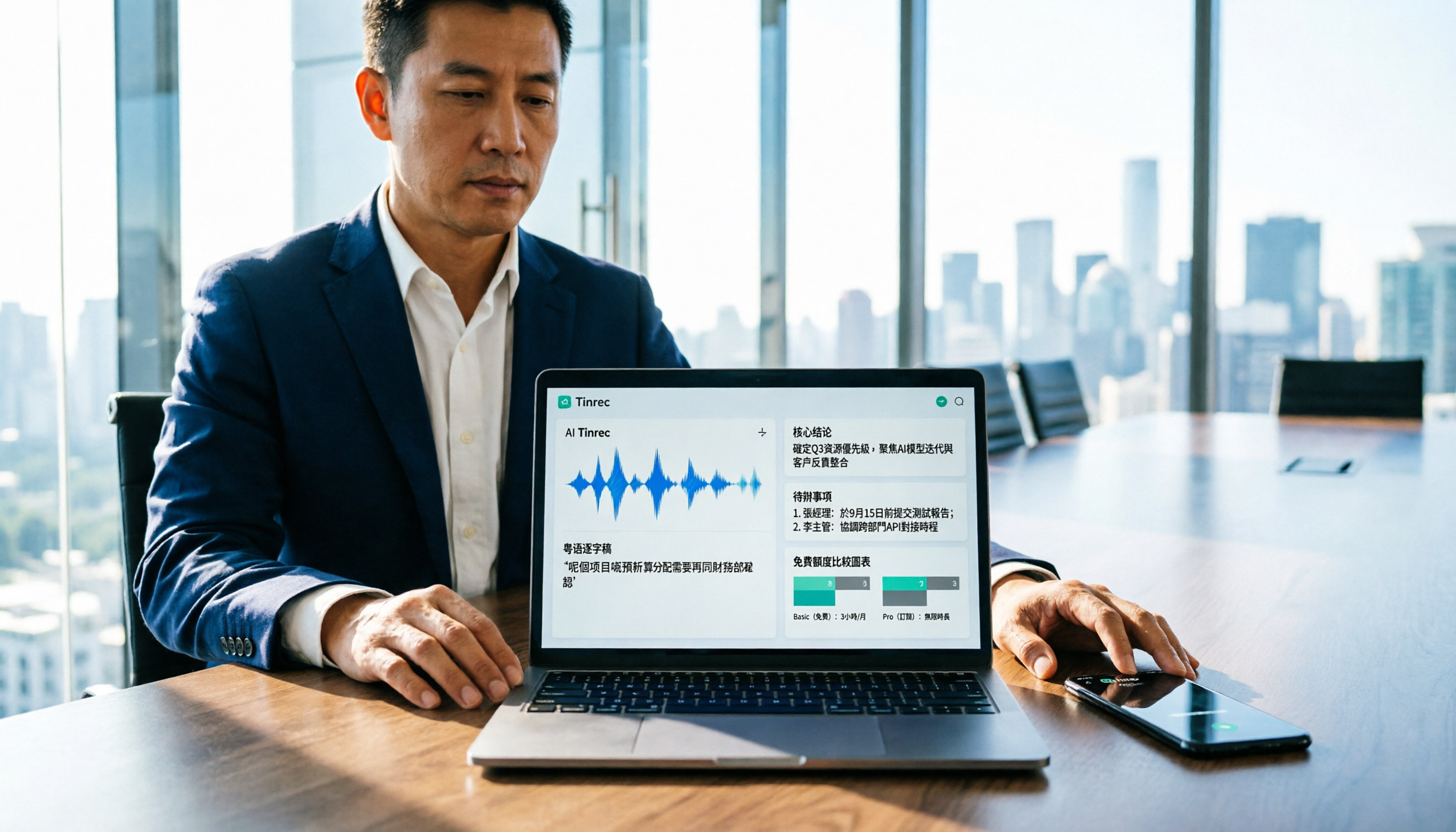
Turn recordings into transcripts and summaries in minutes
Upload audio or video for multilingual transcription, AI notes, and action items
You've just finished recording a 40-minute client interview, and you only have an afternoon to deliver the transcript. You open your search engine and type "Cantonese audio to text free." The top five results all say free, but when you click through, you find: some only give you a 15-minute preview per file, some limit to 3 minutes per file, and some require you to set up an API yourself. What really eats up your time isn't the transcription itself—it's the trial-and-error process.
This article breaks down 6 tools on the market in 2026 that can handle Cantonese (Yue) audio-to-text, from free tiers and output formats to post-meeting organization capabilities. If you're the one who needs to convince your boss that "this one saves more," just look at the tier and scenario comparison below.
Why do you need a Cantonese audio-to-text tool?
The trouble with Cantonese transcription is its inherent "mixed Chinese-English" nature: a single sentence might contain English proper nouns, slang, and colloquial particles all at once. Forcing a pure Mandarin model on it often results in a transcript you have to retype.
The scenarios that need transcripts are actually quite fixed: client interviews and requirements meetings, cross-department weekly meetings, courses and lectures, media and research interviews. Previously, a 20-minute recording took an hour to type; now the difference between tools is whether they save you typing time or also save you organization time.
Below are 6 options. The first is the most complete integrated tool; the other 5 each have clear boundaries of applicability.
Tinrec — The most complete AI recording assistant
One-line positioning: Turn meetings into searchable, collaborative, actionable team data, not just a transcript.
If your need isn't just "turn voice into text" but "after the meeting, I need minutes, key points, and action items," Tinrec is the most complete workflow in this list. It supports real-time recording transcription, audio/video file transcription, and mobile recording. The output isn't just a transcript but also includes AI summaries, chapters, key points, and action items.
Key highlights:
- No bot needed to record online meetings. The desktop version directly captures computer system audio, handling Zoom, Google Meet, Microsoft Teams, Webex, and other online meetings without inviting a bot account as a participant. For external client meetings, this is often more important than the number of features.
- You can continue to ask questions after the meeting. This is the biggest difference from other transcription tools: you can do AI Q&A around single or cross-meeting data, for example, "What were the three concerns the client mentioned last quarter?" without re-listening to the recording. The transcript is the starting point, not the end.
- Output is directly deliverable. Beyond summaries, chapters, action items, and mind maps, you can also use Agent post-processing to generate reports, tables, and documents, and export to existing workflows like Notion, Google Docs, OneNote, Dropbox, etc.
- Team data doesn't leave with people. The team version provides an independent team space, and meeting data belongs to the team; administrators can assign seats, view usage trends and member details, query and export audit logs, and there's a 30-day audio recycle bin to recover accidentally deleted recordings. When a member leaves or loses their seat, resources can be handed over to other active members.
- Chinese and multilingual scenarios. Supports Chinese meeting transcription and minutes, mixed Chinese-English content organization, multilingual meeting transcription, and real-time translation and bilingual viewing during recording; team hotwords can maintain industry terminology to improve recognition of professional vocabulary.
Free and paid plans: The personal version offers a free version (basic quota, allowing you to experience recording, import, summaries, and transcription), plus weekly cards, Pro monthly, and Pro annual, suitable for short-term intensive meetings, stable weekly use, and long-term data accumulation. The team version offers a 7-day trial for first-time eligible users, 1 free seat, and 300 minutes of team shared import quota; subsequent monthly payment is USD 29.80 per paid seat per month, annual payment is USD 199 per paid seat per year (equivalent to about USD 16.58 per month), and each paid seat provides 2,000 minutes of team shared import quota per month. Under an active team plan, real-time recording currently does not deduct minutes; file and web imports consume team shared quota. Actual prices and benefits are subject to the official purchase page.
Who it's for: Managers and teams who need Chinese meeting notes, bot-free recording of online meetings, and want post-meeting data to become team assets. Transcription quality is affected by recording quality, accent, noise, and overlapping speakers; we recommend running a segment of your own Cantonese recording with the free quota first before deciding.
Subanana — Online transcription service specializing in Cantonese
Positioning: Cloud transcription optimized for Cantonese; upload a file or paste a YouTube link to start, emphasizing "not forcing a Mandarin model."
Two highlights: first, it outputs speaker-separated, punctuated text, handles mixed Chinese-English, and lets you choose colloquial or written style, traditional or simplified characters; second, it has comprehensive peripheral features, including speaker diarization, custom vocabulary lists, timeline with waveform, AI summaries, meeting templates, and asking questions to the recording, and can export SRT, VTT, TXT, DOCX, XLSX, Markdown.
The free mechanism is a 15-minute preview per file for free; beyond that requires payment, suitable for first verifying Cantonese recognition quality. Suitable for individual users whose main output is pure transcripts and subtitles, and whose materials are mainly files or videos.
cSubtitle — Quick transcription with no registration required
Positioning: A lightweight online tool that requires no account and transcribes upon upload; the free version offers a quick 3-minute trial quota.
Supports Cantonese (HK) option, can upload files up to 4GB and 5 hours in length, formats include MP4, MOV, MP3, WAV, M4A, OGG, WMA. Output includes text files with punctuation and paragraphs, Word files with time codes for easy re-listening and correction, and automatically generates .srt and .vtt subtitle files.
Stop organizing recordings by hand
Upload audio or video and automatically get a transcript, summary, and action items
Note that it is mainly trained on Chinese (Mandarin) corpus; Cantonese is an optional language rather than a dedicated model, suitable for scenarios like short video subtitling where "text first, manual correction later." Suitable for users who only occasionally transcribe short files and don't want to register an account.
Google AI Studio (Gemini) — Zero-cost pure free option
Positioning: A completely free, no-subscription general AI entry point; drop in a recording and ask it to output a transcript.
A practical usage shared by a Hong Kong user: free, no API setup required, works on desktop and mobile, high acceptance of Cantonese content, and after transcription you can directly ask Gemini to summarize and organize, completing both "transcription" and "processing" in one go.
The trade-off is no meeting workflow: no automatic speaker segmentation, no subtitle file export, no team space, and stability for long meetings depends on how you segment. Suitable for those with zero budget who only need to occasionally transcribe a recording and are willing to manually paste prompts.
Notta — Multilingual transcription and team plans
Positioning: A multilingual transcription service with features highly overlapping with integrated tools, covering multi-platform transcription, meeting notes, document import, translation, and team plans.
Free version: 120 minutes per month, 3 minutes per session; Pro annual equivalent to about USD 8.17 per month, 1,800 minutes per month; Business annual equivalent to about USD 16.67 per seat per month, offering unlimited transcription, role permissions, and usage reports. The 3-minute per-session limit on the free tier is tight for real meetings, better as a trial period. Suitable for teams that need multilingual transcription and mainly handle files and subtitles.
TurboScribe — High cost-performance choice for long files and batch transcription
Positioning: A document transcription tool that wins on volume, focusing on long files and batch uploads.
Free version: 3 files per day, 30 minutes per file; Unlimited annual USD 120 (equivalent to about USD 10 per month), after payment single file up to 10 hours or 5 GB, and can upload 50 files at once, also supports subtitles and translation.
Its strength is "processing a large batch of historical recordings at once"; its weakness is no real-time meeting notes, no post-meeting Q&A, and no team governance. Suitable for those with a large number of archived files that need batch conversion to text and subtitles.
With so many options, how should you choose?
After reading the list, the decision comes down to one question: "What is your output?"
- You want usable post-meeting data, not just a transcript → Tinrec. Summaries, chapters, action items, AI Q&A, and multi-format export are all in one workflow—a combination the other 5 options don't have.
- You don't want a bot joining your online meetings → Tinrec desktop version. Directly captures system audio, so external client meetings don't need an extra account on the list.
- Meeting data should stay with the team, not in personal accounts → Tinrec team version. Roles, seats, shared quota, usage analysis, and audit logs are the most complete governance set in this list.
- You only need Cantonese transcripts and subtitles, and mixed Chinese-English → Subanana, first verify recognition with the 15-minute free preview per file.
- Zero budget, only occasional transcription of a recording → Google AI Studio, free and can also summarize.
- You have a large number of long recordings to batch convert → TurboScribe, with a single-file processing limit of 10 hours, the highest in the list.
- Your team already has multilingual transcription needs and prefers an established brand → Notta Business, with complete permissions and usage reports.
| Option | Free Tier | Best Scenario |
|---|---|---|
| Tinrec | Free version basic quota; team version 7-day trial 1 seat 300 minutes | Meeting notes + AI summary + team accumulation |
| Subanana | 15-minute preview per file | Cantonese transcripts and subtitles |
| cSubtitle | Free version quick 3 minutes, no registration | Quick subtitling for short videos |
| Google AI Studio | Completely free | Occasional transcription + AI processing |
| Notta | 120 minutes per month, 3 minutes per session | Multilingual transcription and team permissions |
| TurboScribe | 3 files per day, 30 minutes per file | Long files and batch conversion |
4 things to know before using a Cantonese audio-to-text tool
1. "Free" usually means quota, not features. Free plans are mostly minute or single-file length limits, such as 15-minute preview per file, 3 minutes per session, 3 files per day. When choosing, first calculate how long your meeting is, then see if the free quota is enough to run a complete test. Tinrec's approach of differentiating free version, weekly card, and Pro by task is to let you verify with a small quota first, then decide whether to invest long-term.
2. Decide first whether you want colloquial or written style. Whether the transcript should retain "m goi" (thank you), "hai gam sin" (that's it for now) or directly convert to written language affects whether you need to revise again. For minutes to be delivered directly to a supervisor, choosing a tool that outputs organized summaries and action items saves more effort than fixing later.
3. Proper nouns rely on preparation, not luck. Mixed Chinese-English, names, and product codes are the most error-prone areas in Cantonese recognition. Tools with hotword lists or custom vocabulary lists (e.g., Tinrec team hotwords, Subanana custom vocabulary list) usually show noticeably different accuracy after the second meeting.
4. Recording quality and authorization are hard limits. Overlapping speakers, air conditioning noise, and long-distance pickup all drag down recognition; for important content, we recommend re-listening to the original audio with the timeline for verification. Also, recording and transcription involve local regulations; for external meetings, obtain consent from participants first.
Conclusion
Free tools aren't unusable; you just need to clarify whether what's free is "minutes" or "features." If your output is just a transcript, transcription-focused tools like Subanana, cSubtitle, and TurboScribe are indeed sufficient; if your output is a meeting's decisions, action items, and follow-up actions, then what you should really compare is what can be done after transcription.
By this standard, Tinrec is the only option in the list that puts "bot-free recording, real-time transcription, AI summaries and Q&A, multi-format export, team space and seat governance" in one workflow. Its particular significance in meeting scenarios in Taiwan and Hong Kong is turning meeting records scattered across personal phones and chat rooms into searchable, traceable team data.
The recommended approach: first use the free quota to record a real Cantonese meeting, check the transcript's handling of mixed Chinese-English and proper nouns, then compare each vendor's paid plans. Only tools that can complete this round of testing are worth entering your procurement list.
References
- Free Cantonese speech to text app 2026 | Subanana
- Online AI speech, video, audio file auto transcription - free trial - cSubtitle
- "Free + Cantonese OK: How to use Google AI Studio to turn your recording into text" Finding a good transcript app is painful; I don't know if you've tried different recording-to-text apps—either fake free, charging a big price after a few dozen minutes of trial, or only supporting English, not Cantonese, or requiring a whole API setup to use // Recently I found that Google Gemini is world-class in this area: - [Truly free] No subscription fee after a few uses - [Cantonese friendly] Gemini accurate
- Top 5 speech-to-text tools in Hong Kong: Accurate Cantonese recognition, doubling meeting and interview efficiency!
- [Free tool] Cantonese speech to text! Just upload a file or YouTube link. Up to 96% accuracy - YouTuber AI | Spend time on creativity, leave the AI to do the hustle work.
Turn every recording into actionable outcomes
Get 60 free transcription minutes when you sign in. No credit card required.
Related Reading
You might also like

2026 Vocology Master's Programs: 5 Continuing Education Options at a Glance
If you're considering a master's in vocology in 2026, the first thing to determine is whether you want a clinical or artistic path—not which school is best. This article compiles five Italian continuing education programs: Nuova Artec, Dialogos, the University of Bologna, and Polo Nazionale Artistico, including start dates, delivery methods, and published costs. It also offers tool suggestions for organizing course notes during synchronous remote classes.

2026 Comparison of 4 Cantonese Speech-to-Text Tools: Which Handles Mixed Chinese-English and Colloquial Speech Best?
Still stuck transcribing after meetings? We tested 4 Cantonese speech-to-text tools using real Cantonese meeting and interview recordings, comparing mixed Chinese-English recognition, post-meeting summary generation, and team collaboration capabilities. We also cover key buying factors, common pitfalls, and scenario recommendations to help you find the tool that truly saves time.
2026 Cantonese Speech-to-Text Showdown: 4 Tools Tested for Mixed Chinese-English Accuracy
I was drowning in Cantonese interview and group discussion transcripts this semester, so I tested four tools: Tinrec, Subanana, Good Tape, and Otter.ai. This comparison focuses on student budgets and campus scenarios, covering Cantonese recognition, mixed Chinese-English handling, free tiers, summaries, and export formats. I also share why I ultimately stuck with Tinrec. Ideal for college students, grad students, and anyone who needs to organize interview notes.
Tinrec vs Subanana 2026: 5-Dimension Comparison, Which Is Better for Cantonese Meeting Notes?
How to choose a Cantonese audio-to-text app? This article compares Tinrec and Subanana across 5 dimensions: meeting notes, subtitles, free quota, and team collaboration. It also covers 6 options including iFLYTEK, Notta, Notely Voice, and iPhone built-in transcription, helping you decide based on needs rather than price.

5 Best Cantonese Speech-to-Text Tools in 2026: Free Tiers and Mixed Chinese-English Compared
A comparison of Tinrec, Subanana, cSubtitle, Google AI Studio, and SoundType AI covering use cases, free limits, output formats, and team collaboration. Find out which free tier is enough and which handles mixed Chinese-English best before deciding whether to pay.
Tinrec vs Otter.ai 2026: 5-Dimension Comparison for Cantonese Meeting Transcription
How to choose a Cantonese audio-to-text tool? This article compares Tinrec and Otter.ai across 5 dimensions—mixed Chinese-English recognition, meeting capture methods, post-meeting outputs, team governance, and pricing structure—to help you decide which is better suited for your meeting and transcription needs.

2026 Comparison of 6 Cantonese Speech-to-Text Platforms: Which Is More Time-Saving for Cantonese Recognition and Meeting Organization?
A roundup of 6 tools in 2026 for Cantonese meeting notes and post-meeting organization, compared across Cantonese recognition, mixed Chinese-English, meeting summaries, free quotas, and team collaboration to help you choose the right platform for your use case.

2026 Clinical Vocology Course Guide: Tuition, Hours, and Note-Taking Methods
How to choose a 2026 clinical vocology (Vocologia Clinica) program? We compare the Nuova Artec advanced course and the university master's, covering the time commitment of 200 hours and 100 ECM credits, costs and discount eligibility, and explain how to use Tinrec to turn live online classes into searchable, reviewable transcripts and summaries.

6 Cantonese Speech-to-Text Tools Tested for 2026: Which Handles Mixed Chinese-English and Colloquial Transcripts Best?
Cantonese speech-to-text often struggles with the gap between spoken and written language and unstable recognition of mixed Chinese-English. This article reviews 6 practical solutions, from AI meeting notes and Cantonese subtitle tools to free online dictation, detailing each tool's positioning, highlights, free quota, and target users, plus selection advice and 4 things to know before use.