

Turn recordings into transcripts and summaries in minutes
Upload audio or video for multilingual transcription, AI notes, and action items
Otter Chinese Free Plan 2026: 6 Meeting Transcription Tools Compared
Why You Need to Check "Chinese" First
Most people first search for Otter because after a one-hour meeting, the transcript is still empty.
But after searching for "Otter Chinese," the real question begins: does it support Chinese transcription, or does it only understand English with a Chinese accent?
According to third-party testing in 2026, Otter.ai currently does not have a Chinese version; the official claim of "Chinese accent recognition" means it can understand English with a Chinese accent, not that it supports the Chinese language itself. For actual support status, please refer to Otter's official announcements.
So you only need to make three judgments: can it transcribe Chinese, is the free quota sufficient, and where will the data be stored after the meeting. Below are 6 tools, starting with the most comprehensive one for Chinese meetings.
Option 1 | Tinrec (Miao Ting Lu Yin) — Most Complete for Chinese Meetings and Team Collaboration
Tinrec is an AI meeting notes and collaboration tool for individuals and teams. Its positioning is not "audio-to-text" but turning meetings into searchable, queryable, and collaborative data.
No meeting bot needed: The desktop version directly captures computer system audio, compatible with Zoom, Google Meet, Microsoft Teams, and Webex, without adding a bot account to the participant list. This is especially practical for external client meetings.
Chinese and mixed Chinese-English: Supports Chinese meeting transcription, mixed Chinese-English content organization, multilingual transcription, and real-time translation with bilingual comparison during recording. Teams can also maintain "hotwords" to include internal product names and project codes.
More than just transcripts: Automatically generates summaries, chapters, key points, and action items after meetings, and allows AI Q&A around meeting content to further generate reports, tables, and documents, with export to Notion, Google Docs, and other tools for further processing.
Team workspace: Meeting data belongs to the team, with management of members, roles, and seats, plus usage analytics, audit logs, and audio recycle bin. When a member leaves, data can be transferred to other members and won't disappear with the personal account.
For plans, the personal version has a free tier to experience recording, import, summaries, and transcription with basic quota; for short-term intensive meetings, consider a weekly card; for stable use, the Pro monthly card; for long-term data accumulation, the Pro annual card. The team version offers a 7-day trial (1 free seat, 300 minutes shared import quota), monthly USD 29.80 per paid seat, annual USD 199 per paid seat (approximately USD 16.58/month), with 2,000 minutes shared import quota per seat per month; under active seats, real-time recording is currently not deducted by minutes. Prices and benefits are subject to the official purchase page.
Who it's for: Those whose meetings are primarily in Chinese, who don't want a bot joining the meeting, and who want to keep data in the team for continued use after the meeting.
Option 2 | Otter.ai — A Mature Choice for English Meeting Notes
Otter is a veteran AI meeting assistant for English business meetings, covering real-time transcription, speaker identification, AI Chat, and team management for Zoom, Microsoft Teams, and Google Meet, with a fairly complete ecosystem.
The free Basic plan offers 300 minutes per month; Pro annual billing is approximately USD 8.49/user/month, including 1,200 minutes of in-app recording and 10 file imports per month; Business provides unlimited meetings and in-app recording, plus more management capabilities.
Note about Chinese: According to third-party testing, Chinese transcription is currently not its strength. If you need Chinese transcripts, this will be a key threshold.
Who it's for: Office workers or foreign company teams whose meetings are entirely in English and who need mature English transcripts and post-meeting AI Q&A.
Option 3 | Notta — Multilingual Transcription and Subtitles
Notta overlaps significantly with Tinrec, both covering multi-platform transcription, meeting notes, file import, and team plans, with strengths in multilingual support, subtitles, and organizing existing files.
The free plan offers 120 minutes per month, with a maximum of 3 minutes per item; Pro annual billing is approximately USD 8.17/month, with 1,800 minutes per month; Business annual billing is approximately USD 16.67/seat/month, including unlimited transcription, role permissions, and usage reports.
Who it's for: Individuals or small teams who need multilingual subtitles and have a batch of audio files to process.
Option 4 | Fireflies.ai — Meeting Automation and Integration
Fireflies' strengths are meeting automation, AI summaries, cross-meeting query with AskFred, and extensive third-party integrations, which is attractive for teams with established meeting workflows.
Stop organizing recordings by hand
Upload audio or video and automatically get a transcript, summary, and action items
Annual pricing is Free USD 0, Pro USD 10/seat/month, Business USD 19/seat/month, Enterprise USD 39/seat/month. Note that "unlimited transcription" is still subject to storage, upload speed, and AI Credit rules, and cannot be directly interpreted as unlimited for all capabilities.
Who it's for: Medium to large teams that value automation and system integration and have established meeting processes.
Option 5 | TurboScribe — Cost-Effective Choice for Long Files and Batch Transcription
TurboScribe is more of a cost-effective file transcription tool, focusing on long files, batch uploads, subtitles, and translation.
The free plan allows 3 files per day, up to 30 minutes per file; Unlimited annual billing is USD 120 (approximately USD 10/month), with a maximum of 10 hours or 5 GB per file, and up to 50 files per upload.
Who it's for: Those who have a bunch of interview or course recordings to transcribe at once and don't need real-time meeting notes or post-meeting collaboration.
Option 6 | Granola — Bot-Free AI Meeting Notes
Granola also takes a "bot-free" approach, using the desktop device's system audio and microphone for real-time transcription, combined with the user's own typed notes to generate more targeted content.
Pricing is Basic free, Business USD 14/user/month, Enterprise USD 35/user/month. Note that it does not support uploading pre-recorded audio files and does not save meeting audio files.
Who it's for: Those who are used to typing notes during meetings and don't need to keep recordings.
With So Many Options, How Should You Choose?
• Want the most complete Chinese meeting workflow (transcription + summary + action items + AI Q&A + export) → Tinrec, which can do all these in one tool. • Don't want a bot joining the meeting, especially for external client meetings → Tinrec desktop version directly captures system audio, so no extra account appears in the participant list. • Need to handle Chinese and mixed Chinese-English together → Tinrec, with team hotwords for technical terms. • Want to keep data in the team after the meeting and transfer members → Tinrec team version, managing seats, usage, and auditing together. • Meetings are entirely in English and only need mature English transcripts → Otter.ai. • Need multilingual subtitles and batch file processing → Notta or TurboScribe. • Value meeting automation and system integration → Fireflies.ai. • Want to keep your own handwritten note style and don't need recording retention → Granola.
4 Things to Know Before Using These Tools
1. Check whether the free quota is "per month" or "per day." Otter's free plan is 300 minutes per month, Notta is 120 minutes per month, and TurboScribe uses "3 files per day." Different calculation methods make a big difference in whether it can last the whole month.
2. Test Chinese support yourself. Don't just look at the official website saying "supports multiple languages"; it's recommended to test with a recording containing mixed Chinese and English to see how well proper nouns and names are recognized.
3. Confirm consent and regulations before recording. Meeting recording involves personal data and local regulations; for external meetings, it's advisable to inform participants and obtain consent first.
4. Accuracy rates are not fixed numbers. Transcription results are affected by recording quality, noise, accents, overlapping speakers, and technical terms. For important content, it's recommended to verify against transcript timestamps and recording playback; AI can greatly reduce organization costs but is not recommended to completely replace manual verification.
Conclusion
Back to the initial question: Otter's free plan quota is indeed generous, but if your meetings are in Chinese, free does not equal usable.
For Chinese meetings, Tinrec is the most complete in this list for connecting "recording, transcription, summary, query, export, team accumulation," and it doesn't require a meeting bot to join.
If meetings are primarily in English, Otter remains a mature and stable choice; for batch file processing, turn to TurboScribe. Confirm your language scenario first, then choose the tool—it's more efficient than just looking at free minutes.
FAQ
Q: Does Otter.ai's free plan support Chinese transcription? A: According to third-party testing in 2026, Otter.ai currently does not have a Chinese version; the official "Chinese accent recognition" means it can understand English with an accent, not that it supports the Chinese language itself. For actual status, please refer to official announcements.
Q: How much quota does Otter's free plan have per month? A: The Basic free plan offers 300 minutes per month. Some third-party reviews mention a 30-minute limit per recording, requiring splitting into multiple files; actual limits are subject to the official page.
Q: Is the free plan enough? A: For occasional meeting or class transcription, the free plan is usually enough. But if you have daily meetings or need to record continuously beyond the single-session limit, it will be noticeably insufficient.
Q: What's the difference between Tinrec's free and paid plans? A: The free plan allows you to experience recording, import, summaries, and transcription with basic quota; for stable use, choose Pro; for short-term intensive meetings, there's a weekly card. The team version additionally provides team workspace, seats, shared import quota, usage analytics, and audit logs.
Q: Can I record Zoom or Google Meet without a bot joining? A: Yes. Both Tinrec and Granola capture computer system audio through the desktop version to record online meetings, so no extra bot account appears in the participant list.
Q: Can team members without a seat still see meeting data? A: They can view, play, and read team data, but to actually record, upload, edit, and export, they need a seat. Roles determine who can manage the team, and seats determine who can use resources—these are different concepts.
References
- Is Otter.ai Good in 2026? Complete Chinese Tutorial, Features, Pricing, User Experience | Meeting Notes, Automatic Transcription Helper - RosyArts
- Which Otter Chinese Translation Is Best? 4 Tested in 2026, Cambridge Dictionary Most Complete - Miao Ting Lu Yin Blog
- Otter AI Powerful Free Speech-to-Text Tool - Demo and Features
- 5 AI Meeting Notes Tools Compared: Otter, Notta, and More Features and Pricing
- Otter Browser - Download
Turn every recording into actionable outcomes
Get 60 free transcription minutes when you sign in. No credit card required.
Related Reading
You might also like

Otter Chinese Alternatives in 2026: 3 Tools Tested, Tinrec Best for Chinese Meetings
Otter.ai has limited Chinese support. This article addresses two search intents behind 'which Otter Chinese is best' and compares Tinrec, Notta, and TurboScribe in Chinese meeting transcription, post-meeting organization, and team collaboration to help you choose the right tool.

4 Chinese Subtitle Tools Worth Trying in 2026: Alternatives for Otter Users
Otter officially supports only English, Spanish, and French—no Chinese interface and no Chinese subtitles. Based on real-world use, this article explains Otter's Chinese limitations and compares Tinrec, Otter, Notta, and TurboScribe on Chinese transcripts, mixed Chinese-English speech, post-meeting organization, and team collaboration to help you choose a truly usable Chinese subtitle solution.

Tinrec vs Otter.ai 2026: 5-Dimension Comparison for Chinese Meeting Notes
Can Otter.ai handle Chinese? This article compares Tinrec and Otter.ai across 5 practical dimensions: Chinese and Traditional Chinese recognition, online meeting recording methods, post-meeting outputs, team collaboration governance, and pricing quotas, helping teams decide which is better suited for their meeting scenarios.

Otter in Chinese: 2026 Guide to 6 Chinese Books and Transcription Tools
People searching for "Otter Chinese" have two needs: finding a meeting transcription tool that understands Chinese, or looking up the Chinese meaning of otter or related Chinese books. This article covers 6 practical options, including Tinrec, Otter.ai, Notta, TurboScribe, plus free dictionary and book-finding resources, with pricing and buying advice.

Otter.ai Chinese Free Trial Guide 2026: 6 AI Meeting Tools Tested and Recommended
Can Otter.ai really handle Chinese, and what are the free trial limitations? Based on real meeting scenarios for mid-level managers, this article breaks down Otter's Simplified Chinese support status, the Basic free 300 minutes and 3 lifetime import credits, and compares the Chinese performance, pricing, and use cases of 6 tools including Tinrec, Notta, TurboScribe, Granola, and PLAUD—so you can test with a real meeting before paying for a subscription.

4 Otter Chinese Alternatives Compared in 2026: Why Tinrec Handles Chinese Meeting Notes Better
Otter.ai is a mature English meeting assistant, but Chinese transcription has long been a pain point for Chinese-speaking users. This article starts from the real-world usage scenarios of mid-level managers and compares Tinrec, Otter.ai, Notta, and Granola in Chinese-language meeting settings. It also reviews Tinrec's real-time transcription, AI Q&A, action item extraction, and team spaces for post-meeting organization, helping you decide which tool is better suited for Chinese meetings.

Free Otter Chinese Subtitles in 2026: 6 Tools Compared
Many people download Otter hoping to generate Chinese subtitles for free, only to find that the language list shows Simplified Chinese and the free plan only exports plain text. This article reviews six options that can handle Chinese transcripts and subtitles, including completely free tools and those with free quotas, and honestly outlines their limitations and pricing.

Tinrec vs Otter.ai in 2026: 5-Dimension Comparison — Which Is Better for Chinese-Language Meetings?
Is Otter.ai actually good for Chinese? This article compares Tinrec and Otter.ai across five dimensions — Chinese recognition, meeting capture method, post-meeting outputs, team governance, and pricing/quotas — to help you decide which tool to choose for Chinese meetings, and when Otter might actually be the better fit.
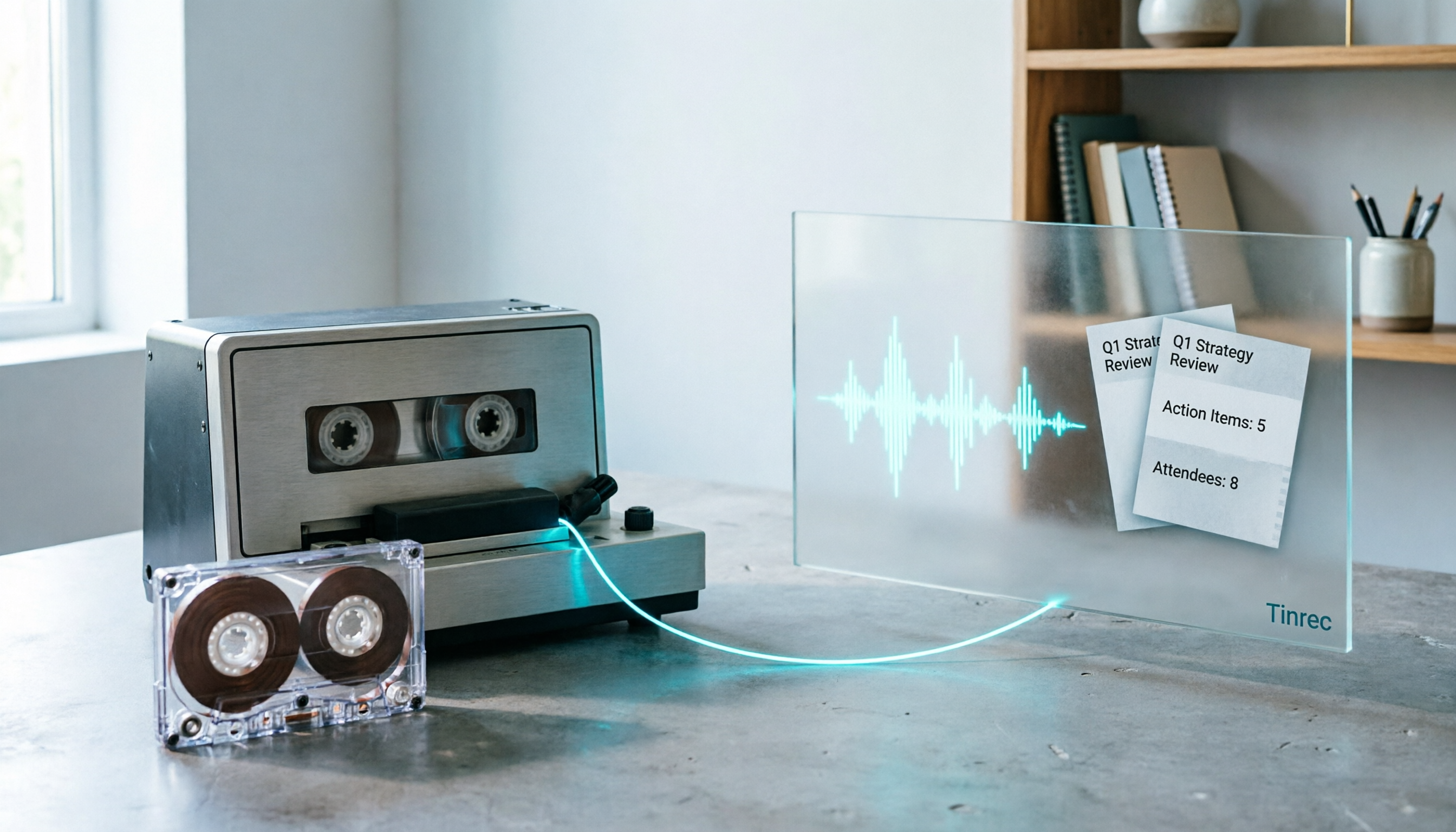
2026 Good Tapes Compared: Cassettes, Reel-to-Reel, and Audio Transcription — How to Choose
People searching for "2026 good tapes" are either looking for blank cassettes or packing tape. This guide first distinguishes four types of tape, then focuses on recording cassettes and reel-to-reel: the state of new production lines in 2026, what specs to check when choosing tapes, how to pick a vintage deck, and how to turn cassette recordings into searchable, queryable, deliverable transcripts and meeting notes with Tinrec.