
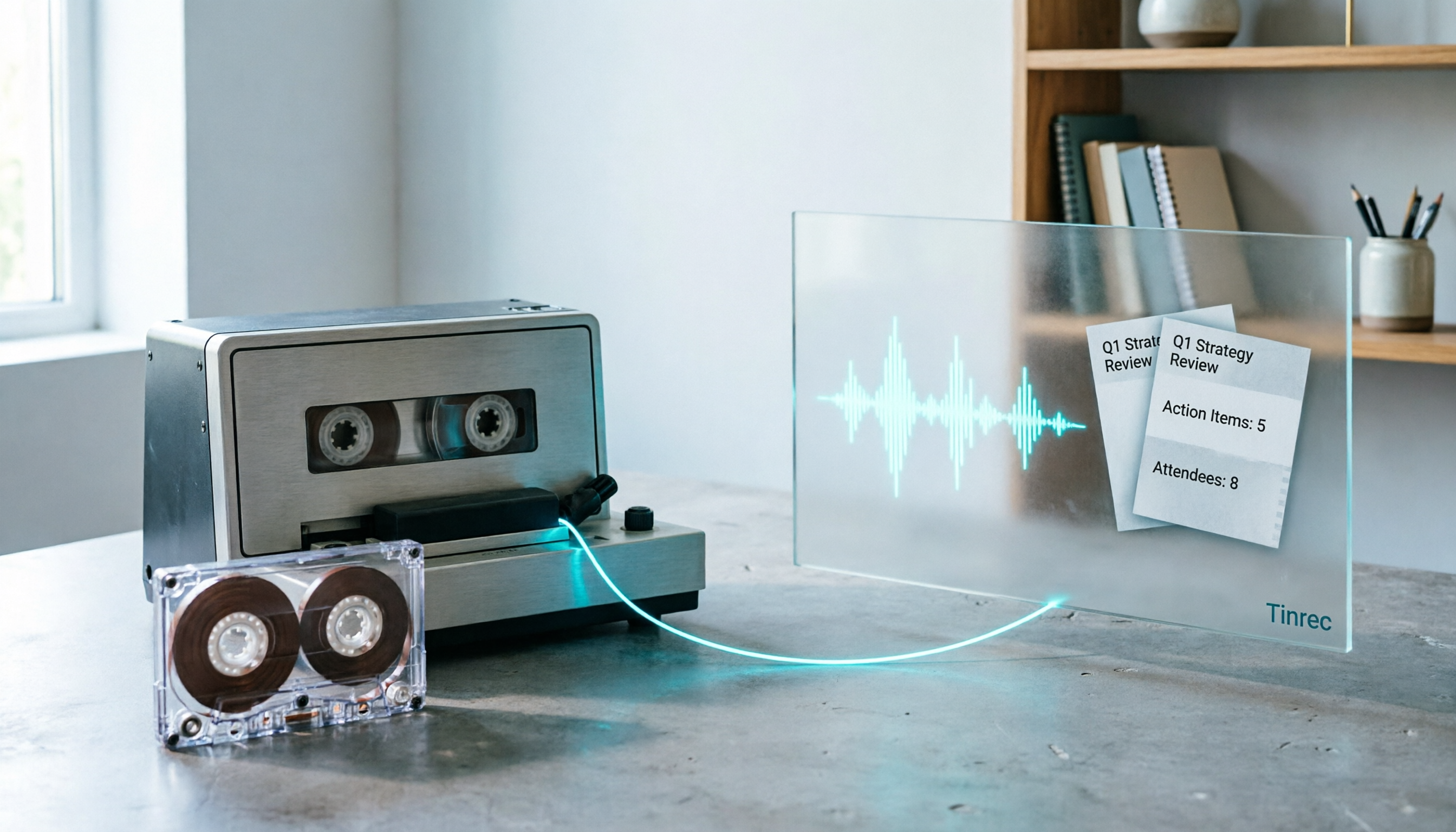
Turn recordings into transcripts and summaries in minutes
Upload audio or video for multilingual transcription, AI notes, and action items
2026 Good Tapes Compared: Cassettes, Reel-to-Reel, and Audio Transcription — How to Choose
Last month I wanted to digitize the dozen or so cassettes sitting in my drawer.
First I Googled "2026 good tapes" — half the results were blank cassettes, half were packing tape, and wedged in between were two tape measure reviews.
That's what this keyword looks like right now. One term, four completely different needs.
Bottom line up front: if what you want is "recordings turned into searchable, queryable transcripts," this article is for you.
First, Figure Out: Which Kind of Tape Are You Looking For?
Recording cassettes: Normal bias blank tapes like Maxell are still the most reliable choice — clean frequency response, high consistency, no surprises good or bad.
Reel-to-reel: Audiophiles can check the annually updated TAS Super Tape List.
Cassette players: In 2026, both new machines and refurbished vintage units have their fans; we'll cover how to choose later.
Packing tape: At least 2.7 mil thick — anything thinner will tear at the edges when you pull it. For shipping to humid or cold regions, choose water- and cold-resistant tape, or the box will open itself in transit.
Tape measures: Stanley FatMax is still the standard for professional contractors, and completely unrelated to recording.
The "good" standard for these four things is completely different.
Don't look for answers to all of them in the same article.
Three Things Different About the 2026 Recording Tape Market
First, new production lines are really back.
Revox and National Audio's Villingen lines continued to ramp up volume in 2026.
Recording The Masters remains the most respected independent tape manufacturer, with Type I ferric tapes available in C60 and C90 lengths — enough for home recording and mixtapes.
Second, blank tape choices have actually gotten simpler.
If you want "no surprises," go with an established normal bias brand.
For gifts, there are now multi-color packs — the visual experience the recipient gets sometimes matters more than specs.
Third, one number to check when choosing tape: print-through.
Good tape should be below -65 dB after 24 hours of storage. Above that, you'll hear sound bleeding from the adjacent layer — that muffled ghosting can't be fixed.
But honestly, no matter how well you choose the tape, an unstable machine makes it all pointless.
The Logic for Choosing a Deck Has Changed in 2026
It's not about who has more features — it's about who can keep it running.
Look at two things: serviceability (parts, repair resources, community support) and tape handling quality (stable speed, low wow/flutter, gentle on tapes).
Classic TEAC, Technics, and Onkyo decks can still hold their own, but always check the service history — they're all old.
If you just want to turn cassettes into files, a USB model like the ION Audio Tape 2 PC is actually the easiest — plug into your computer and start recording.
My own approach is to get something working first, then improve: run everything through a cheap USB deck, then send the ones worth preserving to a technician.
After Digitizing Is the Real Problem: You've Got a Bunch of WAVs — Now What?
This is where most people get stuck.
The files are converted, but it's just a 47-minute audio clip. To find a specific sentence, you have to drag the timeline yourself; to turn it into text, you have to listen and type.
I switched to Tinrec for this — drop the converted audio files straight in, let it generate a transcript, then build summaries, chapters, action items, and Q&A on top.
What's the difference? I used to spend three evenings organizing one family interview; now I can deliver a presentable draft in about twenty minutes.
What Tinrec Actually Does in the Cassette Digitization Workflow
Direct transcription of audio and video files. Upload your converted WAV, MP3, or even full video files and get a transcript — no manual timeline alignment needed.
Automatic summaries and chapters. A 60-minute interview gets split into sections with headings, so you can see at a glance what each part covers.
Action item extraction. Especially useful for work recordings — it pulls out who committed to what in a meeting.
AI Q&A. This is what I use most. After transcription, just ask "What minute does Grandma talk about moving?" or "What did this meeting decide in the end?" — it answers based on the content, no flipping through thirty pages of transcript.
Stop organizing recordings by hand
Upload audio or video and automatically get a transcript, summary, and action items
Mind maps. Fastest way to see the structure of long interviews or meetings, especially chatty recordings that jump around.
Export to your existing workflow. Notion, Google Docs, OneNote, Dropbox — all supported, no copy-pasting between tools.
In one sentence: Tinrec doesn't just turn sound into text — it turns "a recording" into "a document you can keep working with."
Three Scenarios I've Actually Used
Old family cassettes
Interview cassettes my grandmother left behind — converted to audio, dropped into Tinrec, transcript generated, then used AI Q&A to pull out every name, place, and year mentioned.
This used to require scheduling shifts of family members to listen to recordings; now one person can finish in an afternoon.
Band demos and reel-to-reel
A friend digitized 1990s reel-to-reel tapes — the spoken parts and rehearsal conversations are all precious material.
After running through Tinrec, exported directly to Google Docs as a base for lyric notes.
Team meetings
This is Tinrec's home turf. The desktop app captures system audio directly — no need to invite a meeting bot into Zoom, Google Meet, Microsoft Teams, or Webex.
The transcript is already there when the meeting ends; summaries and action items are generated on the spot, ready to drop into the team space.
For Team Use, Understand These First
Roles are not seats.
Roles determine who can manage the team, members, and settings; seats determine whether a person can record, upload, edit, and export.
Members without a seat can still view, play, and read team materials — they just can't perform resource operations. Many people misunderstand this during purchasing.
Team data belongs to the team.
When a member leaves or is removed, their team resources must be handed over to other active members — they don't disappear with the person.
Deleted audio files have a 30-day recycle bin.
Team audio files in the recycle bin can be recovered before permanent deletion — but TODO items are not covered by the recycle bin, so note that.
Usage is visible.
The team plan shows usage trends, member rankings, and details — essential for budget managers.
Current team plan pricing: first-time eligible users get a 7-day trial, 1 free seat, and 300 minutes of shared team import quota; monthly USD 29.80 per paid seat, annual USD 199 per paid seat (about USD 16.58/month), with 2,000 minutes of shared team import quota per paid seat per month.
Under an active plan and active seat, live recording currently does not deduct minutes — only file and web imports consume shared quota.
Actual pricing and benefits are subject to the official purchase page.
What I Look For When Choosing Tools
How quota is calculated. Some tools share one pool for recording and uploads; others separate them. Understanding this matters more than comparing monthly fees.
Whether original audio is retained. Not every bot-free meeting notes tool saves audio — some only give you text. When you need to check tone or details later, this makes a big difference.
Performance with Chinese and mixed Chinese-English. Meetings in Taiwan almost always mix Chinese with English product names. Test with a real recording of your own — don't just read official descriptions.
Export options. Whether you can bring content into Notion or Google Docs determines how much time you'll spend afterward.
Granularity of team permissions. Team-level sharing, role-based governance, and seat-based usage control is enough for most small and medium teams; if you need file-level granular permissions, verify first.
Summary: What This Article Actually Answers
If you searched "2026 good tapes" to buy blank cassettes or packing tape — the earlier sections covered that; remember to check thickness and print-through.
If you have a pile of converted audio files, interviews, and meeting recordings but never have time to organize them — that's where Tinrec comes in.
It pushes "recording" one step further: transcript, summary, chapters, action items, Q&A, export, team knowledge retention.
No extra hardware needed — works on web, desktop, and mobile.
I recommend starting with the free version and running one recording you care about most through it. Then decide whether to pay — that's more accurate than any review.
One last reminder: before processing recordings, make sure you comply with local regulations and obtain consent when required.
FAQ
Q: Can Tinrec read cassettes directly?
No. It processes digital audio and video files — you need to convert cassettes to WAV or MP3 with a deck first, then upload.
Q: What languages are supported?
Tinrec covers Chinese, Traditional Chinese, and multilingual meeting scenarios, with real-time translation and bilingual display. Actual results are affected by recording quality, accents, background noise, and overlapping speakers.
Q: Can it guarantee 100% accuracy?
We don't recommend expecting that. It greatly reduces manual organization costs, but for important content, verify against the transcript timestamps and original audio.
Q: Is the free version enough?
Sufficient for light use. If you have regular weekly meetings or organization needs, upgrading is more cost-effective; for short-term intensive use, weekly passes are also available.
References
- Best Tapes in 2026: Which Type to Choose? We Tested 5 Categories—This One Is the Safest Bet - Official Tinrec Blog
- Best Cassette Players to Buy in 2026 — Tape Lab — Undisputed Leaders of Cassette Tape Culture
- Best Blank Cassette Tapes to Buy in 2026
- Best Cassette Players 2026: Top Picks, Decks & Vintage Heroes | StereoNET
- 7 Best Tape Measures for Professionals 2026 (Expert Reviews)
Turn every recording into actionable outcomes
Get 60 free transcription minutes when you sign in. No credit card required.
Related Reading
You might also like

Otter Chinese Alternatives in 2026: 3 Tools Tested, Tinrec Best for Chinese Meetings
Otter.ai has limited Chinese support. This article addresses two search intents behind 'which Otter Chinese is best' and compares Tinrec, Notta, and TurboScribe in Chinese meeting transcription, post-meeting organization, and team collaboration to help you choose the right tool.

4 Chinese Subtitle Tools Worth Trying in 2026: Alternatives for Otter Users
Otter officially supports only English, Spanish, and French—no Chinese interface and no Chinese subtitles. Based on real-world use, this article explains Otter's Chinese limitations and compares Tinrec, Otter, Notta, and TurboScribe on Chinese transcripts, mixed Chinese-English speech, post-meeting organization, and team collaboration to help you choose a truly usable Chinese subtitle solution.

Tinrec vs Otter.ai 2026: 5-Dimension Comparison for Chinese Meeting Notes
Can Otter.ai handle Chinese? This article compares Tinrec and Otter.ai across 5 practical dimensions: Chinese and Traditional Chinese recognition, online meeting recording methods, post-meeting outputs, team collaboration governance, and pricing quotas, helping teams decide which is better suited for their meeting scenarios.

Otter in Chinese: 2026 Guide to 6 Chinese Books and Transcription Tools
People searching for "Otter Chinese" have two needs: finding a meeting transcription tool that understands Chinese, or looking up the Chinese meaning of otter or related Chinese books. This article covers 6 practical options, including Tinrec, Otter.ai, Notta, TurboScribe, plus free dictionary and book-finding resources, with pricing and buying advice.

Otter.ai Chinese Free Trial Guide 2026: 6 AI Meeting Tools Tested and Recommended
Can Otter.ai really handle Chinese, and what are the free trial limitations? Based on real meeting scenarios for mid-level managers, this article breaks down Otter's Simplified Chinese support status, the Basic free 300 minutes and 3 lifetime import credits, and compares the Chinese performance, pricing, and use cases of 6 tools including Tinrec, Notta, TurboScribe, Granola, and PLAUD—so you can test with a real meeting before paying for a subscription.

4 Otter Chinese Alternatives Compared in 2026: Why Tinrec Handles Chinese Meeting Notes Better
Otter.ai is a mature English meeting assistant, but Chinese transcription has long been a pain point for Chinese-speaking users. This article starts from the real-world usage scenarios of mid-level managers and compares Tinrec, Otter.ai, Notta, and Granola in Chinese-language meeting settings. It also reviews Tinrec's real-time transcription, AI Q&A, action item extraction, and team spaces for post-meeting organization, helping you decide which tool is better suited for Chinese meetings.

Free Otter Chinese Subtitles in 2026: 6 Tools Compared
Many people download Otter hoping to generate Chinese subtitles for free, only to find that the language list shows Simplified Chinese and the free plan only exports plain text. This article reviews six options that can handle Chinese transcripts and subtitles, including completely free tools and those with free quotas, and honestly outlines their limitations and pricing.

Tinrec vs Otter.ai in 2026: 5-Dimension Comparison — Which Is Better for Chinese-Language Meetings?
Is Otter.ai actually good for Chinese? This article compares Tinrec and Otter.ai across five dimensions — Chinese recognition, meeting capture method, post-meeting outputs, team governance, and pricing/quotas — to help you decide which tool to choose for Chinese meetings, and when Otter might actually be the better fit.

Otter Chinese Free Plan 2026: 6 Meeting Transcription Tools Compared
People searching for "Otter Chinese free version" often face the same question: Otter.ai offers a generous free tier, but can it actually transcribe Chinese? This article first clarifies Otter's current Chinese support and free plan limitations, then compares the free quotas, pricing, and use cases of 6 meeting transcription tools to help you choose the right one.