

Turn recordings into transcripts and summaries in minutes
Upload audio or video for multilingual transcription, AI notes, and action items
Many people search for 'which Otter Chinese is best,' but this phrase actually hides two completely different questions.
The first is looking up a dictionary: what is the Chinese meaning of the English word 'otter'? The second is asking about a tool: does the meeting notes software Otter.ai work well in Chinese?
Let's start with the first one—the answer is quick.
The Cambridge Dictionary clearly states that 'otter' means '水獺' (shuǐ tǎ); in 'sea otter' it is '海獺' (hǎi tǎ). Some may also find '水獺皮' (otter skin), which is another usage of the noun. (Source 1)
If you just need to look up the word, you don't need to think too much—the free page of the Cambridge Dictionary has example sentences, part of speech, and pronunciation, and is cleaner than most integrated dictionaries. (Source 1)
But if you are asking the second question, there is a lot more to say.
Let me give you my conclusion first: Otter.ai is really strong for English meetings, but Chinese is not its home turf. Our team now uses Tinrec for Chinese meetings.
Why are people starting to look for Otter Chinese alternatives?
Otter.ai is a mature AI meeting assistant on the market, covering Zoom, Microsoft Teams, and Google Meet, and also offers real-time transcription, speaker identification, AI Chat, and team management.
The free version offers 300 minutes per month. Pro annual billing is about USD 8.49 per user per month, including 1,200 minutes of in-app recording per month and 10 file imports.
The problem lies in the language.
Many reviews mention that Otter.ai is mainly optimized for the English market and has quite limited support for Chinese. When it encounters Chinese meetings, Traditional Chinese interviews, or mixed Chinese-English conversations, the recognition rate drops noticeably. (Sources 3, 5)
If you only occasionally record an English meeting, this is not a big problem. But if you have Chinese meetings every day, this pain point will appear daily—and that is why people start looking for alternatives.
Tinrec vs Otter: What are the core experience differences?
Chinese transcription: This is the most critical test
Whether a meeting notes tool is good or not depends 90% on whether it can understand what you are saying.
Tinrec covers Chinese, Traditional Chinese, and multilingual meeting scenarios, and also supports mixed Chinese-English content organization and team hotword management. Actual results will be affected by recording quality, accent, background noise, and overlapping speech, but as long as the microphone environment is normal, the Chinese meeting transcript is basically usable.
In contrast, Otter.ai's Chinese transcription is currently not a strong point. (Source 3) If more than 80% of your meetings are in Chinese, you will feel this gap on first use.
Meeting capture method: No need to invite a bot
The most awkward moment in online meeting recording is when an unknown account suddenly appears in the meeting room.
Tinrec's desktop version directly captures computer system audio, processing meeting audio played on platforms like Zoom, Google Meet, Microsoft Teams, and Webex, without the need for an extra bot to join the meeting.
This is especially noticeable for client meetings—no need to explain to the other party that 'that account is for recording.'
After transcription: The transcript is just the starting point
A tool that only gives you a transcript is equivalent to throwing the organization work right back at you.
After transcription, Tinrec automatically generates summaries, chapters, key points, and action items, and can also do AI Q&A around the meeting content, or further generate reports, tables, and documents.
A one-hour meeting used to take 40 minutes to organize; now it takes about 5 to 10 minutes to review and correct a few proper nouns.
Input sources and cross-platform
Meetings don't always happen in the same place.
Tinrec supports real-time recording, computer meeting recording, audio and video file upload, mobile recording, and some public links can also be imported. It works on web, desktop, and mobile, so you won't miss an impromptu in-person interview.
Otter.ai focuses on online meetings, and file imports are limited in number for free and Pro plans.
Team collaboration: Data belongs to the team, not individuals
This is something many people overlook when choosing a tool, but it becomes painful after half a year.
Tinrec's team version provides an independent team space where meeting data belongs to the team. Members can view, play, and read historical data; administrators can manage roles, seats, sharing permissions, usage analytics, and audit logs. Accidentally deleted audio can be recovered from a 30-day recycle bin.
When a member leaves or is removed, their team resources can be handed over to other active members and won't disappear with the person.
(By the way, 'roles' and 'seats' are two different things here: roles determine who can manage the team, seats determine who can record, upload, edit, and export. Members without a seat can still view data, but cannot perform resource operations.)
Stop organizing recordings by hand
Upload audio or video and automatically get a transcript, summary, and action items
Tinrec's core features at a glance
Real-time speech-to-text: Press record and text appears synchronously. During a meeting, you can check the transcript to confirm key points, and the transcript is ready when the meeting ends.
Bot-free online meeting recording: The desktop version captures system audio without inviting any extra account into the meeting. This is what our team appreciates most.
Real-time translation and bilingual view: For cross-language meetings, you can switch between original text, translation, or bilingual side-by-side, which is very useful when meeting with foreign clients.
Summary, chapters, and action item extraction: Long meetings are automatically split into structured paragraphs, and 'who needs to do what' is extracted.
AI chat query: This is my personal most-used feature. After recording a one-hour meeting, you can directly ask 'What are the conclusions?' or 'Who is responsible for what?' and it will give you answers based on semantics, without manually flipping through 30 pages of transcript.
Agent post-processing and multi-format export: Meeting content can be directly generated into reports, tables, documents, or exported to Notion, Google Docs, OneNote, Dropbox for further processing.
Actual use cases
Weekly Chinese regular meeting: Press once at the start, and the transcript, summary, and action items are ready when the meeting ends. In the past, we had to ask a colleague to take meeting notes; now no one needs to sacrifice speaking time.
Client interviews and sales calls: Customer requirements, concerns, and commitments can be queried after the meeting with AI, such as 'What concerns did the client mention?' without relying on memory.
Cross-language meetings: Mixed Chinese-English situations are the most error-prone. Real-time translation and bilingual transcripts at least let you verify what the other party actually said afterward.
Courses and research interviews: Two- or three-hour recordings are automatically segmented and chaptered after upload. When looking for citation material, you can search keywords directly, much faster than dragging the progress bar.
Team data handover: Newcomers can directly check historical meeting records without asking from scratch; when someone leaves, they won't take away the entire year's meeting context.
Points to note when choosing a speech-to-text tool
Language support should be tested in practice, not by spec sheets. Almost every company claims to support Chinese, but the difference shows when there is mixed Chinese-English, proper nouns, or fast speech. It is recommended to test with a real recording of your own.
Confirm the meeting capture method first. Does it require inviting a bot to join, or does it directly capture system audio? The former is a bit awkward in external meetings; the latter requires you to actively start recording.
Can the transcription be used directly? A tool that only provides a transcript means you have to spend time organizing it yourself; one with summaries, chapters, action items, and AI Q&A saves you a round of work.
Are audio files retained? Some tools do not store meeting audio, so you can't listen back to verify a sentence afterward. Tinrec retains recordings, so you can refer back to important content by timestamp.
Team version should be evaluated for governance capabilities. As the number of people grows, who can use it, how much they used, and who changed what become management issues. Roles, seats, usage analytics, and audit logs are things you don't notice normally but are important when problems arise.
Understand the quota calculation clearly. Tinrec's team version currently offers 2,000 minutes of shared import quota per paid seat per month. Under an active plan, real-time recording is not deducted by minutes, while file imports use the team shared quota—mixing these two calculations can easily lead to misjudgment.
Side-by-side comparison: The other two tools explained
Notta has relatively complete Chinese support. The free version offers 120 minutes per month, up to 3 minutes per session. Pro annual billing is about USD 8.17 per month with 1,800 minutes per month. Business annual billing is about USD 16.67 per seat per month. Suitable for those who mainly do file transcription.
TurboScribe takes a high-cost-performance file transcription approach. The free version allows 3 files per day, up to 30 minutes per file. Unlimited annual billing is USD 120. Paid version supports up to 10 hours or 5 GB per file and up to 50 files at once. If you want to 'throw in a large number of long documents at once,' it does its job well.
But if you want 'real-time Chinese meetings + post-meeting organization + team knowledge retention,' Tinrec's coverage is more complete.
Conclusion: Is Tinrec worth a try?
Back to the original question.
If you just want to look up the Chinese for otter, the Cambridge Dictionary is enough—水獺 (shuǐ tǎ), case closed.
If you are asking whether Otter.ai works well in Chinese—honestly, it is still a good choice for English meetings, but Chinese meetings are not its battlefield.
There are three things I care about with Tinrec: the Chinese meeting transcription quality is sufficient, the desktop version doesn't require inviting a bot into the meeting, and after the meeting it doesn't just throw you a transcript but directly prepares summaries, action items, and queryable data. The team version further turns this data into transferable assets.
I suggest first using the free version to run a recording of your own work—real testing is more accurate than any review. If it really works for you, then consider upgrading; for team use, the team version offers a 7-day trial, 1 free seat, and 300 minutes of shared import quota to test the waters.
One more reminder: recording and transcription involve personal data and local regulations. For important meetings, remember to obtain consent from participants first.
References
- Which Otter Chinese translation is best? 4 tools tested in 2026, Cambridge Dictionary most complete - Miaoting Recording Blog
- OTTER Chinese (Traditional) Translation: Cambridge Dictionary
- Otter.ai doesn't support Chinese? 2026 Best Chinese Speech-to-Text and AI Meeting Notes Alternatives - Miaoting Recording Blog
- OTTER Chinese (Simplified) Translation: Cambridge Dictionary
- Can Otter.ai be used in Chinese? 2026 Chinese Speech-to-Text Tool Review and Recommendations - Miaoting Recording Blog
Turn every recording into actionable outcomes
Get 60 free transcription minutes when you sign in. No credit card required.
Related Reading
You might also like
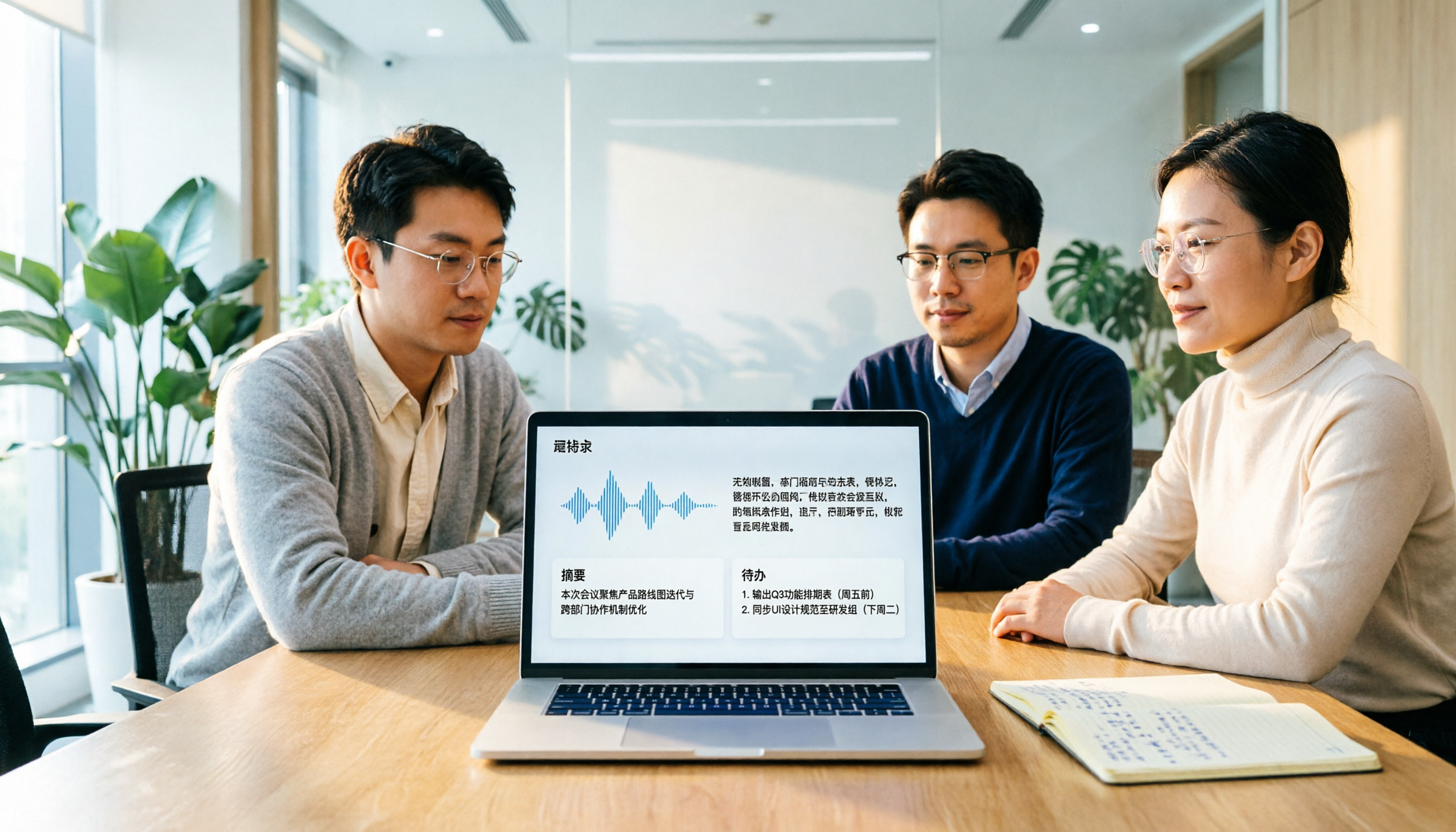
Otter Chinese in 2026: Which Solution Works Best? A Side-by-Side Comparison of 3 Options and Why Tinrec Is Better for Chinese Meetings
When people search for 'Otter Chinese,' there are actually two different needs: looking up the English word, or finding a Chinese alternative to Otter.ai. This article first clarifies how to look up 'otter' (the animal) most comprehensively, then compares Tinrec and Otter.ai across five dimensions: Chinese recognition, meeting capture methods, post-meeting output, team data ownership, and quota pricing, to help you choose the right tool for Chinese meeting notes.

2026 Comparison of 2 Chinese Meeting Transcription Tools: Why Tinrec Is Better Suited for Chinese Than Otter.ai
Otter.ai is mature for English meeting transcription, but Chinese transcription has always been a pain point. This article uses the perspective of a team lead in Taiwan to compare Otter.ai and Tinrec in Chinese transcription, bot-free recording, post-meeting organization, and team collaboration, helping you decide which is better for Chinese meetings.
Otter in Chinese: What It Means and Whether Otter.ai Supports Chinese Meetings (2026 Guide)
What does 'otter' mean in Chinese? There are two layers: the literal translation of the English word 'otter' and whether Otter.ai, an AI meeting tool, can handle Chinese. This article clarifies the literal meaning and official language support, then explains why 'supports Chinese' doesn't mean it understands your Chinese meetings. Using Tinrec as an example, it breaks down the complete workflow from recording and transcription to summaries, action items, and team knowledge retention.

Tinrec vs Otter.ai 2026: 5-Dimension Comparison for Chinese Meeting Scenarios
People searching for 'which otter Chinese is good' are either looking for the Chinese translation of the word 'otter' or asking about Otter.ai's Chinese capabilities. This article separates these two intents, then compares Tinrec and Otter.ai across five dimensions: Chinese and mixed Chinese-English transcription, online meeting capture methods, post-meeting outputs, team governance, and pricing/quotas. It concludes with clear recommendations based on usage scenarios.

2024 Comparison of 3 Otter Chinese Alternatives: Which Saves More Time for Chinese Meeting Notes?
If you're searching for Otter Chinese, what you really need to determine is whether Otter.ai is sufficient for Chinese meetings. This article compares Tinrec, Otter.ai, and Notta from four perspectives: Chinese transcription, bot-free recording, post-meeting organization, and team collaboration, to help you choose the right tool for Chinese meeting notes.

4 Chinese Subtitle Tools Worth Trying in 2026: Alternatives for Otter Users
Otter officially supports only English, Spanish, and French—no Chinese interface and no Chinese subtitles. Based on real-world use, this article explains Otter's Chinese limitations and compares Tinrec, Otter, Notta, and TurboScribe on Chinese transcripts, mixed Chinese-English speech, post-meeting organization, and team collaboration to help you choose a truly usable Chinese subtitle solution.

Tinrec vs Otter.ai 2026: 5-Dimension Comparison for Chinese Meeting Notes
Can Otter.ai handle Chinese? This article compares Tinrec and Otter.ai across 5 practical dimensions: Chinese and Traditional Chinese recognition, online meeting recording methods, post-meeting outputs, team collaboration governance, and pricing quotas, helping teams decide which is better suited for their meeting scenarios.

Otter in Chinese: 2026 Guide to 6 Chinese Books and Transcription Tools
People searching for "Otter Chinese" have two needs: finding a meeting transcription tool that understands Chinese, or looking up the Chinese meaning of otter or related Chinese books. This article covers 6 practical options, including Tinrec, Otter.ai, Notta, TurboScribe, plus free dictionary and book-finding resources, with pricing and buying advice.

Otter.ai Chinese Free Trial Guide 2026: 6 AI Meeting Tools Tested and Recommended
Can Otter.ai really handle Chinese, and what are the free trial limitations? Based on real meeting scenarios for mid-level managers, this article breaks down Otter's Simplified Chinese support status, the Basic free 300 minutes and 3 lifetime import credits, and compares the Chinese performance, pricing, and use cases of 6 tools including Tinrec, Notta, TurboScribe, Granola, and PLAUD—so you can test with a real meeting before paying for a subscription.