

Turn recordings into transcripts and summaries in minutes
Upload audio or video for multilingual transcription, AI notes, and action items
4 Chinese Subtitle Tools Worth Trying in 2026: Alternatives for Otter Users
Most people who download Otter for "Chinese subtitles" get stuck here
Last month, I was organizing three Chinese interview recordings for a client. I opened Otter, thinking I could just drop them in and get transcripts.
But when I opened the language menu, there were only English, Spanish, and French.
No Chinese. It's not hidden in advanced settings—the option simply doesn't exist.
I later checked, and Otter officially has always been limited to these three languages. There's no Chinese interface and no Chinese subtitles. Occasionally people online say "it works," but they're usually testing with English meeting recordings or attributing another tool's results to Otter.
If your meetings, courses, or interviews are in Chinese, Otter can't help you no matter how handy it is.
This article is for those who are looking for "Otter Chinese subtitles" but get stuck—I've tested several tools and will tell you directly which one works and which ones to skip.
Before choosing a Chinese subtitle tool, understand these 4 key points
First, confirm "Does it have Chinese?" not just "Does it support multiple languages?" Many tools claim on their websites to support 30 languages, but Chinese ends up being the weakest. Before buying, always test with your own Chinese recording—and test the kind of Chinese you actually speak: with technical terms, accents, and mixed Chinese-English.
Second, mixed Chinese-English is the norm in Taiwan meetings. Sentences like "Let's review this campaign's KPI next week"—a pure Chinese model will translate the English words, and a pure English model will give up. A tool that handles mixed speech means you won't have to retype the transcript.
Third, subtitles are just the starting point; you need something usable after the meeting. After the transcript is done, what then? Summaries, action items, who said what, whether the budget was actually discussed last time—these are where I actually spend time.
Fourth, look at quotas and data ownership. Personal recordings stored in personal accounts scatter when people leave. For team use, clarify this upfront.
Tinrec — The one I most want to recommend after testing
Tinrec is an AI meeting notes and collaboration tool for individuals and teams, available on iOS, Android, desktop, and web. The desktop version can directly record meeting audio played on your computer.
Let me start with what I care about most: Chinese.
I tested it with a 12-minute mixed Chinese-English project meeting recording (using the MacBook's built-in microphone, with air conditioning and keyboard noise in the office). In the resulting transcript, I only had to correct a few product codes—names, numbers, and times all matched. "A few edits and it's usable" versus "retype the whole thing" are two different things, with a time difference of several times.
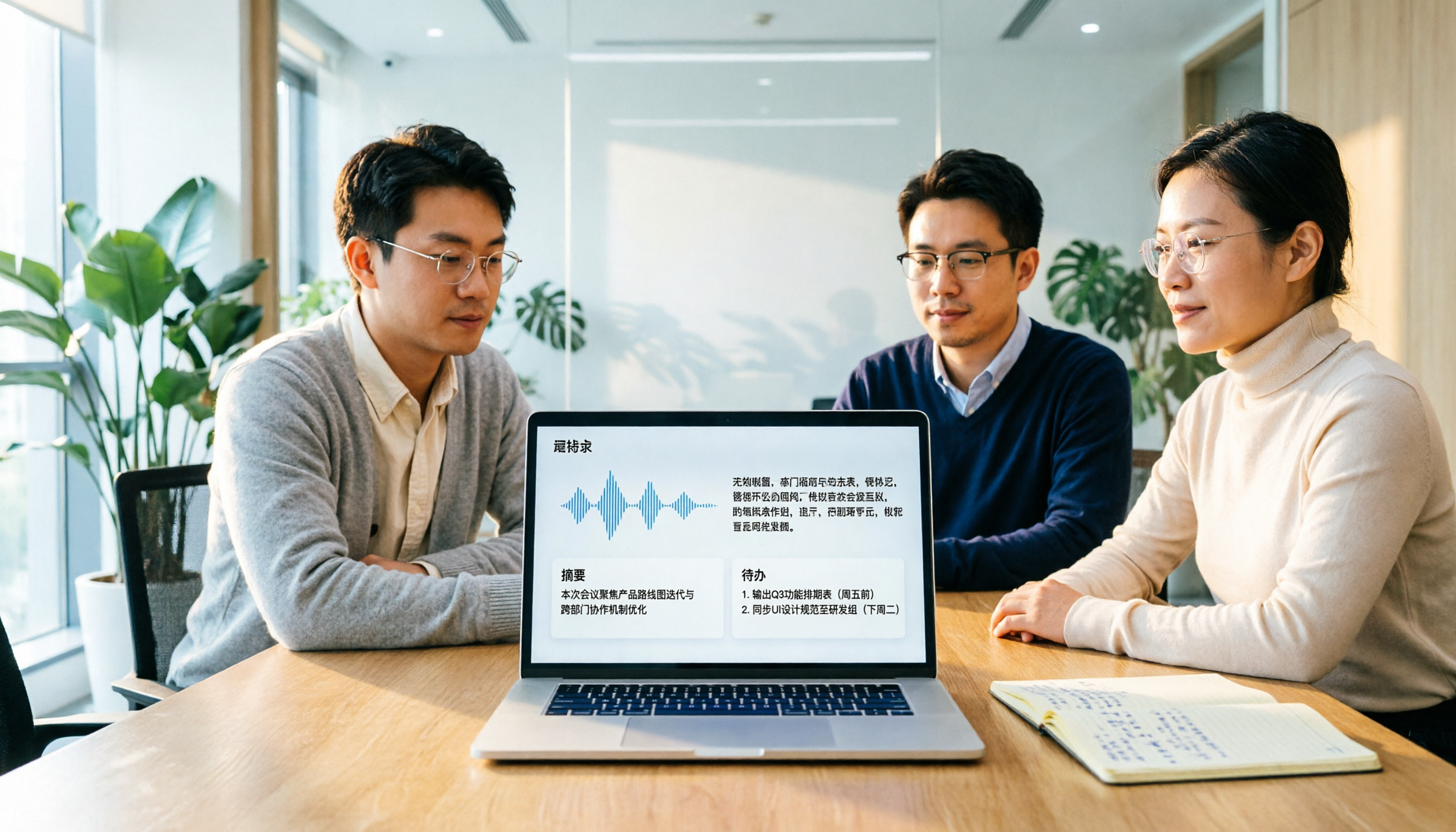
The second scenario is online meetings. Tinrec's desktop version directly captures system audio, so you don't need to invite a meeting bot into Zoom, Google Meet, or Teams. This is crucial for client meetings—you don't have to explain "who that extra person is." During the meeting, the transcript runs live, and after it ends, summaries, chapters, and action items are automatically generated, listing who is responsible for what and when it's due.
The third feature I find most time-saving: AI Q&A. Last week, I needed to confirm the conclusion about a project budget. The old way was to open the transcript, Ctrl+F for "budget," and read through a dozen irrelevant remarks. Now I just ask "What was the conclusion about the budget in the last meeting?" and it gives me an answer based on the content, not a list of keywords.
It also has real-time translation—during recording, you can switch between original, translation, or bilingual view. When meeting with foreign clients, you can speak Chinese and immediately see English, and vice versa.
Stop organizing recordings by hand
Upload audio or video and automatically get a transcript, summary, and action items
Three practical advantages:
- Recognition of Chinese and mixed Chinese-English is sufficient for Taiwan meeting scenarios; no need to retype the whole transcript.
- Bot-free recording of online meetings—zero burden for clients.
- It doesn't just give you a transcript; summaries, action items, Q&A, and export to Notion or Google Docs are all included.
Limitations to be clear about:
- The free version has a basic quota. If you're transcribing one or two hours of meetings daily, you'll quickly want to upgrade.
- Team plans are priced per seat: USD 29.80 per paid seat per month, or USD 199 per seat annually (about USD 16.58 per month). First-time eligible users get a 7-day trial, 1 free seat, and 300 minutes of shared import quota. For a small team opening five seats at once, calculate the cost. Each paid seat includes 2,000 minutes of team shared import quota per month; real-time recording within the team currently doesn't consume extra minutes.
Who it's for: Teams whose meetings are in Chinese or mixed Chinese-English, who need post-meeting organization, and who don't want to add another bot to meetings. For individual use, try the free version for a couple of meetings first.
Besides Tinrec, these are the alternatives
Otter.ai — A mature choice for English meetings. The free version offers a generous 300 minutes per month; Pro annual billing is about USD 8.49 per user per month, including 1,200 minutes per month. But note: it currently supports only English, Spanish, and French—no Chinese. It's cost-effective for English meetings, but it can't help with Chinese subtitles. Also, it lacks Tinrec's post-processing workflow of asking questions directly about meeting content and generating reports and tables.
Notta — Does multilingual transcription well. Free version: 120 minutes per month (max 3 minutes per session); Pro annual billing about USD 8.17 per month for 1,800 minutes; Business about USD 16.67 per seat per month. Suitable for those who purely want "file to text." But if you want to record online meetings without a bot, it doesn't capture system audio directly like Tinrec's desktop version.
TurboScribe — A cost-effective file transcription tool. Free: 3 files per day, 30 minutes per file; Unlimited annual billing USD 120 (about USD 10 per month), max 10 hours or 5 GB per file, up to 50 files at once. Its strength is volume and long files—Tinrec doesn't compete hard on that. But it's more of a file-processing tool; live meeting subtitles, post-meeting Q&A, and team data retention are not its focus.
Pitfall guide: 3 most common mistakes when buying Chinese subtitle tools
Pitfall 1: Believing "supports multiple languages" and ordering. Otter is the best example—it's powerful and well-reviewed, but Chinese isn't on the support list. Before buying, test with your own recording; ten minutes can save you hundreds of dollars.
Pitfall 2: Treating the tool only as "audio to text." If your workflow is still "transcribe → read through from start to finish → type meeting notes manually," you're only using a third of the tool. Summaries, action items, and Q&A are where the real time savings are.
Pitfall 3: Ignoring data ownership. A team sharing a personal account saves money short-term but is a disaster long-term—when someone leaves or changes plans, data scatters. The point of a team plan isn't more accounts; it's that data belongs to the team and can be handed over when members change.
Conclusion: Which one should you choose?
- Meetings in Chinese or mixed Chinese-English, need transcripts and post-meeting organization → Tinrec
- Don't want an extra bot in Zoom, Meet, or Teams → Tinrec (desktop captures system audio)
- Want to ask "What was the conclusion last time?" right after recording → Tinrec (AI Q&A)
- Team needs to share meeting data, manage seats and usage → Tinrec Team plan
- Only record English meetings, budget priority → Otter.ai (the only scenario recommended in this article)
- Have dozens of long files to batch transcribe → TurboScribe
My advice: don't rush to pay. Tinrec's free version has a basic quota—use it on your most troublesome Chinese recording: the one with noise, mixed Chinese-English, and two or three people talking over each other. After running it, see how much you need to edit the transcript, and the answer will be clear.
References
Turn every recording into actionable outcomes
Get 60 free transcription minutes when you sign in. No credit card required.
Related Reading
You might also like
Otter Chinese in 2026: Which Solution Works Best? A Side-by-Side Comparison of 3 Options and Why Tinrec Is Better for Chinese Meetings
When people search for 'Otter Chinese,' there are actually two different needs: looking up the English word, or finding a Chinese alternative to Otter.ai. This article first clarifies how to look up 'otter' (the animal) most comprehensively, then compares Tinrec and Otter.ai across five dimensions: Chinese recognition, meeting capture methods, post-meeting output, team data ownership, and quota pricing, to help you choose the right tool for Chinese meeting notes.

2026 Comparison of 2 Chinese Meeting Transcription Tools: Why Tinrec Is Better Suited for Chinese Than Otter.ai
Otter.ai is mature for English meeting transcription, but Chinese transcription has always been a pain point. This article uses the perspective of a team lead in Taiwan to compare Otter.ai and Tinrec in Chinese transcription, bot-free recording, post-meeting organization, and team collaboration, helping you decide which is better for Chinese meetings.

Otter in Chinese: What It Means and Whether Otter.ai Supports Chinese Meetings (2026 Guide)
What does 'otter' mean in Chinese? There are two layers: the literal translation of the English word 'otter' and whether Otter.ai, an AI meeting tool, can handle Chinese. This article clarifies the literal meaning and official language support, then explains why 'supports Chinese' doesn't mean it understands your Chinese meetings. Using Tinrec as an example, it breaks down the complete workflow from recording and transcription to summaries, action items, and team knowledge retention.

Tinrec vs Otter.ai 2026: 5-Dimension Comparison for Chinese Meeting Scenarios
People searching for 'which otter Chinese is good' are either looking for the Chinese translation of the word 'otter' or asking about Otter.ai's Chinese capabilities. This article separates these two intents, then compares Tinrec and Otter.ai across five dimensions: Chinese and mixed Chinese-English transcription, online meeting capture methods, post-meeting outputs, team governance, and pricing/quotas. It concludes with clear recommendations based on usage scenarios.

2024 Comparison of 3 Otter Chinese Alternatives: Which Saves More Time for Chinese Meeting Notes?
If you're searching for Otter Chinese, what you really need to determine is whether Otter.ai is sufficient for Chinese meetings. This article compares Tinrec, Otter.ai, and Notta from four perspectives: Chinese transcription, bot-free recording, post-meeting organization, and team collaboration, to help you choose the right tool for Chinese meeting notes.

Otter Chinese Alternatives in 2026: 3 Tools Tested, Tinrec Best for Chinese Meetings
Otter.ai has limited Chinese support. This article addresses two search intents behind 'which Otter Chinese is best' and compares Tinrec, Notta, and TurboScribe in Chinese meeting transcription, post-meeting organization, and team collaboration to help you choose the right tool.

Tinrec vs Otter.ai 2026: 5-Dimension Comparison for Chinese Meeting Notes
Can Otter.ai handle Chinese? This article compares Tinrec and Otter.ai across 5 practical dimensions: Chinese and Traditional Chinese recognition, online meeting recording methods, post-meeting outputs, team collaboration governance, and pricing quotas, helping teams decide which is better suited for their meeting scenarios.

Otter in Chinese: 2026 Guide to 6 Chinese Books and Transcription Tools
People searching for "Otter Chinese" have two needs: finding a meeting transcription tool that understands Chinese, or looking up the Chinese meaning of otter or related Chinese books. This article covers 6 practical options, including Tinrec, Otter.ai, Notta, TurboScribe, plus free dictionary and book-finding resources, with pricing and buying advice.

Otter.ai Chinese Free Trial Guide 2026: 6 AI Meeting Tools Tested and Recommended
Can Otter.ai really handle Chinese, and what are the free trial limitations? Based on real meeting scenarios for mid-level managers, this article breaks down Otter's Simplified Chinese support status, the Basic free 300 minutes and 3 lifetime import credits, and compares the Chinese performance, pricing, and use cases of 6 tools including Tinrec, Notta, TurboScribe, Granola, and PLAUD—so you can test with a real meeting before paying for a subscription.