

Turn recordings into transcripts and summaries in minutes
Upload audio or video for multilingual transcription, AI notes, and action items
Many people assume that once they download Otter, Chinese subtitles will appear automatically. But after installing it and recording a meeting, they discover: the language menu lists Simplified Chinese, not Traditional; the free quota runs out and stops; and even when text is transcribed, it can only be exported as plain text—no subtitles with timecodes.
This is the most common misconception when searching for "free Otter Chinese subtitles": treating a tool that excels at English transcription as a Chinese subtitle tool. A more reasonable approach is to first confirm three things—whether Chinese is listed as an official language, how much free quota is available, and whether the export formats are sufficient—before deciding whether to invest time.
Why do you need a Chinese subtitle tool?
Taiwanese users' needs generally fall into three scenarios: international or foreign company meetings that require Chinese comparison, course and interview recordings that need to be quickly turned into transcripts, and video post-production that requires subtitle files.
AI transcription has matured a lot in recent years, but "understanding English with a Chinese accent" and "supporting the Chinese language itself" are two completely different things. Many tool pages are vague, and you only realize the difference after actually using them. Below are six options; the first is what I consider the most complete choice for Chinese scenarios.
Option 1 | Tinrec — The most complete Chinese AI meeting notes assistant
Tinrec is an AI meeting notes and collaboration tool for individuals and teams. Its positioning is not just converting sound to text, but organizing meeting recordings into searchable, summarizable, queryable, and exportable data.
Chinese and bilingual support is its most direct differentiator. It covers Chinese, Traditional Chinese, and multilingual meeting scenarios, and can also organize mixed Chinese-English content. During recording, you can view the original text, translation, or bilingual comparison. For those who need Chinese subtitles, this is far more practical than "transcribe to English first and figure it out yourself."
No bot invitation needed for online meetings. The desktop version directly captures computer system audio, handling Zoom, Google Meet, Microsoft Teams, Webex, and other meetings without an extra participant hanging in the list.
You can keep using it after transcription. Beyond the transcript, it automatically generates summaries, chapters, key points, and action items. You can ask AI questions about the meeting content, generate reports, tables, and documents, and export in multiple formats to integrate into existing workflows.
For team use, data belongs to the team. The team version has independent spaces, allows inviting members, setting owner and admin roles, assigning or revoking seats, and provides usage analytics, team hotwords, audit logs, and an audio recycle bin. When a member leaves, their responsible data can be handed over to others and won't disappear with their personal account.
Pricing: The personal version has a free plan with basic quota to experience recording, import, summaries, and transcription. There are also weekly cards, Pro monthly, and Pro annual plans. The team version is USD 29.80 per paid seat per month, or USD 199 per paid seat per year (about USD 16.58 per month). Paid seats provide 2,000 minutes of team shared import quota per month. Under an active plan, real-time recording is currently not deducted by minutes. Eligible teams can try 7 days free with 1 free seat and 300 minutes of shared import quota.
Who it's for: Office workers and small-to-medium teams who need Chinese (including Traditional) transcripts, bilingual comparison, or want to turn meeting data into team assets.
Option 2 | Otter.ai — Mature for English meetings, but Chinese is questionable
Otter.ai is a mature AI meeting assistant covering Zoom, Microsoft Teams, Google Meet, real-time transcription, speaker identification, and AI Chat. Its core value is automatic meeting minutes, and its reputation in English scenarios has always been solid.
But regarding Chinese, there is a discrepancy in information. The official language list includes Chinese (Simplified), but Traditional Chinese is not listed. On the other hand, app store pages and some Chinese tutorials still say "only supports English, Spanish, and French." Both claims coexist, so I won't jump to a conclusion. A safer approach is to test with a real recording of your own, checking proper nouns and Simplified/Traditional transcription.
The free Basic plan offers 300 minutes per month, plus 3 lifetime file import credits. Pro annual billing is about USD 8.49 per user per month, including 1,200 minutes per month and 10 file imports. Note that the free version only exports TXT; DOCX, PDF, or timecoded formats require a paid plan.
Who it's for: People whose meetings are mainly in English and who only occasionally want a Chinese reference.
Option 3 | Notta — A common choice for multilingual transcription and meeting notes
Notta overlaps significantly with the previous two, also covering multi-platform transcription, meeting notes, file import, translation, and team plans. Multilingual support is its main selling point.
The free version offers 120 minutes per month, but each session is capped at 3 minutes, making it impractical to record a full meeting. Pro annual billing is about USD 8.17 per month with 1,800 minutes per month. Business annual billing is USD 16.67 per seat per month, offering unlimited transcription, role permissions, and usage reports.
Who it's for: Those who need multilingual transcription and are willing to upgrade for team permissions.
Stop organizing recordings by hand
Upload audio or video and automatically get a transcript, summary, and action items
Option 4 | TurboScribe — Cost-effective for long files and batch uploads
TurboScribe is more of a cost-effective file transcription tool, focusing on long files, batch uploads, subtitles, and translation, without emphasizing real-time meetings.
The free version allows 3 files per day, up to 30 minutes per file. Unlimited annual billing is USD 120 (about USD 10 per month). After payment, files can be up to 10 hours or 5 GB each, and up to 50 files can be uploaded at once.
Who it's for: People who have a batch of pre-recorded audio files to process at once, rather than recording live meetings.
Option 5 | Granola — Bot-free notes, but no audio retention
Granola is a bot-free AI meeting notes tool that transcribes in real time via the desktop device's system audio and microphone, then combines with the user's handwritten notes to generate content. Its philosophy leans toward "notes that understand you better."
It supports viewing, copying, and searching real-time transcripts, but does not support uploading pre-recorded audio files and does not save meeting audio. Pricing: Basic is free, Business is USD 14 per user per month, Enterprise is USD 35 per user per month.
Who it's for: Those who only use it during live meetings, don't need to listen back to recordings, and don't need a Chinese bilingual transcript.
Option 6 | PLAUD Note/NotePin — Turning recording into hardware
PLAUD is a representative of AI recording hardware; you're buying a standalone device, portable recording, and phone call recording experience.
On the US official website, NotePin is currently USD 159 and Note Pro is USD 189. Membership: Starter offers 300 minutes per month, Pro is USD 99.99 per year (1,200 minutes per month), Unlimited is USD 239.99 per year.
Who it's for: People who are often on the go and need a physical device to record with one press. If you mainly have meetings on your computer, carrying an extra device may not be cost-effective.
With so many options, how should you choose?
- Need Chinese (including Traditional) transcripts and bilingual comparison → Tinrec, Chinese and multilingual are its strengths
- Don't want a meeting bot joining the list → Tinrec desktop version directly captures system audio
- Have audio files recorded with Otter or other tools that need re-transcription → Tinrec, supports uploading audio and video files for transcription
- Team needs to share meeting data, manage seats and usage → Tinrec Team, with spaces, roles, seats, and auditing
- Meetings are almost entirely in English, only occasionally need Chinese → Otter Basic's free 300 minutes is enough to test the waters
- Need to process a large number of long audio files at once → TurboScribe, but accept that it's not good at real-time meetings
- Just want a physical recording device → PLAUD, but first calculate the total cost of hardware plus membership
4 things to know before using a Chinese subtitle tool
1. Simplified is not the same as Traditional. A language list saying "Chinese (Simplified)" does not mean Traditional output is equally accurate. Before formal use, test with a real recording containing company names, product names, and personal names.
2. Look at free quota together with export formats. 300 minutes per month sounds generous, but if you can only export TXT, you'll still need to handle subtitles separately. When choosing a tool, calculate "minutes + export formats + session length" together.
3. Timecoded subtitle files are usually paid features. If you need to deliver SRT to an editor, confirm whether the plan offers it before recording, so you don't get stuck afterward.
4. Recording quality and consent are still variables. Noise, accents, and overlapping speech all affect results; no tool can guarantee a fixed accuracy rate. Also, remember to inform participants before recording and comply with local regulations.
FAQ
Q1: Can Otter's free version produce Chinese subtitles?
It can transcribe text, but the free Basic plan only exports TXT, without timecoded subtitle files. Also, the official language list shows Simplified Chinese, not Traditional. It's best to test with a real recording first.
Q2: Does Otter support Chinese or not?
The official language list includes Chinese (Simplified), but app store pages and some tutorials still say it only supports English, Spanish, and French—the information is inconsistent. I usually go by the official language list and supplement with my own test results.
Q3: Can I use audio files recorded with Otter in other tools to generate Chinese subtitles?
Yes, export the audio file and upload it to a tool that supports file transcription. Tinrec supports direct upload of existing audio and video files. Note that the free version may only export TXT, so getting the audio file is the most practical step.
Q4: Is Tinrec's free version enough?
The free version provides basic quota to experience recording, import, summaries, and transcription. If you occasionally organize a recording, test with the free version first; if you have meetings every week, the Pro monthly or annual plan is more suitable.
Q5: How to choose for multiple team members?
First distinguish between "roles" and "seats": roles determine who can manage the team, seats determine who can record, upload, and edit. Tinrec Team is an independent space rather than a shared account; members without seats can still view and play team data.
Q6: Can Chinese subtitle tools achieve 100% accuracy?
It's not recommended to expect that. Quality is usually good with clear audio and common scenarios, but technical terms, accents, and overlapping speech all affect results. Important content should still be verified against transcript timestamps and recording playback.
Conclusion
Back to the original question: Otter isn't unusable, but it's primarily designed for English meetings, and the free version is limited to plain text export. Treating it as a Chinese subtitle tool can lead you down a detour. If your content is mainly in Chinese, Tinrec is closer to actual needs in language support, bilingual comparison, post-meeting organization, and team collaboration. I suggest using the free quota to record a real meeting of your own first, then decide whether to upgrade after reviewing the transcript quality—this is more accurate than reading a hundred reviews.
References
- Otter: Transcribe Voice Notes - Google Play App
- 2026 Comparison of 5 AI Subtitle Generation Tools: Which Has the Most Complete Chinese Subtitles? - Tinrec Blog
- Does Otter.ai Support Chinese? Simplified Chinese Limitations, Free 300 Minutes, and Tutorial | Mason AI Lab
- Is Otter.ai Good in 2026? Complete Chinese Tutorial, Features, Pricing, and User Experience | Meeting Notes, Automatic Transcript Helper - RosyArts
- Five Free Automatic Subtitle Tools Recommended! AI Automatic Traditional Chinese Subtitle Software Recommendations, How to Add Subtitles to Videos? Beginner's Guide - AI Comprehensive Academy / Burning Photography Soul AI Academy Mobile Photography Short Video Editing AI Teaching Courses Corporate Training Online Courses
Turn every recording into actionable outcomes
Get 60 free transcription minutes when you sign in. No credit card required.
Related Reading
You might also like

Otter Chinese Alternatives in 2026: 3 Tools Tested, Tinrec Best for Chinese Meetings
Otter.ai has limited Chinese support. This article addresses two search intents behind 'which Otter Chinese is best' and compares Tinrec, Notta, and TurboScribe in Chinese meeting transcription, post-meeting organization, and team collaboration to help you choose the right tool.

4 Chinese Subtitle Tools Worth Trying in 2026: Alternatives for Otter Users
Otter officially supports only English, Spanish, and French—no Chinese interface and no Chinese subtitles. Based on real-world use, this article explains Otter's Chinese limitations and compares Tinrec, Otter, Notta, and TurboScribe on Chinese transcripts, mixed Chinese-English speech, post-meeting organization, and team collaboration to help you choose a truly usable Chinese subtitle solution.

Tinrec vs Otter.ai 2026: 5-Dimension Comparison for Chinese Meeting Notes
Can Otter.ai handle Chinese? This article compares Tinrec and Otter.ai across 5 practical dimensions: Chinese and Traditional Chinese recognition, online meeting recording methods, post-meeting outputs, team collaboration governance, and pricing quotas, helping teams decide which is better suited for their meeting scenarios.

Otter in Chinese: 2026 Guide to 6 Chinese Books and Transcription Tools
People searching for "Otter Chinese" have two needs: finding a meeting transcription tool that understands Chinese, or looking up the Chinese meaning of otter or related Chinese books. This article covers 6 practical options, including Tinrec, Otter.ai, Notta, TurboScribe, plus free dictionary and book-finding resources, with pricing and buying advice.

Otter.ai Chinese Free Trial Guide 2026: 6 AI Meeting Tools Tested and Recommended
Can Otter.ai really handle Chinese, and what are the free trial limitations? Based on real meeting scenarios for mid-level managers, this article breaks down Otter's Simplified Chinese support status, the Basic free 300 minutes and 3 lifetime import credits, and compares the Chinese performance, pricing, and use cases of 6 tools including Tinrec, Notta, TurboScribe, Granola, and PLAUD—so you can test with a real meeting before paying for a subscription.

4 Otter Chinese Alternatives Compared in 2026: Why Tinrec Handles Chinese Meeting Notes Better
Otter.ai is a mature English meeting assistant, but Chinese transcription has long been a pain point for Chinese-speaking users. This article starts from the real-world usage scenarios of mid-level managers and compares Tinrec, Otter.ai, Notta, and Granola in Chinese-language meeting settings. It also reviews Tinrec's real-time transcription, AI Q&A, action item extraction, and team spaces for post-meeting organization, helping you decide which tool is better suited for Chinese meetings.

Tinrec vs Otter.ai in 2026: 5-Dimension Comparison — Which Is Better for Chinese-Language Meetings?
Is Otter.ai actually good for Chinese? This article compares Tinrec and Otter.ai across five dimensions — Chinese recognition, meeting capture method, post-meeting outputs, team governance, and pricing/quotas — to help you decide which tool to choose for Chinese meetings, and when Otter might actually be the better fit.
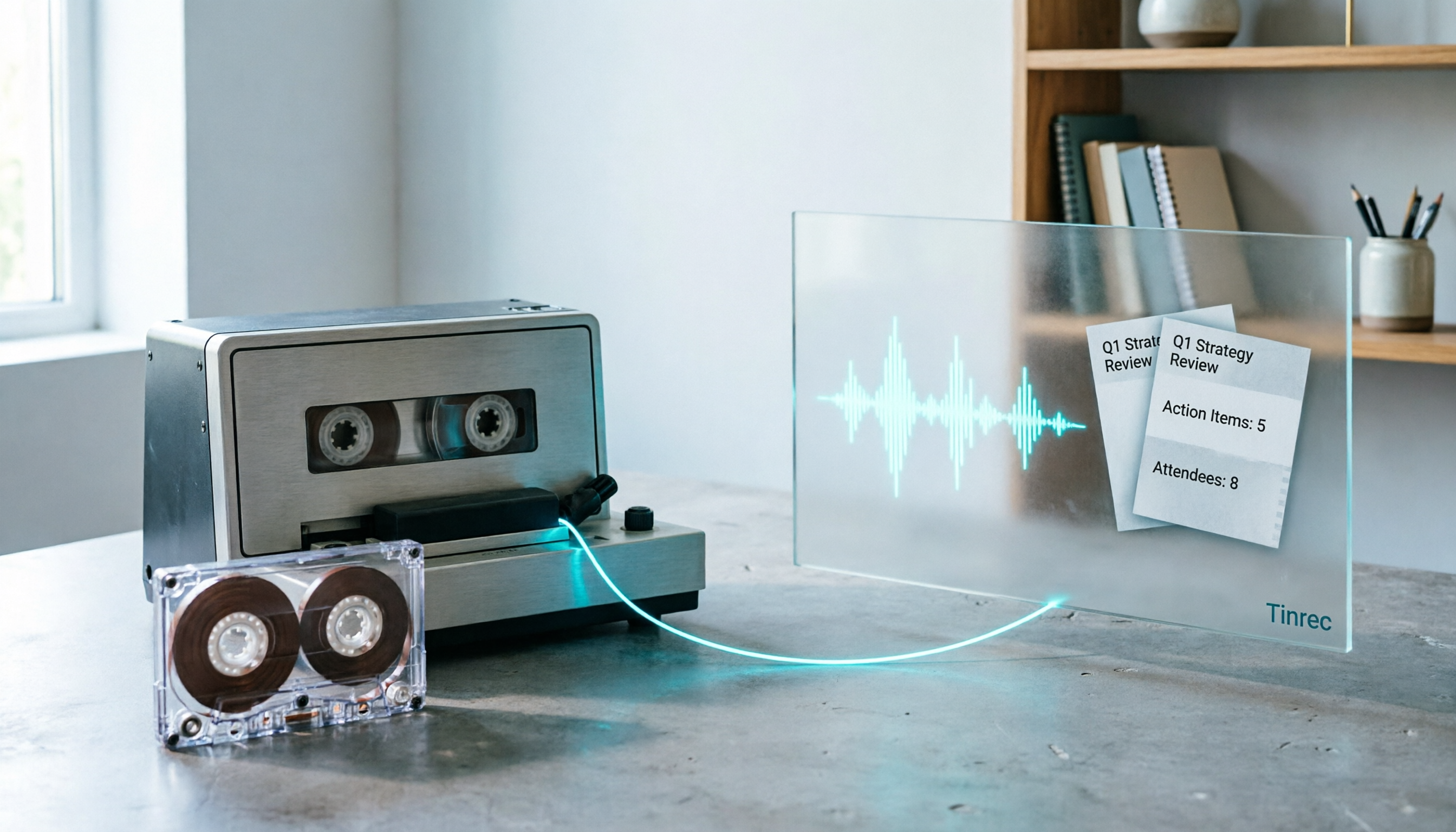
2026 Good Tapes Compared: Cassettes, Reel-to-Reel, and Audio Transcription — How to Choose
People searching for "2026 good tapes" are either looking for blank cassettes or packing tape. This guide first distinguishes four types of tape, then focuses on recording cassettes and reel-to-reel: the state of new production lines in 2026, what specs to check when choosing tapes, how to pick a vintage deck, and how to turn cassette recordings into searchable, queryable, deliverable transcripts and meeting notes with Tinrec.

Otter Chinese Free Plan 2026: 6 Meeting Transcription Tools Compared
People searching for "Otter Chinese free version" often face the same question: Otter.ai offers a generous free tier, but can it actually transcribe Chinese? This article first clarifies Otter's current Chinese support and free plan limitations, then compares the free quotas, pricing, and use cases of 6 meeting transcription tools to help you choose the right one.